
1. Pengenalan
This manual provides comprehensive instructions for the safe and efficient use of your CG MOBILE Guess TWS ENC 4G Earbuds. Please read this manual thoroughly before using the product and retain it for future reference. Understanding these instructions will ensure optimal performance and longevity of your device.
2. Kandungan Pakej
Sahkan bahawa semua item yang disenaraikan di bawah terdapat dalam pembungkusan produk anda:
- CG MOBILE Guess True Wireless Earbuds (2 units)
- Kes Pengecasan
- Kabel Pengecas USB-C
- Manual Pengguna
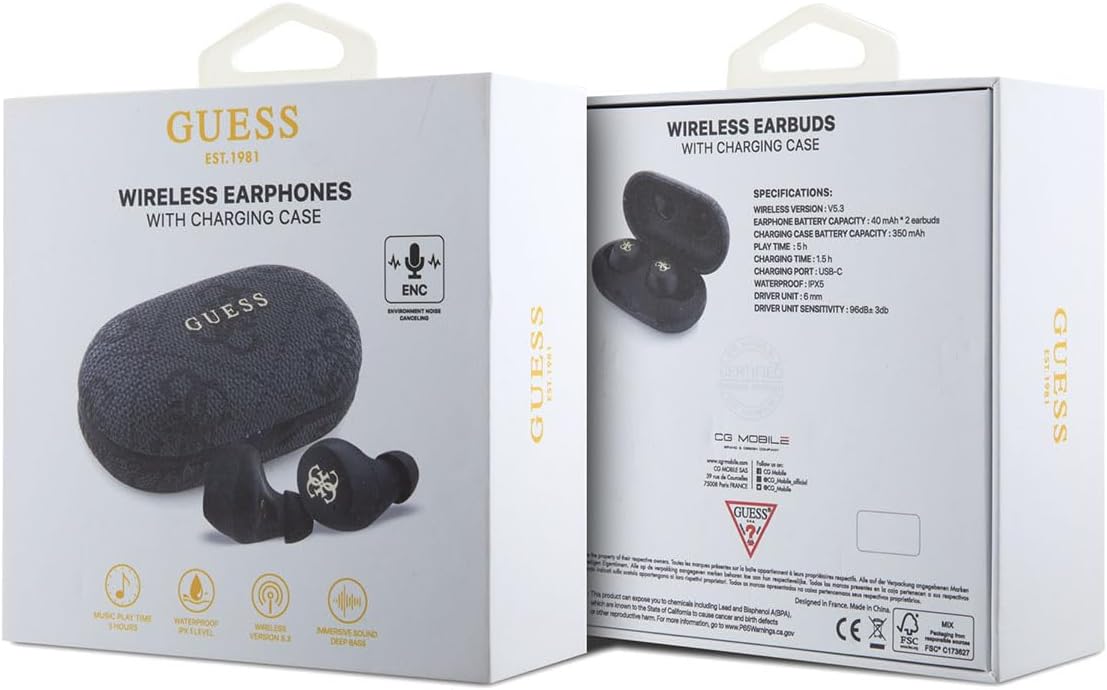
Image 2.1: The product packaging, showing the earbuds and charging case, along with specifications.
3. Produk Lebihview
The CG MOBILE Guess TWS ENC 4G Earbuds are designed for wireless audio playback and hands-free communication. They feature Environmental Noise Cancellation (ENC) for clear calls and an IPX5 water resistance rating, making them suitable for various activities.
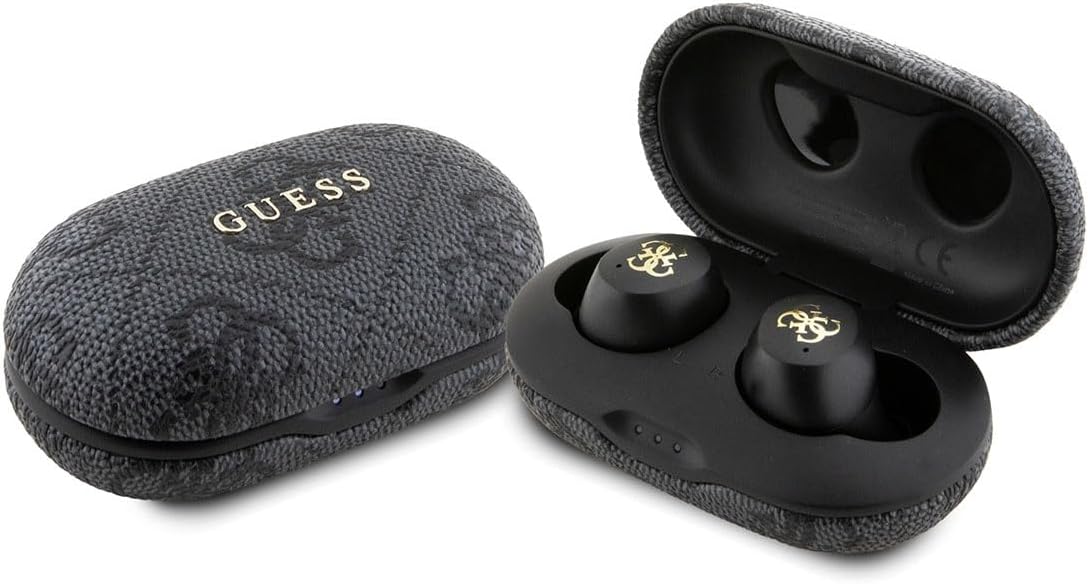
Image 3.1: The CG MOBILE Guess TWS ENC 4G Earbuds shown with their charging case, both closed and open.
3.1 Komponen Earbud
- Kawasan Kawalan Sentuh: For playback, call management, and voice assistant activation.
- mikrofon: For calls and ENC functionality.
- Mengecas Kenalan: Terletak pada batang setiap fon telinga.
- Petua Telinga: Provide a secure and comfortable fit.
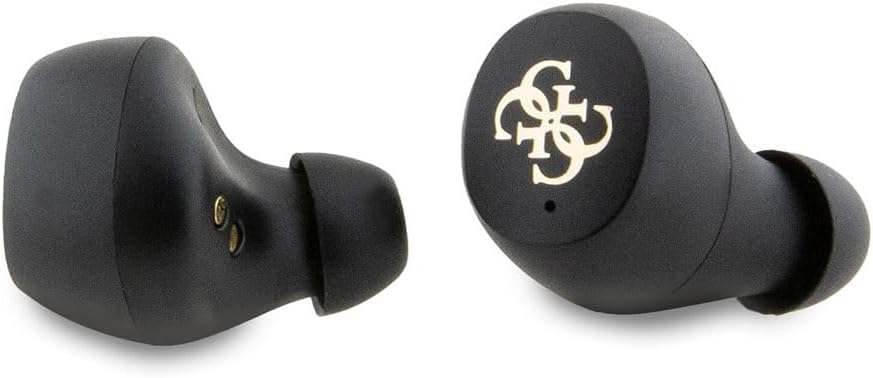
Imej 3.2: Perincian view of the left and right earbuds, highlighting their design and ear tips.
3.2 Komponen Kes Pengecasan
- Slot Fon Telinga: Pegang dan cas fon telinga dengan selamat.
- Penunjuk LED: Display charging status and battery level.
- Port Pengecasan USB-C: Untuk mengecas kes itu.

Image 3.3: The open charging case, revealing the earbud slots and internal components, including model information.

Image 3.4: The closed charging case, displaying the USB-C charging port at the bottom.
4. Persediaan
4.1 Pengecasan Awal
Before first use, fully charge the earbuds and the charging case. Connect the provided USB-C cable to the charging port on the case and to a USB power source. The LED indicators on the case will show the charging status. A full charge typically takes approximately 2 hours.
4.2 Berpasangan dengan Peranti
- Pastikan fon telinga dicas.
- Open the charging case. The earbuds will automatically enter pairing mode, indicated by flashing LED lights on the earbuds.
- Pada peranti anda (telefon pintar, tablet, komputer riba), dayakan Bluetooth.
- Cari untuk available Bluetooth devices and select "GUESS TWS" (or similar name) from the list.
- Once connected, the earbud LEDs will stop flashing, indicating successful pairing.
Nota: Fon telinga akan menyambung semula secara automatik ke peranti berpasangan terakhir apabila dialih keluar daripada sarung, jika Bluetooth didayakan pada peranti.
5. Arahan Operasi
5.1 Hidupkan/Mati Kuasa
- Hidupkan kuasa: Buka bekas pengecas atau tanggalkan fon telinga daripada bekas. Ia akan dihidupkan secara automatik.
- Matikan: Letakkan fon telinga kembali ke dalam bekas pengecasan dan tutup penutupnya. Mereka akan dimatikan secara automatik.
5.2 Main balik Muzik
Use the touch control area on either earbud for the following functions:
- Main/Jeda: Ketuk tunggal.
- Lagu Seterusnya: Ketik dua kali pada fon telinga kanan.
- Trek Sebelumnya: Ketik dua kali pada fon telinga kiri.
5.3 Pengurusan Panggilan
Use the touch control area on either earbud for the following functions during a call:
- Jawab/Tamatkan Panggilan: Ketuk tunggal.
- Tolak Panggilan: Tekan dan tahan selama 2 saat.
5.4 Pembantu Suara
Triple tap either earbud to activate your device's voice assistant (e.g., Siri, Google Assistant).
6. Mengecas
6.1 Mengecas Fon telinga
Place the earbuds into the charging case. Ensure they are correctly seated, and the charging contacts align. The earbuds will begin charging automatically. The case's LED indicators will show the charging status of the earbuds.
6.2 Mengecas Kes
Connect the USB-C charging cable to the port on the charging case and to a compatible USB power adapter (not included). The LED indicators on the case will illuminate to show the charging progress. Once fully charged, all LEDs will remain solid or turn off, depending on the model's specific indicator behavior.
A fully charged case provides multiple charges for the earbuds, extending the total listening time up to 30 hours.
7. Environmental Noise Cancellation (ENC)
The earbuds feature Environmental Noise Cancellation (ENC) technology. This function primarily focuses on reducing ambient noise during phone calls, ensuring clearer voice transmission for the person on the other end. It helps to isolate your voice from surrounding sounds in noisy environments.
8. Rintangan Air (IPX5)
Your earbuds are rated IPX5 for water resistance. This means they are protected against low-pressure water jets from any direction. They are resistant to sweat and light rain, making them suitable for workouts and outdoor activities. However, they are bukan designed for submersion in water or exposure to high-pressure water jets. Do not use them while swimming or showering.
9. Penyelenggaraan
- Pembersihan: Bersihkan fon telinga dan bekas pengecas dengan kerap menggunakan kain yang lembut, kering dan tidak berbulu. Jangan gunakan bahan kimia yang keras atau bahan yang melelas.
- Mengecas Kenalan: Pastikan sentuhan pengecasan pada kedua-dua fon telinga dan sarung bersih dan bebas daripada serpihan untuk mengekalkan pengecasan yang betul.
- Storan: Apabila tidak digunakan, simpan fon telinga dalam bekas pengecasnya untuk melindunginya dan memastikan ia dicas. Simpan di tempat yang sejuk dan kering jauh dari suhu yang melampau.
- Elakkan Kesan: Protect the earbuds and case from drops and impacts, which can cause internal damage.
10. Penyelesaian masalah
| Masalah | Kemungkinan Punca | Penyelesaian |
|---|---|---|
| Fon telinga tidak berpasangan | Low battery; Bluetooth off; earbuds not in pairing mode; interference. | Cas fon telinga dan sarungnya. Pastikan Bluetooth didayakan pada peranti anda. Letakkan fon telinga dalam sarungnya, tutup, kemudian buka untuk memasuki semula mod berpasangan. Bergerak lebih dekat ke peranti anda. |
| Tiada bunyi | Volume too low; not connected; media paused. | Increase volume on device and earbuds. Reconnect earbuds. Check if media is playing. |
| Isu pengecasan | Dirty contacts; faulty cable/adapter; case battery empty. | Clean charging contacts. Try a different USB-C cable and power adapter. Charge the case. |
| Kualiti panggilan yang lemah | Weak signal; microphone obstructed; excessive background noise. | Move closer to your device. Ensure microphone is clear. ENC helps with background noise, but extreme noise may still affect quality. |
11. Spesifikasi
| Ciri | Perincian |
|---|---|
| Nombor Model | GUTWSP4EGK |
| Teknologi Tanpa Wayar | Bluetooth 5.3 |
| Kapasiti Bateri Earbud | 40 mAh x 2 |
| Kapasiti Bateri Kes Pengecasan | 300 mAh |
| Masa Main semula Muzik | Hingga 30 jam (dengan cas pengecasan) |
| Masa Mengecas | Lebih kurang 2 jam |
| Penilaian Ketahanan Air | IPX5 |
| Respons Kekerapan | 20Hz - 20kHz |
| Impedans | 16Ω ± 15% |
| Sensitiviti | 96dB ± 3dB |
| Port Pengecasan | USB-C |
| Ciri Khas | Pembatalan Kebisingan Alam Sekitar (ENC) |
| Berat badan | 80 Gram |
12. Waranti dan Sokongan
For warranty information and customer support, please refer to the documentation provided with your purchase or visit the official CG MOBILE webtapak. Simpan bukti pembelian anda untuk tuntutan waranti.
For technical assistance or inquiries not covered in this manual, please contact CG MOBILE customer service.