
1. Pengenalan
This manual provides comprehensive instructions for the operation and maintenance of the FeelTech FY1100 Series Single Channel DDS Signal Generator. The FY1100 series includes models FY1100-2M (maximum output frequency 2MHz) and FY1100-5M (maximum output frequency 5MHz). This device utilizes Direct Digital Synthesis (DDS) technology to produce accurate, stable, and low-distortion output signals, offering various waveform types and TTL level output.
The user-friendly interface features a 2.4-inch TFT color LCD screen (320*240 resolution) for displaying output signal parameters and current key functions. Shortcut keys simplify complex operations, enhancing instrument usability.
2. Ciri-ciri Utama
- DDS direct digital synthesis technology for accurate, stable, and low distortion output.
- Desktop design with ABS plastic shell.
- 2.4-inch (320*240 pixels) color display for waveform parameters.
- Sampling rate: 150MSa/s, 12-bit vertical resolution.
- High frequency accuracy: up to 10-2 orders of magnitude.
- High frequency resolution: 10mHz or 0.01Hz across the full range.
- tinggi amplitude resolution: minimum 10mV or 0.01V.
- DC bias function: -7.5V to +7.5V.
- Supports various waveforms including Sine, Square, COMS, DC, Triangle, Rising Sawtooth, Falling Sawtooth, Step Triangle, Full Wave, Positive Half Wave, Random Noise, AM, and FM.
3. Persediaan
3.1 Membongkar dan Pemeriksaan
Carefully remove the signal generator from its packaging. Inspect the device for any signs of physical damage. Ensure all components are present.
3.2 Sambungan Kuasa
The device operates on a 5V DC power supply. Connect the appropriate power adapter to the DC input port on the rear of the unit. Ensure the power adapter matches the local electrical standards.
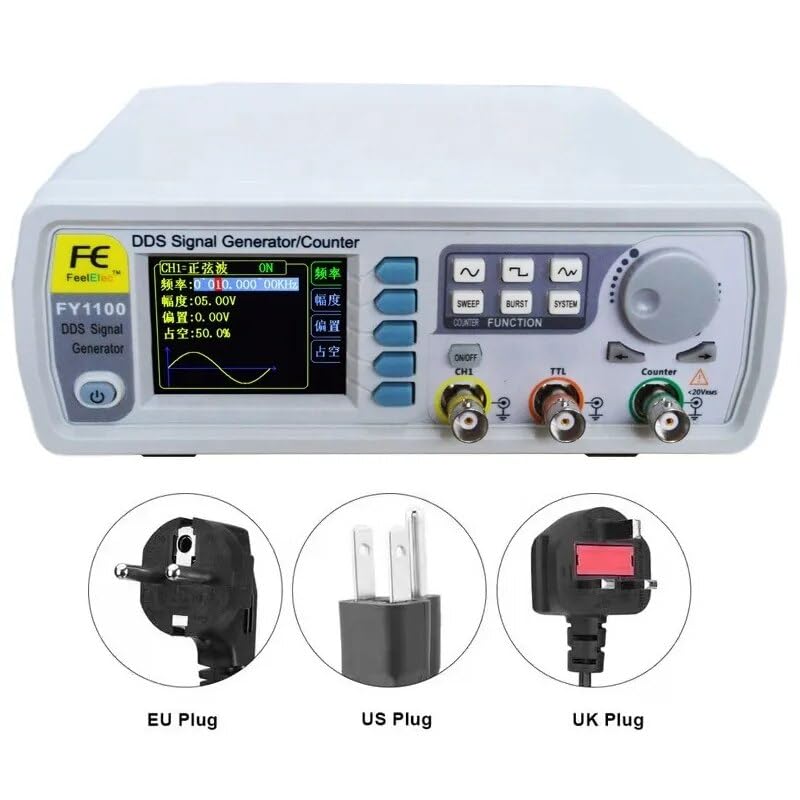
Figure 3.1: Various power plug types (EU, US, UK) compatible with the FeelTech FY1100 series signal generator.
3.3 Connecting Output Cables
Connect BNC cables to the desired output channels (CH1, TTL, Counter) on the front panel. Ensure connections are secure.
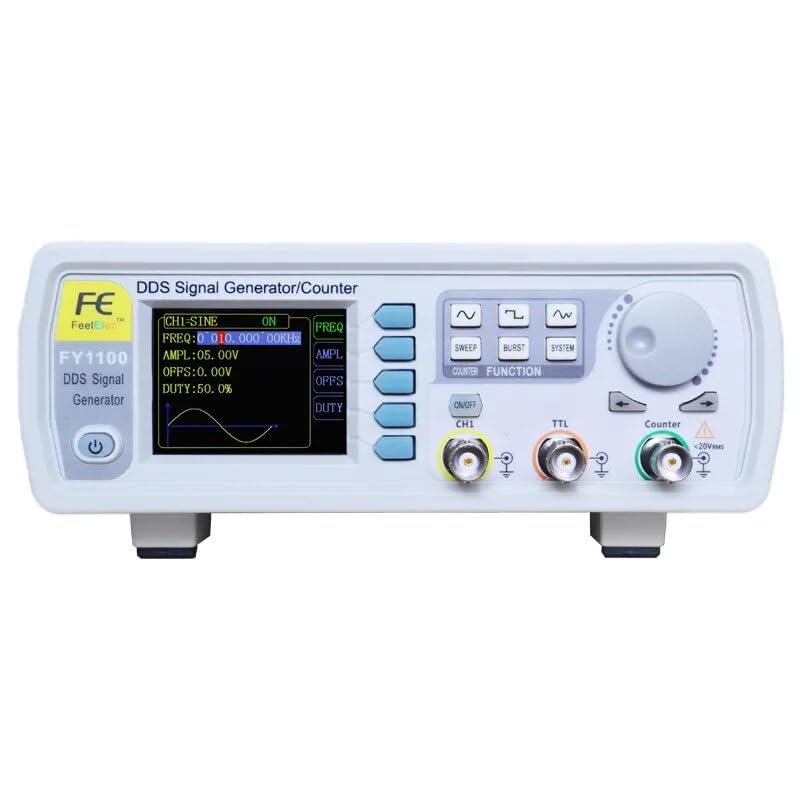
Figure 3.2: Front panel of the FeelTech FY1100 signal generator, showing the display, control buttons, and output connectors.
3.4 Kuasa Awal Hidup
Press the power button located on the front panel to turn on the device. The 2.4-inch TFT color LCD will illuminate, displaying the initial operating parameters.
4. Arahan Operasi
4.1 Antara Muka Pengguna Overview
The front panel features a 2.4-inch TFT color LCD display, a set of function buttons, a rotary encoder for parameter adjustment, and output connectors. The display shows real-time waveform parameters such as frequency, amplitude, offset, and duty cycle.
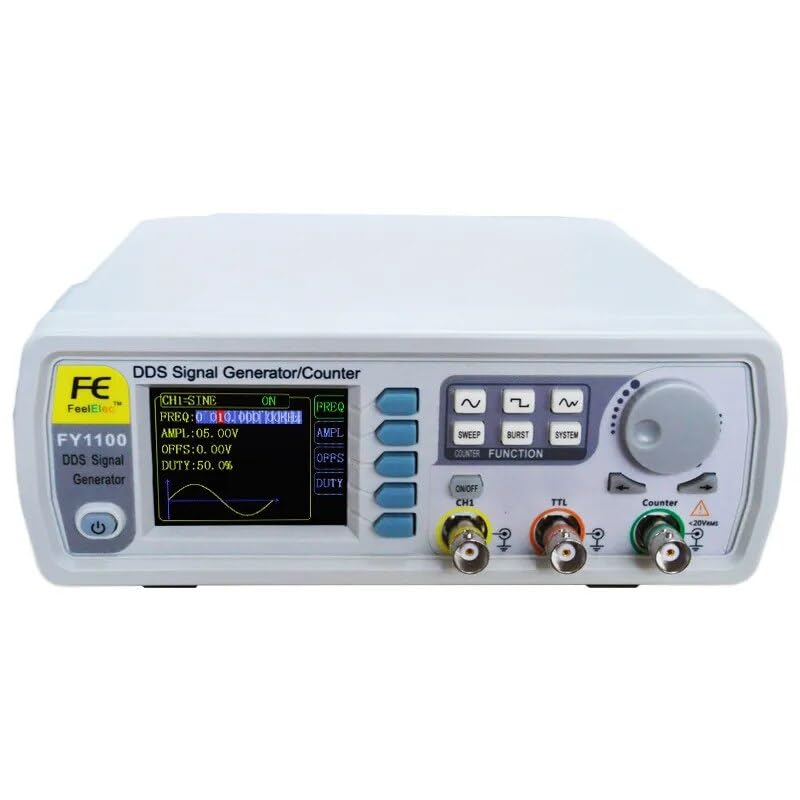
Figure 4.1: Close-up of the FeelTech FY1100 front panel, illustrating the display and button arrangement for parameter control.
4.2 Basic Parameter Adjustment
- Selecting Parameters: Use the dedicated function buttons (e.g., FREQ, AMPL, OFFS, DUTY) to select the parameter you wish to adjust. The selected parameter will be highlighted on the LCD.
- Melaraskan Nilai: Rotate the large knob on the right side of the panel to increase or decrease the value of the selected parameter. Fine adjustments can often be made by pressing the knob or using specific arrow keys if available.
- Pemilihan Bentuk Gelombang: Use the waveform buttons (e.g., Sine, Square, Triangle icons) to cycle through or directly select the desired output waveform.
- Output Saluran: Press the "ON/OFF CH1" button to enable or disable the main channel output.
4.3 Waveform Types
The FY1100 series supports the generation of various standard and arbitrary waveforms:
- Gelombang sinus
- Square wave (adjustable duty cycle)
- COMS wave (adjustable duty cycle)
- gelombang DC
- Gelombang segi tiga
- Gigi gergaji meningkat
- Falling sawtooth
- Step triangle wave
- Gelombang penuh
- Positive half wave
- Random noise wave
- AM waveform
- FM waveform
5. Spesifikasi
The following table details the technical specifications for the FeelTech FY1100 series signal generators:

Figure 5.1: Detailed technical specifications including frequency ranges, resolution, accuracy, and sampling rate for the FY1100-5M model.
| Parameter | Specification (FY1100-5M) | Specification (FY1100-2M) |
|---|---|---|
| Kekerapan Output Maksimum | 5MHz | 2MHz |
| Sine Wave Frequency Range | 0~5MHz | 0~2MHz |
| Square Wave Frequency Range | 0~2MHz | 0~2MHz |
| Triangle Wave Frequency Range | 0~3MHz | 0~2MHz (estimated) |
| TTL Digital Wave Range | 0~5MHz | 0~2MHz (estimated) |
| Minimum Frequency Resolution | 10mHz (0.01Hz) | 10mHz (0.01Hz) |
| Kekerapan Ketepatan | ±5x10⁻⁶ | ±5x10⁻⁶ |
| Kestabilan Frekuensi | ±1x10⁻⁶ / 3 jam | ±1x10⁻⁶ / 3 jam |
| Impedans Keluaran | 50Ω +10% (typical) | 50Ω +10% (typical) |
| Bentuk gelombang SampKadar ling | 150MSa / s | 150MSa / s |
| Resolusi menegak | 12 bit | 12 bit |
| DC Bias Function | -7.5V ~ +7.5V | -7.5V ~ +7.5V |
| Bekalan Kuasa | 5V (DC) | 5V (DC) |
| Dimensi (L x W x H) | 25 x 20 x 15 cm (approximate, based on product dimensions) | |
| Berat badan | 1 kilogram (approximate) | |
Note: Specifications for FY1100-2M are estimated based on the FY1100-5M and general product description where specific values for -2M were not explicitly provided, except for maximum frequency. Dimensions and weight are common for the series.
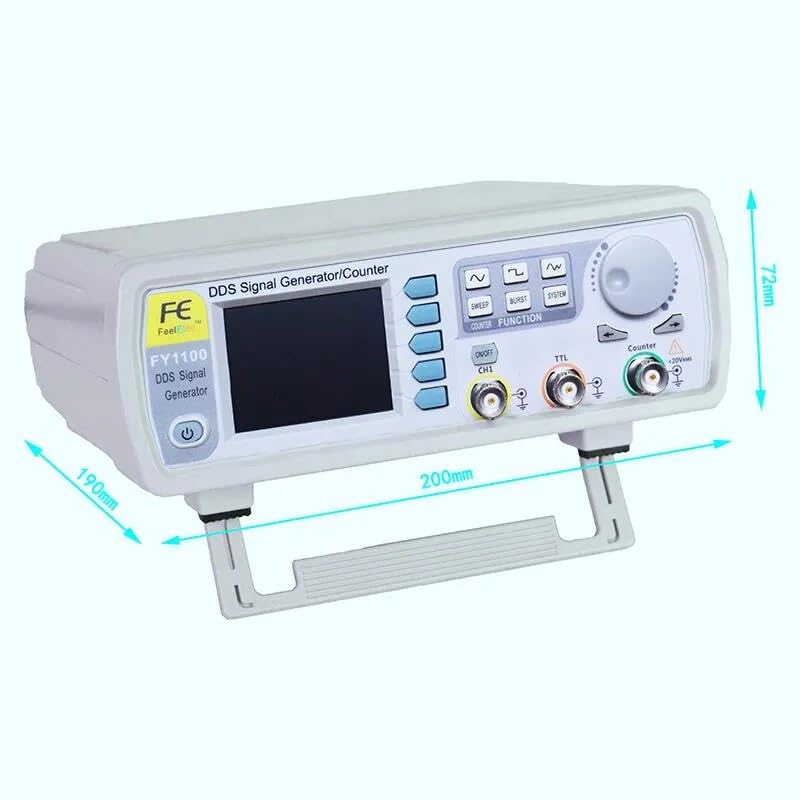
Figure 5.2: Physical dimensions of the FeelTech FY1100 series signal generator.
6. Penyelenggaraan
6.1 Pembersihan
To clean the exterior of the device, use a soft, dry cloth. For stubborn dirt, a slightly damp kain dengan detergen lembut boleh digunakan, memastikan tiada cecair memasuki peranti. Jangan gunakan pembersih atau pelarut yang kasar.
6.2 Penyimpanan
When not in use, store the signal generator in a cool, dry place, away from direct sunlight and extreme temperatures. Protect it from dust and moisture.
6.3 Penjagaan Am
Avoid dropping the device or subjecting it to strong impacts. Ensure proper ventilation during operation to prevent overheating. Do not block the ventilation slots located on the sides and bottom of the unit.
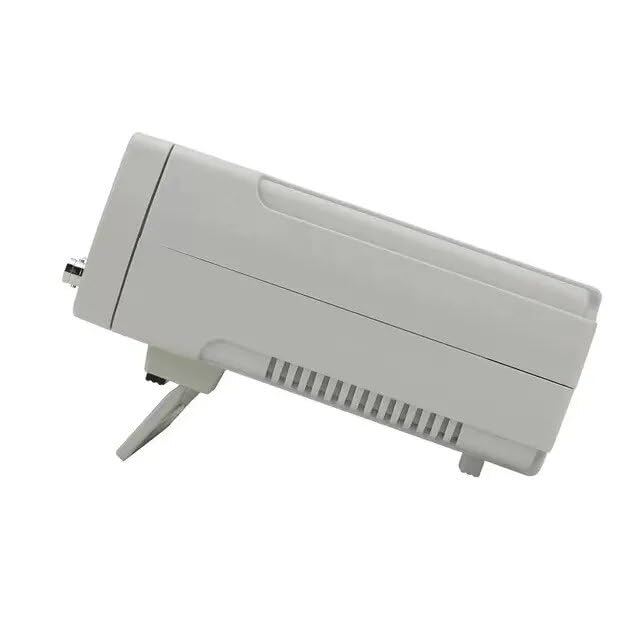
Rajah 6.1: Sisi view of the signal generator, illustrating the ventilation design.
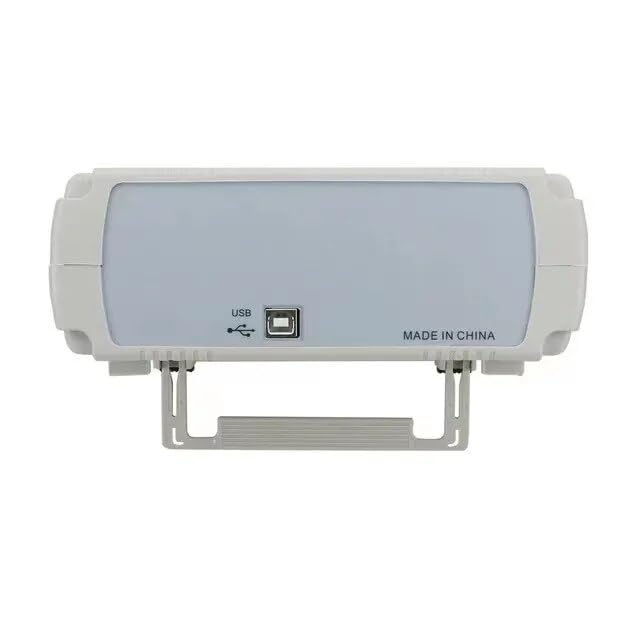
Figure 6.2: Rear panel of the signal generator, featuring the USB port for potential future connectivity or firmware updates.
7. Penyelesaian masalah
This section addresses common issues you might encounter with your FeelTech FY1100 signal generator.
- Tiada Kuasa:
- Ensure the power adapter is correctly connected to the device and a working power outlet.
- Verify the power adapter is supplying the correct 5V DC voltage.
- Periksa butang kuasa untuk memastikan ia berfungsi dengan betul.
- Tiada Isyarat Output:
- Confirm that the output channel (CH1) is enabled via the "ON/OFF CH1" button.
- Check the BNC cable connections for looseness or damage.
- Sahkan bahawa amplitude setting is not set to zero.
- Ensure the frequency is within the operational range for the selected waveform.
- Incorrect Waveform Display:
- Ensure the correct waveform type is selected.
- Check the frequency, amplitude, and offset settings for appropriate values.
- If using an oscilloscope, ensure its settings (time base, voltage scale) are correctly configured.
If problems persist, consult the manufacturer's support resources or contact customer service.
8. Waranti dan Sokongan
The manufacturer provides a 2-year availability for spare parts for this product. For specific warranty terms and conditions, please refer to the documentation provided at the time of purchase or contact FeelTech customer support.
For technical assistance, troubleshooting, or service inquiries, please visit the official FeelTech webtapak atau hubungi pusat perkhidmatan mereka yang dibenarkan.