
1. Pengenalan
This manual provides comprehensive instructions for the setup, operation, and maintenance of your Lecoo WS208 Wireless Mouse. Please read this manual carefully before using the product to ensure proper function and longevity. Keep this manual for future reference.
2. Produk Lebihview
The Lecoo WS208 is a wireless optical mouse designed for comfort and efficiency. It features a 1200 DPI sensor for precise tracking and a silent click mechanism for a quiet user experience.
Ciri-ciri Utama:
- 1200 DPI Optical Sensor: Provides accurate and responsive cursor control.
- Reka Bentuk 3-Butang: Standard left, right, and scroll wheel buttons for essential functions.
- Klik Senyap: Mengurangkan bunyi klik untuk persekitaran kerja yang lebih senyap.
- Kesambungan Tanpa Wayar: Operates via a 2.4GHz USB receiver, offering a range of up to 10 meters.
- Ergonomic and Compact Design: Lightweight (54g) and shaped for comfortable use over extended periods.
- Hayat Bateri yang Panjang: Powered by one AA battery, providing up to 6 months of usage depending on conditions.
- Keserasian Universal: Supports Windows XP/7/8/10/11, Mac OS X 10.4+, Linux Kernel 2.6+, and Android devices.
Kandungan Pakej:
- Lecoo WS208 Wireless Mouse
- USB Mini Receiver
- Manual Pengguna
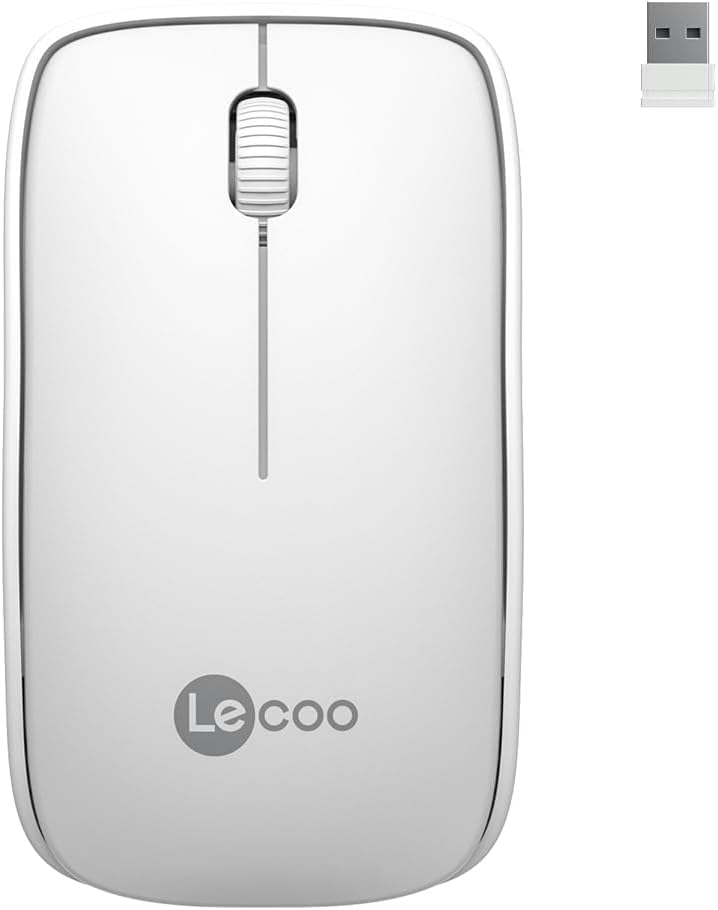
Image: Lecoo WS208 Wireless Mouse and its USB receiver.

Image: Diagram illustrating the components of the Lecoo WS208 mouse. Key features include the scroll wheel, left and right buttons, optical sensor, and USB dongle storage slot.
3. Persediaan
3.1 Pemasangan Bateri
- Locate the battery compartment cover on the bottom of the mouse.
- Gelongsor atau angkat penutup perlahan-lahan untuk membuka petak.
- Insert one AA battery (not included) into the compartment, ensuring the positive (+) and negative (-) terminals align correctly with the indicators.
- Gantikan penutup petak bateri sehingga ia terkunci pada tempatnya.
3.2 Menyambungkan Penerima USB
- Remove the USB mini receiver from its storage slot, usually located inside the battery compartment or on the bottom of the mouse.
- Plug the USB receiver into an available USB port on your computer (PC, Mac, Laptop) or compatible device.
- Sistem pengendalian anda harus secara automatik mengesan dan memasang pemacu yang diperlukan. Ini mungkin mengambil masa beberapa saat.
3.3 Menghidupkan Tetikus
After installing the battery and plugging in the receiver, the mouse should automatically power on. Some models may have a power switch on the bottom; ensure it is in the 'ON' position if present.
4. Arahan Operasi
4.1 Fungsi Asas
- Butang Kiri: Primary click function (e.g., select items, open links).
- Butang Kanan: Secondary click function (e.g., open context menus).
- Roda Tatal: Tatal ke atas atau ke bawah melalui dokumen dan web pages. The scroll wheel also functions as a middle button when pressed.
4.2 DPI Sensitivity
The Lecoo WS208 operates at a fixed 1200 DPI (Dots Per Inch) sensitivity, providing a balanced speed and precision for most daily tasks. No manual DPI adjustment is available on this model.
4.3 Julat Operasi
The mouse maintains a stable connection within a 10-meter range from the USB receiver. Performance may vary depending on environmental factors and obstacles.

Image: Icons representing universal compatibility with Android, Apple (macOS), Windows, Linux, and ChromeOS.
5. Penyelenggaraan
5.1 Pembersihan
- Ensure the mouse is powered off before cleaning.
- Gunakan kain yang lembut, kering dan tidak berbulu untuk mengelap permukaan tetikus.
- Untuk kotoran degil, sedikit dampen kain dengan air atau pembersih yang lembut dan tidak melelas. Elakkan kelembapan berlebihan.
- Do not use harsh chemicals, solvents, or abrasive materials, as these can damage the mouse's finish.
5.2 Penggantian Bateri
When the mouse's performance degrades or it stops responding, it may be time to replace the AA battery. Follow the battery installation steps in Section 3.1.
6. Penyelesaian masalah
Isu dan Penyelesaian Biasa:
- Tetikus tidak bertindak balas:
- Pastikan bateri dipasang dengan betul dan mempunyai cas yang mencukupi. Gantikan jika perlu.
- Sahkan bahawa penerima USB dipasang dengan selamat ke port USB yang berfungsi. Cuba port USB yang lain.
- Pastikan tetikus berada dalam jarak operasi 10 meter dari penerima.
- Mulakan semula komputer anda.
- Erratic or jumpy cursor movement:
- Bersihkan sensor optik di bahagian bawah tetikus dengan kain lembut dan kering.
- Pastikan anda menggunakan tetikus pada permukaan yang sesuai. Elakkan permukaan yang sangat reflektif atau lutsinar.
- Semak gangguan daripada peranti wayarles lain.
- Isu sambungan:
- Unplug and re-plug the USB receiver.
- Gerakkan tetikus lebih dekat dengan penerima USB.
7. Spesifikasi
| Jenama | Lecoo |
| Model | WS208 |
| Teknologi Ketersambungan | Wireless (2.4GHz USB Receiver) |
| Pengesanan Pergerakan | Optik |
| Sensitiviti DPI | 1200 DPI |
| Bilangan Butang | 3 (Kiri, Kanan, Roda Skrol/Tengah) |
| Julat Operasi | Sehingga 10 meter |
| Jenis Bateri | 1 x Bateri AA (tidak termasuk) |
| Hayat Bateri | Sehingga 6 bulan (bergantung pada penggunaan) |
| Dimensi (L x W x H) | 95mm x 54mm x 31mm |
| Berat badan | 54g (mouse only) |
| Keserasian | Windows XP/7/8/10/11, Mac OS X 10.4+, Linux Kernel 2.6+, Android |

Image: Visual representation of the Lecoo WS208 mouse dimensions (95mm length, 54mm width, 31mm height) and weight (54g).
8. Waranti dan Sokongan
Lecoo products are designed for reliability and performance. For warranty information or technical support, please refer to the warranty card included with your product or visit the official Lecoo webtapak. Simpan resit pembelian anda sebagai bukti pembelian untuk tuntutan waranti.