
1. Pengenalan
Thank you for choosing the KJK Trail Camera KJK201-0115-A. This compact and robust camera is designed for wildlife observation, home security, and various outdoor monitoring needs. Featuring high-resolution video and photos, rapid trigger speed, and advanced night vision capabilities, it ensures reliable performance in diverse environments.
2. Kandungan Pakej
Sila semak pakej untuk memastikan semua item ada:
- Trail Camera Unit
- Berdiri
- Kabel Pengecasan (USB)
- 4 x Bateri AA
- Kad Memori 32GB
- Manual Arahan

Image: KJK Trail Camera with its accessories, including the camera unit, stand, cables, batteries, and memory card.
3. Persediaan
3.1. Pemasangan Bateri
The camera operates on 4 AA batteries. Open the camera casing and insert the batteries into the designated slots, ensuring correct polarity.
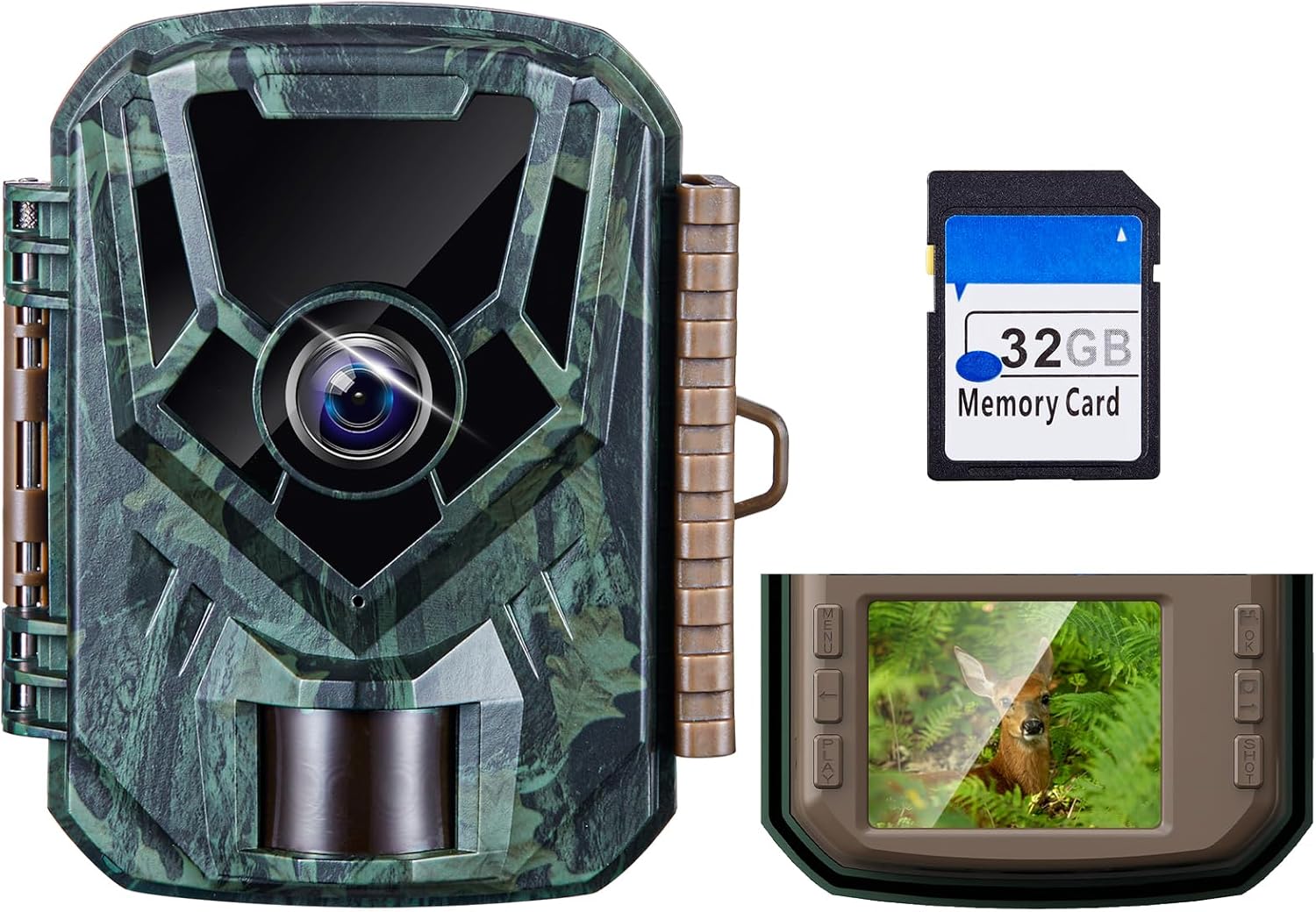
Image: A person inserting 4 AA batteries into the open battery compartment of the KJK Trail Camera.
3.2. Pemasangan Kad Memori
Insert the provided 32GB microSD card into the memory card slot. Ensure it clicks into place. The memory card must be formatted before first use.
3.3. Hidupkan dan Tetapan Awal
Slide the power switch to the 'ON' position. The camera will power on. Navigate through the menu to set the language (Japanese is supported), date, and time. Refer to the detailed instructions in the manual for specific menu options.
3.4. Pilihan Pemasangan
Kamera ini menawarkan pilihan pemasangan fleksibel:
- Pemasangan Tali: Use the included strap to secure the camera to a tree or pole.
- Pemasangan Dinding: Utilize the wall mount bracket and screws for fixed installations on surfaces.
- Lekapan Tripod: The camera features a tripod screw hole at the bottom for tripod compatibility.

Image: Illustrations demonstrating how to mount the KJK Trail Camera using a strap, by placing it on a flat surface, or by screwing it to a wall.
4. Arahan Operasi
4.1. Hidupkan/Mati Kuasa dan Pemilihan Mod
Use the power switch to turn the camera ON or OFF. The camera typically enters a monitoring mode after a short countdown. Use the menu buttons to navigate and select different operating modes.
4.2. Mod Rakaman
The camera supports three recording modes:
- Mod Video: Merakam klip video apabila gerakan dikesan.
- Mod Foto Pegun: Menangkap imej pegun apabila gerakan dikesan.
- Video & Photo Mode: Captures both video and still images upon motion detection.

Image: A visual representation of the three available recording modes on the KJK Trail Camera.
4.3. Pengesanan Gerakan PIR
The Passive Infrared (PIR) sensor detects movement within a 130° angle and up to 22 meters. The camera features an ultra-fast 0.1-second trigger speed to capture fleeting moments. Avoid placing the camera behind glass or other obstructions that may interfere with PIR detection.
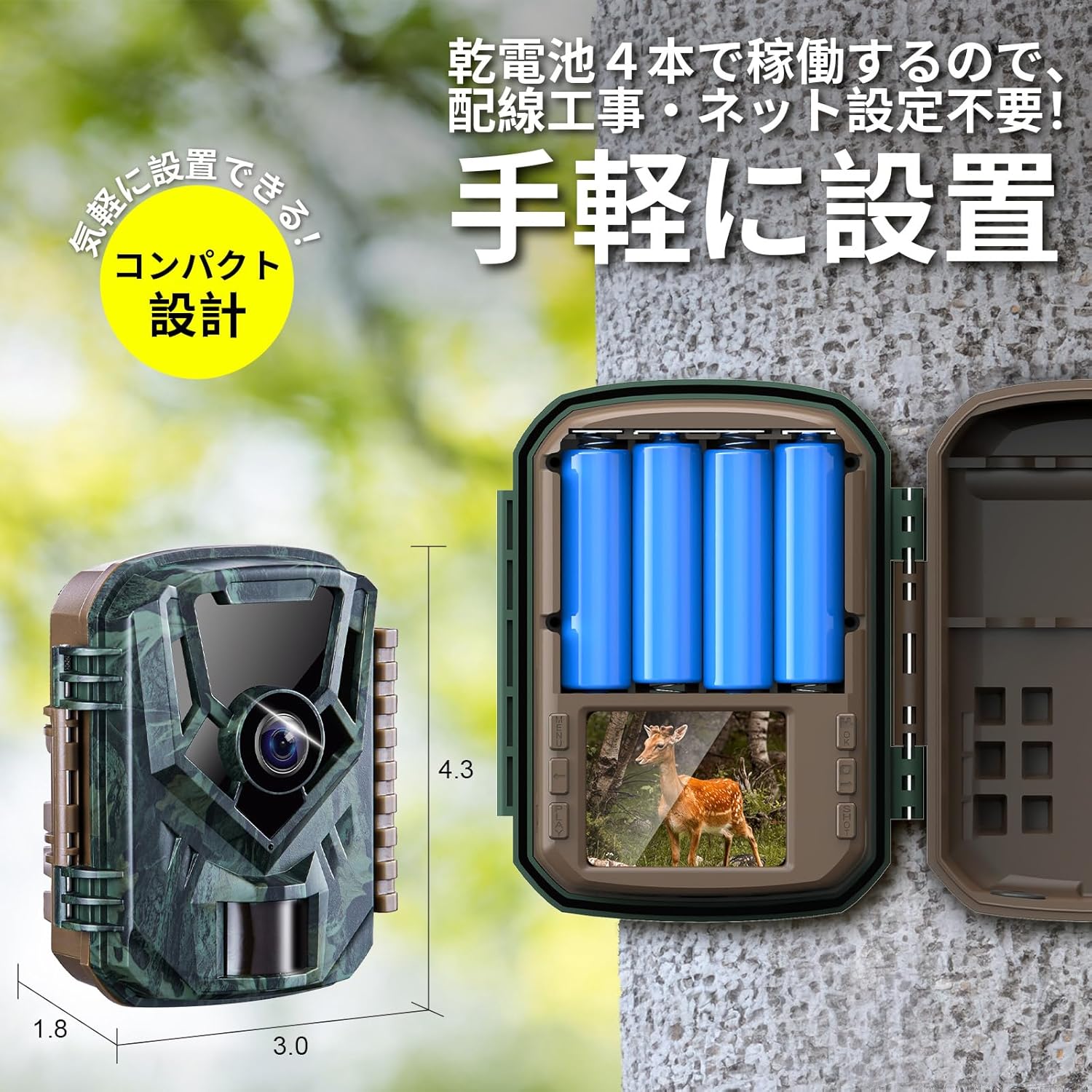
Image: Diagram illustrating the KJK Trail Camera's high-sensitivity PIR motion sensor, showing its 130° detection angle and 22-meter detection range.
4.4. Penglihatan Malam
Equipped with low-glow infrared LEDs, the camera captures clear photos and videos even in complete darkness without disturbing wildlife. The camera automatically switches between day and night modes.

Image: The KJK Trail Camera's infrared LEDs for night vision, demonstrating automatic day/night mode switching and clear night recordings.
4.5. Viewdalam Media Rakaman
awak boleh view recorded photos and videos using several methods:
- Main Balik Pada Peranti: Use the camera's built-in screen and navigation buttons.
- Wayar USB: Sambungkan kamera ke komputer menggunakan kabel USB yang disediakan.
- Memory Card Reader: Remove the microSD card and insert it into a card reader connected to a computer.

Image: Three different ways to access and view recorded media from the KJK Trail Camera: directly on the camera, via USB connection to a laptop, or using a memory card reader with a tablet.
4.6. Kesambungan Apl
The camera supports app connectivity for intuitive operation and media playback. Scan the QR code displayed on the camera screen to download the dedicated app. Through the app, you can adjust settings, view hidup footage, and download photos/videos directly to your smartphone.
Video: An unboxing and setup guide for the KJK Trail Camera, demonstrating how to install batteries, memory card, and connect to the smartphone app for settings and media viewing.
5. Ciri-ciri
- Ultra-Fast Trigger Speed & Wide Detection Angle: Captures movement with a 0.1-second trigger speed and a 130° detection angle, covering up to 22 meters.
- High-Quality 2.7K Video & 36MP Photos: Records clear FHD videos and vivid 36-megapixel still images, suitable for detailed observation.
- Low-Glow Infrared & PIR Motion Sensor: Equipped with infrared lights for clear night recordings and a human motion sensor for automatic detection.
- IP66 Waterproof & Battery-Powered: Designed with IP66 waterproof and dustproof rating for indoor and outdoor use. Battery-operated, requiring no wiring.
- Aplikasi Serbaguna: Ideal for wildlife monitoring, home security, farm surveillance, illegal dumping countermeasures, pet monitoring, and warehouse security.

Image: A collage of images demonstrating the KJK Trail Camera's diverse applications, including monitoring wildlife, securing homes, observing plants, warehouse surveillance, pet monitoring, and pest control.
6. Penyelenggaraan
To ensure optimal performance and longevity of your KJK Trail Camera, follow these maintenance guidelines:
- Pembersihan: Gently wipe the lens and PIR sensor with a soft, dry cloth to remove dust and debris. Avoid using abrasive cleaners.
- Penjagaan Bateri: Replace batteries when low. If storing the camera for an extended period, remove the batteries to prevent leakage.
- Storan: Simpan kamera di tempat yang sejuk dan kering, jauh daripada cahaya matahari langsung apabila tidak digunakan.
7. Penyelesaian masalah
If you encounter issues with your camera, refer to the following common troubleshooting tips:
- Kamera Tidak Dihidupkan: Periksa pemasangan bateri dan pastikan bateri dicas.
- No Recordings: Ensure the memory card is inserted correctly and formatted. Verify that the camera is in the correct recording mode.
- Penglihatan Malam yang lemah: Check for obstructions in front of the infrared LEDs. Ensure batteries have sufficient power.
- PIR Sensor Not Triggering: Ensure the sensor is not obstructed. Adjust sensor sensitivity settings if necessary.
- Video Playback Issues on PC: Some users reported issues with Windows Media Player for AVI files. Try using alternative media players like VLC.
8. Spesifikasi
| Nombor Model | KJK201-0115-A |
| Resolusi Video | 2.7K |
| Still Photo Resolution | 36MP |
| Kecepatan Pencetus | 0.1 saat |
| Sudut Pengesanan | 130 darjah |
| Julat Penglihatan Malam | 22 meter |
| Penilaian Kalis Air | IP66 |
| Sumber Kuasa | 4 x Bateri Beralkali AA |
| Disertakan Kad Memori | 32GB microSD |
| Dimensi (LxWxH) | 16 x 11 x 7 cm |
| Berat badan | 390 g |
9. Waranti dan Sokongan
The KJK Trail Camera KJK201-0115-A comes with a 12-month warranty. If you have any questions or require support, please contact customer service. For warranty activation, scan the QR code provided inside the camera casing or refer to the product packaging.
Video: A short video highlighting the importance of waterproof and dustproof performance for the camera.