
1. Pengenalan
The TEAMGROUP PD20M Magnetic External SSD is a high-performance, ultra-portable storage solution designed for seamless data transfer and expansion across various devices. Featuring USB 3.2 Gen 2x2 Type-C connectivity, it offers read and write speeds of up to 2000MB/s, making it ideal for demanding tasks such as 4K ProRes HDR video recording on compatible devices like the iPhone 15 and 16 Pro Max. Its magnetic design ensures convenient attachment, enhancing portability and ease of use.
2. Ciri-ciri Produk
- Ultra-Thin and Lightweight: At just 8.2 mm thick and weighing 40 g, the PD20M is exceptionally portable.
- Penghantaran Kelajuan Tinggi: Experience up to 20 Gbps (2000MB/s) read and write speeds with USB 3.2 Gen 2x2 Type-C.
- Reka Bentuk Magnetik: Features MagSafe compatibility for secure and convenient attachment to devices like the iPhone 15 Pro series.
- Keserasian Luas: USB Type-C ensures plug-and-play functionality with a wide range of devices, including desktops, laptops, smartphones, iPhone 15/16 Pro Max, and iPads.
- Ideal for Content Creation: Supports 4K ProRes HDR recording, making it a perfect partner for expanding iPhone 15/16 storage capacity for professional video work.

Image: The ultra-thin design of the PD20M SSD allows for easy portability, fitting comfortably into a pocket.

Image: Key features and specifications of the PD20M Mag Portable SSD.
3. Kandungan Pakej
Sahkan bahawa semua item terdapat dalam pembungkusan produk anda:
- 1 x TEAMGROUP PD20M Magnetic External SSD (2TB capacity)
- 1 x Kabel USB Jenis-C ke Jenis-C

Image: The retail packaging of the PD20M SSD, indicating its capacity and compatibility.
4. Persediaan dan Sambungan
The TEAMGROUP PD20M SSD is designed for plug-and-play convenience. Follow these steps to connect and begin using your SSD:
- Identify Your Device's Port: Ensure your device (e.g., iPhone 15/16 Pro Max, iPad, laptop, desktop) has a USB Type-C port.
- Sambungkan Kabel: Use the provided USB Type-C to Type-C cable. Insert one end into the USB Type-C port on the PD20M SSD and the other end into the USB Type-C port on your host device.
- Magnetic Attachment (for compatible devices): For iPhone 15 Pro series and other MagSafe-compatible devices, align the SSD with the magnetic area on the back of your device for a secure attachment.
- Pengecaman Peranti: Your operating system (iOS, macOS, Windows, Android) should automatically detect the SSD. It may appear as an external drive or storage device.
- Pemformatan (jika perlu): For first-time use or if you encounter issues, you may need to format the SSD to a file system compatible with your operating system (e.g., exFAT for cross-platform compatibility, APFS for macOS, NTFS for Windows). Refer to your device's operating system documentation for formatting instructions.

Image: The PD20M SSD connected to an iPhone via its USB-C port, ready for data transfer or recording.

Image: The magnetic attachment feature of the PD20M SSD provides a secure and convenient connection to compatible devices.

Image: The PD20M SSD connected to a laptop, demonstrating its high-speed data transfer capabilities.
5. Arahan Operasi
Once connected, the PD20M SSD functions like any other external storage device. Here are common operations:
- File Pemindahan: Seret dan lepas files between your device's internal storage and the PD20M SSD. For large files, the high-speed USB 3.2 Gen 2x2 interface will ensure rapid transfers.
- Direct Recording (iPhone 15 Pro series): For iPhone 15 Pro and Pro Max models, you can directly record 4K ProRes HDR video to the PD20M SSD, bypassing the phone's internal storage limitations. Ensure your iPhone settings are configured to save recordings to external storage.
- Sandaran dan Storan: Use the SSD to back up important documents, photos, videos, and other data from your computer or mobile device.
- Storan Permainan: Compatible with gaming consoles (PS4, PS5, Xbox One) for expanding game storage. Refer to your console's manual for specific setup instructions for external drives.
Penting: Always safely eject or unmount the SSD from your operating system before physically disconnecting it to prevent data corruption.
6. Penjagaan dan Penyelenggaraan
To ensure the longevity and optimal performance of your TEAMGROUP PD20M SSD, follow these guidelines:
- Tangani dengan Berhati-hati: While SSDs are more durable than traditional HDDs, avoid dropping the device or subjecting it to strong impacts.
- Keringkan: Protect the SSD from moisture and liquids.
- Suhu: Operate and store the SSD within recommended temperature ranges (typically 0°C to 70°C operating, -40°C to 85°C storage). Avoid extreme heat or cold.
- Kebersihan: Keep the USB-C port free of dust and debris. Use a soft, dry cloth to clean the exterior.
- Ejection Selamat: Always use the "Safely Remove Hardware" option on Windows, "Eject" on macOS, or similar functions on other operating systems before disconnecting the SSD.
- Kemas kini Firmware: Periodically check the TEAMGROUP official website for any available firmware updates for your SSD model, which can improve performance and stability.
7. Penyelesaian masalah
If you encounter issues with your TEAMGROUP PD20M SSD, try the following troubleshooting steps:
- SSD Tidak Dikesan:
- Ensure the USB-C cable is securely connected to both the SSD and your device.
- Cuba port USB-C lain pada peranti anda.
- Test with a different USB-C cable, preferably one known to support USB 3.2 Gen 2x2 speeds. Some cables may not support the full bandwidth.
- Mulakan semula komputer atau peranti anda.
- Check your device's Disk Management (Windows) or Disk Utility (macOS) to see if the drive is recognized but unformatted or uninitialized.
- Kelajuan Pemindahan Lambat:
- Ensure your device's USB-C port supports USB 3.2 Gen 2x2 (20 Gbps). Older USB versions will result in lower speeds.
- Verify you are using the provided cable or a high-quality USB 3.2 Gen 2x2 compatible cable.
- The file system format can impact performance. Ensure it's optimized for your primary operating system.
- Sebilangan besar kecil filepemindahan s lebih perlahan daripada beberapa yang besar files.
- Ensure your device's drivers for USB ports are up to date.
- SSD Disconnects Randomly:
- Periksa kabel untuk kerosakan atau sambungan yang longgar.
- Ensure your device's power settings are not configured to turn off USB ports to save power.
- Avoid excessive bending or strain on the cable during use.
- Penjanaan Haba:
- It is normal for the SSD to generate some heat during intensive operations (e.g., large file transfers, 4K video recording). If it becomes excessively hot and performance drops, ensure it has adequate airflow and is not covered.
If these steps do not resolve your issue, please contact TEAMGROUP customer support.
8. Spesifikasi Teknikal
| Ciri | Spesifikasi |
|---|---|
| Nama Model | PD20M |
| Nombor Model | TPSEG2002T0C108 |
| Kapasiti | 2 TB |
| Antara muka | USB 3.2 Gen 2x2 Jenis-C |
| Kelajuan Baca | Sehingga 2000 MB/s |
| Tulis Kelajuan | Sehingga 2000 MB/s |
| Dimensi (LxWxH) | 2.76 x 2.44 x 0.33 inci (70 x 62 x 8.2 mm) |
| Berat badan | 1.41 auns (40 g) |
| warna | Hitam |
| Ciri Khas | Magnetic (MagSafe compatible), Portable |
| Peranti Serasi | Desktop, Laptop, Smartphone, iPhone 15, iPhone 16, iPad, PS4, PS5, Xbox One |
| Pengeluar | KUMPULAN BERPASUKAN |
| Tarikh Tersedia Pertama | 28 Mac 2024 |
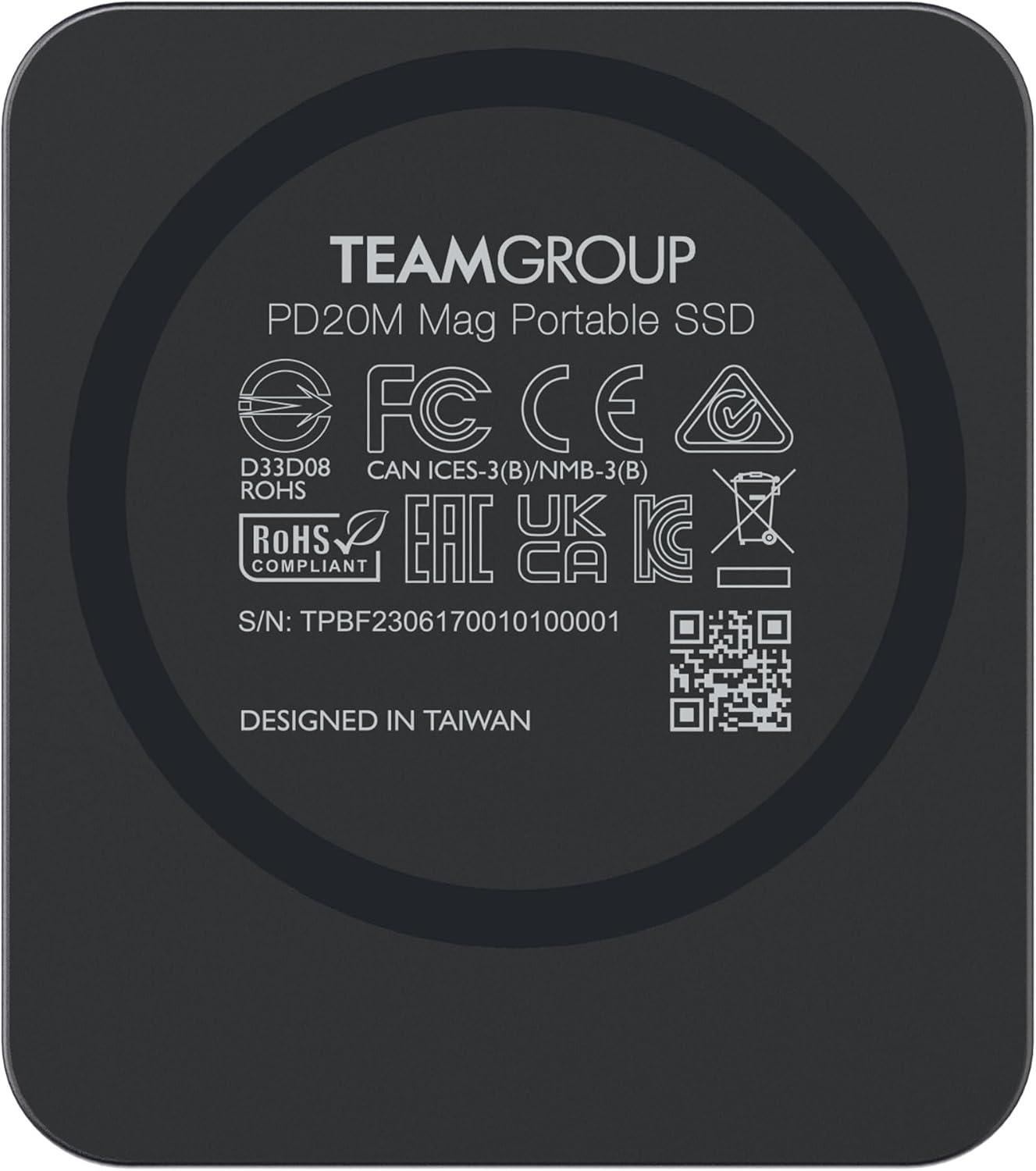
Imej: Belakang view of the PD20M SSD, displaying product information and certifications.
9. Waranti dan Sokongan
TEAMGROUP products are designed for reliability and performance. The PD20M SSD typically comes with a 3-year limited warranty, as indicated by the manufacturer. For specific warranty terms and conditions, please refer to the warranty card included with your product or visit the official TEAMGROUP webtapak.
Sokongan Pelanggan:
If you require technical assistance, have questions about your product, or need to initiate a warranty claim, please contact TEAMGROUP customer support through their official website. Have your product model number (TPSEG2002T0C108) and serial number (found on the back of the device) ready when contacting support.
Sumber Dalam Talian:
- Lawati pegawai KUMPULAN BERPASUKAN Webtapak for product information, drivers, and support.
- Terokai TEAMGROUP Store on Amazon untuk produk dan maklumat tambahan.
10. Video Produk Rasmi
Tiada video produk rasmi daripada penjual ditemui dalam data yang disediakan untuk dibenamkan dalam manual ini.