
pengenalan
This manual provides detailed instructions for the safe and effective operation of your NBD K100 4K Digital Camera. Please read this manual thoroughly before using the camera and retain it for future reference.
The NBD K100 is a versatile digital camera designed for high-quality photography and video recording, featuring 4K video resolution, 56MP photo capability, and a 180-degree rotatable screen for various shooting angles, including vlogging.
Maklumat Keselamatan
- Jangan dedahkan kamera kepada air atau lembapan.
- Elakkan daripada menjatuhkan kamera atau mendedahkannya kepada hentaman yang kuat.
- Jauhkan kamera daripada cahaya matahari langsung dan suhu tinggi.
- Gunakan hanya bateri dan aksesori yang ditentukan.
- Jangan cuba membuka atau membaiki kamera sendiri. Hubungi khidmat pelanggan untuk mendapatkan bantuan.
- Jauhkan daripada kanak-kanak.
Kandungan Pakej
Sahkan bahawa semua item terdapat dalam pakej:
- NBD K100 4K Digital Camera
- Dua Bateri Boleh Dicas Semula
- Kad Memori 32GB
- Kabel USB
- Penyesuai Kuasa
- Tali Pergelangan Tangan
- Manual Pengguna (dokumen ini)
Kamera Lebihview
Biasakan diri anda dengan komponen kamera.
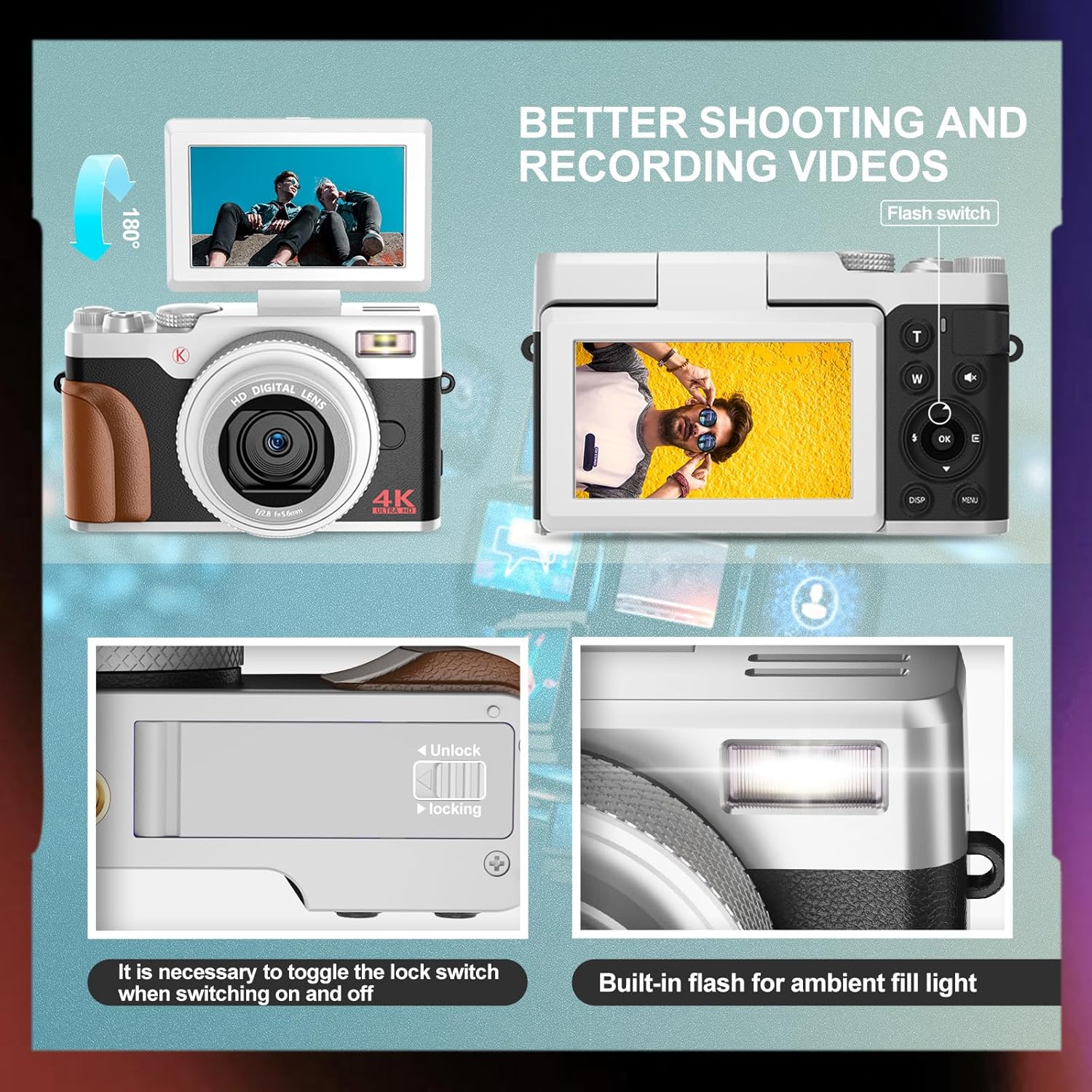
Imej: Depan dan belakang view of the NBD K100 camera, highlighting the adjustable screen, built-in flash, and the battery compartment lock switch.
- Kanta: Komponen optik utama untuk merakam imej.
- Flash terbina dalam: Menyediakan pencahayaan dalam keadaan cahaya malap.
- 3-inch Rotatable Screen: Memaparkan secara langsung view, menus, and playback. Can rotate 180 degrees.
- Butang Pengatup: Half-press to activate autofocus, full-press to capture.
- Mode Dial/Rotary Button: Selects shooting modes (Photograph, Video, Slow Motion, Time-lapse, Continuous, Self-timer, Special Effects, Beauty Mode).
- Zoom Lever (T/W): Adjusts 16X digital zoom.
- Butang Menu: Mengakses tetapan kamera.
- Butang OK: Mengesahkan pilihan.
- Butang Arah: Navigate menus and settings.
- Petak Bateri: Menempatkan bateri boleh dicas semula.
- Slot Kad Memori: For inserting the SD card.
- Port USB: Untuk pengecasan dan pemindahan data.
Persediaan
1. Pemasangan Bateri
- Cari penutup petak bateri di bahagian bawah kamera.
- Slide the lock switch to the "Unlock" position and open the cover.
- Insert the rechargeable battery according to the polarity indicators (+/-).
- Close the battery compartment cover and slide the lock switch to the "Lock" position.
2. Pemasangan Kad Memori
The camera supports SD cards up to 32GB (a 32GB card is included).
- Open the memory card slot cover, usually located near the battery compartment or on the side.
- Insert the SD card with the metal contacts facing the correct direction (refer to the diagram inside the slot). Push until it clicks into place.
- Tutup penutup slot kad memori.
3. Mengecas Bateri
The camera comes with two rechargeable batteries.
- Sambungkan kamera ke penyesuai kuasa menggunakan kabel USB yang disediakan.
- Palamkan penyesuai ke salur keluar kuasa.
- Lampu penunjuk pengecasan akan menyala. Ia akan padam atau bertukar warna apabila pengecasan selesai.
- The camera supports recording while charging.
Mengendalikan Kamera
1. Hidupkan/Mati Kuasa
- Untuk menghidupkan, tekan dan tahan butang Kuasa.
- Untuk mematikan kuasa, tekan dan tahan butang Kuasa sekali lagi.
2. Basic Photography and Video Recording

Image: Visual representation of the camera's 4K video and 56MP photo capabilities, demonstrating 16X digital zoom and the difference between 2K and 4K output.
- Pilih Mod: Rotate the mode dial (Quick Rotary Button) to select between "Photograph" (still images) or "Video" (video recording).

Image: Diagram illustrating the Quick Rotary Button and its various shooting modes, including Photograph, Video, Slow Motion, and Special Effects.
- Fokus: Half-press the Shutter button to activate autofocus. The camera will adjust focus automatically.
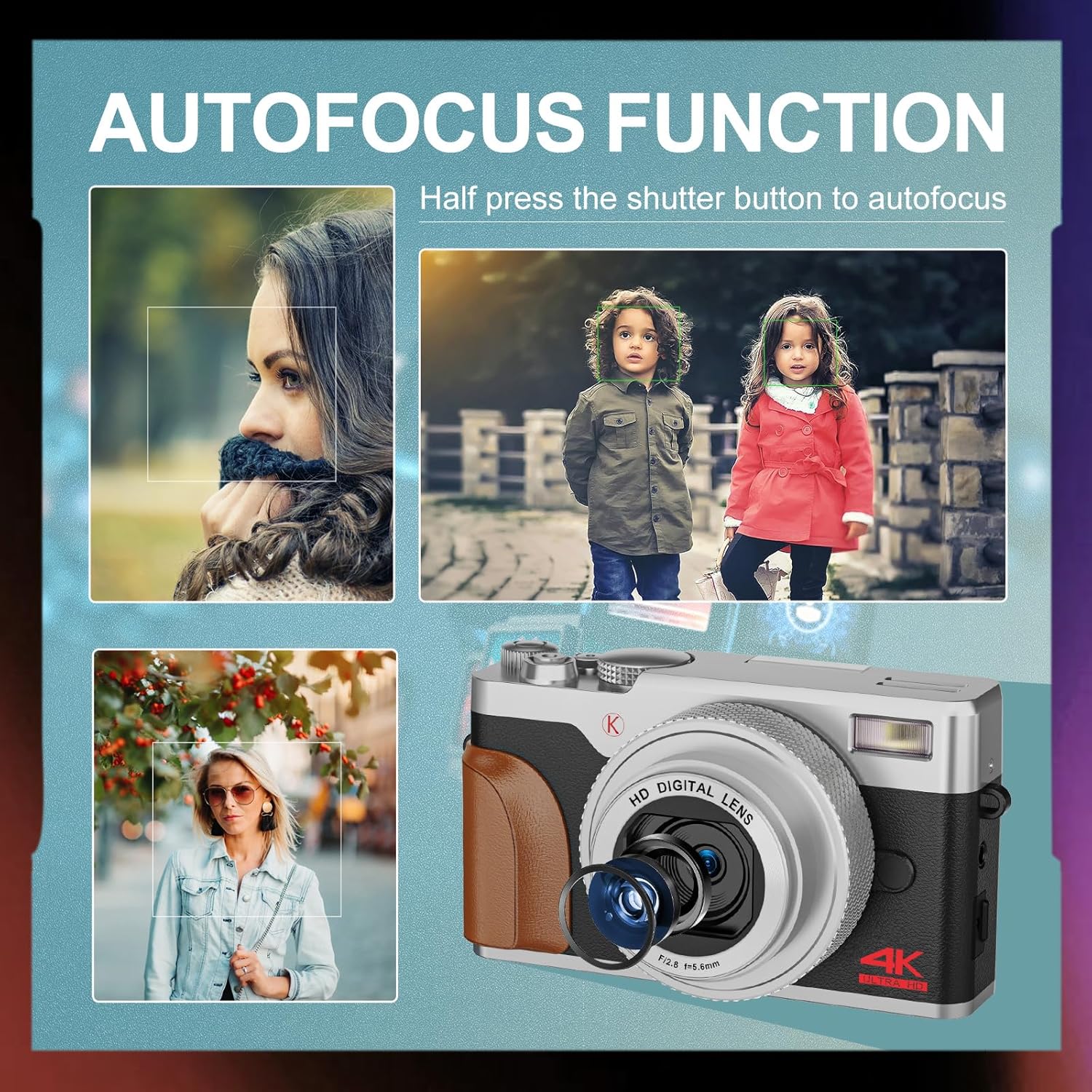
Imej: Cthamples of autofocus in action, showing subjects in sharp focus against blurred backgrounds, with the camera lens visible.
- Tangkap: Full-press the Shutter button to take a photo or start/stop video recording.
- Zum: Use the T (Telephoto) and W (Wide) levers to adjust the 16X digital zoom.
- kilat: The built-in flash can be used for low-light conditions. Access flash settings via the menu or a dedicated button (if available).
3. Advanced Shooting Modes
The Quick Rotary Button allows selection of various advanced modes:
- Video Gerak Perlahan: Merakam video pada kadar bingkai yang lebih tinggi untuk main balik gerakan perlahan.
- Video selang masa: Captures a series of images over time and compiles them into a video.
- Penggambaran berterusan: Mengambil berbilang foto secara berturut-turut.
- Pemasa kendiri: Delays the shutter release for self-portraits or group photos.
- Special Effects (Filter Effects): Applies creative filters to your photos.
- Beauty Photo Mode: Enhances portraits.
4. Adjustable Screen
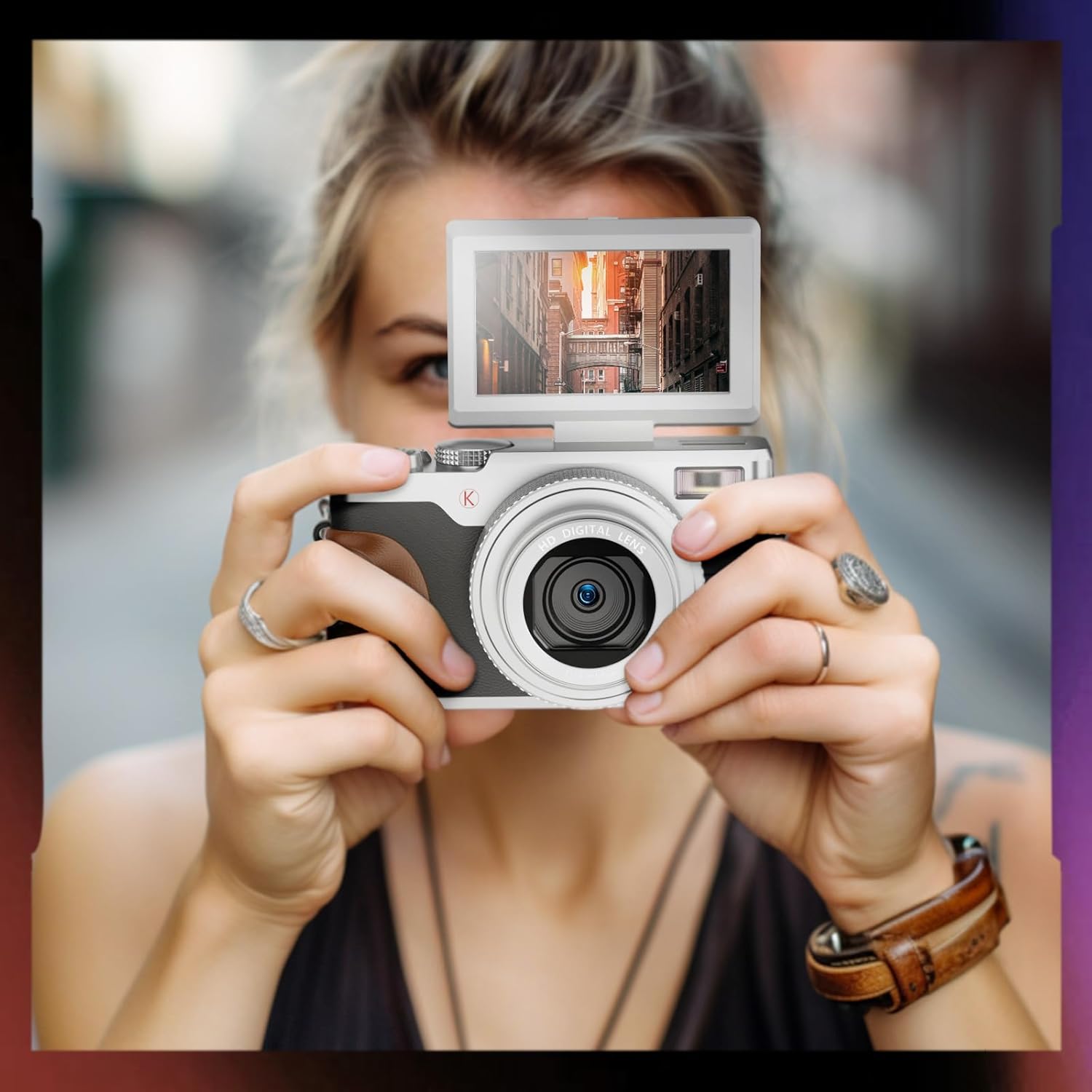
Image: A user holding the NBD K100 camera, demonstrating the 180-degree rotatable screen flipped upwards, ideal for selfies or vlogging.
The 3-inch screen can rotate 180 degrees, allowing for flexible viewing angles. This is particularly useful for vlogging, selfies, or shooting from high or low perspectives.
5. WebFungsi cam

Image: The NBD K100 camera shown in two scenarios: recording video and functioning as a webcam connected to a laptop and a tablet for video conferencing.
Connect the camera to your computer via the USB cable to use it as a webcam for video calls or live streaming. Ensure the camera is powered on and select the webcam option if prompted.
Penyelenggaraan
- Membersihkan Lensa: Gunakan kain lembut dan bebas serat yang direka khusus untuk kanta kamera. Jangan gunakan bahan yang melelas atau bahan kimia yang keras.
- Membersihkan Skrin: Lap perlahan-lahan dengan kain microfiber.
- Storan: When not in use for extended periods, remove the battery and store the camera in a cool, dry place.
- Penjagaan Bateri: Recharge batteries regularly, even if not in use, to maintain their lifespan. Avoid fully discharging batteries.
Menyelesaikan masalah
| Masalah | Penyelesaian |
|---|---|
| Kamera tidak dihidupkan. | Ensure the battery is correctly inserted and fully charged. Try using the second battery. |
| Tidak boleh mengambil gambar/merakam video. | Check if the memory card is inserted correctly and has sufficient free space. Ensure the battery has enough charge. |
| Imej adalah kabur. | Ensure autofocus is engaged (half-press shutter). Clean the lens if dirty. Check lighting conditions. |
| Flash tidak berfungsi. | Check flash settings in the menu. Ensure the flash is not physically obstructed. |
| Kamera tidak dikenali oleh komputer. | Pastikan kabel USB disambungkan dengan selamat. Cuba port atau kabel USB yang lain. Mulakan semula kamera dan komputer. |
Spesifikasi
| Ciri | Perincian |
|---|---|
| Jenama | NBD |
| Nama Model | K100 (A1) |
| Resolusi Penderia Foto | 56 Megapixels (48 Megapixels in some specifications) |
| Resolusi Tangkapan Video | 4K (3840x2160) |
| Zum Digital | 16X |
| Saiz Skrin | 3.0 inches (180-degree rotatable) |
| Teknologi Sensor | CMOS |
| Teknologi Ketersambungan | USB |
| Sokongan Kad Memori | SD Card (up to 32GB included) |
| Jenis Bateri | Litium Ion |
| Jenis Paparan | OLED (Color Screen) |
| Autofokus | ya |
| Denyar Terbina dalam | ya |
| Penstabilan Imej | Tidak |
| Rakaman Audio | ya |
Waranti dan Sokongan
For warranty information and technical support, please refer to the warranty card included in your package or visit the official NBD website. If you encounter any issues not covered in this manual, please contact NBD customer service for assistance.
Maklumat Hubungan: Please refer to your product packaging or the manufacturer's webtapak untuk mendapatkan butiran hubungan yang paling terkini.