
1. Produk Lebihview
The Docooler IPX7 Waterproof Bluetooth Portable Shower Speaker is designed for audio playback in various environments, including wet conditions. It features Bluetooth 5.0 connectivity, an LED display, FM radio, and a light show function. The speaker is equipped with a removable suction cup for versatile placement.

Image: Docooler IPX7 Waterproof Bluetooth Portable Shower Speaker, showcasing reka bentuk dan ciri-cirinya.
2. Kandungan Pakej
Sahkan bahawa semua item terdapat dalam pakej:
- Docooler IPX7 Waterproof Bluetooth Portable Shower Speaker
- Kabel Pengecas USB-C
- Removable Suction Cup
- Manual Pengguna
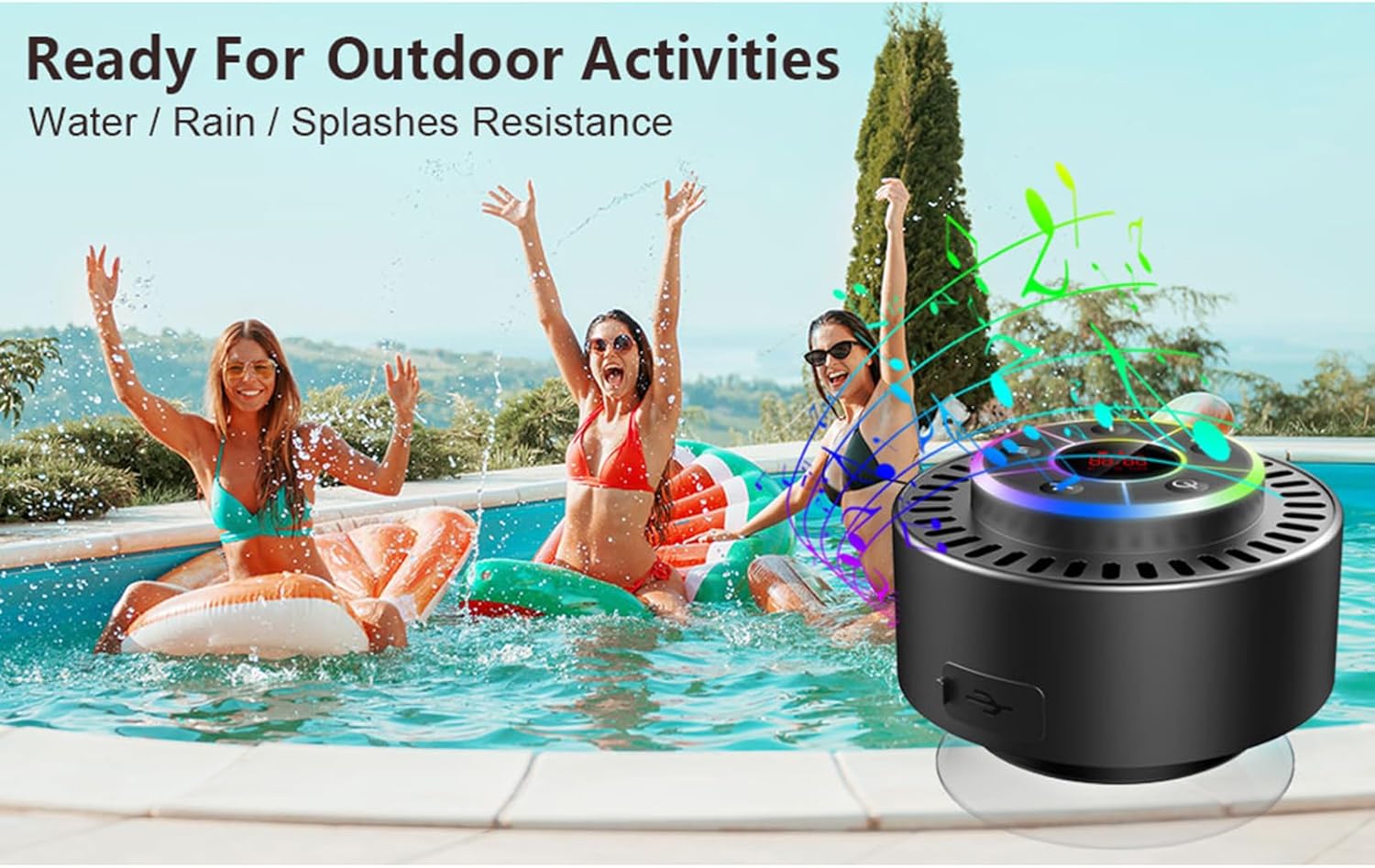
Image: The speaker, USB-C charging cable, and user manual as included in the package.
3. Persediaan
3.1 Mengecas Speaker
Before initial use, fully charge the speaker. Connect the provided USB-C charging cable to the speaker's charging port and the other end to a USB power adapter (not included) or a computer's USB port. The LED display will indicate charging status.
3.2 Attaching the Suction Cup
To attach the suction cup, ensure both the speaker's back surface and the desired mounting surface are clean and dry. Press the suction cup firmly against the surface until it adheres securely. For best results, slightly moisten the suction cup before application.
3.3 Menghidupkan/Mematikan
- Untuk Menghidupkan: Tekan dan tahan butang Butang kuasa (
 ) for approximately 3 seconds until the LED display illuminates.
 - Untuk Mematikan: Tekan dan tahan butang Butang kuasa for approximately 3 seconds until the LED display turns off.
4. Arahan Operasi
4.1 Fungsi Butang
Imej: Terperinci view of the speaker's control panel, indicating the function of each button.
| Butang | Fungsi (Short Press) | Fungsi (Tekan Lama) |
|---|---|---|
| Butang Kuasa () | Toggle LED light show modes | Hidupkan/Mati Kuasa |
| Butang M | Switch between Bluetooth and FM Radio modes | T/A |
| Butang Main/Jeda () | Play/Pause music; Answer/End calls; Auto-scan in FM mode | Tolak panggilan masuk |
| Previous Song / Volume Down (-) | Previous song (Bluetooth); Previous station (FM) | Kurangkan volum |
| Next Song / Volume Up (+) | Next song (Bluetooth); Next station (FM) | Tingkatkan kelantangan |
4.2 Berpasangan Bluetooth
When powered on, the speaker automatically enters Bluetooth pairing mode. The LED display will show 'BT'.
- Ensure Bluetooth is enabled on your device (smartphone, tablet, laptop).
- Cari untuk available Bluetooth devices and select "Docooler Speaker" from the list.
- Once connected, the speaker will emit an audible confirmation, and the 'BT' indicator on the LED display will stabilize.

Image: The speaker demonstrating connectivity with a phone, tablet, and computer via Bluetooth.
4.3 Penggandingan Stereo Tanpa Wayar Sebenar (TWS)
To achieve 3D stereo sound, two Docooler speakers can be paired together.
- Pastikan kedua-dua pembesar suara dihidupkan dan tidak disambungkan ke mana-mana peranti Bluetooth lain.
- Pada satu pembesar suara (ini akan menjadi pembesar suara utama), tekan dan tahan Butang Main/Jeda for 2-3 seconds until you hear a pairing tone.
- Kedua-dua pembesar suara akan bersambung secara automatik antara satu sama lain.
- Once paired, connect your device to the primary speaker via Bluetooth as described in section 4.2. Audio will now play through both speakers in stereo.

Image: Two Docooler speakers wirelessly connected to a computer, illustrating the True Wireless Stereo (TWS) feature.
Mod Radio 4.4 FM
To switch to FM Radio mode:
- Tekan ke Butang M to cycle through modes until 'FM' appears on the LED display.
- Imbasan automatik: In FM mode, short press the Butang Main/Jeda to automatically scan and save available radio stations.
- Tukar Stesen: Gunakan Previous Song / Volume Down (-) dan Next Song / Volume Up (+) butang untuk menavigasi stesen yang disimpan.
- Laraskan Kelantangan: Tekan lama Previous Song / Volume Down (-) or Next Song / Volume Up (+) butang untuk melaraskan kelantangan.
4.5 Pertunjukan Lampu LED
The speaker features a beat-driven LED light show with seven colors.
- Tukar Mod Cahaya: Tekan pendek Butang kuasa to cycle through different light show patterns or to lock a single color.
- Matikan Lampu: Terus tekan Butang kuasa until the lights turn off.
4.6 Panggilan Bebas Tangan
When connected via Bluetooth, the built-in microphone allows for hands-free calls.
- Jawab Panggilan: Tekan pendek Butang Main/Jeda.
- Tamatkan Panggilan: Tekan pendek Butang Main/Jeda semasa panggilan.
- Tolak Panggilan: Tekan lama Butang Main/Jeda.
4.7 Maklumat Paparan LED
The LED display shows the current time and battery level in Bluetooth mode. In FM radio mode, it displays the frequency.
5. Penyelenggaraan
5.1 Rintangan Air (IPX7)
The speaker is IPX7 waterproof, meaning it can be submerged in up to 1 meter (3 feet) of water for up to 30 minutes. Ensure the charging port cover is securely closed before exposing the speaker to water. After exposure to water, wipe the speaker dry with a soft cloth.
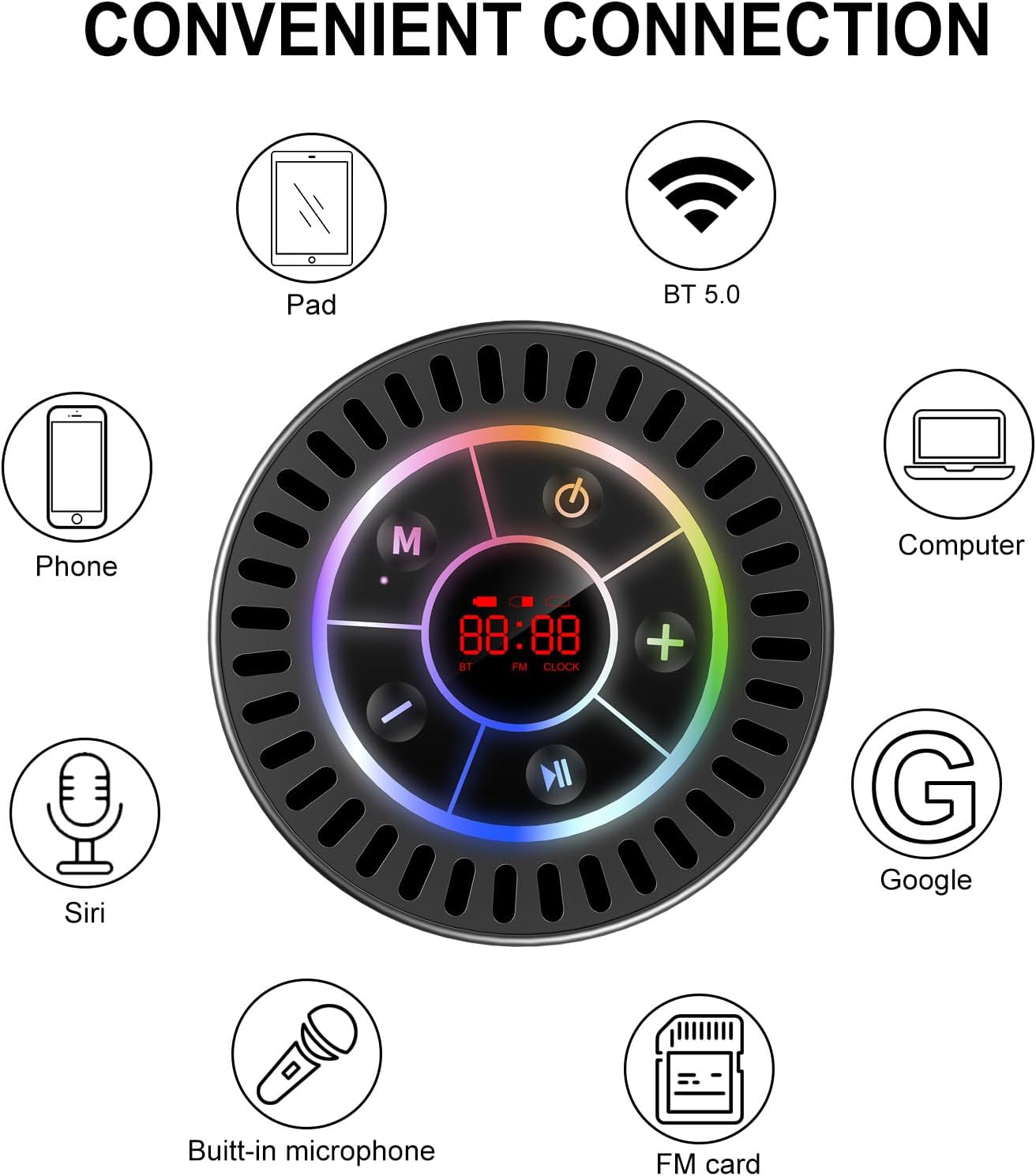
Image: The Docooler speaker attached to a shower wall, demonstrating its waterproof capability.
5.2 Pembersihan
Bersihkan pembesar suara dengan lembut, damp kain. Jangan gunakan pembersih yang kasar, alkohol atau pelarut kimia, kerana ini boleh merosakkan permukaan atau komponen dalaman.
5.3 Penyimpanan
Simpan pembesar suara di tempat yang sejuk dan kering jauh dari cahaya matahari langsung dan suhu yang melampau. Jika menyimpan untuk tempoh yang lama, cas bateri secara berkala untuk mengekalkan jangka hayatnya.
6. Penyelesaian masalah
- Speaker tidak menghidupkan: Ensure the battery is charged. Connect the speaker to a power source using the USB-C cable and try again.
- Tidak boleh berpasangan melalui Bluetooth:
- Ensure the speaker is in Bluetooth pairing mode ('BT' flashing on display).
- Make sure Bluetooth is enabled on your device and it is within 15 meters of the speaker.
- Jika sebelum ini dipasangkan, cuba lupakan peranti pada telefon anda dan pasangkan semula.
- Mulakan semula kedua-dua pembesar suara dan peranti Bluetooth anda.
- Penerimaan radio FM yang lemah: FM radio reception can be affected by location and environmental factors. Try repositioning the speaker or using it in an open area. The charging cable can sometimes act as an antenna to enhance signal.
- Tiada bunyi atau kelantangan rendah:
- Semak tahap kelantangan pada kedua-dua pembesar suara dan peranti anda yang disambungkan.
- Ensure the speaker is properly paired and not connected to another device.
- If using TWS, ensure both speakers are correctly paired to each other and then to your device.
- Speaker starts at full volume: Some units may default to a high volume upon power-on. Immediately adjust the volume using the '-' button to a comfortable level after turning the speaker on.
- Cawan sedutan tidak memegang: Ensure the mounting surface is clean, smooth, and dry. Slightly moisten the suction cup before pressing it firmly onto the surface. Avoid porous or textured surfaces.
7. Spesifikasi

Imej: Meletup view showing the internal components of the Docooler speaker, highlighting its sound technology.
| Ciri | Perincian |
|---|---|
| Jenama | Docooler |
| Nombor Model | SMT4782513347516YX |
| Teknologi Ketersambungan | Bluetooth 5.0 |
| Julat Bluetooth | Sehingga 15 meter |
| Tahap Ketahanan Air | IPX7 (kalis air) |
| Kuasa Output Maksimum Pembesar Suara | 5 Watt |
| Respons Kekerapan | 100 Hz |
| Mod Keluaran Audio | Stereo, Surround (with TWS) |
| Nisbah Isyarat-ke-Bunyi | 95 dB |
| Bilangan Mikrofon | 1 (Terbina dalam) |
| Sumber Kuasa | Dikuasakan Bateri |
| Kaedah Kawalan | Butang |
| Berat Barang | 300 Gram |
| Peranti Serasi | Komputer Riba, Pemain MP3, Telefon Pintar, Tablet, Televisyen |
8. Waranti dan Sokongan
8.1 Maklumat Waranti
This Docooler speaker comes with a limited warranty. For specific terms and conditions, please refer to the warranty card included in your package or contact Docooler customer support.
8.2 Sokongan Pelanggan
For further assistance, technical support, or warranty claims, please visit the official Docooler website or contact their customer service department. Contact information can typically be found on the product packaging or the brand's online store.