
Inwa MZ633
Inwa MZ633 Bluetooth Audio Stereo AmpManual Pengguna yang lebih hidup
Model: MZ633
1. Pengenalan
The Inwa MZ633 is a compact yet powerful 2.0 channel Hi-Fi stereo amplifier designed to enhance your home audio experience. It features multiple input options including HDMI (ARC), Optical, Coaxial, USB, RCA, and Bluetooth 5.3, allowing connection to various audio sources. With 100W RMS per channel at 4 ohms, it delivers clear and high-quality sound to passive speakers. The amplifier also includes bass and treble controls, a digital LED display, and a remote control for convenient operation.
2. Kandungan Pakej
- Inwa MZ633 Stereo AmpUnit penguat
- Alat Kawalan Jauh
- Penyesuai Kuasa
- Antena Bluetooth
- Manual Pengguna
3. Produk Lebihview
3.1 Panel Depan
The front panel features the digital display, bass and treble control knobs, and a multi-function volume/mode/on-off knob.

Imej: Panel Depan dan Belakang Atasview. This image displays the front panel with its digital display, bass, treble, and volume/mode/on-off controls, and the rear panel with all input and output ports.
- Paparan Digital: Shows current input mode and volume level.
- Bass Control Knob: Melaraskan output audio frekuensi rendah.
- Treble Control Knob: Melaraskan output audio frekuensi tinggi.
- Volume/Mode/On-Off Knob: Rotates to adjust volume. Short press to cycle through input modes. Long press to power on/off.
3.2 Panel Belakang
The rear panel provides all connection ports for audio input, speaker output, and power.

Imej: Terperinci view daripada amplifier's rear panel, highlighting the Bluetooth antenna port, HDMI (ARC), USB, Optical, Coaxial, RCA (Audio Input), DC IN, Speaker Output terminals, and Power Switch.
- Antena BT: Connect the included Bluetooth antenna for optimal wireless reception.
- Input HDMI (ARC): Connect to a TV's HDMI ARC port for audio return channel functionality.
- Input USB: Connect a USB drive for audio playback.
- Input Optik: Sambungkan ke peranti dengan output audio digital optik.
- Input sepaksi: Sambungkan ke peranti dengan output audio digital sepaksi.
- RCA (Audio Input): Connect to analog audio sources using RCA cables.
- DC DALAM: Sambungkan penyesuai kuasa.
- Speaker Output (L+/L-, R+/R-): Connect passive speakers using speaker wire.
- Suis kuasa: Main power toggle for the amplebih hidup.
4. Arahan Persediaan
Follow these steps to set up your Inwa MZ633 amplebih hidup:
- Sambungkan Pembesar Suara: Connect your passive speakers to the Speaker Output terminals on the rear panel. Ensure correct polarity (positive to positive, negative to negative).
- Connect Bluetooth Antenna: Screw the Bluetooth antenna into the "BT Ant" port on the rear panel.
- Sambungkan Sumber Audio: Choose your desired audio input method (HDMI ARC, USB, Optical, Coaxial, or RCA) and connect the corresponding cable from your audio source device to the amppanel belakang liifier.

Imej: Connection diagram illustrating how to connect various audio sources (TV, phone, tablet, PC, laptop, projector) via Bluetooth, HDMI (ARC), Optical, Coaxial, AUX (RCA), and USB to the amplifier, and then to dual-channel speakers.
- Sambungkan Kuasa: Connect the power adapter to the "DC IN" port on the rear panel, then plug the adapter into a power outlet.
- Hidupkan kuasa: Flip the main Power Switch on the rear panel to the "ON" position. The amplifier akan memasuki mod siap sedia.
For a visual guide on connecting inputs and operating the amplifier, please refer to the video below:
Video: This video demonstrates the physical connection of various audio inputs (HDMI ARC, USB, Optical, RCA) and speaker outputs to the Inwa MZ633 amplifier. It also shows how to power on the device, switch between different input modes (Bluetooth, USB, AUX, Optical, Coaxial, ARC) using the remote or front knob, and adjust volume. The video concludes by demonstrating how to enter standby mode and power off the amplebih hidup.
5. Arahan Operasi
5.1 Power On/Off and Standby
- Untuk menghidupkan amplifier from standby, short press the Power button on the remote control or the Volume/Mode/On-Off knob on the front panel.
- To enter standby mode, short press the Power button on the remote control or the Volume/Mode/On-Off knob on the front panel while the unit is active.
- To completely power off the amplifier, flip the main Power Switch on the rear panel to the "OFF" position.
5.2 Pemilihan Mod Input
You can switch between input modes using the remote control or the front panel knob.
- Menggunakan Alat Kawalan Jauh: Press the "Mode" button on the remote to cycle through available inputs (Bluetooth, USB, Optical, Coaxial, HDMI ARC, RCA).
- Using Front Panel Knob: Short press the Volume/Mode/On-Off knob to cycle through input modes.
5.3 Kawalan Kelantangan
- Menggunakan Alat Kawalan Jauh: Gunakan butang Kelantangan Naik (+) dan Kelantangan Turun (-).
- Using Front Panel Knob: Rotate the Volume/Mode/On-Off knob clockwise to increase volume, counter-clockwise to decrease volume.
5.4 Pelarasan Bes dan Treble
Adjust the bass and treble levels to customize your audio output.
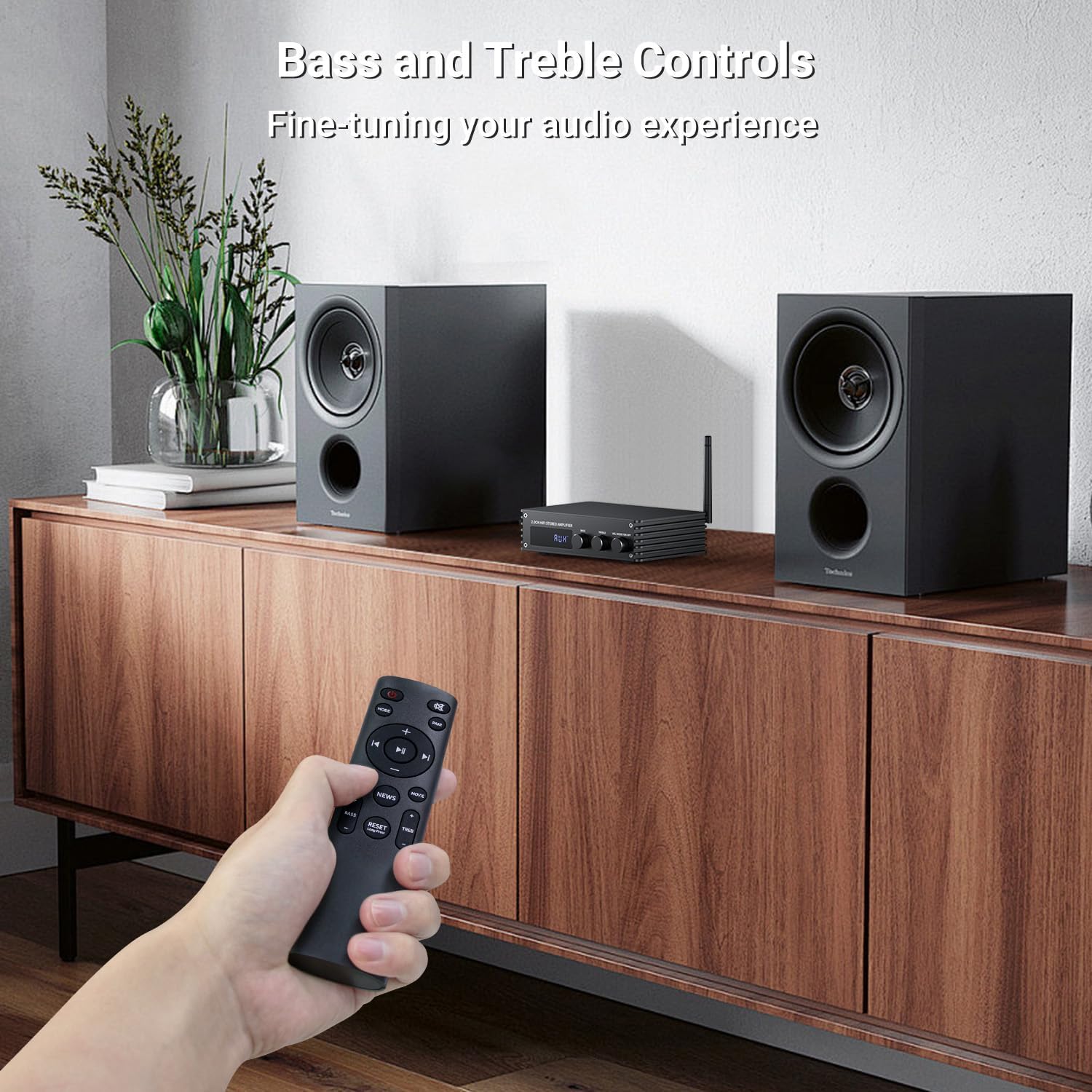
Imej: A hand holding the remote control, pointing towards the amplifier. The image highlights the bass and treble control knobs on the amplifier's front panel, indicating fine-tuning capabilities.
- Bass Control Knob: Rotate to increase or decrease bass frequencies.
- Treble Control Knob: Rotate to increase or decrease treble frequencies.
5.5 Sound Mode Selection
The amplifier offers three distinct sound modes to optimize your listening experience:
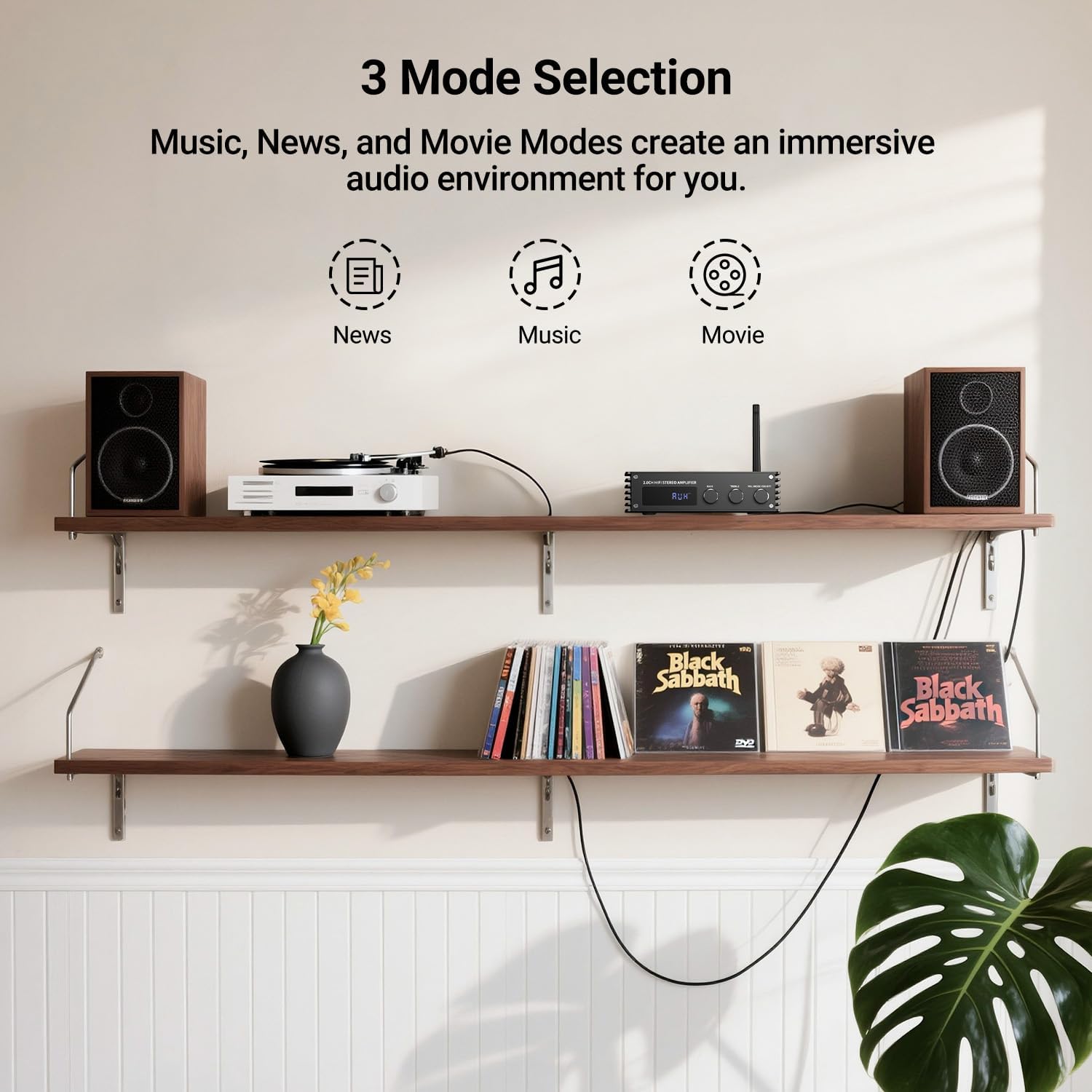
Imej: Visual representation of the three sound modes: News, Music, and Movie. Each mode has an icon and a brief description of its audio characteristics, such as enhancing vocals for News, providing high-quality sound for Music, and offering 3D surround for Movie mode.
- Mod Berita: Enhances vocal clarity for spoken content.
- Mod Muzik: Provides a balanced, high-quality sound for general music listening.
- Mod Filem: Offers a 3D surround effect for an immersive cinematic experience.
- Use the dedicated buttons on the remote control to switch between these modes.
6. Berpasangan Bluetooth
To connect your Bluetooth device to the Inwa MZ633 amplebih hidup:
- Ensure the Bluetooth antenna is securely connected to the amplebih hidup.
- Tukar amplifier to Bluetooth input mode (BT) using the remote or front knob. The digital display will show "BT".
- On your mobile device (phone, tablet, etc.), enable Bluetooth and search for available devices.
- Select "Inwa MZ633" from the list of devices.
- Setelah dipasangkan, amplifier will indicate a successful connection, and you can begin streaming audio.
- The Bluetooth 5.3 technology ensures stable connectivity up to 50ft/15m.
7. Spesifikasi
| Ciri | Perincian |
|---|---|
| Kuasa Keluaran | 100W RMS x 2 (at 4 ohms) |
| Saluran | 2.0 Saluran |
| Versi Bluetooth | 5.3 |
| Julat Bluetooth | Sehingga 50 kaki / 15m |
| Input | HDMI (ARC), USB, Optical, Coaxial, RCA, Bluetooth |
| Kawalan Audio | Bass, Treble, Volume, 3 Sound Modes (News, Music, Movie) |
| Paparan | Paparan LED Digital |
| Dimensi | 4.8 x 7.08 x 1.85 inci |
| Berat Barang | 2.2 paun |
| Nombor Model | MZ633 |
| Pengeluar | Inwa |
8. Penyelesaian masalah
If you encounter issues with your Inwa MZ633 amplifier, please refer to the following common solutions:
- Tiada Kuasa:
- Ensure the power adapter is securely connected to both the amplampu dan soket kuasa yang berfungsi.
- Check that the main Power Switch on the rear panel is in the "ON" position.
- Sahkan alur keluar kuasa berfungsi dengan memasang peranti lain.
- Tiada Bunyi:
- Confirm that the speakers are correctly connected to the amplifier's output terminals with proper polarity.
- Check that the correct input mode is selected on the amplifier (e.g., "BT" for Bluetooth, "ARC" for HDMI ARC).
- Increase the volume on both the amppengubah suai dan peranti sumber audio anda.
- Ensure audio cables (HDMI, Optical, Coaxial, RCA) are securely connected and not damaged.
- If using HDMI ARC, ensure your TV's ARC function is enabled and the amplifier is selected as the audio output device in your TV settings.
- If using Bluetooth, ensure the device is successfully paired and not connected to another amplebih hidup.
- Bunyi Herot:
- Kurangkan kelantangan pada kedua-dua amplifier and the audio source to prevent clipping.
- Periksa sambungan pembesar suara untuk wayar longgar atau kekutuban yang salah.
- Pastikan sumber audio memberikan isyarat yang bersih.
- Adjust bass and treble controls to a neutral position or to your preference.
- Isu Sambungan Bluetooth:
- Memastikan ampPengaktif berada dalam mod Bluetooth.
- Alihkan peranti Bluetooth anda lebih dekat ke amppenguat untuk meningkatkan kekuatan isyarat.
- Putuskan sambungan dan pasangkan semula peranti.
- Pastikan tiada peranti lain yang disambungkan secara aktif ke amppenyambung melalui Bluetooth.
- Try restarting both the amppengubah suai dan peranti Bluetooth anda.
9. Penyelenggaraan
To ensure the longevity and optimal performance of your Inwa MZ633 amplifier, ikut garis panduan penyelenggaraan ini:
- Pembersihan: Gunakan kain lembut dan kering untuk membersihkan bahagian luar amppenghidrat. Elakkan penggunaan pembersih cecair, aerosol atau bahan kasar, kerana ia boleh merosakkan kemasan atau komponen dalaman.
- Pengudaraan: Memastikan amplifier is placed in a well-ventilated area. Do not block the ventilation openings, as this can lead to overheating.
- penempatan: Letakkan amppengalir di atas permukaan yang stabil dan rata, jauh daripada cahaya matahari langsung, sumber haba dan kelembapan.
- Matikan Apabila Tidak Digunakan: Sekiranya amplifier will not be used for an extended period, power it off using the rear switch and unplug it from the power outlet.
- Pengurusan Kabel: Keep all cables neatly organized and free from kinks or excessive tension to prevent damage.
10. Waranti dan Sokongan
Inwa products are designed for reliability and performance. For warranty information, technical support, or service inquiries, please refer to the warranty card included with your product or visit the official Inwa webtapak. Simpan resit pembelian anda sebagai bukti pembelian untuk tuntutan waranti.
Pengeluar: Inwa
Dokumen Berkaitan - MZ633
 |
Manual Pengguna Pembesar Suara Tanpa Wayar Inwa MZ-320B Garden Light User manual for the Inwa MZ-320B Garden Light Wireless Speaker, covering quick start guide, product parameters, operation instructions, safety notices, and technical requirements. Features include wireless connectivity and beat-driven light show. |
 |
Panduan Pemasangan dan Manual Pengguna Pembesar Suara Tanpa Wayar Inwa MZ-360 Dapatkan arahan terperinci tentang cara menyediakan, menyambung dan menggunakan pembesar suara Bluetooth tanpa wayar Inwa MZ-360 anda. Panduan ini merangkumi ciri produk, keselamatan, pemasangan dan maklumat sokongan. |
 |
Pembesar Suara Rangkaian Tanpa Wayar Inwa MZ-511: Manual Pengguna dan Panduan Persediaan Panduan komprehensif untuk Pembesar Suara Rangkaian Tanpa Wayar Inwa MZ-511, merangkumi persediaan, operasi, pemasangan dan spesifikasi. Ketahui cara memasangkan berbilang pembesar suara dan memasang peranti anda. |
 |
Inwa MZ-511C Bluetooth Speaker Product Manual This product manual provides essential safety information, operation instructions, package contents, specifications, and installation diagrams for the Inwa MZ-511C Bluetooth speaker. |
 |
Manual Pengguna Pembesar Suara Tanpa Wayar Lampu Taman Inwa MZ-610 Manual pengguna untuk Pembesar Suara Tanpa Wayar Lampu Taman Inwa MZ-610, memperincikan persediaan, ciri, gandingan Bluetooth, penyegerakan TWS, pengecasan dan mod cahaya. |
 |
Manual Pengguna Pembesar Suara Rangkaian Tanpa Wayar MZ-621 Comprehensive user manual for the MZ-621 Wireless Networking Speaker, covering safety instructions, operation, installation, and technical specifications. Learn how to connect, pair, and network multiple speakers for an enhanced audio experience. |
Ask a question about this manual
Ask about setup, troubleshooting, compatibility, parts, safety, or missing instructions. Manuals+ will review the question and use this page’s manual context to help answer it.