
Siri Apple Watch 9
Manual Pengguna Siri 9 Apple Watch
Model: Watch Series 9 | Brand: Apple
Midnight Aluminum Case Black Sport Band (Renewed)
1. Produk Lebihview
The Apple Watch Series 9 is designed to keep you connected, active, healthy, and safe. It features the powerful S9 chip, an incredibly bright display, and innovative ways to interact, such as the Double Tap gesture. This renewed model offers the full functionality of the Series 9, ensuring a premium experience.
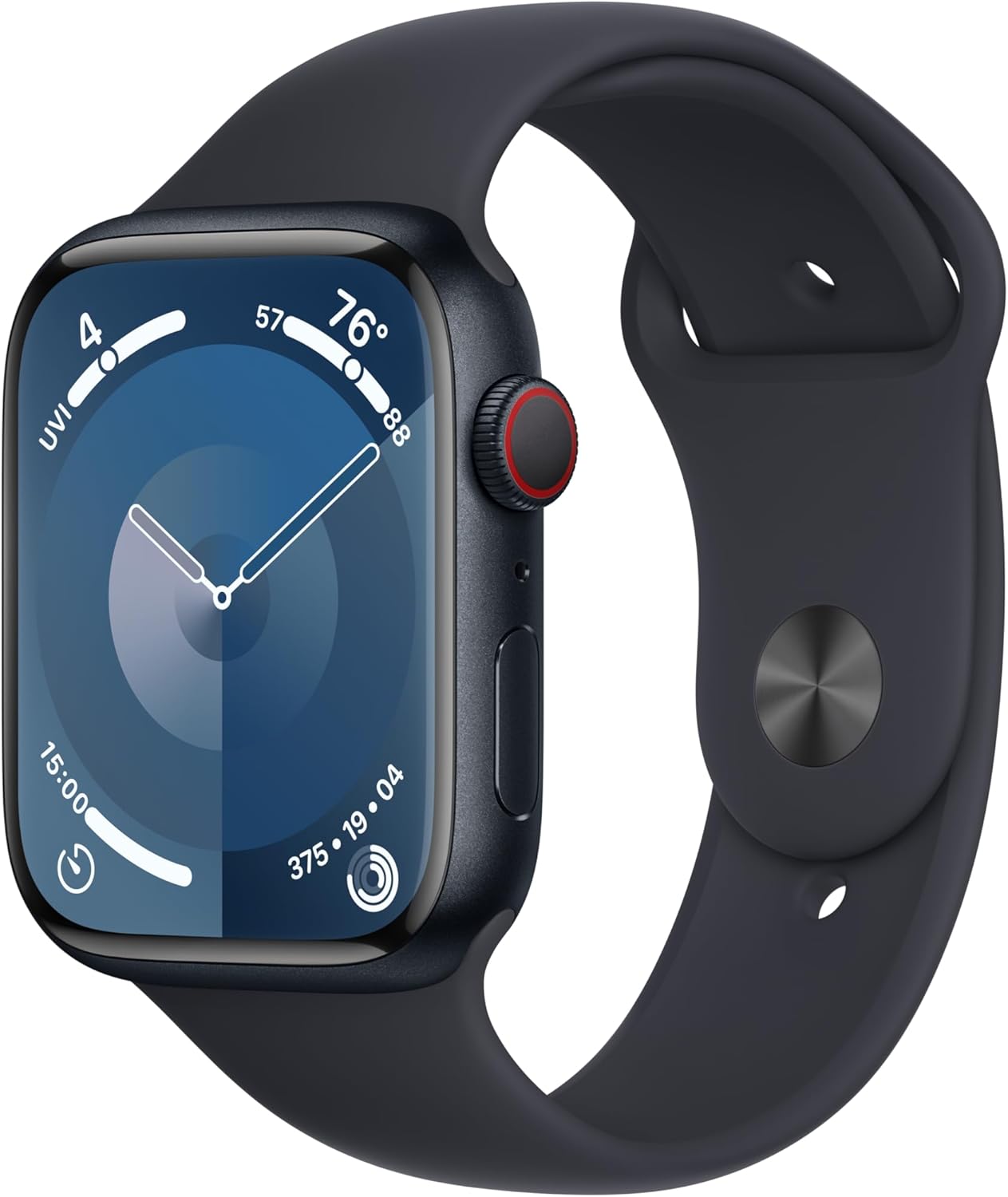
Image: Apple Watch Series 9 in Midnight Aluminum with Black Sport Band, showcasing its sleek design and digital watch face.
2. Panduan Persediaan
2.1 Membuka Kotak dan Caj Permulaan
Upon receiving your Apple Watch Series 9, carefully unbox the contents. The package includes the watch case, a sport band, and a 1m Magnetic Charging Cable. It is recommended to fully charge your Apple Watch before initial setup.
- Connect the Magnetic Charging Cable to a USB power adapter (sold separately) and plug it into a power outlet.
- Place the back of your Apple Watch on the magnetic charger. The charger will snap into place automatically.
- The watch display will show a charging indicator. Allow the watch to charge until it reaches 100%.
2.2 Attaching the Band
To attach the sport band, slide each piece of the band into the slots on the Apple Watch until you hear a click. Ensure the band is securely fastened before wearing the watch.
2.3 Berpasangan dengan iPhone
The Apple Watch Series 9 requires an iPhone XS or later with the latest iOS version for setup and full functionality.
- Turn on your Apple Watch by pressing and holding the Side Button until the Apple logo appears.
- Bring your iPhone close to your Apple Watch. A pairing screen will appear on your iPhone. Tap "Continue".
- Letakkan iPhone anda supaya Apple Watch anda muncul dalam viewfinder on your iPhone's screen. This will pair the devices.
- Follow the on-screen instructions on both your iPhone and Apple Watch to complete the setup, including setting up cellular (if applicable), Apple Pay, and other preferences.

Imej: Dari dekat view of the Apple Watch Series 9 display, showing the vibrant watch face and clear text.
3. Mengendalikan Siri 9 Apple Watch Anda
3.1 Navigation and Interaction
- Mahkota Digital: Rotate to scroll, zoom, or adjust values. Press to go to the watch face or app grid. Double-press to switch between recently used apps.
- Butang Sisi: Press to open the Control Center or access the Dock. Double-press for Apple Pay. Press and hold for Emergency SOS.
- Gerak Isyarat Ketik Dua Kali: A new magical way to interact. Simply tap your index finger and thumb together twice to answer calls, stop timers, or scroll through Smart Stack widgets without touching the screen.
- Paparan Retina Sentiasa Hidup: The display remains visible at all times, dimming when your wrist is down and brightening when raised.
3.2 Health and Fitness Features
The Apple Watch Series 9 is equipped with advanced sensors to monitor your health and track your fitness activities.
- Oksigen Darah: Ukur tahap oksigen darah anda apabila diperlukan.
- Apl ECG: Take an electrocardiogram to check for signs of atrial fibrillation.
- Pemberitahuan Kadar Jantung: Receive alerts for unusually high or low heart rates, or irregular heart rhythms.
- Penjejakan Tidur: Pantau tidur anda stages (REM, Core, Deep) to understand your sleep patterns.
- Penderiaan Suhu: Provides insights into overall well-being and supports cycle tracking for women's health.
- State of Mind: Log your emotions and daily moods to build emotional awareness and resilience.
- Aplikasi Senaman: Offers a wide range of workout types with advanced metrics for detailed performance insights.

Image: A person wearing an Apple Watch Series 9 while swimming, demonstrating its water resistance and fitness tracking capabilities.
3.3 Ciri-ciri Keselamatan
- Pengesanan Kejatuhan: Menghubungi perkhidmatan kecemasan secara automatik jika ia mengesan jatuh dengan kuat dan anda tidak bertindak balas.
- Pengesanan Ranap: Can detect a severe car crash and automatically connect you with emergency services.
- SOS Kecemasan: Press and hold the Side Button to quickly call for help.
3.4 Connectivity and Customization
- Cellular Connectivity (GPS + LTE models): Make calls, send texts, and stream music without your iPhone nearby.
- Penyepaduan lancar: Works effortlessly with your Apple devices and services, including unlocking your Mac and using Apple Pay.
- Boleh disesuaikan: Easily change watch bands and watch faces to personalize your device.

Image: The Apple Watch Series 9 display showing an incoming call and a text message conversation, highlighting its communication features.

Image: A collage illustrating key features of the Apple Watch Series 9, including the Double Tap gesture, bright display, advanced health sensors, all-day battery life, and 50m water resistance.
4. Penyelenggaraan
4.1 Membersihkan Apple Watch Anda
To keep your Apple Watch clean and functioning properly, follow these guidelines:
- Wipe the watch and band with a soft, lint-free cloth. If necessary, slightly dampen kain dengan air tawar.
- Jangan gunakan sabun, produk pembersihan, bahan kasar atau udara termampat.
- After swimming or heavy sweating, rinse your Apple Watch with clean water and dry it thoroughly.
4.2 Tahan Air
The Apple Watch Series 9 has a water resistance rating of 50 meters under ISO standard 22810:2010. This means it may be used for shallow-water activities like swimming in a pool or ocean. However, it should not be used for scuba diving, waterskiing, or other activities involving high-velocity water or submersion below shallow depth.
4.3 Penjagaan Bateri
To maximize battery life, keep your Apple Watch updated to the latest watchOS. Avoid exposing the watch to extreme temperatures. For long-term storage, charge the battery to around 50%.
4.4 Kemas Kini Perisian
Regularly update your Apple Watch software via the Watch app on your iPhone to ensure optimal performance, security, and access to new features.
5. Penyelesaian masalah
If you encounter issues with your Apple Watch Series 9, try the following steps:
- Restarting the Watch: Press and hold the Side Button until the power off slider appears, then drag the slider. To turn it back on, press and hold the Side Button again until the Apple logo appears.
- Paksa Mulakan Semula: If the watch is unresponsive, press and hold both the Side Button and the Digital Crown for at least 10 seconds until you see the Apple logo.
- Isu Berpasangan: Ensure Bluetooth and Wi-Fi are enabled on your iPhone. Try unpairing and re-pairing the watch through the Watch app on your iPhone.
- Longkang Bateri: Check for apps running in the background, reduce screen brightness, or disable unnecessary notifications.
- Paparan Tidak Menjawab: Ensure the screen is clean and dry. If issues persist, try a force restart.
For more complex issues, refer to Apple's official support documentation or contact Apple Support.
6. Spesifikasi
| Ciri | Perincian |
|---|---|
| Jenama | epal |
| Nombor Model | Tonton Siri 9 |
| Dimensi Produk | 1.77 x 1.5 x 0.42 inci |
| Berat Barang | 7 auns |
| Saiz Skrin | 1.9 Inci |
| Kapasiti Penyimpanan Memori | 32 GB |
| Sistem Operasi | WatchOS |
| Kapasiti Bateri | 308 Miliamp jam |
| Teknologi Ketersambungan | Wireless (GPS + LTE, Wi-Fi) |
| GPS | GPS terbina dalam |
| Tahan Air | 50 meter |
7. Waranti dan Sokongan
7.1 Jaminan Diperbaharui Amazon
As a renewed product, this Apple Watch Series 9 is backed by the Amazon Renewed Guarantee. This typically provides a 90-day return or replacement policy if the product does not work as expected. Please refer to the specific terms and conditions of the Amazon Renewed Guarantee at the time of purchase for full details.
7.2 Apple Support
For technical assistance, software issues, or general inquiries about your Apple Watch, you can visit the official Apple Support website or contact Apple directly. While this is a renewed product, Apple may still provide support for software-related issues or general product information.
Note: Warranty coverage for renewed products may differ from new products. Always verify specific warranty details with the seller or platform at the time of purchase.