
1. Pengenalan
Thank you for choosing the Generic Monster Open Ear AC500 Bluetooth Earbuds. This manual provides essential information for setting up, operating, and maintaining your new earbuds. Please read this manual thoroughly before use to ensure optimal performance and longevity of your device.
2. Produk Lebihview
Kandungan Pakej:
- Monster Open Ear AC500 Bluetooth Earbuds (Left and Right)
- Kes Pengecasan
- Kabel Pengecas USB
- Manual Pengguna
Ciri-ciri Utama:
- 13mm Large Unit & Composite Titanium Diaphragm: Delivers powerful and clear audio.
- Penghantaran Bunyi Berarah: Ensures minimal sound leakage for private listening.
- Ergonomic Curved Ear Clip Design: Provides a stable and comfortable fit for extended wear.
- AI Intelligent Call Noise Reduction: Effectively reduces environmental noise during calls.
- IPX5 Waterproof and Sweatproof: Resists sweat and light splashes, ideal for sports.
- Jangka Hayat Bateri: Approximately 6 hours of playback per charge, with up to 30 hours total with the charging case.
- Bluetooth 5.3: Untuk sambungan tanpa wayar yang stabil dan cekap.
- ENC Denoising & HiFi Sound: Enhances audio clarity and quality.

Image: The Monster Open Ear AC500 Bluetooth Earbuds shown with their sleek charging case. The earbuds feature an open-ear design with a secure ear clip.
3. Persediaan
3.1 Mengecas Fon telinga dan Sarung
- Letakkan fon telinga ke dalam bekas pengecas, pastikan ia diletakkan dengan betul.
- Sambungkan kabel pengecas USB ke port pengecasan pada sarung dan palamkan hujung satu lagi ke penyesuai kuasa USB (tidak disertakan) atau port USB komputer.
- Lampu penunjuk pada kes akan menunjukkan status pengecasan. Setelah dicas sepenuhnya, lampu akan menandakan selesai atau dimatikan.
- A full charge provides approximately 6 hours of playback for the earbuds, with the charging case extending total battery life to about 30 hours.

Image: An illustration highlighting the extended battery life of the earbuds, showing 1 hour charging duration, 6 hours playback duration, and 30 hours standby time with the charging case.
3.2 Berpasangan Bluetooth
- Pastikan fon telinga dicas.
- Buka bekas pengecas. Fon telinga akan memasuki mod berpasangan secara automatik, ditunjukkan oleh lampu berkelip pada fon telinga.
- Pada peranti anda (telefon pintar, tablet, dll.), pergi ke tetapan Bluetooth.
- Cari untuk new devices and select "Monster AC500" (or similar name) from the list of available devices.
- Once connected, the earbud indicator light will stop flashing, and you will hear a confirmation tone.
- Fon telinga akan menyambung semula secara automatik ke peranti gandingan terakhir apabila dikeluarkan daripada sarung, jika Bluetooth didayakan pada peranti.
4. Arahan Operasi
4.1 Hidupkan/Mati Kuasa
- Hidupkan kuasa: Buka bekas pengecasan dan fon telinga akan dihidupkan secara automatik.
- Matikan: Letakkan fon telinga kembali ke dalam bekas pengecasan dan tutup penutupnya. Mereka akan dimatikan secara automatik dan mula mengecas.
4.2 Main balik Muzik
- Main/Jeda: Ketik mana-mana fon telinga sekali.
- Lagu Seterusnya: Ketik dua kali pada fon telinga kanan.
- Trek Sebelumnya: Ketik dua kali pada fon telinga kiri.
- Kelantangan: Ketik tiga kali pada fon telinga kanan.
- Perlahankan suara: Ketik tiga kali pada fon telinga kiri.
4.3 Pengurusan Panggilan
- Jawab/Tamatkan Panggilan: Ketik mana-mana fon telinga sekali.
- Tolak Panggilan: Tekan dan tahan salah satu fon telinga selama 2 saat.
4.4 Pembantu Suara
- Aktifkan Pembantu Suara: Press and hold either earbud for 3 seconds (e.g., Siri, Google Assistant).
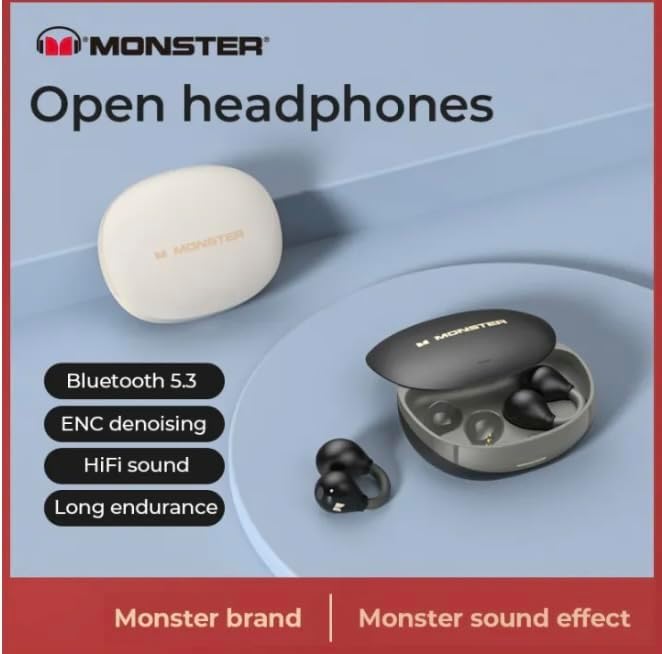
Image: A graphic highlighting key features such as Bluetooth 5.3, ENC denoising, HiFi sound, and long endurance, emphasizing the 'Monster' brand experience.

Image: An illustration demonstrating the AI intelligent noise reduction algorithm, which effectively reduces ambient noise and wind noise using a double microphone array beamforming technology.

Image: A detailed diagram showing the internal components responsible for pure original sound, including the 13mm super large unit, composite titanium metal diaphragm, and OFC high-purity multi-track voice coil.

Image: A woman wearing the Monster Open Ear AC500 Bluetooth Earbuds, demonstrating their secure and comfortable fit during physical activity.
5. Penyelenggaraan
5.1 Pembersihan
- Lap perlahan fon telinga dan bekas pengecas dengan kain lembut, kering dan tidak berbulu.
- Jangan gunakan pembersih yang melelas, alkohol atau pelarut kimia.
- Pastikan sesentuh pengecasan pada kedua-dua fon telinga dan bekas bersih dan kering.
5.2 Penyimpanan
- Simpan fon telinga dalam bekas pengecasnya apabila tidak digunakan untuk melindunginya dan memastikan ia dicas.
- Avoid storing in extreme temperatures (hot or cold) or in highly humid environments.
5.3 Rintangan Air (IPX5)
The earbuds are IPX5 waterproof, meaning they are protected against low-pressure water jets from any direction. They are resistant to sweat and light rain, but are not designed for submersion in water or use during swimming. Ensure the earbuds are dry before placing them back into the charging case.

Image: A visual representation of the IPX5 professional waterproof performance, indicating the highly sealed body effectively resists invasion from water, rainwater, and makeup water.
6. Penyelesaian masalah
- Fon telinga tidak berpasangan:
Pastikan fon telinga dicas. Matikan dan hidupkan Bluetooth pada peranti anda. Lupakan peranti daripada senarai Bluetooth anda dan cuba pasangkan semula. - Tiada bunyi dari satu fon telinga:
Place both earbuds back into the charging case, close the lid, wait a few seconds, then take them out again. Check if both are connected. - Isu pengecasan:
Ensure the charging cable is securely connected. Check if the charging contacts on both earbuds and case are clean and free of debris. Try a different USB port or power adapter. - Kelantangan rendah atau kualiti bunyi yang lemah:
Adjust the volume on both your device and the earbuds. Ensure the earbuds are properly seated in your ears.
7. Spesifikasi
| Ciri | Penerangan |
|---|---|
| Jenama | Generik |
| Nombor Model | 001 |
| ASIN | B0CTD15YT8 |
| Penempatan Telinga | Buka Telinga |
| Faktor Bentuk | Di Telinga |
| Kawalan Bunyi | Active Noise Cancellation (AI Intelligent Call Noise Reduction) |
| Versi Bluetooth | 5.3 |
| Tahan Air | IPX5 |
| Masa Main Semula | Approx. 6 hours (earbuds), 30 hours (with charging case) |
| Saiz Pemandu | 13mm |
| Pengeluar | mezone |
| warna | hitam |
| Tarikh Mula-mula Tersedia | 26 Januari 2024 |
8. Waranti dan Sokongan
This product is covered by a manufacturer's warranty. For specific warranty terms and conditions, please refer to the documentation provided at the time of purchase or contact your retailer.
For technical support, troubleshooting assistance, or warranty claims, please contact the seller or manufacturer directly. Please have your product model number (001) and ASIN (B0CTD15YT8) ready when contacting support.