
pengenalan
Thank you for choosing the YHW Smart Touch Table Lamp. This versatile and portable lamp offers 16 million colors, dimmable brightness, and smart control via a dedicated app, making it ideal for various settings including bedrooms, nurseries, living rooms, and outdoor use. This manual provides detailed instructions for setup, operation, maintenance, and troubleshooting to ensure optimal performance and longevity of your device.
Produk Selesaiview
Ciri-ciri Utama
- Multi-functional Nightlight: Offers 16 million colors via the Surplife app, with agile top touch control for brightness and color changes. Provides soft, eye-friendly light suitable for relaxation, nurseries, diaper changes, reading, and creating a romantic atmosphere.
- Ciptaan Adegan: Features 41 dynamic and static scene modes to enhance various occasions. Can simulate candle shaking for specific ambiance.
- Reka Bentuk Mudah Alih: Cordless and rechargeable with a 5V 3600mAh battery, allowing for extended use without charging, suitable for outdoor activities or travel.
- Helpful Schedules: Program lamp to automatically power on/off and adjust brightness, aiding in sleep or wake-up routines.
- Pemasangan Mudah: Quick app connection (within 10 seconds) for convenient smart control. Includes a Type C charging cable.
Apa yang ada dalam Kotak
- YHW Smart Touch Table Lamp
- Kabel Pengecas Jenis C
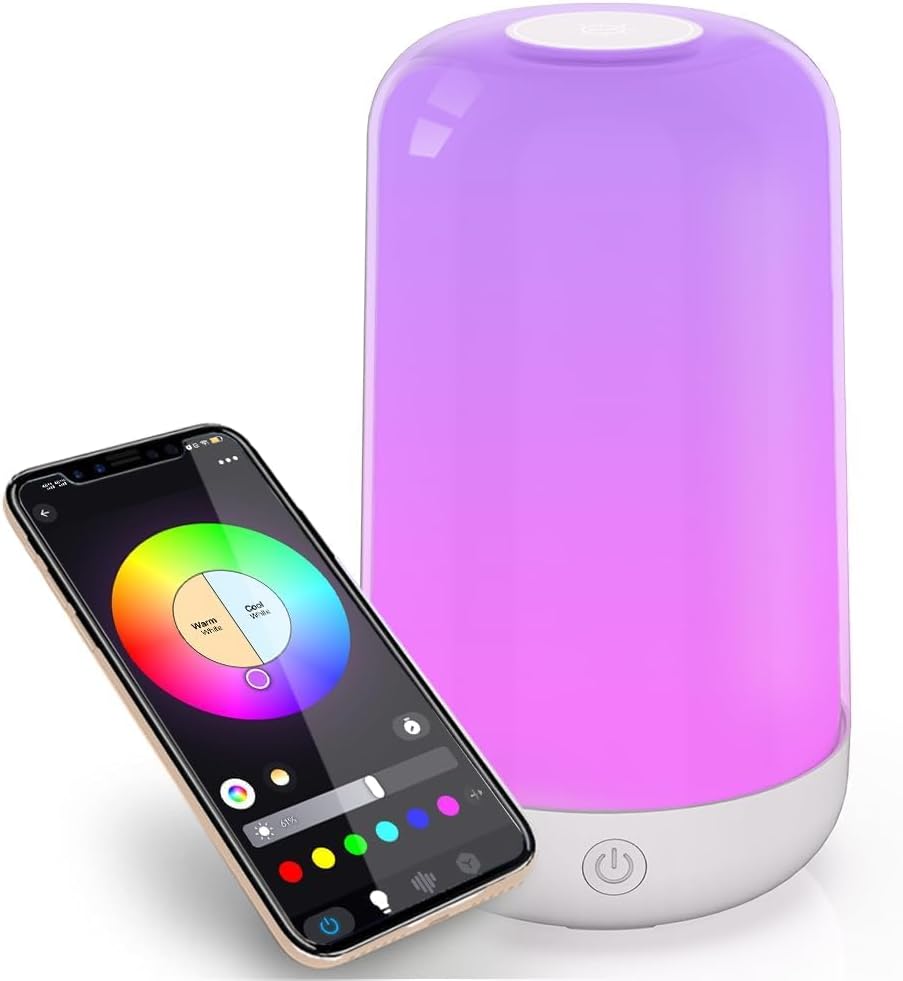
Image: The YHW Smart Touch Table Lamp shown alongside a smartphone displaying its color control app interface.

Image: A diagram illustrating the lamp's intuitive controls, including color changing, brightness adjustment, and power on/off functions.

Image: The portable smart Bluetooth lamp illuminating the inside of a tent, demonstrating its suitability for outdoor use and long battery life.
Persediaan
1. Mengecas Lamp
Sebelum penggunaan pertama, cas sepenuhnyaamp using the provided Type C charging cable. Connect the cable to the lamp's charging port and a compatible 5V USB power adapter (not included). The lamp is designed for ultra-long durability, with normal household use requiring charging only once or twice a month. It provides over 8 hours of high brightness lighting on a full charge.
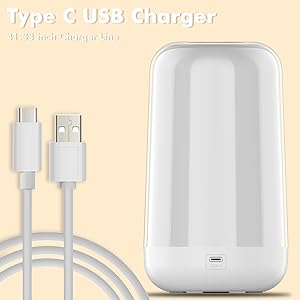
Imej: Lamp with its Type C USB charging cable, illustrating the charging method.
2. Pemasangan dan Sambungan Apl
- Muat turun Surplife app from your device's app store (available for iOS and Android).
- Pastikan l andaamp is charged and powered on.
- Open the Surplife app and follow the on-screen instructions to add a new device. The app connection typically completes within 10 seconds via Bluetooth.
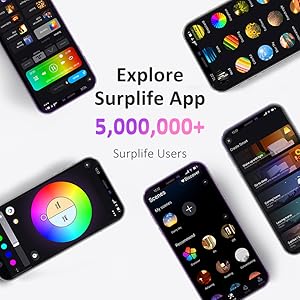
Imej: Pelbagai skrin telefon pintar menunjukkanasing the diverse interface and features of the Surplife App.
Arahan Operasi
Kawalan Sentuh
- Hidupkan/Mati Kuasa: Press the power button located at the base of the lamp.
- Pelarasan Kecerahan: Tap the top surface of the lamp to cycle through preset brightness levels.
- Perubahan Warna: Long-press the top surface of the lamp to cycle through different colors.
App Control (Surplife App)
The Surplife app provides comprehensive control over your lamp's features:
- Pilihan Warna: Choose from 16 million colors by sliding your finger across the color wheel in the app.
- Kawalan Kecerahan: Adjust the brightness steplessly from 0% to 100% using the slider in the app.
- Mod Pemandangan: Select from 41 dynamic and static scene modes to instantly change the ambiance of your room.
- Fungsi Pemasa: Program lamp to turn on or off automatically at specific times, or to adjust brightness gradually for sleep or wake-up routines.
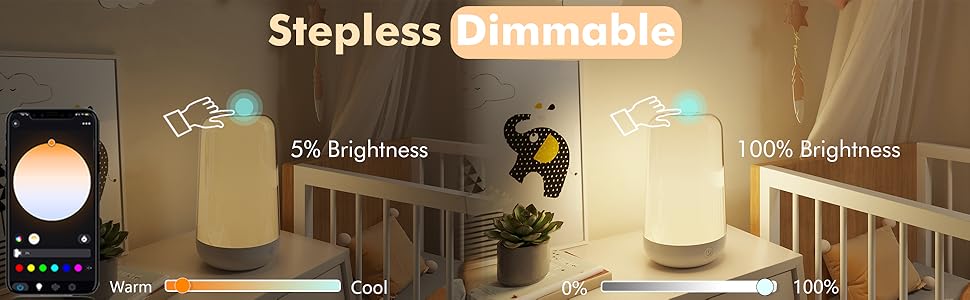
Image: A visual comparison demonstrating the lamp's stepless dimming capability, showing it at 5% and 100% brightness.
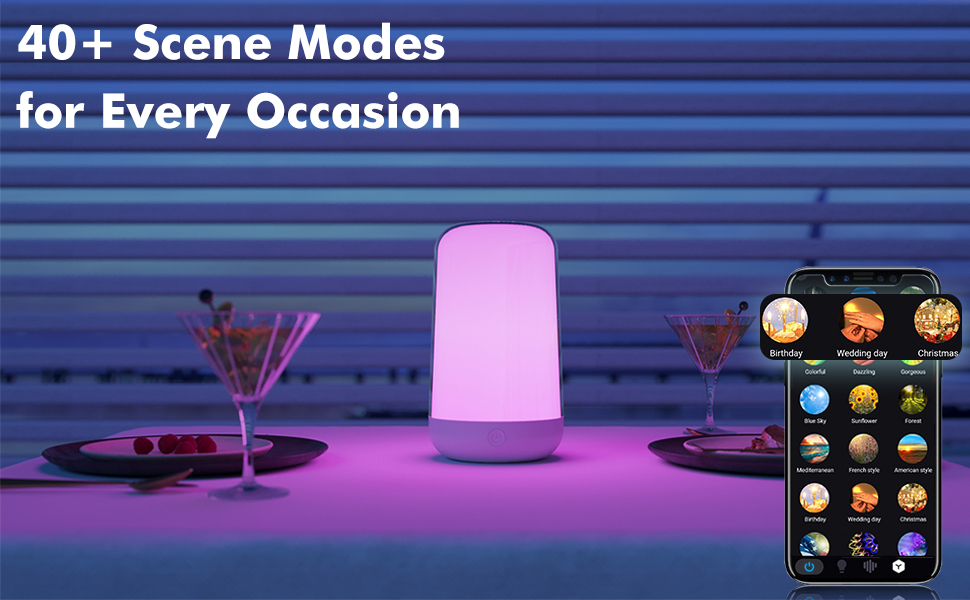
Imej: Lamp displaying various colors, accompanied by a smartphone showing the app's extensive library of over 40 scene modes for different occasions.
Penyelenggaraan
To ensure the longevity and optimal performance of your YHW Smart Touch Table Lamp, ikut garis panduan penyelenggaraan mudah ini:
- Pembersihan: Gunakan kain lembut dan kering untuk mengelap lamp's surface. For stubborn marks, a slightly damp kain boleh digunakan, diikuti dengan pengeringan segera. Elakkan pembersih atau pelarut yang melelas.
- Storan: Apabila tidak digunakan untuk tempoh yang lama, simpan lamp di tempat yang sejuk dan kering jauh dari cahaya matahari langsung dan suhu yang melampau.
- mengecas: Always use the provided Type C charging cable. Avoid using damaged cables or non-compatible chargers.
- Pendedahan Air: Lamp is not waterproof. Avoid exposing it to water or high humidity.
Menyelesaikan masalah
| Masalah | Kemungkinan Punca | Penyelesaian |
|---|---|---|
| Lamp tidak menyala. | Bateri habis. | Cas lamp using the provided Type C cable. |
| Tidak dapat bersambung ke aplikasi. | Bluetooth is off or lamp is out of range. App not installed correctly. | Pastikan Bluetooth didayakan pada peranti anda danamp is within 10 meters. Restart the app or reinstall it. Ensure the lamp dihidupkan. |
| Kawalan sentuhan tidak bertindak balas. | Lamp is off or low battery. Sensor obstruction. | Pastikan lamp is on and charged. Clean the top surface of the lamp to remove any dust or debris. |
| Cahaya terlalu malap. | Tetapan kecerahan adalah rendah. | Adjust brightness via touch control or the Surplife app. |
Spesifikasi
| Ciri | Perincian |
|---|---|
| Nombor Model | BTTB-2604-PB |
| Jenama | Yhw |
| Dimensi (D x W x H) | 4.25" x 4.21" x 7.36" (lebih kurang 10.8cm x 10.7cm x 18.7cm) |
| Berat Barang | 1.01 paun (lebih kurang 0.46 kg) |
| bahan | plastik |
| Jenis Sumber Cahaya | LED |
| Suhu Warna | 6500 Kelvin (adjustable via app) |
| Kecerahan | 500 Lumen |
| Wattage | 18 watt |
| Sumber Kuasa | Rechargeable Battery / Corded Electric (via Type C) |
| Kapasiti Bateri | 5V 3600mAh |
| Kaedah Kawalan | App (Surplife), Touch |
| Teknologi Ketersambungan | Bluetooth |
| Pilihan Warna | 16 Million RGB Colors, Warm Light, Daylight |
| Penggunaan Dalaman/Luar | Dalaman, Luaran |
| Tahap Ketahanan Air | Bukan Tahan Air |
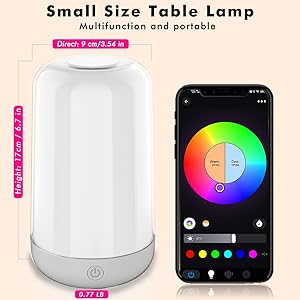
Image: A diagram illustrating the compact dimensions of the YHW Smart Touch Table Lamp.
Waranti dan Sokongan
For product support, troubleshooting assistance, or warranty inquiries, please refer to the contact information provided with your purchase or visit the official YHW store on Amazon:
Sila simpan bukti pembelian anda untuk sebarang tuntutan waranti.