
pengenalan
This manual provides essential information for the safe and efficient use of your YEELIGHT W4 Smart Bulb. Please read these instructions carefully before installation and operation. Keep this manual for future reference.
The YEELIGHT W4 Smart Bulb is an E27 base LED bulb featuring dimmable functionality, color changing capabilities, and connectivity via Wi-Fi and Bluetooth for smart control.
Maklumat Keselamatan
- Pastikan kuasa dimatikan sebelum memasang atau menanggalkan mentol.
- Do not use with standard dimmers. This bulb is designed for smart dimming via the app or compatible smart home systems.
- Sesuai untuk lokasi kering sahaja. Jangan dedahkan kepada air atau kelembapan.
- Do not disassemble the bulb. This will void the warranty.
- Beroperasi dalam vol yang ditentukantagjulat e (230 Volt).
Kandungan Pakej
Sahkan bahawa semua item terdapat dalam pakej anda:
- YEELIGHT W4 Smart Bulb (4 units)
- Manual Pengguna (dokumen ini)
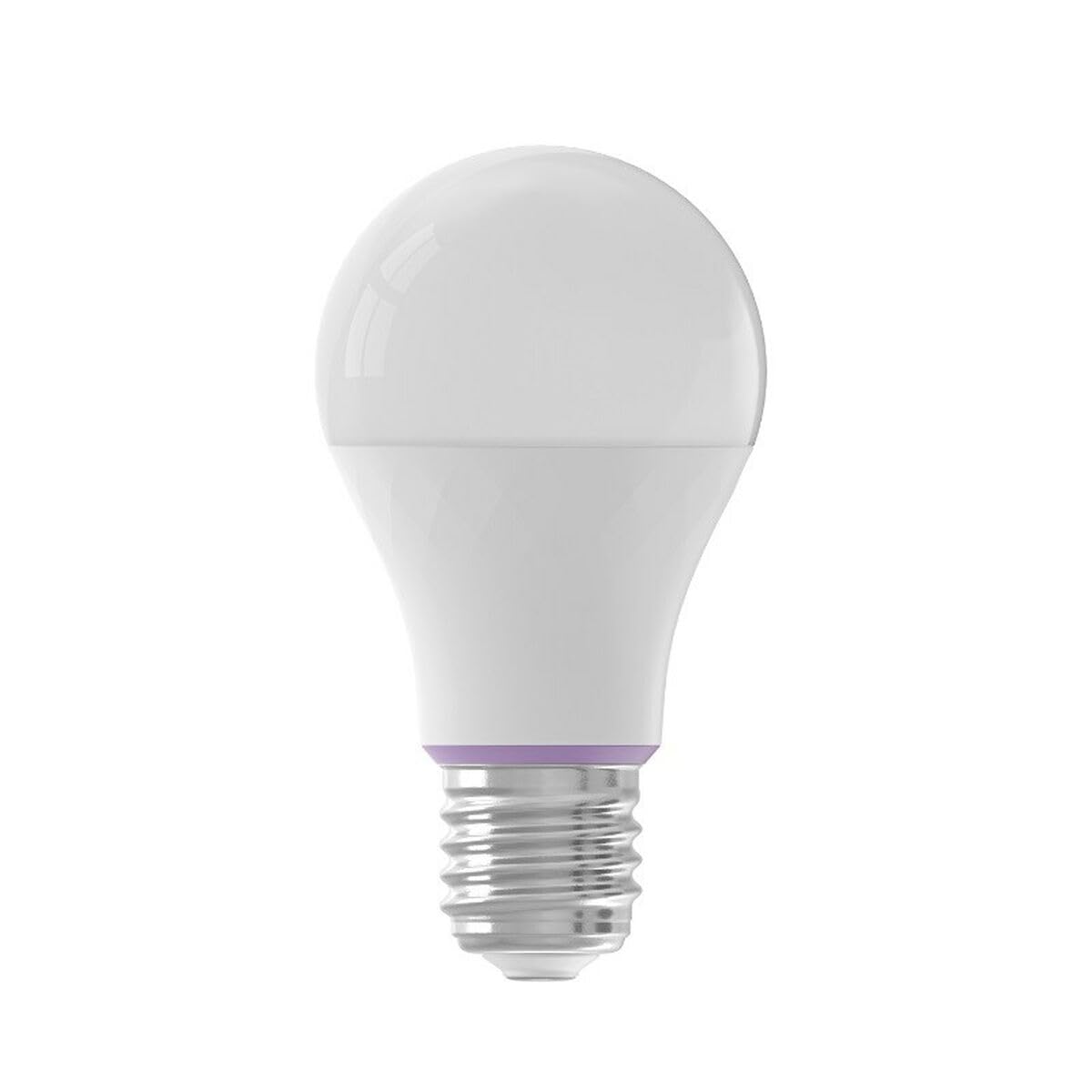
Image: YEELIGHT W4 Smart Bulb. This image displays the smart bulb, typically with an E27 screw base and a frosted or clear dome, indicating its design and form factor.
Spesifikasi
| Ciri | Spesifikasi |
|---|---|
| Nombor Model | YLQPD-0012 (S9144407) |
| Jenis Asas | E27 |
| Ketersambungan | Wi-Fi, Bluetooth |
| kuasa | 9 Watt |
| Setara Pijar | 60 Watt |
| Voltage | 230 Volt |
| Suhu Warna | 6500 Kelvin (Putih) |
| Ciri Khas | Boleh Dimalapkan, Bertukar Warna |
| Dimensi (L x W x H) | 14.92 x 9.94 x 10.04 cm |
| Berat badan | 620 gram |
Persediaan
1. Pemasangan Perkakasan
- Matikan: Ensure the power switch to the light fixture is in the OFF position before installation.
- Pasang Mentol: Screw the YEELIGHT W4 Smart Bulb into a standard E27 light socket. Do not overtighten.
- Hidupkan kuasa: Turn the power switch to the ON position. The bulb should light up, indicating it is ready for pairing.
2. Muat Turun Apl dan Berpasangan
- Muat turun Aplikasi: Muat turun rasmi Aplikasi Yeelight daripada App Store (iOS) atau Google Play Store (Android).
- Buat Akaun: Open the Yeelight App and create a new account or log in to an existing one.
- Tambah Peranti: Tap the "+" icon in the app to add a new device. Select the YEELIGHT W4 Smart Bulb from the list of available devices.
- Sambung ke Wi-Fi: Follow the on-screen instructions to connect the bulb to your 2.4GHz Wi-Fi network. Ensure your phone is connected to the same 2.4GHz network during the pairing process.
- Berpasangan Bluetooth (Pilihan): The bulb also supports Bluetooth for local control. If Wi-Fi is unavailable or unstable, the app may prompt for Bluetooth pairing.
- Rename Bulb: Once connected, you can rename the bulb for easier identification (e.g., "Living Room Lamp").
Beroperasi
Kawalan Asas
- Hidup/Mati: Use the Yeelight App to turn the bulb on or off. You can also use the physical light switch, but this will cut power to the smart features.
- Peredupan: Adjust the brightness level from 1% to 100% using the slider in the Yeelight App.
- Perubahan Warna: Select from a wide spectrum of colors or choose from preset scenes within the app.
Ciri Lanjutan
- Penjadualan: Set schedules for the bulb to turn on/off or change settings at specific times.
- Adegan: Create custom lighting scenes for different moods or activities.
- Kawalan Kumpulan: Group multiple YEELIGHT W4 bulbs together to control them simultaneously.
- Kawalan Suara: Integrate with compatible smart home assistants (e.g., Google Assistant, Amazon Alexa) for voice commands. Refer to your smart assistant's setup guide for integration instructions.
- Kawalan Jauh: Control your bulbs from anywhere with an internet connection via the Yeelight App.
Penyelenggaraan
- Pembersihan: Pastikan mentol lampu telah dimatikan dan sejuk sebelum membersihkan. Lap dengan kain lembut dan kering. Jangan gunakan pembersih cecair atau bahan yang kasar.
- Storan: Jika menyimpan mentol untuk tempoh yang lama, simpan di tempat yang sejuk dan kering, jauh daripada cahaya matahari langsung.
- Kemas kini Firmware: Periodically check the Yeelight App for firmware updates to ensure optimal performance and access to new features.
Menyelesaikan masalah
- Mentol tidak dihidupkan:
- Check if the light fixture has power.
- Pastikan mentol diskrukan dengan betul dan selamat.
- Test the bulb in another working fixture.
- Bulb not connecting to Wi-Fi:
- Pastikan rangkaian Wi-Fi anda ialah 2.4GHz. Mentol ini tidak menyokong rangkaian 5GHz.
- Semak kata laluan Wi-Fi anda.
- Move the bulb closer to your Wi-Fi router during setup.
- Reset the bulb by turning it off and on five times consecutively (1-2 second intervals). The bulb will flash, indicating it's in pairing mode.
- Mulakan semula penghala anda.
- App cannot find the bulb:
- Pastikan Bluetooth didayakan pada telefon anda.
- Confirm the bulb is powered on and in pairing mode (if recently reset).
- Update the Yeelight App to the latest version.
- Dimming or color changing issues:
- Ensure the bulb is connected to the app and has a stable Wi-Fi connection.
- Avoid using external dimmers, as they can interfere with the bulb's smart dimming capabilities.
- Perform a bulb reset and re-pair if issues persist.
Waranti
YEELIGHT products are covered by a limited warranty. For detailed warranty terms and conditions, please refer to the official YEELIGHT website or contact customer support. Keep your purchase receipt as proof of purchase for warranty claims.
Sokongan
For further assistance, technical support, or to report issues, please visit the official YEELIGHT support website or contact their customer service team. Contact information can typically be found on the YEELIGHT website or within the Yeelight App.
Webtapak: www.yeelight.com