
1. Pengenalan
This manual provides detailed instructions for the installation, operation, and maintenance of your EZoneTronics RM-26VW93-2G32 9-inch Android 11 Car Stereo. This universal car radio is designed for various VW models including Passat, Golf MK5, Golf MK6, Jetta, T5, EOS, POLO, Touran, Seat, and Sharan. It features an Android 11 operating system, integrated CarPlay and Android Auto, Bluetooth 5.0, FM/RDS radio, and GPS navigation. Please read this manual thoroughly before using the product to ensure proper function and safety.
2. Maklumat Keselamatan
- Sentiasa kendalikan peranti dengan penuh tanggungjawab dan mengikut undang-undang lalu lintas tempatan. Pemanduan yang terganggu boleh mengakibatkan kemalangan.
- Do not attempt to install or repair the unit yourself if you are not qualified. Improper installation can cause damage to the vehicle's electrical system or the unit itself.
- Pastikan semua pendawaian disambung dengan betul dan berpenebat untuk mengelakkan litar pintas.
- Jauhkan unit daripada air dan kelembapan berlebihan.
- Elakkan daripada mendedahkan unit kepada suhu yang melampau.
3. Kandungan Pakej
Sahkan bahawa semua item yang disenaraikan di bawah disertakan dalam pakej anda:
- 1 x EZoneTronics Android Car Stereo Unit
- 1 x Antena GPS
- 1 x VW Wiring Harness
- 1 x Kotak CANBUS
- 1 x Penyesuai Antena Radio
- 1 x Penyesuai USB
- 1 x Manual Pengguna (dokumen ini)
4. Produk Lebihview
The EZoneTronics RM-26VW93-2G32 is a 9-inch universal car stereo designed to enhance your driving experience with advanced features and seamless integration. Key features include:
- Sistem Android 11: Provides a fast, stable, and user-friendly operating environment.
- 9-inch TFT Capacitive Touchscreen: High-definition display with 1280 x 720 pixels for clear visuals.
- Integrated CarPlay & Android Auto: Connect your smartphone via USB for navigation, music, calls, and messages.
- Bluetooth 5.0: For hands-free calling, phonebook access, and audio streaming (A2DP).
- Navigasi GPS: Built-in receiver compatible with various navigation apps like Waze, Navfree, and Google Maps.
- Radio FM/RDS: Automatic memory and preset scanning for your favorite stations.
- Sokongan Kawalan Roda Stereng: Retains original vehicle steering wheel control functionality via CANBUS.
- Pemain Multimedia: Supports various audio and video formats.
- Input Kamera Belakang: Supports CVBS/AHD cameras for parking assistance.
- Memori Denyar 32GB: Ample storage for music, map data, and videos.
- 4 x 45W Output Power: Delivers clear and powerful audio.
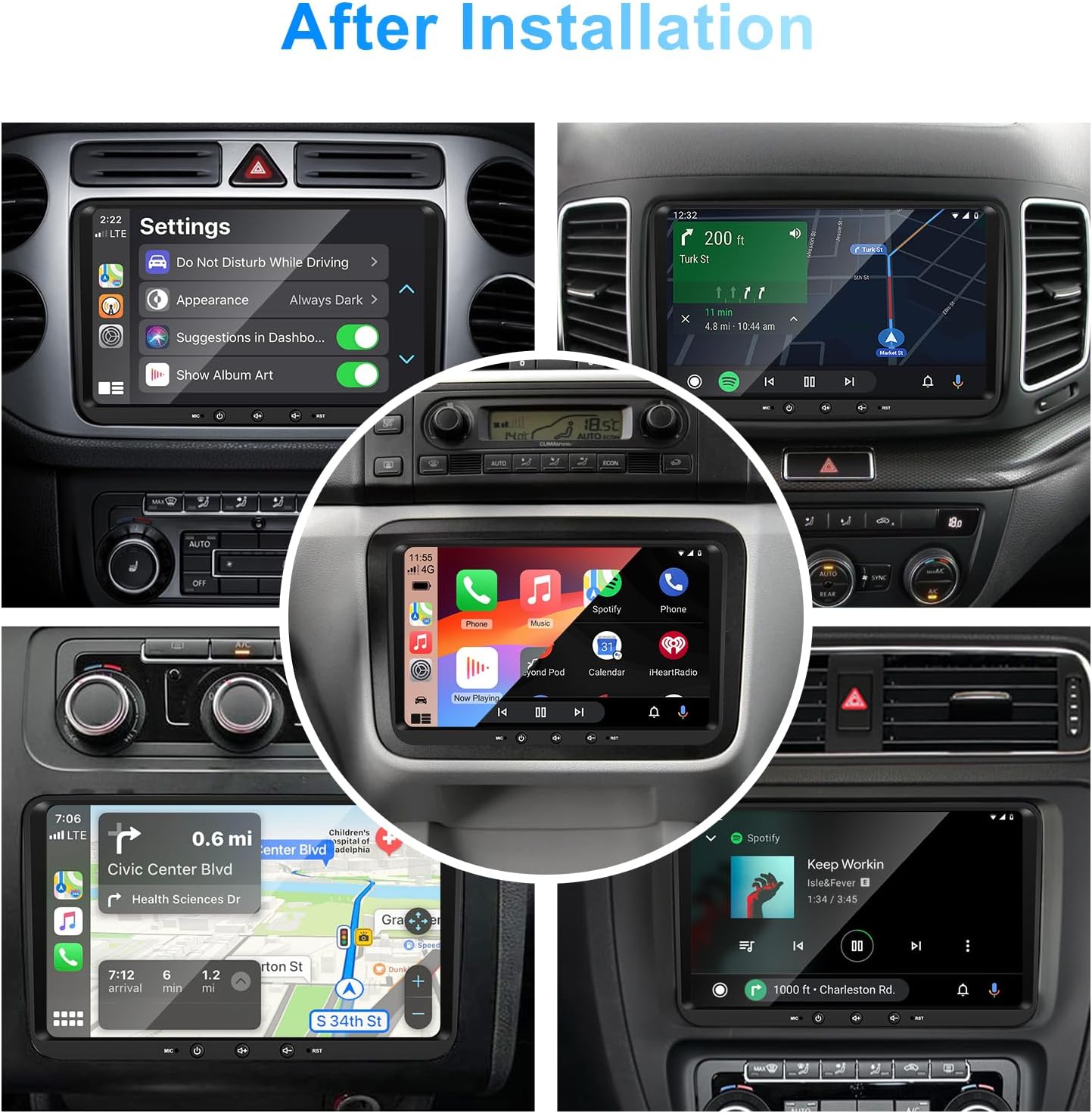
Imej 1: Depan view of the EZoneTronics 9-inch Android 11 Car Stereo unit, showcasing its large touchscreen display and sleek design.
5. Persediaan & Pemasangan
Pemasangan profesional disyorkan. Pastikan kuasa kenderaan diputuskan sebelum memulakan pemasangan.
5.1 Gambarajah Pendawaian
Refer to the following diagram for proper wiring connections. Each connector is labeled for clarity.

Image 2: Detailed wiring diagram illustrating connections for the power harness, CANBUS box, USB extension, backup camera video input, radio antenna adapter, and GPS antenna.
5.2 Langkah Pemasangan (Umum)
- Keluarkan Unit Asal: Carefully remove your vehicle's existing car stereo unit and trim panels.
- Sambungkan Abah Kuasa: Connect the provided VW wiring harness to the vehicle's wiring and then to the car stereo unit. Ensure all connections are secure.
- Connect CANBUS Box: Integrate the CANBUS box as shown in the wiring diagram. This enables steering wheel controls and other vehicle data integration.
- Sambungkan Antena GPS: Pasang antena GPS di lokasi yang jelas view of the sky (e.g., dashboard or windshield corner) and connect it to the unit.
- Connect Radio Antenna: Use the provided radio antenna adapter to connect the vehicle's radio antenna to the unit.
- Connect USB Adapters: Connect the USB extension harnesses for external USB devices.
- Sambungan Pilihan: Connect any optional accessories such as a backup camera (CVBS/AHD), external amplifier (RCA output), or additional video inputs/outputs.
- Kefungsian Ujian: Before fully reassembling the dashboard, temporarily connect the unit and test all functions (power, audio, radio, GPS, Bluetooth, steering wheel controls, camera).
- Unit Selamat: Once all functions are verified, secure the car stereo unit in the dashboard and reassemble all trim panels.
6. Arahan Operasi
This section details the primary functions and operations of your EZoneTronics car stereo.
6.1 Operasi Asas
- Hidupkan/Mati Kuasa: Press and hold the power button (usually on the front panel) to turn the unit on or off. A short press typically mutes/unmutes audio.
- Kawalan Kelantangan: Use the physical volume knob or the on-screen controls to adjust the audio level.
- Antara muka skrin sentuh: Navigate through menus and applications by tapping, swiping, and pinching on the 9-inch capacitive touchscreen.
6.2 Sistem Android 11
The unit runs on Android 11, providing a familiar smartphone-like experience. You can download and install various applications from the Google Play Store.

Image 3: Screenshot of the Android 11 system interface, showing various applications and media options available on the car stereo.
6.3 CarPlay & Android Auto
Connect your iPhone or Android smartphone via USB to access CarPlay or Android Auto. This allows for safe and convenient use of phone features while driving.
- Sambungan: Connect your smartphone to one of the unit's USB ports using a certified USB cable.
- Pengaktifan: The unit should automatically detect and prompt you to launch CarPlay or Android Auto. Follow on-screen instructions.
- ciri-ciri: Access navigation, make calls, send/receive messages, and play music using voice commands (Siri or Google Assistant) or the touchscreen.

Image 4: Display showing the CarPlay interface with Siri voice commands and the Android Auto interface with Google Assistant commands, demonstrating smartphone integration.
6.4 Navigasi GPS
The unit includes a built-in GPS receiver and supports various navigation applications.
- Pre-installed Maps: Sygic Maps are typically pre-installed. For offline use, download regional map data as needed.
- Navigasi Dalam Talian: Connect to Wi-Fi or use a mobile hotspot to access real-time traffic information and online map services like Google Maps.
- External GPS Antenna: Ensure the external GPS antenna is properly connected and positioned for optimal signal reception.

Image 5: The car stereo displaying an online navigation map, showing a route and real-time traffic conditions within a vehicle dashboard.
6.5 Bluetooth 5.0
Connect your smartphone via Bluetooth for hands-free communication and audio streaming.
- Berpasangan: Enable Bluetooth on your smartphone and search for the car stereo (e.g., "EZoneTronics"). Select the device and confirm the pairing code.
- Panggilan Bebas Tangan: Make and receive calls directly from the car stereo. Access your phonebook and recent call history.
- Penstriman Audio (A2DP): Play music from your smartphone through the car stereo's speakers.

Image 6: The car stereo displaying music playback via Bluetooth 5.0, with a smartphone shown next to it also playing music, illustrating the wireless audio connection.
6.6 FM/RDS Radio
Akses stesen radio tempatan dengan penala FM/RDS terbina dalam.
- tuning: Use the on-screen controls to manually tune to frequencies or perform an automatic scan for available stations.
- Pratetap: Simpan stesen kegemaran anda untuk pratetap butang untuk akses pantas.
- RDS (Sistem Data Radio): Displays station information such as song title, artist, or program type where available.
6.7 Kawalan Roda Stereng
The unit supports your vehicle's original steering wheel controls through the CANBUS box, allowing you to manage audio and other functions without taking your hands off the wheel.
- Kefungsian: Control volume, change tracks, answer calls, and switch modes directly from your steering wheel.
- Konfigurasi: In some cases, steering wheel controls may require initial configuration in the unit's settings menu.

Image 7: Illustration showing a steering wheel with control buttons and corresponding icons on the car stereo display, indicating seamless integration of steering wheel controls.
6.8 Audio Settings (32-Band EQ)
Customize your audio experience with the built-in 32-band equalizer and other sound controls.
- Penyama: Adjust frequency bands to fine-tune the sound output to your preference.
- Mod EQ Pratetap: Select from various preset equalizer modes (e.g., Pop, Rock, Jazz, Classic).
- Fader / Baki: Adjust the audio distribution between front/rear and left/right speakers.
- Kekerasan: Enhance bass and treble at low volume levels.

Image 8: Screenshot of the car stereo's 32-band equalizer interface, showing adjustable frequency sliders and preset sound modes, along with a visual representation of sound distribution in a car cabin.
6.9 After Installation Overview
Once installed, the unit provides a comprehensive interface for various functions, including system settings, navigation, media playback, and vehicle information.
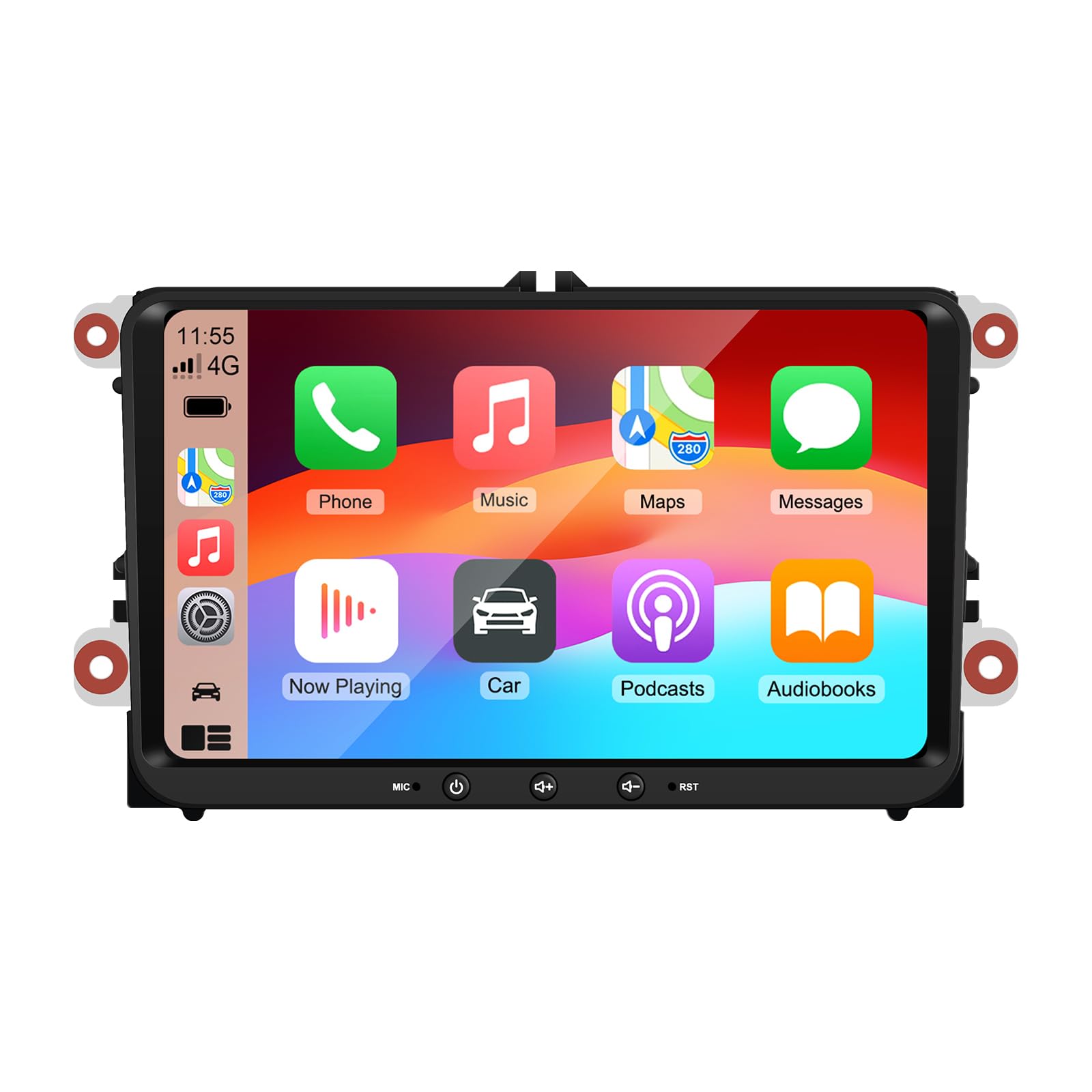
Image 9: A collage of various screen displays from the car stereo after installation, showing settings, navigation, CarPlay, Spotify, and vehicle information screens.
7. Penyelenggaraan
- Membersihkan Skrin: Gunakan kain lembut dan tidak berbulu untuk mengelap skrin sentuh dengan lembut. Untuk calitan degil, sedikit dampen kain dengan air atau pembersih selamat skrin. Elakkan bahan kimia yang keras.
- Kemas Kini Perisian: Periodically check for software updates through the unit's settings menu or the manufacturer's webtapak untuk memastikan prestasi optimum dan akses kepada ciri baharu.
- Tetapan Semula Sistem: If the unit experiences persistent issues, a factory reset option is available in the settings. Note that this will erase all user data and settings.
8. Penyelesaian masalah
If you encounter problems with your EZoneTronics car stereo, refer to the following common issues and solutions:
| Masalah | Kemungkinan Punca | Penyelesaian |
|---|---|---|
| Unit tidak dihidupkan. | pendawaian yang salah; Fius yang ditiup; Isu kuasa kenderaan. | Check power connections and fuses. Consult a professional installer. |
| Tiada bunyi. | Volume muted; Speaker wiring incorrect; Ampisu penguat. | Check volume and mute settings. Verify speaker connections. |
| Isyarat GPS hilang atau tidak tepat. | Antena GPS tidak diletakkan atau diputuskan dengan betul. | Pastikan antena GPS mempunyai jernih view langit dan disambungkan dengan selamat. |
| Gandingan Bluetooth gagal. | Bluetooth not enabled on phone/unit; Incorrect pairing process. | Ensure Bluetooth is active on both devices. Restart pairing process. |
| Kawalan stereng tidak berfungsi. | CANBUS box not connected; Incorrect configuration. | Verify CANBUS box connection. Check steering wheel control settings in the unit. |
9. Spesifikasi
Technical specifications for the EZoneTronics RM-26VW93-2G32 car stereo:
| Ciri | Spesifikasi |
|---|---|
| Nombor Model | RM-26VW93-2G32 |
| Sistem Operasi | Android 11 |
| Saiz Skrin | 9 inci |
| Resolusi Paparan | 1280 x 720 piksel |
| Pemproses | Quad Core 1.5G |
| RAM | 2G DDR4 |
| Storan Dalaman | Memori Denyar 32GB |
| Versi Bluetooth | 5.0 |
| Kuasa Keluaran | 4 x 45W (180 Watts total) |
| Bilangan Saluran | 2 |
| Penerima GPS | Built-in, with external antenna |
| Wi-Fi | terbina dalam |
| Input USB | 2 x USB Belakang |
| Input Kamera | CVBS/AHD compatible |
| Pengeluar | Rhythm Electronics Limited |
10. Waranti & Sokongan
10.1 Maklumat Waranti
The EZoneTronics RM-26VW93-2G32 car stereo comes with a Waranti 1 tahun dari tarikh pembelian. Waranti ini meliputi kecacatan dan kerosakan pembuatan di bawah penggunaan biasa. Ia tidak meliputi kerosakan yang disebabkan oleh pemasangan yang tidak betul, salah guna, kemalangan atau pengubahsuaian yang tidak dibenarkan.
10.2 Sokongan Pelanggan
For technical assistance, warranty claims, or any questions regarding your product, please contact our customer support team:
- e-mel: support@ezonetronics.com
When contacting support, please provide your product model number (RM-26VW93-2G32) and a detailed description of the issue.