
pengenalan
The JLab Nightfall Wired Gaming Headset is designed to provide an immersive audio experience for gamers across multiple platforms. Featuring 50mm drivers, cloud foam cushions, and a sound-isolating inner shelf, this headset ensures clear communication and comfortable wear during extended gaming sessions.
Kandungan Pakej
- JLab Nightfall Wired Gaming Headset
- Manual Arahan
Persediaan dan Ketersambungan
The Nightfall headset offers universal compatibility through its wired 3.5mm connection cable, making it suitable for a wide range of gaming and multimedia devices.
Menyambung Alat Dengar Anda
- Locate the 3.5mm audio jack on your device (PC/Mac, Xbox, PlayStation 4 & 5, Nintendo Switch).
- Insert the 3.5mm connector from the headset cable firmly into the device's audio jack.
- Adjust your device's audio settings to ensure the headset is selected as the input and output device.

Image: The JLab Nightfall Wired Gaming Headset in use, connected to a gaming setup, demonstrating its universal compatibility.
Arahan Operasi
Audio Quality and Immersion
Equipped with 50mm drivers and a sound-isolating inner shelf, the Nightfall headset delivers immersive and powerful sound. This design enhances your gaming experience by providing rich audio with clarity and deep bass, allowing you to hear crucial in-game details.

Imej: Meletup view diagram highlighting the 50mm audio driver and the sound-isolating inner shelf within the headset's ear cup.
Penggunaan Mikrofon
The headset features a flip-to-mute rotating boom mic, ensuring clear team communications during gaming sessions. The TeamSpeak Certified near-field directional mic captures your voice while actively eliminating background noise, ensuring your teammates hear you clearly without distractions.
- Untuk Membisukan: Flip the microphone boom upwards.
- To Unmute: Flip the microphone boom downwards.
- The rotating design allows for optimal positioning of the mic for better voice pickup.
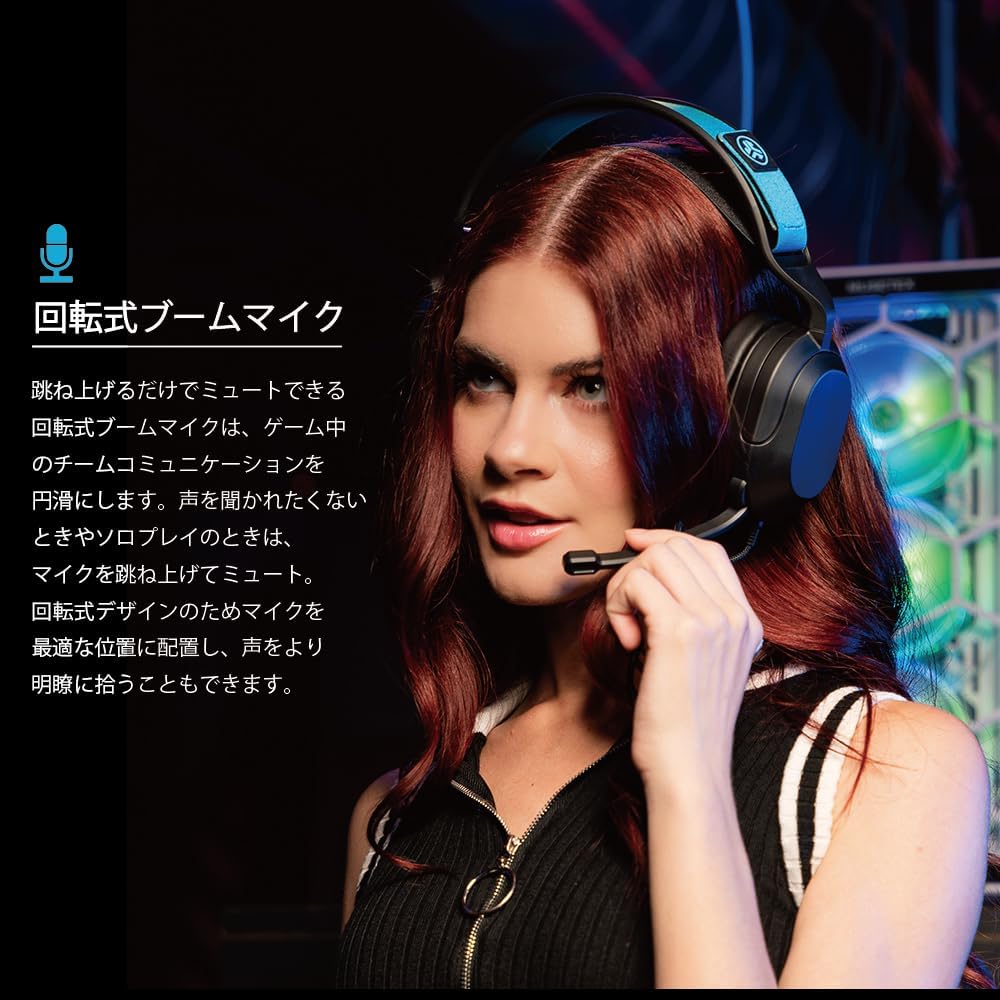
Image: A user wearing the JLab Nightfall headset, demonstrating the flexible and rotating boom microphone in an active position.

Image: A gamer wearing the JLab Nightfall headset, illustrating the effective noise elimination provided by the directional microphone for clear communication.
Keselesaan dan Reka Bentuk
The Nightfall headset is engineered for all-night comfort. It features super-wide stretchable and adjustable headbands that provide a customizable fit for various head sizes. The cloud foam cushions further enhance comfort, preventing discomfort during long gaming sessions.
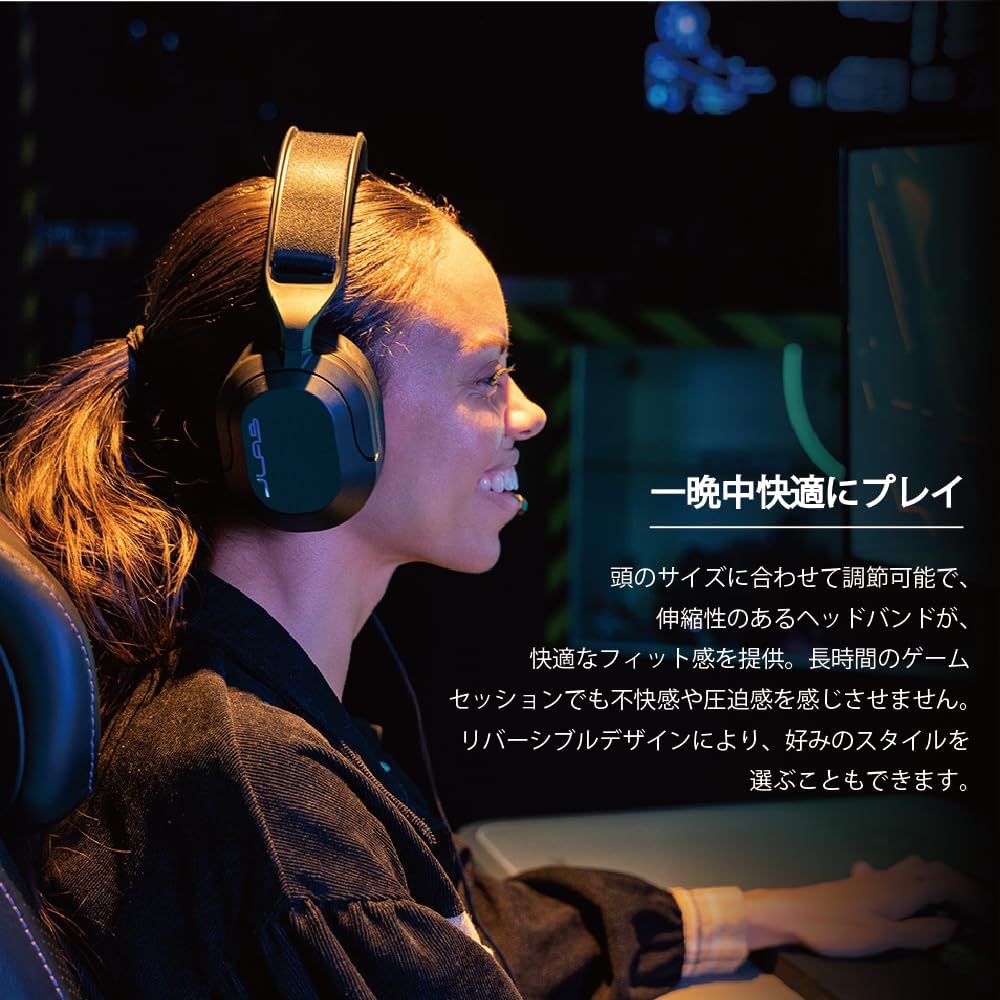
Image: A user wearing the JLab Nightfall headset, showcasing the comfortable over-ear design and adjustable headband for extended wear.

Imej: A terperinci view of the JLab Nightfall headset's cloud foam ear cushions, emphasizing their soft and comfortable design.
Spesifikasi
| Ciri | Perincian |
|---|---|
| Jenama | JLab |
| Nama Model | Nightfall |
| Teknologi Ketersambungan | Berwayar (Bicu 3.5mm) |
| Penempatan Telinga | Atas Telinga |
| Saiz Pemacu Audio | 50 Milimeter |
| Impedans | 32 ohm |
| Sensitiviti | 102 dB |
| Julat Kekerapan | 20Hz - 20,000Hz |
| Kawalan Bunyi | Pengasingan Bunyi |
| Mikrofon | Flip-to-mute rotating boom mic, TeamSpeak Certified near-field directional |
| Peranti Serasi | PC/Mac, Xbox, PlayStation 4, PlayStation 5, Nintendo Switch |
| Berat Barang | 0.39 Kilogram |
| bahan | Plastic, Metal, Synthetic materials |
| Ciri-ciri Tambahan | Adjustable Headband, Cloud Foam Cushions |
Penyelenggaraan
- Pembersihan: Gunakan kain lembut dan kering untuk membersihkan set kepala. Jangan gunakan pembersih cecair atau aerosol.
- Storan: Simpan alat dengar di tempat yang sejuk dan kering jauh dari cahaya matahari langsung dan suhu yang melampau.
- Penjagaan Kabel: Elakkan selekoh tajam atau tarikan berlebihan pada kabel untuk mengelakkan kerosakan.
Menyelesaikan masalah
- Tiada Bunyi:
- Pastikan bicu 3.5mm dimasukkan sepenuhnya ke dalam peranti anda.
- Check your device's audio settings to confirm the headset is selected as the output device and volume is not muted.
- Uji set kepala dengan peranti lain untuk menolak isu khusus peranti.
- Mikrofon Tidak Berfungsi:
- Ensure the microphone boom is flipped down to the active position (not muted).
- Verify your device's audio settings have the headset microphone selected as the input device and input volume is not muted.
- Check for any in-game or application-specific microphone settings.
- Audio Herot:
- Lower the volume on your device or the headset.
- Ensure the 3.5mm connection is secure and free from debris.
- Test with another audio source to determine if the issue is with the headset or the source device.
Waranti dan Sokongan
The JLab Nightfall Wired Gaming Headset comes with a 2-Year Warranty from the manufacturer, JLab Audio. For detailed warranty information, technical support, or service inquiries, please refer to the official JLab webtapak atau hubungi sokongan pelanggan mereka secara langsung.
Manufacturer: JLab Audio