
XNANO X3 Max
XNANO Outdoor Mini Projector User Manual
Model: X3 Max
Portable Smart Movie Projector with 5G WiFi and Bluetooth
pengenalan
The XNANO X3 Max is a versatile and portable mini projector designed for both indoor and outdoor use. Featuring a built-in rechargeable battery, 4K video decode support, 5G WiFi, and Bluetooth connectivity, it offers a comprehensive entertainment solution. This manual provides essential information for setting up, operating, and maintaining your projector to ensure optimal performance and longevity.
Apa yang ada dalam Kotak
- XNANO X3 Max Mini Projector
- Rechargeable Battery Base (15Ah)
- Alat Kawalan Jauh (bateri tidak disertakan)
- Kabel HDMI
- Penyesuai Kuasa AC
- Manual Pengguna (dokumen ini)
Ciri-ciri Produk
Portable Design with Rechargeable Battery
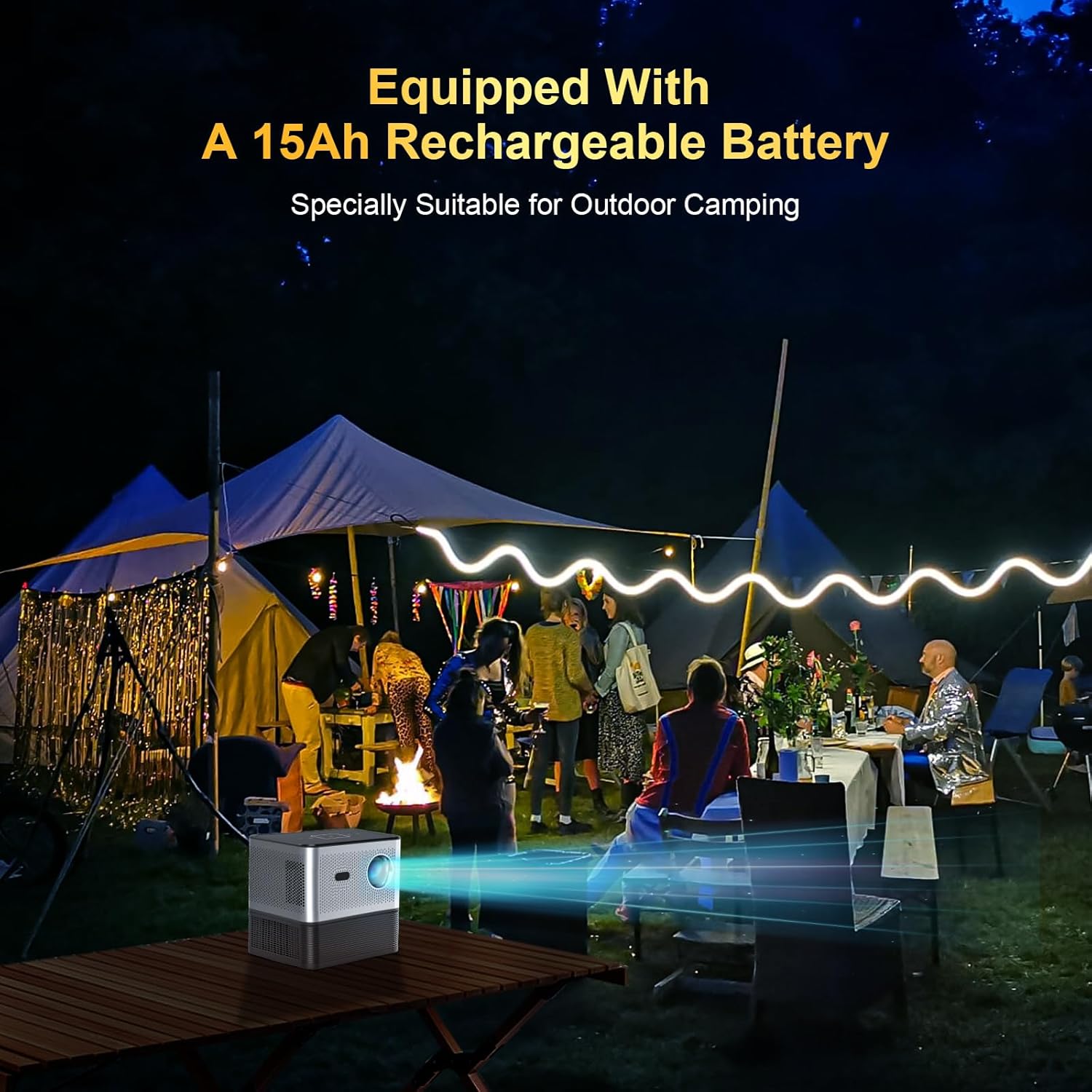
The XNANO X3 Max features a built-in 15Ah rechargeable battery, making it ideal for outdoor use such as camping or backyard movie nights. The battery base attaches securely to the projector. For extended indoor use, the projector can be powered directly via the AC adapter. If storing the projector for a long period, it is recommended to separate the battery from the projector.
Charging time for the battery is approximately 6 hours.
Smart Home Theater Experience with Built-in Apps

This projector comes pre-installed with popular streaming applications such as Netflix, YouTube, and access to the Play Store, allowing for direct streaming of movies, TV shows, and music without the need for external devices. This greatly enhances convenience and entertainment options.
Electric Focus, Voice Remote, and Touch Keys

Achieve a clear image effortlessly with the electric focus function, adjustable via the remote control's F+/- buttons. The remote also supports voice commands when connected via Bluetooth, enabling hands-free operation of many projector functions. For direct control, the projector's top panel features responsive touch keys.
High Brightness, 4K Video Decode Support, and Integrated Speaker

Equipped with an upgraded LCD technology and a high-performance chip, the XNANO X3 Max delivers 300 ANSI lumens brightness and supports 4K video decoding for a vibrant viewing experience. For best results, use in dark environments. The projector includes a 5W speaker for integrated audio. It also features HDMI, USB, Audio, LAN, and Type-C ports for versatile connectivity.
Kesambungan Pantas dan Stabil

Enjoy seamless online streaming with ultra-fast dual 2.4G/5G WiFi. Bluetooth connectivity allows for easy pairing with external Bluetooth speakers or headphones, providing enhanced audio quality and volume without the need for wired connections.
Sistem Penyejukan yang Cekap
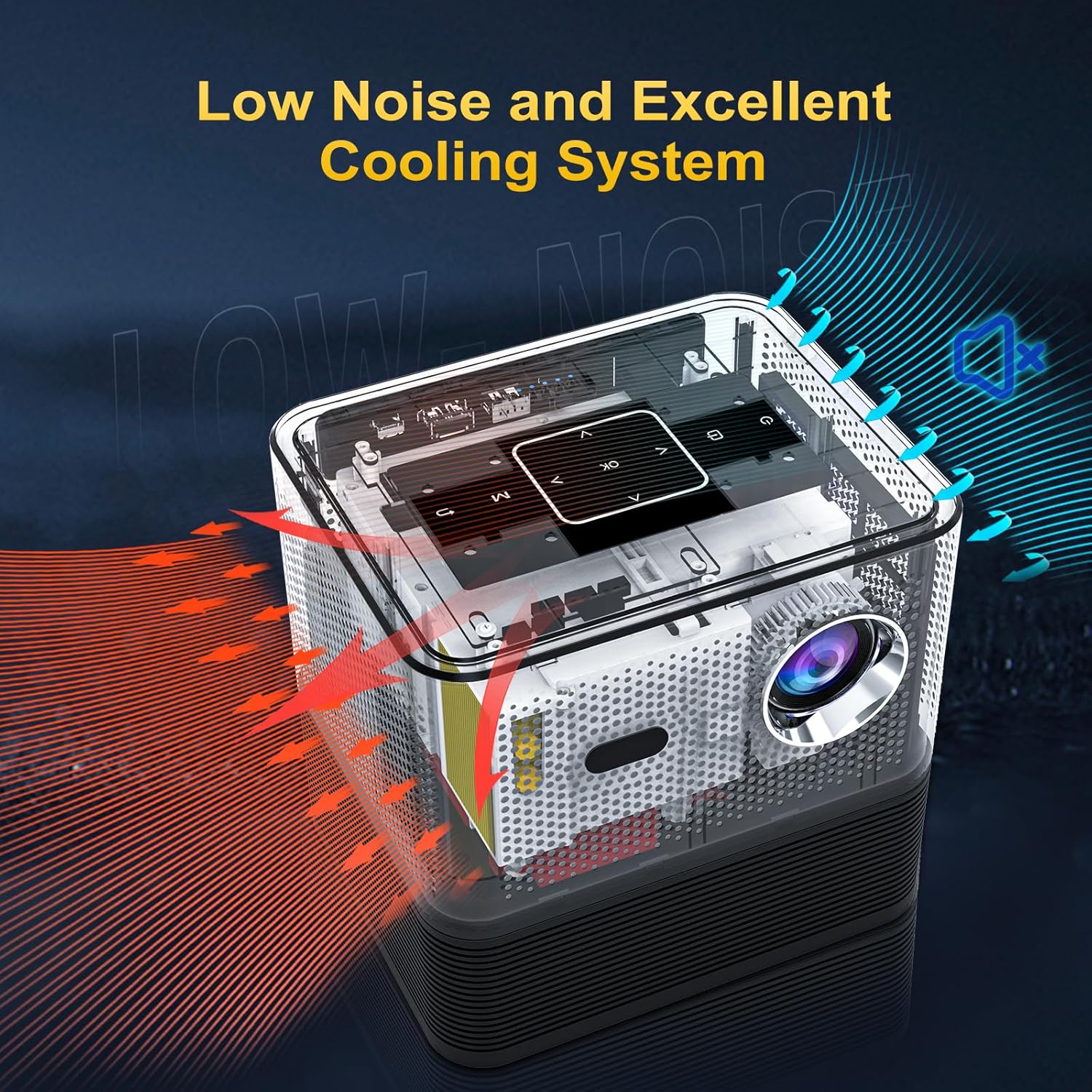
The projector incorporates an excellent cooling system designed to maintain optimal operating temperatures and minimize fan noise, ensuring a comfortable viewpengalaman dalam.
Produk Selesaiview Video
Video ini memberikan gambaran menyeluruhview of the XNANO Outdoor Projector, demonstrating its key features such as portability, smart functions, and ease of use in various settings. It highlights the electric focus, screen mirroring, and the detachable battery base.
Panduan Persediaan
- Membuka kotak dan Pemeriksaan: Keluarkan semua komponen daripada pembungkusan dengan berhati-hati. Periksa sebarang kerosakan yang boleh dilihat.
- Attach Battery Base: Align the projector with the battery base and gently press down until the magnetic connectors engage. Ensure a secure connection.
- Sambungan Kuasa:
- For initial use or charging, connect the AC power adapter to the projector's DC port and plug it into a power outlet.
- The battery can be charged while attached to the projector.
- Persediaan Kawalan Jauh: Masukkan dua bateri AAA (tidak disertakan) ke dalam alat kawalan jauh.
- Hidupkan kuasa: Tekan butang kuasa pada projektor atau alat kawalan jauh untuk menghidupkan peranti.
- Wizard Persediaan Awal: Follow the on-screen instructions to select your language, connect to a Wi-Fi network (2.4G or 5G), and complete basic system configurations.
- penempatan: Position the projector on a stable, flat surface. Ensure there are no obstructions to the lens or ventilation ports. For optimal viewing, project onto a flat, light-colored surface or a projector screen in a dark environment.
Arahan Operasi
- Pelarasan Fokus: Use the F+/- buttons on the remote control to adjust the electric focus until the image is sharp and clear.
- Pembetulan Keystone: If the projected image appears trapezoidal, navigate to the "Settings" menu on the projector's UI to adjust keystone correction (manual or automatic, if available) to achieve a rectangular image.
- Navigating the User Interface:
- Use the arrow keys and OK button on the remote to navigate through the home screen and built-in applications (Netflix, YouTube, Play Store, etc.).
- Touch keys on the projector's top panel can also be used for basic navigation.
- Pencerminan Skrin:
- Ensure your mobile device (iOS/Android) or Windows PC is connected to the same Wi-Fi network as the projector.
- Select the "Screen Adjust" or "Screen Mirroring" app on the projector's home screen.
- Follow the specific instructions displayed on the projector screen for connecting your device.
- Menyambung Peranti Luaran:
- HDMI: Connect a device (e.g., laptop, game console, TV stick) to the HDMI port. Select the HDMI input source from the projector's input menu.
- USB: Masukkan pemacu USB ke dalam port USB untuk memainkan media files.
- Jenis-C: Connect compatible devices via the Type-C port.
- Keluar Audio: Sambungkan pembesar suara atau fon kepala luaran melalui bicu audio 3.5mm untuk bunyi yang dipertingkatkan.
- LAN: Sambungkan kabel Ethernet untuk sambungan internet berwayar.
- Audio Bluetooth:
- Go to Bluetooth settings in the projector's menu.
- Dayakan Bluetooth dan cari peranti yang tersedia.
- Pilih pembesar suara atau fon kepala Bluetooth anda untuk dipasangkan.
- Kawalan Suara: Once the remote is paired via Bluetooth, press the voice control button on the remote and speak your commands (e.g., "Open Netflix," "Check the weather").
Penyelenggaraan
- Membersihkan Lensa: Gunakan kain lembut dan tidak berbulu yang direka khas untuk kanta optik. Jangan gunakan pembersih yang kasar atau daya yang berlebihan.
- Cleaning Ventilation Ports: Regularly check and clean the air vents to prevent dust buildup, which can affect cooling performance. Use a soft brush or compressed air.
- Penjagaan Bateri:
- Elakkan menyahcas sepenuhnya bateri dengan kerap.
- If not using the projector for an extended period, charge the battery to about 50-60% and store it separately from the projector in a cool, dry place.
- Recharge the battery every 3-6 months to prevent deep discharge.
- Kemas Kini Perisian: Periodically check for system software updates through the projector's settings menu to ensure optimal performance and access to new features.
Menyelesaikan masalah
| Masalah | Kemungkinan Punca | Penyelesaian |
|---|---|---|
| Tiada imej atau imej malap | Power off/disconnected, input source incorrect, lens cap on, ambient light too high. | Ensure power is connected and unit is on. Select correct input source. Remove lens cap. Use in a darker environment. |
| Imej kabur | Out of focus, incorrect keystone correction, dirty lens. | Adjust electric focus using remote. Adjust keystone correction in settings. Clean the projector lens. |
| Tiada suara atau kelantangan rendah | Volume too low, external audio device not connected/paired, audio format not supported. | Increase projector volume. Ensure Bluetooth device is paired or wired audio is connected. Check audio settings on source device. |
| Battery not charging or short battery life | Adapter issue, battery not properly connected, battery degradation. | Ensure AC adapter is securely connected. Verify battery base is firmly attached. If issue persists, contact customer support. |
| Projektor terpadam secara tiba-tiba | Overheating, low battery. | Ensure ventilation ports are clear. Allow projector to cool down. Charge the battery if low. |
| Slight audio delay (when streaming internally) | Software processing, network latency. | Try restarting the projector and the streaming app. Ensure a stable Wi-Fi connection. Using an external streaming device via HDMI might resolve this. |
Spesifikasi
| Ciri | Perincian |
|---|---|
| Jenama | XNANO |
| Nombor Model | X3 Maks |
| Resolusi Paparan | 1920 x 1080 (Supports 4K video decode) |
| Kecerahan | 300 ANSI Lumen |
| Teknologi Ketersambungan | Bluetooth, Wi-Fi (2.4G/5G) |
| Pelabuhan | HDMI, USB, Audio, LAN, Type-C |
| Pembesar Suara Terbina dalam | 5W |
| Bateri | 15Ah Lithium Ion (included) |
| Berat Barang | 6.56 paun |
| Dimensi Produk | 7.06 x 5.65 x 6.81 inci |
| Penggunaan yang Disyorkan | Dalaman/Luar |
Waranti dan Sokongan
XNANO is committed to providing high-quality products and excellent customer service. Your XNANO X3 Max projector comes with a one-year warranty period dari tarikh pembelian.
- Perkhidmatan Pelanggan: We offer professional technical support for the lifetime of the product.
- Masa Respons: Jangkakan balasan pantas untuk pertanyaan dalam masa 24 jam.
- Polisi Pemulangan: Enjoy a 30-day return period without reason.
For any questions, technical assistance, or warranty claims, please contact XNANO customer support through the vendor's contact information provided at the point of purchase or on the official XNANO webtapak.
Ask a question about this manual
Ask about setup, troubleshooting, compatibility, parts, safety, or missing instructions. Manuals+ will review the question and use this page’s manual context to help answer it.