
1. Pengenalan
The Foscam FNA108HE is an 8-channel Network Video Recorder (NVR) designed for surveillance systems. It supports up to 8 PoE (Power over Ethernet) IP cameras, allowing for simplified installation with power and data transmission over a single Ethernet cable. This NVR records video at up to 8MP resolution per channel and utilizes H.264+ video compression for efficient storage. It offers continuous, motion-detection, and scheduled recording options, and supports a hard drive up to 16TB (not included) for extensive storage. View and manage your surveillance system locally via HDMI/VGA monitor or remotely through a web antara muka.
2. Kandungan Pakej
- Foscam FNA108HE 8-Channel PoE NVR
- Penyesuai Kuasa
- Tetikus USB
- Kabel Ethernet
- Panduan Mula Pantas
- Mounting Screws for HDD (Hard Disk Drive not included)
3. Produk Lebihview
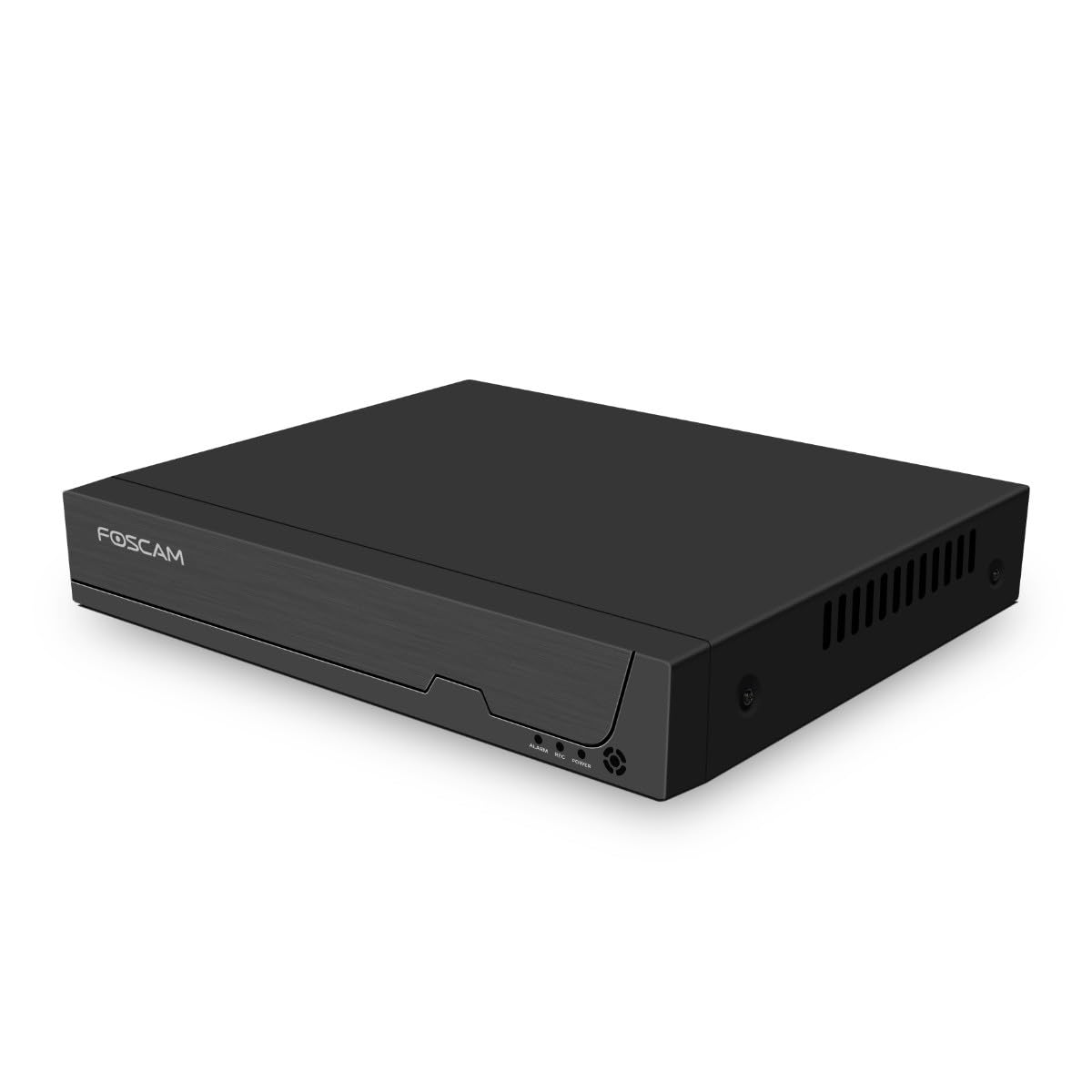
Gambar 3.1: Panel Depan
This image shows the front of the Foscam FNA108HE NVR, featuring the Foscam logo on the left and indicator lights (ALARM, REC, POWER) on the right, along with a navigation button.

Rajah 3.2: Bersudut View
An angled perspective of the Foscam FNA108HE NVR, highlighting its compact design and the Foscam branding.

Gambar 3.3: Panel Belakang
This image displays the rear panel of the Foscam FNA108HE NVR, showing various ports including the power switch, DC 48V power input, 8 PoE ports, LAN port, A-OUT (audio output), VGA port, HD-OUT (HDMI port), and two USB ports.
3.1 Penunjuk Panel Hadapan
- KUASA: Indicates the NVR is powered on.
- REKAM: Flashes when video is being recorded.
- PENGGERA: Illuminates when an alarm event (e.g., motion detection) is triggered.
3.2 Pelabuhan Panel Belakang
- Suis ON / OFF: Powers the NVR on or off.
- DC 48V: Input kuasa untuk NVR.
- Pelabuhan PoE (1-8): Connect PoE IP cameras. These ports provide both power and data.
- Port LAN: Connects the NVR to your local network/router for internet access and remote viewing.
- A-OUT (Audio Output): Connects to an external speaker for audio output.
- Port VGA: Connects to a VGA monitor for local display.
- HD-OUT (HDMI Port): Connects to an HDMI monitor or TV for local display.
- Port USB (x2): Connect a USB mouse for local control and for USB backup devices.
4. Persediaan
4.1 Hard Drive Installation (Optional, HDD not included)
For video recording, a 3.5-inch SATA hard drive is required. Ensure the NVR is powered off before installation.
- Buka skru dan tanggalkan penutup atas NVR.
- Sambungkan kabel data dan kuasa SATA dari NVR ke cakera keras.
- Pasangkan cakera keras pada casis NVR menggunakan skru yang disediakan.
- Pasang semula penutup atas dan pasangkannya dengan skru.
4.2 Sambungan Perkakasan
- Connect your PoE IP cameras to the PoE ports (1-8) on the NVR's rear panel using Ethernet cables.
- Connect a monitor to the NVR's HD-OUT (HDMI) or VGA port.
- Connect the USB mouse to one of the NVR's USB ports.
- Sambungkan port LAN NVR ke penghala atau suis rangkaian anda menggunakan kabel Ethernet.
- Connect the power adapter to the DC 48V input on the NVR and then plug it into a power outlet.
- Press the ON/OFF switch to power on the NVR.
5. Beroperasi
5.1 Initial Setup and Access
Upon first boot, the NVR will guide you through an initial setup wizard (password creation, network settings, etc.). You can access the NVR interface locally via the connected monitor and mouse, or remotely via a web pelayar pada komputer yang disambungkan ke rangkaian yang sama.
5.2 Langsung View
After logging in, the NVR will display the live video feeds from connected cameras. You can switch between single-camera view, grid berbilang kamera view, and customize the display layout.
5.3 Mod Rakaman
The NVR supports the following recording modes:
- Rakaman Berterusan: Merekod 24/7 tanpa gangguan.
- Rakaman Pengesanan Gerak: Records only when motion is detected by the cameras.
- Rakaman Berjadual: Records according to a predefined schedule (e.g., specific hours of the day).
Configure these settings in the NVR's menu under 'Record' or 'Schedule'.
5.4 Main semula
Untuk kembaliview dirakam footage:
- Access the 'Playback' menu on the NVR interface.
- Pilih kamera dan julat tarikh/masa yang dikehendaki.
- Use the timeline to navigate through recordings and play back events.
5.5 Akses Jauh
Untuk mengakses NVR dari jauh:
- Pastikan NVR disambungkan ke Internet.
- Configure network settings (e.g., port forwarding) on your router if necessary, or use Foscam's cloud service/P2P feature if available.
- Use the Foscam web interface or mobile application to view live feeds and manage settings from anywhere.
6. Penyelenggaraan
6.1 Pengurusan Cakera Keras
Regularly check the status of your hard drive in the NVR's storage settings. If the hard drive is new or has issues, it may need to be formatted through the NVR interface. Ensure sufficient free space for continuous recording.
6.2 Kemas Kini Perisian Tegar
Periodically check the Foscam official website for firmware updates. Keeping your NVR's firmware updated ensures optimal performance, security, and access to new features. Follow the instructions provided with the firmware update carefully.
7. Penyelesaian masalah
- Tiada Paparan Video: Check HDMI/VGA cable connections, ensure monitor is on and set to correct input. Verify NVR is powered on.
- Cameras Not Showing: Ensure cameras are properly connected to PoE ports. Check camera power and network status. Verify camera IP addresses are within the NVR's range.
- Tiada Rakaman: Confirm a hard drive is installed and formatted. Check recording schedules and motion detection settings. Ensure HDD has free space.
- Isu Capaian Jauh: Verify NVR has internet access. Check network settings, port forwarding, or P2P status. Ensure correct login credentials.
- NVR Tidak Menghidupkan Kuasa: Check power adapter connection and power outlet. Ensure the ON/OFF switch is in the 'ON' position.
8. Spesifikasi
| Ciri | Spesifikasi |
|---|---|
| Nombor Model | FNA108HE |
| Jenama | Foscam |
| Bilangan Saluran | 8 |
| Max. Storage Capacity | 16 TB (Hard Drive not included) |
| Pemampatan Video | H.264 + |
| Jenis Input Video | Kamera IP PoE |
| Output Video | HDMI, VGA |
| Output Audio | KELUAR |
| Port USB | 2 |
| Teknologi Ketersambungan | HDMI, USB, VGA, Ethernet (LAN, PoE) |
| Peranti Serasi | Camera, Smartphone, Television |
| Berat Barang | 880 Gram |
| Ketersediaan Alat Ganti | 1 Tahun |
9. Waranti dan Sokongan
This Foscam NVR (Model FNA108HE) typically comes with a manufacturer's warranty. Spare parts are available for 1 year. For detailed warranty information, technical support, or service inquiries, please refer to the official Foscam webtapak atau hubungi sokongan pelanggan mereka secara langsung. Simpan resit pembelian anda untuk tuntutan waranti.