
1. Pengenalan
Thank you for choosing the T-fun NC50 Hybrid Active Noise Cancelling Headphones. This manual provides essential information for setting up, operating, and maintaining your headphones to ensure optimal performance and longevity. Please read this manual thoroughly before use.

Image: The T-fun NC50 headphones in Mint Green, showcasing their over-ear design and sleek finish.
2. Kandungan Pakej
Pastikan semua item ada dalam pakej:
- 1 x T-fun NC50 ANC Wireless Headphone
- Kabel Audio 1 x 3.5mm
- 1 x Kabel Pengecasan USB-C
- 1 x PU Bag
- 1 x Manual Pengguna (dokumen ini)

Image: An illustration showing the T-fun NC50 headphones, USB-C charging cable, 3.5mm audio cable, PU bag, and a digital manual icon, along with product dimensions.
3. Produk Lebihview
Familiarize yourself with the headphone's controls and indicators.
Kawalan dan Pelabuhan:
- Butang Kuasa: Tekan dan tahan untuk menghidupkan/mematikan kuasa.
- Butang ANC: Toggles Active Noise Cancellation, Transparency Mode, and Normal Mode. Double-press for Low Latency Game Mode.
- Jilid Naik / Laluan Seterusnya: Tekan pendek untuk kelantangan, tekan lama untuk trek seterusnya.
- Turunkan Volume / Lagu Sebelumnya: Tekan pendek untuk kelantangan turun, tekan lama untuk trek sebelumnya.
- Butang berbilang fungsi (MFB): Play/Pause, Answer/End Call, Activate Voice Assistant.
- Port Pengecasan USB-C: Untuk mengecas fon kepala.
- Bicu Audio 3.5mm: Untuk sambungan berwayar.
- mikrofon: Untuk panggilan dan pembantu suara.
4. Persediaan
4.1 Mengecas Fon Kepala
- Sambungkan kabel pengecas USB-C ke port pengecasan fon kepala.
- Sambungkan hujung kabel yang satu lagi ke penyesuai kuasa USB (tidak disertakan) atau port USB komputer.
- Penunjuk LED akan menunjukkan status pengecasan. Cas penuh biasanya mengambil masa 2-3 jam.
Cas selama 10 minit memberikan masa main balik selama kira-kira 3 jam.

Image: T-fun NC50 headphones with a visual representation of fast charging, indicating 10 minutes of charge provides 3 hours of use.
4.2 Hidupkan/Mati Kuasa
- Hidupkan kuasa: Tekan dan tahan butang Kuasa selama 2 saat. Penunjuk LED akan berkelip biru.
- Matikan: Tekan dan tahan butang Kuasa selama 3 saat. Penunjuk LED akan dimatikan.
4.3 Berpasangan Bluetooth
- With the headphones powered off, press and hold the Power button for 5 seconds until the LED indicator flashes red and blue alternately, indicating pairing mode.
- Dayakan Bluetooth pada peranti anda (telefon pintar, tablet, komputer).
- Cari untuk "T-fun NC50" in the Bluetooth device list and select it to connect.
- Setelah disambungkan, penunjuk LED akan berkelip biru perlahan.
4.4 Sambungan Berbilang Titik
The T-fun NC50 supports simultaneous connection to two Bluetooth devices.
- Pair the headphones with the first device (e.g., laptop) as described in section 4.3.
- Lumpuhkan Bluetooth pada peranti pertama. Fon kepala akan memasuki semula mod berpasangan.
- Pair the headphones with the second device (e.g., smartphone).
- Dayakan Bluetooth pada peranti pertama. Fon kepala akan bersambung secara automatik ke kedua-dua peranti.
The headphones will prioritize incoming calls from one device over media playback from another.

Image: T-fun NC50 headphones positioned between a laptop and a smartphone, illustrating simultaneous Bluetooth connection to multiple devices.
4.5 Sambungan Berwayar
Untuk menggunakan fon kepala dalam mod berwayar:
- Connect one end of the 3.5mm audio cable to the headphone's 3.5mm audio jack.
- Connect the other end to your audio source's 3.5mm output.
- Wired mode can be used even if the headphone battery is depleted.
5. Arahan Operasi
5.1 Pembatalan Bunyi Aktif (ANC) dan Mod Ketelusan
Tekan ke Butang ANC untuk melalui mod berikut:
- ANC Hibrid: Mengurangkan bunyi ambien untuk pengalaman mendengar yang mengasyikkan.
- Mod Ketelusan: Membolehkan anda mendengar persekitaran anda sambil mendengar audio, meningkatkan kesedaran situasi.
- Mod Biasa: ANC and Transparency features are off.

Image: T-fun NC50 headphones with a graphic overlay indicating 95% noise cancellation, illustrating the Hybrid ANC feature.
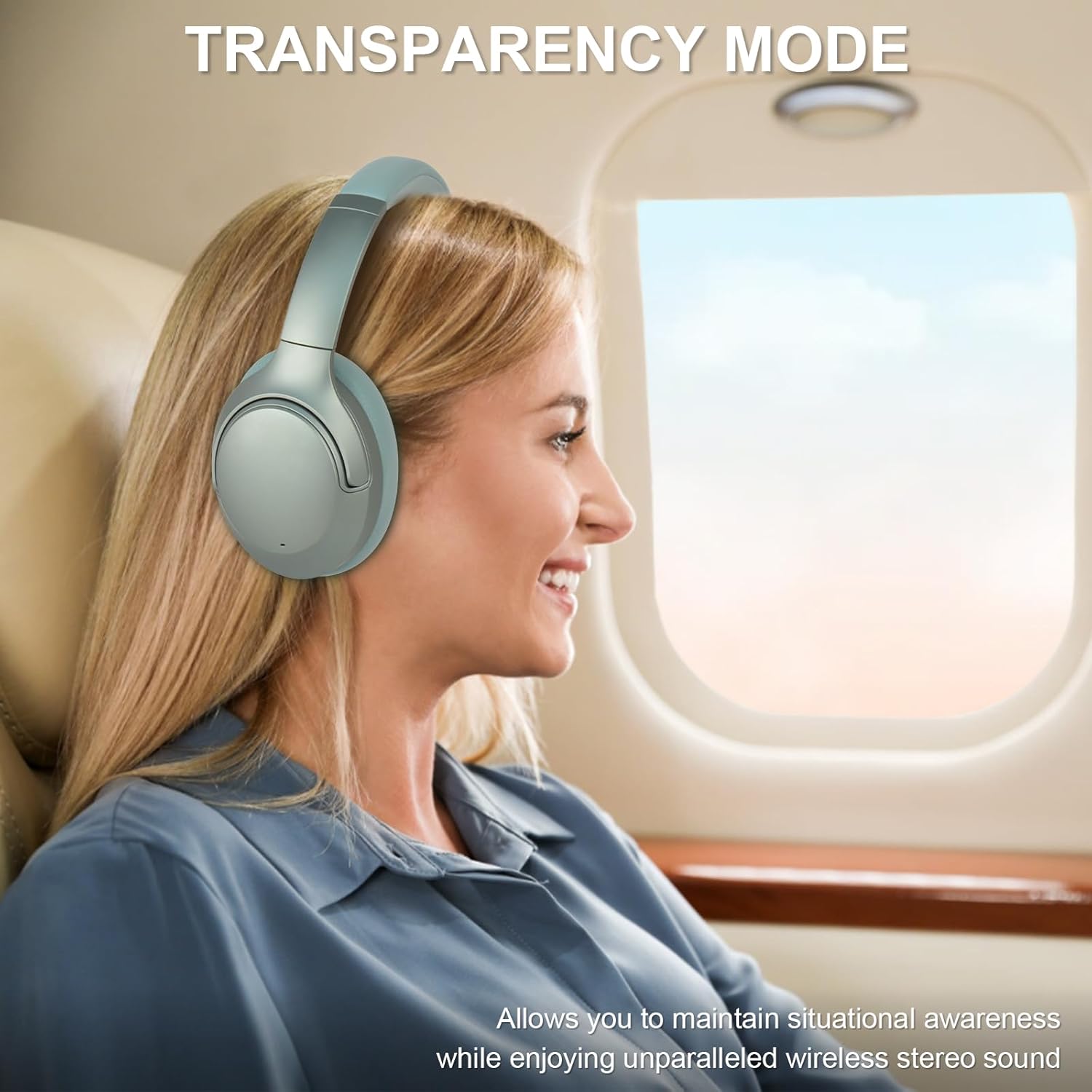
Image: A woman wearing T-fun NC50 headphones on an airplane, looking out the window, demonstrating the Transparency Mode feature for situational awareness.
5.2 Fungsi Panggilan
- Jawab/Tamatkan Panggilan: Tekan pendek MFB.
- Tolak Panggilan: Tekan lama MFB selama 2 saat.
5.3 Main balik Muzik
- Main/Jeda: Tekan pendek MFB.
- Kelantangan: Tekan pendek butang Kelantangan Naik.
- Perlahankan suara: Tekan pendek butang Kurangkan Kelantangan.
- Lagu Seterusnya: Tekan lama butang Kelantangan Naik.
- Trek Sebelumnya: Tekan lama butang Kurangkan Kelantangan.
5.4 Pembantu Suara
To activate your device's voice assistant (e.g., Siri, Google Assistant), short press the MFB twice.
5.5 Low Latency Game Mode
Tekan dua kali pada Butang ANC to activate Low Latency Game Mode. This mode reduces audio delay, ideal for gaming and video playback.

Image: A woman wearing T-fun NC50 headphones and smiling while playing a game on her smartphone, illustrating the Low Latency Game Mode.
5.6 Kawalan Aplikasi Pintar
Enhance your experience with the T-fun app, available on Google Play and the App Store.
- EQ tersuai: Laraskan penyamaan audio mengikut pilihan anda.
- Custom Button Controls: Personalize button functions.
- Kemas kini Firmware: Receive updates for improved performance.
Cari untuk "T-fun" in your app store or scan the QR code provided in the product packaging. The app is optional; basic headphone functions work without it.

Image: T-fun NC50 headphones alongside a smartphone displaying the T-fun app interface, highlighting features like custom EQ, button controls, and firmware updates.
6. Penyelenggaraan
6.1 Pembersihan
- Lap fon kepala dengan kain lembut dan kering.
- Jangan gunakan bahan kimia yang keras atau bahan yang melelas.
- Pastikan port pengecasan dan bicu audio bebas daripada habuk dan serpihan.
6.2 Penyimpanan
- Store the headphones in the provided PU bag when not in use to protect them from dust and scratches.
- Elakkan menyimpan dalam suhu yang melampau atau kelembapan yang tinggi.
- The headphones are foldable for compact storage.

Image: A hand placing the folded T-fun NC50 headphones into a grey fabric bag, demonstrating their compact and foldable design for easy storage and portability.
7. Penyelesaian masalah
| Masalah | Kemungkinan Punca | Penyelesaian |
|---|---|---|
| Fon kepala tidak dihidupkan. | Bateri lemah. | Cas fon kepala sepenuhnya. |
| Tidak boleh berpasangan dengan peranti. | Fon kepala tiada dalam mod berpasangan; Bluetooth dimatikan pada peranti; peranti terlalu jauh. | Pastikan fon kepala berada dalam mod berpasangan (berkelip merah/biru). Hidupkan Bluetooth peranti. Alihkan peranti lebih dekat dengan fon kepala. |
| Tiada bunyi. | Kelantangan terlalu rendah; sumber audio yang salah; fon kepala tidak bersambung. | Increase volume on headphones and device. Check Bluetooth connection or wired connection. Ensure correct audio output is selected on your device. |
| ANC tidak berfungsi dengan berkesan. | Mod ANC tidak diaktifkan; tidak sesuai. | Press the ANC button to activate ANC mode. Adjust headphones for a snug fit over your ears. |
| Kualiti panggilan yang lemah. | Weak signal; microphone obstructed. | Move closer to your connected device. Ensure the microphone is not covered. |
8. Spesifikasi
| Ciri | Perincian |
|---|---|
| Nama Model | NC50 |
| Kawalan Bunyi | Pembatalan Bunyi Hibrid |
| Teknologi Ketersambungan | Wayarles (Bluetooth) |
| Teknologi Komunikasi Tanpa Wayar | Bluetooth 5.3 |
| Julat Bluetooth | 15 Meter |
| Penempatan Telinga | Atas Telinga |
| Jenis Pemacu Audio | Pemandu Hibrid |
| Respons Kekerapan | 20 Hz - 20,000 Hz |
| Sensitiviti | 105 dB |
| Impedans | 32 Ohm |
| Jack Fon Kepala | Jack 3.5 mm |
| Masa Mengecas | 2 Jam (untuk cas penuh) |
| Hayat Bateri | Up to 65 hours (Wireless mode, 60% volume, ANC on) |
| Berat Barang | 450 Gram (15.9 auns) |
| bahan | Poliuretana (PU) |
| Ciri Khas | Adjustable Headband, Built-In Voice Assistant, Microphone Included, Multipoint Pairing, Noise Cancellation |
| Kaedah Kawalan | APP Control, Button |
| Tahap Ketahanan Air | Tahan Air |
9. Waranti dan Sokongan
T-fun products are designed for reliability and performance. For warranty information and customer support, please refer to the official T-fun webtapak atau hubungi perkhidmatan pelanggan mereka secara langsung.
- Sokongan dalam talian: Lawati T-fun Brand Store untuk Soalan Lazim dan maklumat produk.
- Hubungi: Refer to the contact details provided in your product packaging or on the official T-fun webtapak untuk bantuan langsung.