
WESECUU 8050
WESECUU Light Bulb Security Camera Model 8050 User Manual
Model: 8050
1. Pengenalan
This manual provides detailed instructions for the installation, operation, and maintenance of your WESECUU Light Bulb Security Camera Model 8050. Please read this manual thoroughly before using the product to ensure proper function and safety.

Image 1.1: WESECUU Light Bulb Security Camera Model 8050 (Two Pack) and smartphone interface.
2. Maklumat Keselamatan
- Pastikan bekalan kuasa diputuskan sebelum pemasangan atau penyelenggaraan.
- The camera is designed for E27 light sockets (100V~240V). Use only with compatible sockets.
- Avoid exposing the camera to extreme temperatures, humidity, or direct water spray. While rated IP65 for outdoor use, proper placement is crucial to prevent water ingress into the socket.
- Jangan cuba membuka atau membaiki kamera sendiri. Hubungi khidmat pelanggan untuk mendapatkan bantuan.
- Jauhkan daripada kanak-kanak.
3. Kandungan Pakej
Sahkan bahawa semua item terdapat dalam pakej anda:
- WESECUU Light Bulb Security Camera(s)
- E27 Light Socket Adapter
- Manual Arahan (dokumen ini)
4. Produk Lebihview
The WESECUU Light Bulb Security Camera Model 8050 offers comprehensive surveillance features in a discreet light bulb form factor. Key features include:
- 2K FHD Resolution: Menyediakan foo video yang jelas dan terperincitage.
- WiFi Dwijalur: Supports both 2.4GHz and 5GHz wireless networks for flexible connectivity.
- Liputan 360°: Pan 355° and Tilt 90° for a wide viewkawasan ing.
- Penglihatan Malam Warna: Equipped with floodlights and IR lights for clear, colored images in low-light conditions.
- Perbincangan Dua Hala: Mikrofon dan pembesar suara terbina dalam untuk komunikasi masa nyata.
- Pengesanan Manusia Pintar: Reduces false alarms by focusing on human shapes.
- Penjejakan Motion: Automatically follows detected objects.
- Rakaman 24/7: Supports cloud storage and local TF card storage (up to 128GB, not included).
- Keserasian Alexa: Integrate with Amazon Alexa for voice control and viewing.


Imej 4.1: Pelbagai views of the WESECUU Light Bulb Security Camera.
5. Arahan Persediaan
5.1 Pemasangan Fizikal
- Matikan: Ensure the power to the light socket is turned off at the circuit breaker before beginning installation.
- Skru Masuk: Carefully screw the WESECUU Light Bulb Security Camera into a standard E27 light socket. If your existing socket is not E27, use the provided E27 light socket adapter.
- Hidupkan kuasa: Restore power to the light socket. The camera will power on and initiate its self-test.

Image 5.1: Easy installation into an E27 light socket.
5.2 Muat Turun Apl dan Sambungan
- Muat turun Aplikasi: Cari untuk the 'Eseecloud' app in your smartphone's app store (iOS or Android) and download it.
- Daftar Akaun: Open the Eseecloud app and follow the on-screen instructions to register a new account or log in if you already have one.
- Tambah Peranti: Dalam apl, ketik ikon '+' untuk menambah peranti baharu.
- Bluetooth Quick Connection: Enable Bluetooth on your smartphone. The app will guide you through the Bluetooth quick connection process to detect and pair with the camera.
- Konfigurasi WiFi: Select your 2.4GHz or 5GHz WiFi network and enter the password. Ensure your phone is connected to the same WiFi network during this step.
- penyiapan: Setelah disambungkan, anda boleh menamakan kamera anda dan mula secara langsung viewing.

Image 5.2: The camera supports both 2.4GHz and 5GHz WiFi networks.
6. Arahan Operasi
6.1 Langsung View dan Main semula
- Open the Eseecloud app and select your camera from the device list to access the live view.
- Use the playback function to review dirakam footage from your cloud storage or TF card.
6.2 Kawalan Sorot, Condong dan Zum (PTZ)
The camera offers a 355° horizontal pan and 90° vertical tilt. Use the controls within the Eseecloud app to adjust the camera's viewsudut ing.

Image 6.1: Camera demonstrating auto-tracking and PTZ capabilities.
6.3 Ceramah Dua Hala
Untuk menggunakan ciri perbualan dua hala, ketik ikon mikrofon dalam siaran langsung view interface of the Eseecloud app. You can speak through your phone, and your voice will be projected through the camera's speaker. Similarly, you can hear audio from the camera's location through your phone.

Image 6.2: Illustration of the two-way voice communication feature.
6.4 Pengesanan Gerakan dan Makluman
- Dayakan Pengesanan: In the app settings, enable motion detection and smart human detection. This will filter alerts to primarily notify you of human presence.
- Makluman: When motion or a human is detected, the camera will send real-time notifications to your smartphone.
- Penjejakan Motion: If enabled, the camera will automatically track the detected object within its field of view.
- Siren: An audible siren can be activated via the app to deter intruders.

Image 6.3: Human detection and real-time alert functionality.
6.5 Penglihatan Malam
The camera automatically switches between day and night vision modes. It utilizes six floodlights and six IR lights to provide clear, colored images even in complete darkness.
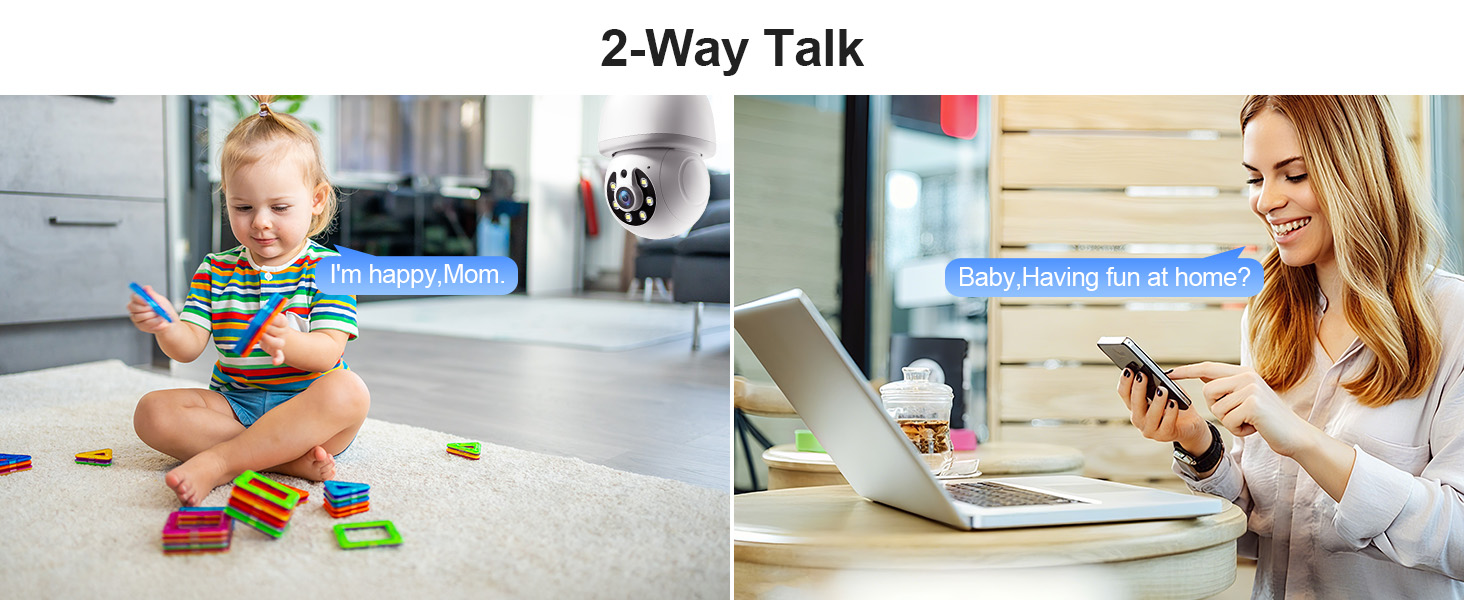
Image 6.4: Comparison of infrared and 2K full-color night vision.
6.6 Rakaman dan Penyimpanan
The camera supports continuous 24/7 recording. You have two storage options:
- Storan Awan: Subscribe to the Eseecloud app's cloud storage service for remote access to your recordings.
- Penyimpanan Kad TF: Insert a TF (microSD) card (up to 128GB, not included) into the camera's slot for local recording.

Image 6.5: 24/7 recording options with cloud and SD card storage.
6.7 Integrasi Alexa
The WESECUU camera is compatible with Amazon Alexa. To connect:
- Buka apl Alexa pada telefon pintar anda.
- Go to 'Skills & Games' and search for 'Eseecloud'.
- Enable the Eseecloud skill and link your Eseecloud account.
- Discover devices. You can then use voice commands like "Alexa, show me the [camera name]" on compatible Alexa devices with screens.

Image 6.6: Camera integration with Amazon Alexa.
6.8 Patrol Guard Mode
The Patrol Guard mode allows you to set multiple distinct viewpoints (presets). The camera will automatically cycle through these preset positions at custom intervals, providing continuous monitoring of different areas.

Image 6.7: Visualization of the Patrol Guard mode with multiple presets.
7. Penyelenggaraan
- Pembersihan: Lap kanta dan badan kamera dengan lembut menggunakan kain lembut dan kering. Jangan gunakan bahan kimia yang keras atau pembersih yang kasar.
- Kemas kini Firmware: Regularly check the Eseecloud app for available firmware updates to ensure optimal performance and security.
- Storan: If storing the camera for an extended period, disconnect it from power and store it in a cool, dry place.
8. Penyelesaian masalah
| Masalah | Kemungkinan Punca | Penyelesaian |
|---|---|---|
| Kamera tidak bersambung ke WiFi | Incorrect WiFi password; camera too far from router; incorrect WiFi band selected. | Verify WiFi password. Move camera closer to router. Ensure you are connecting to a 2.4GHz or 5GHz network as supported. Restart camera and router. |
| Kualiti imej yang lemah | Dirty lens; insufficient lighting; network bandwidth issues. | Clean the camera lens. Ensure adequate lighting for optimal color night vision. Check your internet speed. |
| Tiada amaran pengesanan gerakan | Motion detection disabled; sensitivity too low; app notifications blocked. | Enable motion detection and human detection in the app. Adjust sensitivity settings. Check your phone's notification settings for the Eseecloud app. |
| Perbincangan dua hala tidak berfungsi | Microphone/speaker permissions not granted; volume too low. | Check app permissions on your phone. Adjust volume settings in the app and on your phone. |
| Kad TF tidak merakam | TF card full or corrupted; not inserted correctly. | Format the TF card in the app. Reinsert the TF card. Replace with a new TF card if corrupted. |
9. Spesifikasi
| Ciri | Spesifikasi |
|---|---|
| Nama Model | 8050 |
| Penggunaan Dalaman/Luar | Indoor, Outdoor (IP65 rated) |
| Resolusi Tangkapan Video | 2K (Maksimum 3 MP WebResolusi Imej kamera) |
| Teknologi Ketersambungan | Wireless (Wi-Fi 2.4G/5G) |
| Sumber Kuasa | Corded Electric (E27 light socket, 100V~240V) |
| Jenis Pengawal | Amazon Alexa |
| Jenis Pemasangan | Pemasangan Siling |
| Ciri Khas | 2-Way Audio, Image Sensor, Color Night Vision, Human Detection, Motion Tracking |
| Pilihan Storan | Cloud Storage, TF Card (up to 128GB, not included) |
| Dimensi Produk | 1 x 1 x 1 inci |
| Berat Barang | 1.1 paun |
10. Sokongan Pelanggan
For technical assistance, troubleshooting not covered in this manual, or warranty inquiries, please contact WESECUU customer support through the contact information provided with your purchase or on the official WESECUU webtapak.
Ask a question about this manual
Ask about setup, troubleshooting, compatibility, parts, safety, or missing instructions. Manuals+ will review the question and use this page’s manual context to help answer it.