1. Pengenalan
Thank you for choosing the GreenLaw iPad Keyboard Case. This manual provides comprehensive instructions for setting up, operating, and maintaining your new keyboard case. Designed for seamless integration with your iPad, it enhances productivity and offers a comfortable typing experience.
1.1 Keserasian
This keyboard case is specifically designed for the iPad 11th Generation (A16) 2025 dan iPad 10th Generation 2022 (Models: A2696/A2777/A2757). Ia adalah tidak serasi with 10.9-inch iPad Air 5th and 4th Generation models. Please verify your iPad model number on the back of your device to ensure compatibility before use.

Image: GreenLaw iPad Keyboard Case with iPad attached, showcasing its sleek design and integrated keyboard.

Image: A visual guide illustrating compatible iPad models (iPad 11th Gen A16, iPad 10th Gen 2022) and incompatible models (iPad Air 4th/5th Gen, iPad 11-inch M2/M3).
2. Ciri-ciri Produk Berakhirview
The GreenLaw iPad Keyboard Case is engineered with several advanced features to enhance your iPad experience:
- Quick-Set Magnetic Stand: Features a strong magnetic matrix (31 magnets, up to 2600GS holding power) for secure attachment and easy adjustment of the floating cantilever stand to the perfect typing or browsing angle.
- Permukaan Tahan Noda: Utilizes GreenLaw SemiSi-tech fused with PU leather, allowing for easy wiping of surface stains. Offers a soft, sweat-resistant touch with a plush lining to protect your iPad from scratches.
- Kesambungan Bluetooth 5.2: Provides low-power, stable wireless connection. Simply pair once for automatic reconnection in daily use.
- Scissor-type Switches: Each key offers a comfortable 1-millimeter key travel for effortless and responsive typing.
- Vibrant Backlight Customization: Choose from 7 vivid colors across 3 brightness levels to personalize your typing environment.
- Intuitive Multi-Touch Trackpad: Supports multi-touch gestures for effortless navigation, including swiping to return to the main screen or switch between open applications.
- Pengurusan Kuasa Pintar: Includes a one-touch wake-up function, USB-C charging, and smart sleep mode for efficient battery usage.

Imej: Terperinci view highlighting the skin-friendly surface, responsive multi-touch trackpad, and durable scissor-style keys of the keyboard case.

Image: The keyboard illuminated with vibrant 7-color backlighting, demonstrating adjustable brightness for enhanced visibility in various lighting conditions.

Image: A hand demonstrating the use of the multi-touch trackpad, emphasizing its precision and support for intuitive gestures for seamless iPad navigation.
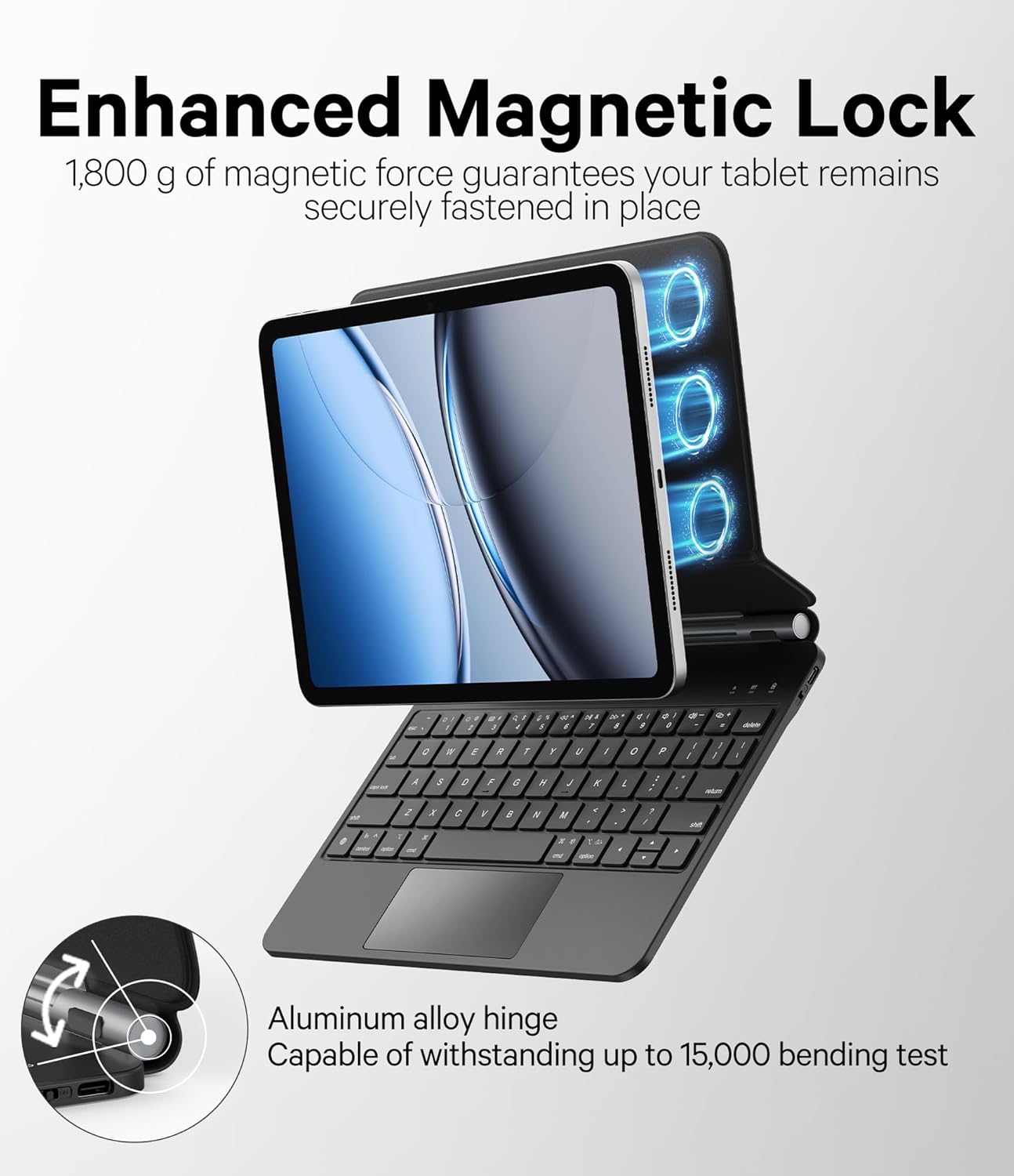
Image: The iPad securely attached to the Magic-Style Magnetic Floating stand, illustrating its ultra-wide 135-degree viewsudut untuk keselesaan optimum.

Image: A diagram illustrating the enhanced magnetic lock, highlighting the 1,800g magnetic force and aluminum alloy hinge capable of withstanding up to 15,000 bending tests.

Imej: Dari dekat view of the stain-resistant surface, demonstrating how easily it can be wiped clean without leaving residue, thanks to GreenLaw SKIN-Semi-Si-Tech.
3. Panduan Persediaan
3.1 Membuka Kotak dan Kandungan Pakej
Upon opening your GreenLaw iPad Keyboard Case package, you should find the following items:
- GreenLaw iPad Keyboard Case
- Kabel Pengecas USB-C
- Manual Pengguna (dokumen ini)
3.2 Memasang iPad Anda
The keyboard case features a powerful magnetic design for secure attachment:
- Open the keyboard case to its full extent.
- Align your iPad with the magnetic back panel of the case. The strong magnets will automatically snap your iPad into place, ensuring a secure fit.
- Adjust the floating cantilever stand to your desired viewsudut ing.
Video: Demonstrates the unboxing, magnetic attachment, and initial setup of the GreenLaw iPad Keyboard Case, highlighting its ease of use and secure fit.
3.3 Berpasangan Bluetooth
To connect your keyboard case to your iPad via Bluetooth:
- Ensure the keyboard is turned on and fully charged (refer to Section 4.4 for charging instructions).
- Turn on the keyboard by pressing the power button (usually located on the side or top edge of the keyboard). The indicator light should blink, indicating it's in pairing mode.
- Pada iPad anda, pergi ke tetapan > Bluetooth.
- Hidupkan Bluetooth. iPad anda akan mencari peranti berdekatan.
- Select "GreenLaw Keyboard" (or similar name) from the list of available devices.
- Once connected, the indicator light on the keyboard will stop blinking and remain solid, and your iPad will show the keyboard as "Connected."
- The keyboard will automatically reconnect to your iPad in the future when both devices are on and Bluetooth is enabled.
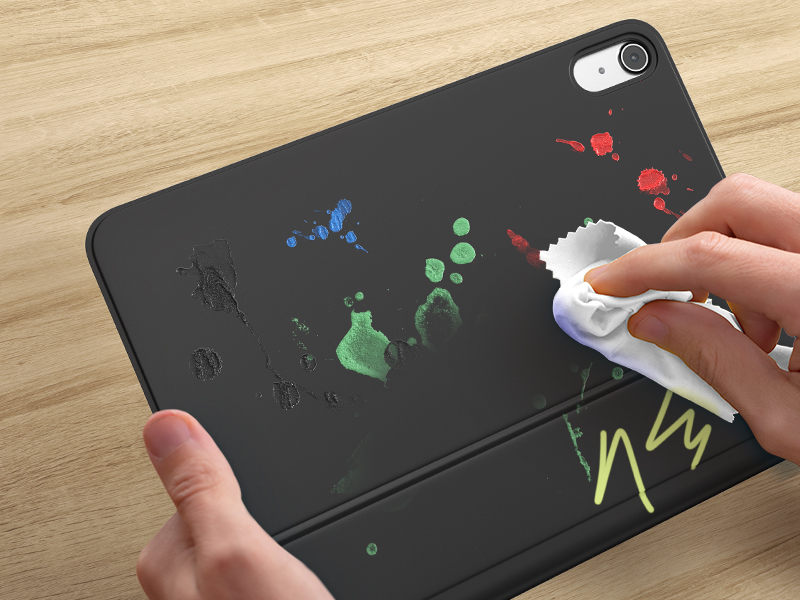
Image: A close-up of the keyboard highlighting the Bluetooth 5.2 chip, indicating stable and low-power wireless connectivity for seamless pairing with your iPad.
4. Arahan Operasi
4.1 Melaraskan Viewsudut
The floating cantilever stand allows for flexible viewsudut sudut:
- Gently push or pull the iPad screen to adjust the angle of the stand.
- The stand supports a wide range of angles, allowing you to find the most comfortable position for typing, drawing, or viewkandungan dalam.
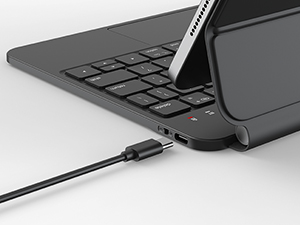
Image: An animated demonstration of the keyboard case's ability to adjust the iPad's viewing angle up to 135 degrees, providing versatile positioning for various tasks.
4.2 Menggunakan Papan Kekunci
The keyboard features responsive scissor-type switches for a comfortable and efficient typing experience:
- Each key provides a comfortable 1-millimeter key travel, ensuring a satisfying tactile response.
- The layout is designed for familiarity, allowing for effortless productivity.
Imej: A terperinci view of the keyboard's internal structure, revealing the scissor-type switch mechanism that ensures quick key rebound and comfortable typing.
4.3 Using the Multi-Touch Trackpad
The intuitive trackpad supports various multi-touch gestures for enhanced navigation:
- Ketik satu jari: Click/select.
- Tatal dua jari: Tatal ke atas/bawah atau kiri/kanan.
- Leret ke atas dengan tiga jari: Return to the main screen (Home).
- Leret tiga jari ke kiri/kanan: Beralih antara aplikasi terbuka.
- Refer to your iPad's settings for a complete list of supported gestures.
4.4 Penyesuaian Lampu Latar
Personalize your typing experience with the adjustable backlight:
- Tekan ke Mentol Lampu key (often combined with the Function key) to cycle through 7 vibrant colors.
- Gunakan Kecerahan Naik / Turun keys (often combined with the Function key) to adjust between 3 brightness levels.
5. Penyelenggaraan
5.1 Membersihkan Permukaan
The keyboard case features a stain-resistant surface for easy cleaning:
- For most surface stains, simply wipe with a soft, damp kain.
- Avoid using harsh chemicals or abrasive cleaners, as these may damage the material.
Image: A hand demonstrating the ease of cleaning the stain-resistant surface of the keyboard case, showing how spills and marks can be effortlessly wiped away.
5.2 Mengecas Papan Kekunci
The keyboard is powered by a built-in rechargeable battery:
- Sambungkan kabel pengecas USB-C yang disediakan ke port pengecasan pada papan kekunci.
- Sambungkan hujung kabel yang satu lagi ke penyesuai kuasa USB (tidak disertakan) atau port USB komputer.
- An indicator light will typically show the charging status (e.g., red for charging, green/off for fully charged).
- The keyboard features smart battery management and smart sleep mode to optimize power usage.

Imej: Dari dekat view of the keyboard's USB-C charging port, illustrating where to connect the charging cable for power replenishment.
6. Penyelesaian masalah
If you encounter any issues with your GreenLaw iPad Keyboard Case, please refer to the following common solutions:
- Papan kekunci tidak bersambung melalui Bluetooth:
- Pastikan papan kekunci dihidupkan dan dicas sepenuhnya.
- Turn off and on Bluetooth on your iPad.
- Lupakan peranti dalam tetapan Bluetooth iPad dan pasangkan semula.
- Mulakan semula iPad dan papan kekunci anda.
- Pad jejak tidak bertindak balas:
- Pastikan papan kekunci disambungkan melalui Bluetooth.
- Check iPad settings to ensure trackpad support is enabled.
- Clean the trackpad surface.
- Lampu latar tidak berfungsi atau malap:
- Pastikan papan kekunci dicas.
- Press the backlight key to cycle through colors and brightness levels.
- Kunci tidak bertindak balas:
- Pastikan papan kekunci disambungkan dan dicas.
- Cuba mulakan semula papan kekunci dan iPad.
7. Spesifikasi
| Ciri | Perincian |
|---|---|
| Dimensi Produk | 10.63 x 7.87 x 1.06 inci |
| Berat Barang | 2.03 paun |
| Pengeluar | GreenLaw |
| Peranti Serasi | iPad 2022 10th Generation, iPad 2025 11th Generation(A16) |
| Teknologi Ketersambungan | Bluetooth 5.2 |
| Penerangan Papan Kekunci | Pelbagai Fungsi |
| Bilangan Kunci | 78 |
| bahan | kulit |
| Bateri | 1 bateri Litium Polimer (termasuk) |
8. Waranti dan Sokongan
GreenLaw products are designed for durability and performance. For any warranty claims, technical support, or inquiries, please contact GreenLaw customer service through the retailer where you purchased the product or visit the official GreenLaw webtapak.
Sila simpan bukti pembelian anda untuk tujuan waranti.
Untuk maklumat lanjut, lawati GreenLaw Store on Amazon.