
1. Pengenalan dan Selesai Produkview
Thank you for choosing the BE COOL BC50LEF2301 50L Dehumidifier. This appliance is designed to efficiently remove excess moisture from the air in your home or commercial space, improving air quality and preventing issues like mold and mildew. This manual provides essential information for the safe and effective operation, maintenance, and troubleshooting of your dehumidifier.
Key features of your BE COOL BC50LEF2301 dehumidifier include:
- Powerful dehumidification: Removes up to 50 liters of moisture per day.
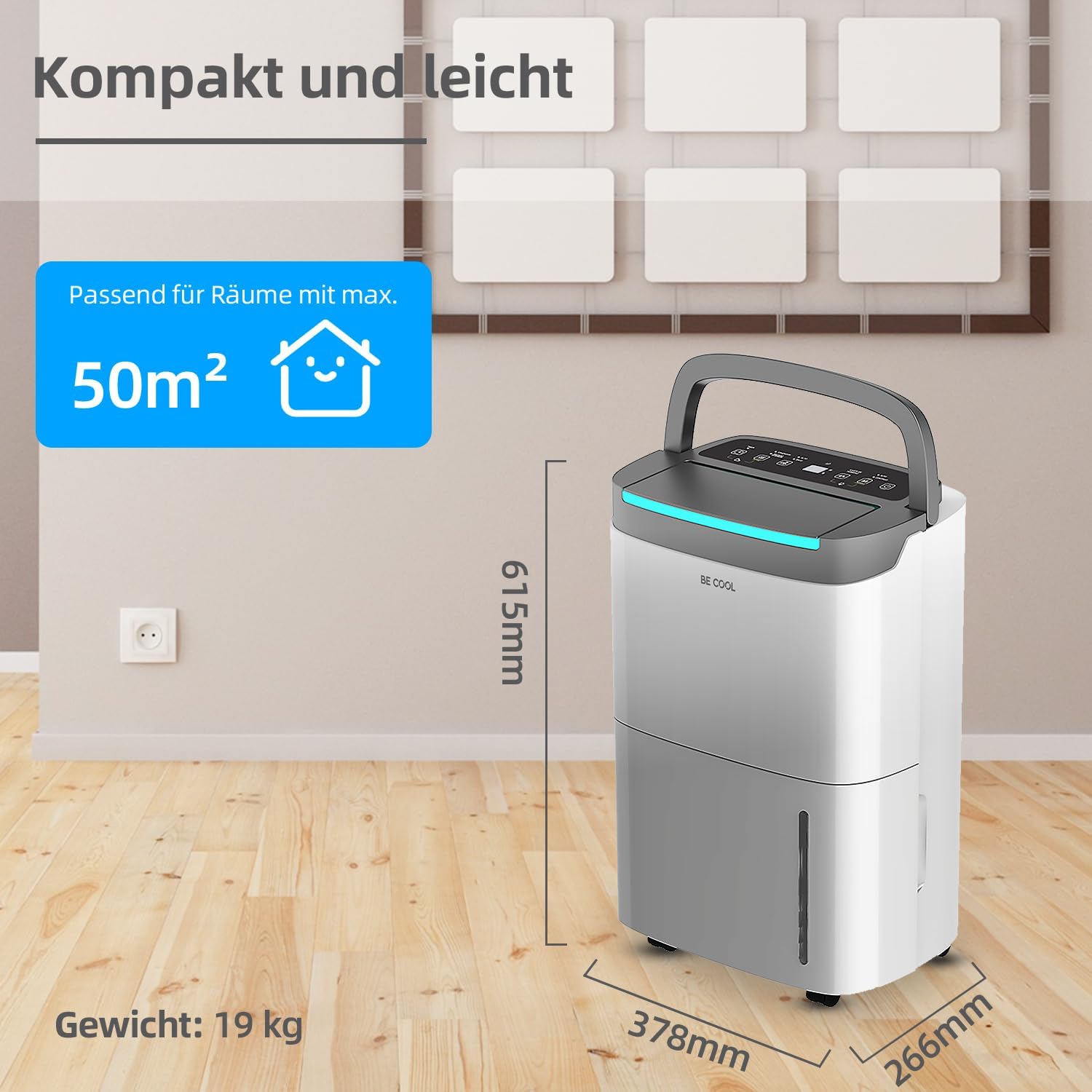
- Suitable for large areas: Effective in rooms up to 125 m³ (50 m²).
- User-friendly touch panel with LED display.
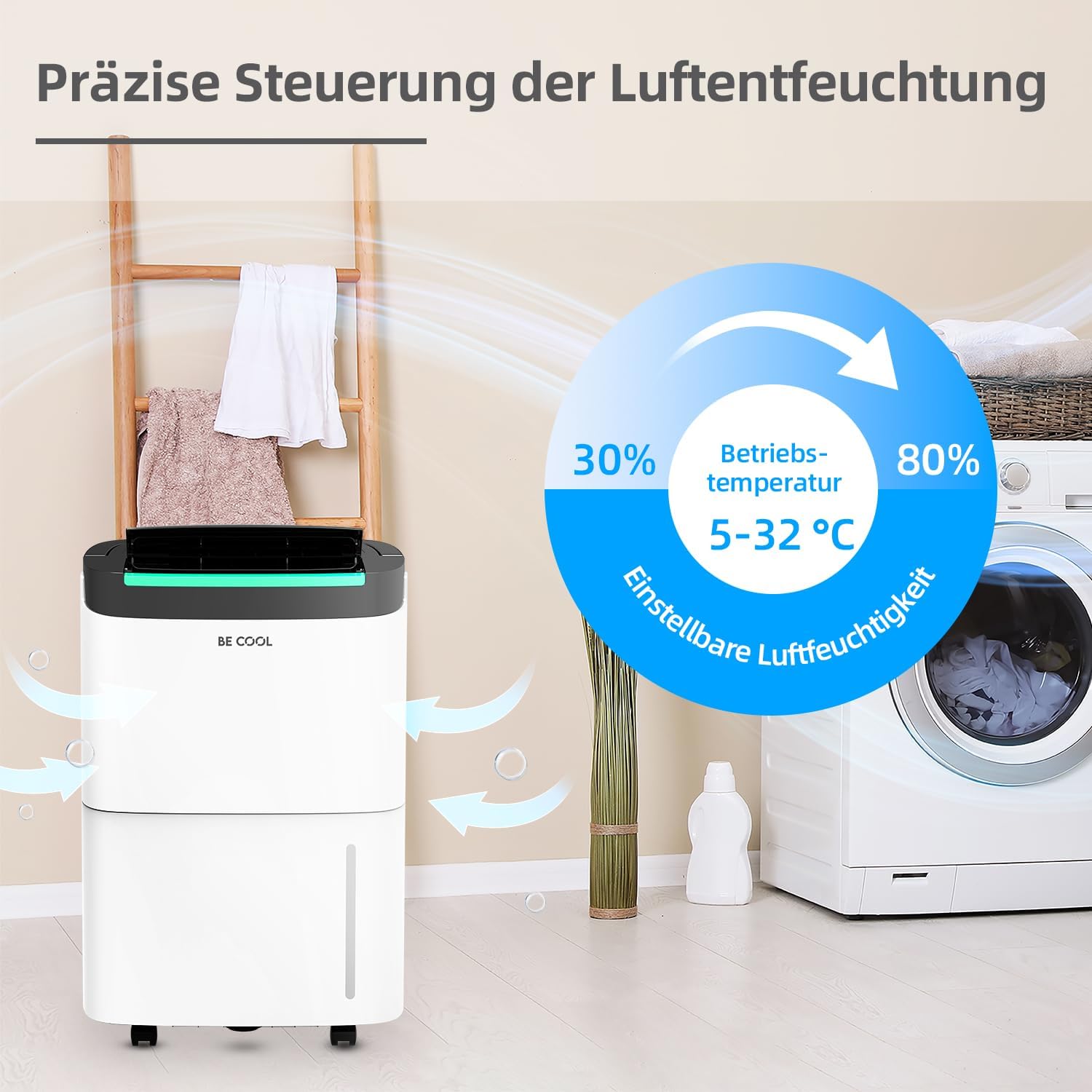
- Adjustable humidity levels from 30% to 80%.
- Bahan pendingin R290 mesra alam.
- Fungsi pemasa 24 jam.
- Fungsi nyahbeku automatik.
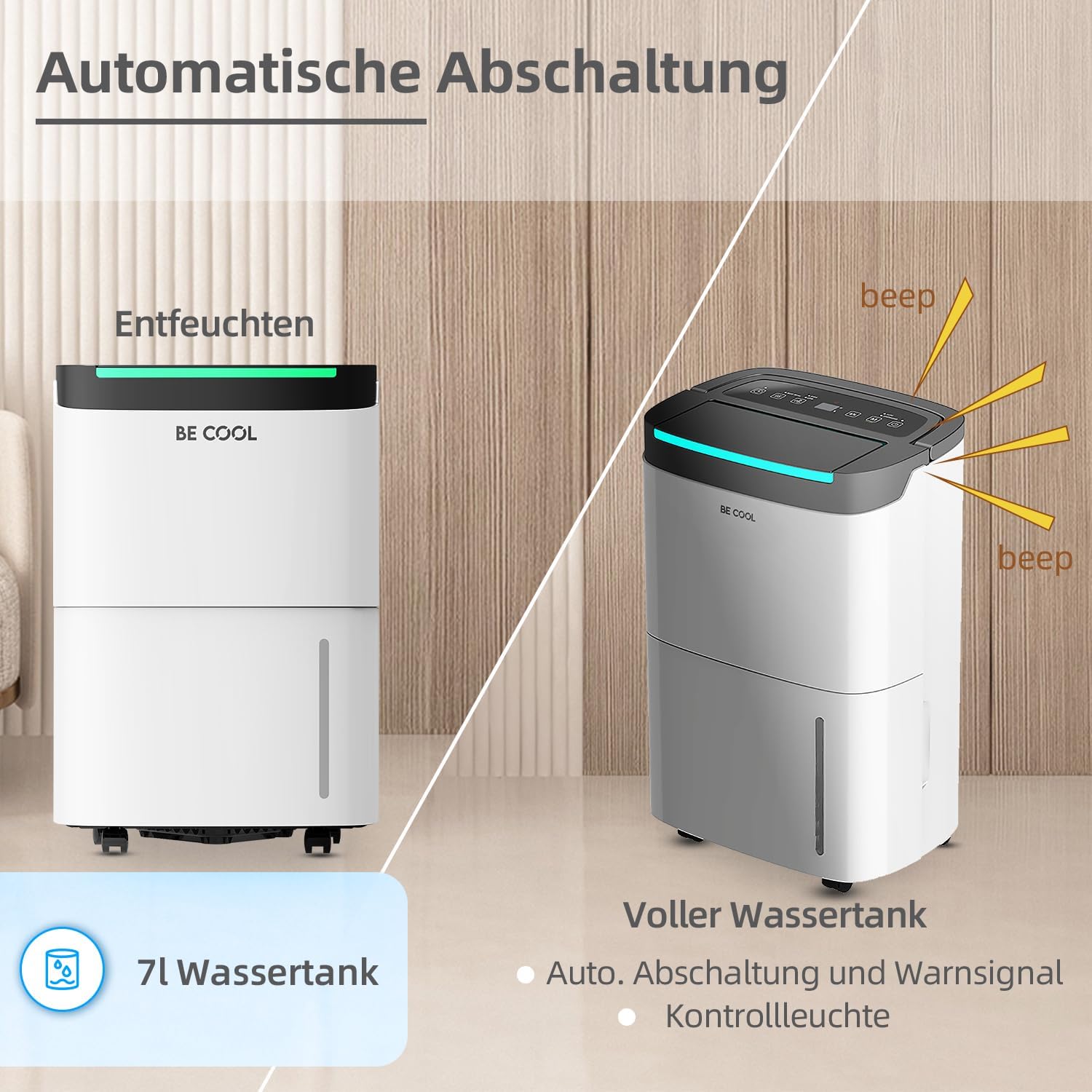
- Full water tank alarm and automatic shut-off.
- 7-liter removable water tank.
- Integrated dust filter.
- Kuasa outage fungsi ingatan.
- Equipped with wheels for easy mobility.

2. Arahan Keselamatan
Sila baca semua arahan keselamatan dengan teliti sebelum menggunakan perkakas untuk mengelakkan kecederaan atau kerosakan. Simpan manual ini untuk rujukan masa hadapan.
- Keselamatan Elektrik: Pastikan bekalan kuasa sepadan dengan voltage specified on the rating label. Do not operate the unit with a damaged power cord or plug. Do not share the power outlet with other appliances.
- penempatan: Place the dehumidifier on a flat, stable surface. Maintain at least 20 cm (8 inches) clearance around the unit for proper airflow. Do not block air inlets or outlets.
- Penyejuk: This appliance uses R290 refrigerant. Do not puncture the refrigerant circuit. Servicing should only be performed by qualified personnel.
- Tangki Air: Always empty the water tank before moving the unit. Do not drink the collected water.
- Kanak-kanak dan Haiwan Kesayangan: Jauhkan kanak-kanak dan haiwan peliharaan dari perkakas semasa operasi.
- Pembersihan: Sentiasa cabut plag unit sebelum membersihkan atau melakukan sebarang penyelenggaraan.
- Keadaan Operasi: Do not operate the unit in extremely high temperatures or in direct sunlight. The recommended operating temperature range is 5-32°C.
3. Komponen Produk
Biasakan diri anda dengan bahagian utama dehumidifier anda:
- Panel Kawalan: Located on the top, with touch buttons and an LED display.
- Saluran Udara: Bahagian hadapan atas, tempat udara kering dikeluarkan.
- Saluran masuk udara: Belakang, tempat udara lembap disedut masuk.
- Penapis Habuk: Located behind the air inlet, removable for cleaning.
- Tangki Air: Removable tank at the bottom front for collecting condensed water.
- Saluran Saliran Berterusan: (If applicable) Located at the rear for connecting a drain hose.
- Roda: Untuk memudahkan pergerakan unit.
- pemegang: Pemegang bersepadu untuk kebolehgunaan.


4. Persediaan
- Membongkar: Carefully remove the dehumidifier from its packaging. Retain the packaging materials for future storage or transport.
- penempatan:
- Letakkan unit tegak pada permukaan yang kukuh dan rata.
- Ensure there is at least 20 cm (8 inches) of free space around the unit to allow for adequate air circulation.
- Avoid placing the unit near heat sources, in direct sunlight, or in areas prone to splashing water.
- For optimal performance, operate the unit within the recommended temperature range of 5-32°C.
- Sambungan Kuasa: Pasangkan kord kuasa ke soket elektrik yang dibumikan. Pastikan soket tersebut memenuhi keperluan kuasa unit.
- Penggunaan Awal: After transport, allow the unit to stand upright for at least 2 hours before plugging it in and turning it on. This allows the refrigerant to settle.
5. Arahan Operasi
The BE COOL BC50LEF2301 features an intuitive touch control panel and LED display for easy operation.

5.1 Fungsi Panel Kawalan
- Butang kuasa (⏻): Tekan untuk menghidupkan atau MATI unit.
- Butang Mod (M): Cycles through different operating modes (e.g., Auto, Continuous, Drying).
- Humidity Setting (%): Adjusts the desired humidity level from 30% to 80% in 5% increments.
- Butang Kelajuan Kipas (☰): Selects between two fan speeds (High/Low).
- Butang Pemasa (⏱): Sets the 24-hour timer for automatic power ON or OFF.
- Paparan led: Menunjukkan kelembapan semasa, menetapkan kelembapan atau tetapan pemasa.
5.2 Menetapkan Kelembapan yang Diingini
Press the Humidity Setting button (%) repeatedly to cycle through desired humidity levels. The display will show the selected percentage. The unit will operate until the room humidity reaches the set level, then pause. It will resume operation if the humidity rises above the set level.
5.3 Fungsi Pemasa
Pemasa 24 jam membolehkan anda menetapkan masa tertentu untuk unit dihidupkan atau dimatikan secara automatik.
- Untuk menetapkan Auto-MATI: While the unit is ON, press the Timer button. Use the humidity setting buttons (or dedicated timer adjustment buttons if present) to set the desired number of hours (1-24) after which the unit will turn off.
- Untuk menetapkan AutoHIDUP: While the unit is OFF, press the Timer button. Set the desired number of hours (1-24) after which the unit will turn on.
5.4 Water Tank Full Alarm and Auto Shut-off
When the 7-liter water tank is full, the unit will automatically stop operating, and an alarm will sound (beep). The LED display may also indicate a full tank. Empty the water tank and reinsert it correctly to resume operation.
5.5 Saliran Berterusan
For extended operation without needing to empty the water tank, you can connect a drain hose to the continuous drainage outlet at the rear of the unit. Ensure the hose is sloped downwards to allow gravity drainage into a suitable receptacle or floor drain.
5.6 Fungsi Penyahbekuan
The unit is equipped with an automatic defrost function. If frost builds up on the evaporator coils, the unit will temporarily stop dehumidifying and run the fan to melt the frost. Dehumidification will resume automatically once the defrost cycle is complete.

6. Penyelenggaraan
Penyelenggaraan tetap memastikan prestasi optimum dan memanjangkan jangka hayat penyahlembap anda.
6.1 Membersihkan Penapis Habuk
- Matikan unit dan cabut palamnya daripada salur keluar kuasa.
- Locate the air inlet grille at the rear of the unit.
- Tanggalkan penapis habuk.
- Clean the filter with a vacuum cleaner or wash it with warm, soapy water. Rinse thoroughly and allow it to air dry completely before reinserting.
- Reinsert the dry filter and close the grille.
Recommendation: Clean the dust filter every two weeks or more frequently depending on usage and air quality.
6.2 Mengosongkan Tangki Air
- When the water tank is full, the unit will stop operating and alert you.
- Tarik keluar tangki air dari bahagian hadapan unit dengan berhati-hati.
- Kosongkan air yang terkumpul.
- Clean the tank periodically with mild detergent and water to prevent mold growth. Rinse thoroughly.
- Reinsert the empty tank firmly into the unit. Ensure it is correctly seated to allow the unit to resume operation.
6.3 Membersihkan Bahagian Luar Unit
Lap bahagian luar unit dengan lembut, damp kain. Jangan gunakan bahan kimia yang keras, pembersih yang kasar atau pelarut, kerana ini boleh merosakkan permukaan.
6.4 Penyimpanan
Jika menyimpan unit untuk tempoh yang lama:
- Cabut plag unit dan kosongkan tangki air.
- Clean the dust filter and the exterior.
- Allow the unit to dry completely for at least 24 hours in a well-ventilated area.
- Simpan unit tegak di tempat yang sejuk dan kering, sebaik-baiknya dalam pembungkusan asalnya.
7. Penyelesaian masalah
Sebelum menghubungi khidmat pelanggan, sila rujuk panduan penyelesaian masalah berikut untuk isu-isu biasa:
| Masalah | Kemungkinan Punca | Penyelesaian |
|---|---|---|
| Unit tidak dihidupkan. | Tiada bekalan kuasa. Kord kuasa tidak disambungkan dengan betul. Water tank full or not correctly inserted. | Periksa alur keluar kuasa dan pemutus litar. Pastikan kord kuasa dipasang dengan selamat. Empty water tank and reinsert it correctly. |
| Unit sedang berjalan tetapi tidak menyahlembapkan. | Room temperature too low (below 5°C). Penapis udara tersumbat. Humidity setting is higher than current room humidity. Pintu/tingkap terbuka. | Operate unit within recommended temperature range. Bersihkan penapis udara. Set desired humidity lower than current room humidity. Close doors and windows to isolate the room. |
| Water tank full indicator is on, but tank is not full. | Water tank not correctly inserted. Float switch malfunction. | Remove and reinsert the water tank firmly. Hubungi khidmat pelanggan jika masalah berterusan. |
| Unit bising. | Unit bukan pada permukaan yang rata. Penapis udara tersumbat. Isu komponen dalaman. | Letakkan unit di permukaan yang rata dan stabil. Bersihkan penapis udara. Hubungi sokongan pelanggan. |
| Beku pada gegelung. | Suhu bilik terlalu rendah. | The unit's automatic defrost function should activate. If not, turn off the unit and allow it to defrost naturally. Ensure operating temperature is above 5°C. |
If the problem persists after trying these solutions, please contact BE COOL customer support.
8. Spesifikasi
| Ciri | Spesifikasi |
|---|---|
| Jenama | Jadilah Sejuk |
| Nombor Model | BC50LEF2301 |
| Kapasiti Dehumidifikasi | Approx. 50 Liters/24h |
| Kapasiti Tangki Air | 7 Liter |
| kuasa | 680 Watt |
| Saiz Bilik yang Disyorkan | Up to 125 m³ (50 m²) |
| Dimensi Produk (L x W x H) | 26.6 x 37.8 x 61.5 cm |
| Berat Barang | 19 Kilogram |
| bahan | plastik |
| Bahan penyejuk | R290 (mesra alam) |
| Kelajuan Kipas | 2 |
| Ciri Khas | Two fan levels, Dust filter, Full water tank alarm, Defrost function, Power outage memory, 24-hour timer, Touch panel, Removable tank, Wheels. |
9. Waranti dan Sokongan
This BE COOL dehumidifier comes with a standard manufacturer's warranty. Please refer to the warranty card included with your purchase for specific terms and conditions, including warranty period and coverage details.
For technical assistance, troubleshooting beyond this manual, or warranty claims, please contact BE COOL customer support. Contact information can typically be found on the product packaging, the official BE COOL webtapak, atau resit pembelian anda.
When contacting support, please have your model number (BC50LEF2301) and purchase date ready.