
1. Pengenalan
Thank you for choosing the Raddy RE40 Portable Shortwave Radio and SP30 30W Portable Solar Panel. This comprehensive manual provides detailed instructions for the safe and efficient operation, maintenance, and troubleshooting of your new device. The RE40 is an advanced 3-in-1 portable radio, building upon previous models with enhanced features for preparedness and outdoor adventures. The SP30 solar panel offers versatile and fast charging solutions for multiple devices.
2. Kandungan Pakej
Sila pastikan semua barang ada semasa membuka kotak:
- Raddy RE40 Portable Shortwave Radio (Model R11)
- Panel Suria Mudah Alih SP30 30W
- Kord Kuasa
- Antena
- Manual Pengguna
- Beg Bawa
3. Ciri-ciri Produk
- Upgraded Features for Preparedness: Includes a compass, flashlight, SOS alarm, three charging options, power bank capabilities, and a white noise function.
- 3-in-1 Convenience: Combines shortwave, emergency, and Bluetooth functions. Offers FM/AM/SW/WB band reception and supports USB, TF/SD cards, and Bluetooth audio inputs. Provides access to 7 NOAA channels for weather alerts.
- Pelbagai Sumber Kuasa: RE40 can be recharged via USB-C, hand-cranking, or solar energy.
- Enhanced Battery Capacity: 4000mAh battery provides up to 24 hours of usage and can recharge other devices.
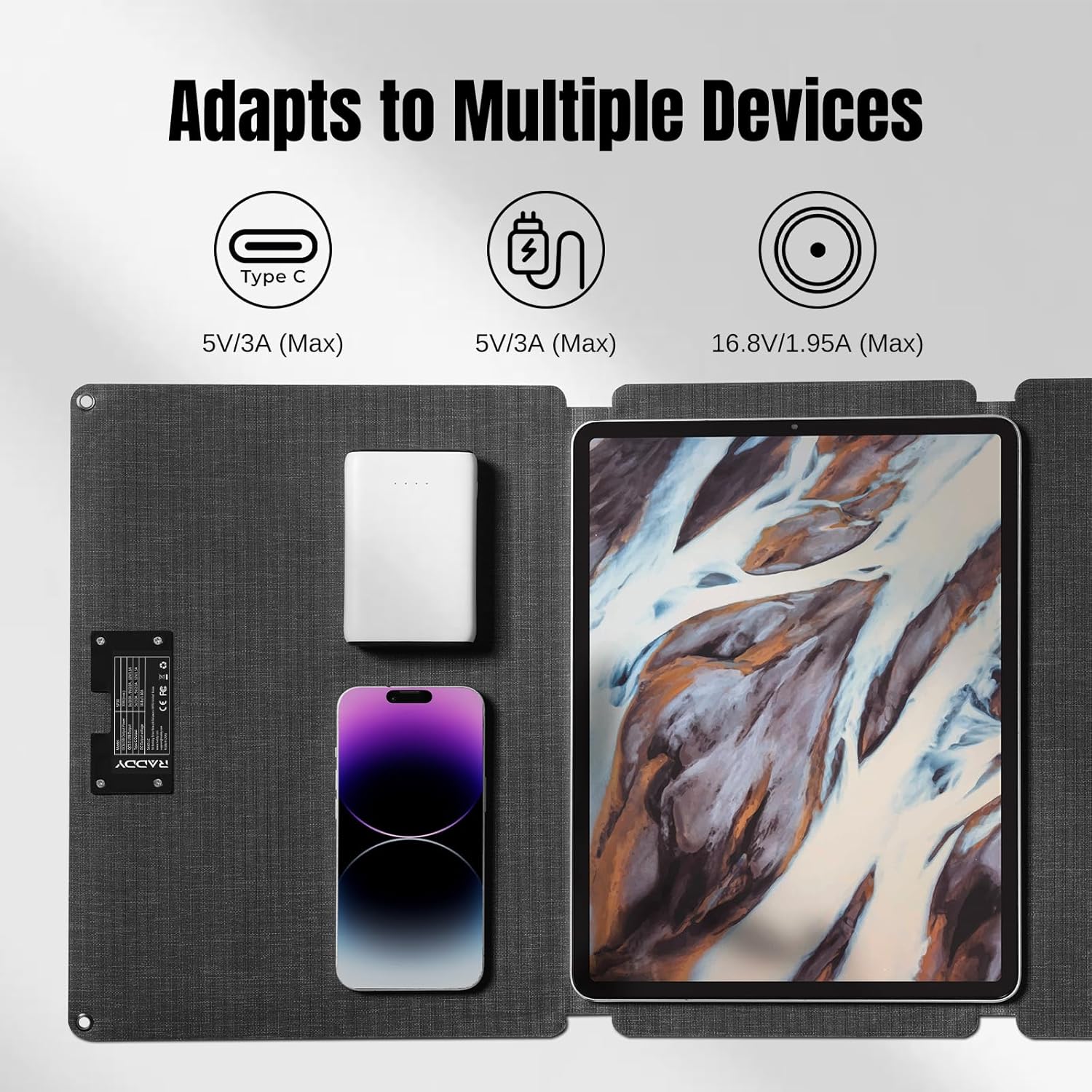
- Multi-Device Charging (SP30): Equipped with QC3.0 USB, Type-C, and DC output ports with three connectors for simultaneous fast charging.
4. Pengenalan Komponen
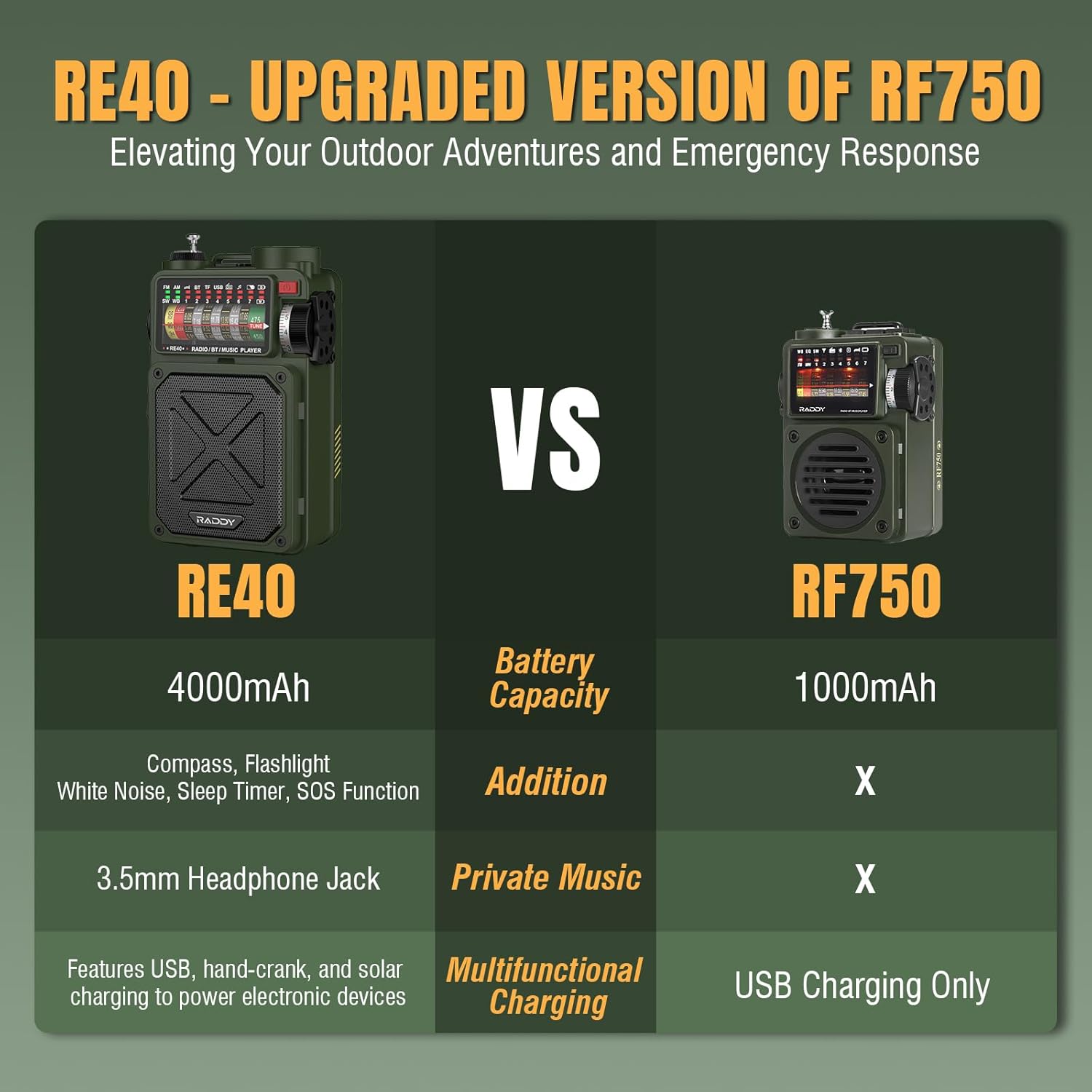
Imej 1: Raddy RE40 (left) compared to RF750 (right), highlighting RE40's 4000mAh battery, compass, flashlight, white noise, sleep timer, SOS function, 3.5mm headphone jack, and multifunctional charging options.

Imej 2: Raddy RE40 displaying 7 NOAA Weather Channels, with a lightning storm in the background, indicating its emergency weather alert capabilities.

Imej 3: Raddy RE40 demonstrating its three charging methods: Hand Crank Charging, Solar Charging, and Type-C Charging.

Imej 4: Close-up of the Raddy RE40's ports, including USB Output Port, 3.5mm Earphone Jack, Type-C Input Port, and TF Card Slot.

Imej 5: Raddy RE40 attached to a backpack with its wrist strap, showing its portability and integrated compass.

Imej 6: SP30 30W Portable Solar Panel adapting to multiple devices, showing Type-C, USB, and DC output ports.

Imej 7: SP30 30W Portable Solar Panel demonstrating wide compatibility with various connectors for different devices like power stations, smartphones, and laptops.
Imej 8: SP30 30W Portable Solar Panel shown in a rainy environment, highlighting its IP68 waterproof rating.
5. Persediaan
5.1 Initial Charging of RE40
- Connect the provided USB-C power cord to the Type-C Input Port on the RE40.
- Plug the other end into a compatible USB power adapter (not included) or a powered USB port.
- Penunjuk bateri pada paparan akan menunjukkan kemajuan pengecasan. Pengecasan penuh mungkin mengambil masa beberapa jam.
5.2 Initial Setup of SP30 Solar Panel
- Unfold the SP30 solar panel in direct sunlight.
- Connect your device (e.g., RE40 radio, smartphone) to the appropriate output port (USB, Type-C, or DC) using the provided connectors.
- Ensure the solar panel is positioned to receive maximum sunlight for efficient charging.
6. Arahan Operasi
6.1 Menghidupkan/Mematikan
Press and hold the Power Switch (usually a red button) on the RE40 to turn the device On or Off.
6.2 Radio Operation (FM/AM/SW/WB)
- Panjangkan antena teleskopik untuk penerimaan optimum.
- Use the 'BAND' button to cycle through FM, AM, SW, and WB (Weather Band) modes.
- Rotate the 'Tuning Knob' to search for stations. The digital display will show the frequency.
- Adjust the 'Volume Knob' to your desired listening level.
- For NOAA Weather Alerts, select the WB band. The radio will automatically alert you to hazardous weather conditions.
6.3 Fungsi Bluetooth
- Press the 'MODE' button until 'BT' (Bluetooth) appears on the display.
- On your smartphone or other Bluetooth-enabled device, search for available devices and select 'Raddy RE40' (or similar name).
- Once paired, you can stream audio wirelessly to the RE40.
6.4 Media Playback (USB/TF/SD Card)
- Insert a USB drive or a TF/SD card (with audio files) into the respective port.
- The RE40 should automatically switch to media playback mode. If not, press the 'MODE' button to select.
- Use the 'Previous' and 'Next' buttons to navigate tracks, and 'Pause/Play' for playback control.
6.5 Flashlight & SOS Alarm
- To activate the flashlight, locate the 'LIGHT' button and press it.
- To activate the SOS alarm, press and hold the 'SOS' button. The alarm will sound, and the flashlight may flash in a distress pattern. Press again to deactivate.
6.6 Fungsi Hingar Putih
The RE40 includes a white noise function with 7 soothing sounds. Press the dedicated 'White Noise' button (refer to device markings) to cycle through the sounds or activate/deactivate the feature.
6.7 Pemasa Tidur
Set a sleep timer for automatic shutdown. Press the 'Sleep Timer' button (refer to device markings) to select from various durations (e.g., 10, 20, 30, 40, 50, 60, 70 minutes).
7. Mengecas
7.1 Charging the RE40 Radio
- Pengecasan USB-C: Connect the USB-C cable to the radio and a power source.
- Pengecasan Engkol Tangan: Extend the hand crank and rotate it clockwise at a steady pace to generate power.
- Pengecasan Suria: Place the radio with its solar panel facing direct sunlight. The charging indicator will illuminate.
7.2 Charging External Devices with RE40 (Power Bank Function)
Connect your external device (e.g., smartphone) to the USB Output Port on the RE40 using its charging cable. The RE40's 4000mAh battery will act as a power bank.
7.3 Charging Devices with SP30 Solar Panel
Unfold the SP30 solar panel in direct sunlight. Connect your devices to the QC3.0 USB, Type-C, or DC output ports using the appropriate connectors. The panel supports simultaneous charging of up to three devices.
8. Penyelenggaraan
- Keep the device clean and dry. Avoid exposure to extreme temperatures or humidity.
- Bersihkan panel solar dengan kerap dengan lembut, damp kain untuk memastikan kecekapan pengecasan yang optimum.
- Store the radio and solar panel in the provided carrying pouch when not in use to protect them from dust and scratches.
9. Penyelesaian masalah
- Tiada Kuasa: Ensure the battery is charged. Try hand-cranking or solar charging. Check USB-C cable connection.
- Penerimaan Radio yang lemah: Fully extend the antenna. Try repositioning the radio. In SW mode, fine-tune slowly.
- Isu Berpasangan Bluetooth: Ensure the radio is in BT mode. Check your external device's Bluetooth settings and try re-pairing.
- Pengecasan Suria perlahan: Ensure the solar panel is in direct sunlight and clean. Adjust its angle for maximum exposure.
10. Spesifikasi
| Ciri | Perincian |
|---|---|
| Nombor Model | R11 (RE40) |
| Pancaragam Radio Disokong | FM, AM, SW, WB (NOAA) |
| Battery Capacity (RE40) | 4000mAh |
| Power Sources (RE40) | USB-C, Hand Crank, Solar |
| Solar Panel Power (SP30) | 30W |
| SP30 Output Ports | QC3.0 USB, Type-C, DC |
| Ciri Khas | Compass, Flashlight, SOS Alarm, White Noise, Sleep Timer, Power Bank |
| Teknologi Ketersambungan | Bluetooth, USB |
| warna | hijau |
11. Waranti dan Sokongan
Raddy products are designed for reliability and performance. For warranty information, technical support, or any inquiries regarding your RE40 radio or SP30 solar panel, please refer to the contact details provided in your product packaging or visit the official Raddy webtapak. Simpan resit pembelian anda untuk tuntutan waranti.
12. Video Produk
Raddy RE40 Emergency Shortwave Radio (Model R11)
Penerangan Video: Video ini menyediakan lebih terperinciview and demonstration of the Raddy RE40 (Model R11) Emergency Shortwave Radio, showcasing its various features and functionalities for emergency preparedness.
Raddy RF750 Portable Radio Overview (Previous Model)
Penerangan Video: This video reviews the Raddy RF750 Portable Radio, a previous model that the RE40 builds upon. It highlights features like AM/FM/Shortwave/Weather bands, Bluetooth, and various power options, offering context for the RE40's advancements.