
pengenalan
This manual provides essential instructions for the safe and proper assembly, operation, and maintenance of your Nerf N Series Shadow Storm Dart Blaster, Model F8635. Please read all instructions carefully before use to ensure optimal performance and safety. This blaster is designed for users aged 8 years and up.
Apa yang ada dalam Kotak
Carefully unpack all components and ensure all items are present before assembly. The package should contain:
- 1 x Nerf N Series Shadow Storm Blaster
- 1 x Removable Barrel
- 1 x Removable Stock
- 1 x Removable Sight
- 24 x Nerf N Series N1 Darts
- Manual Arahan (dokumen ini)
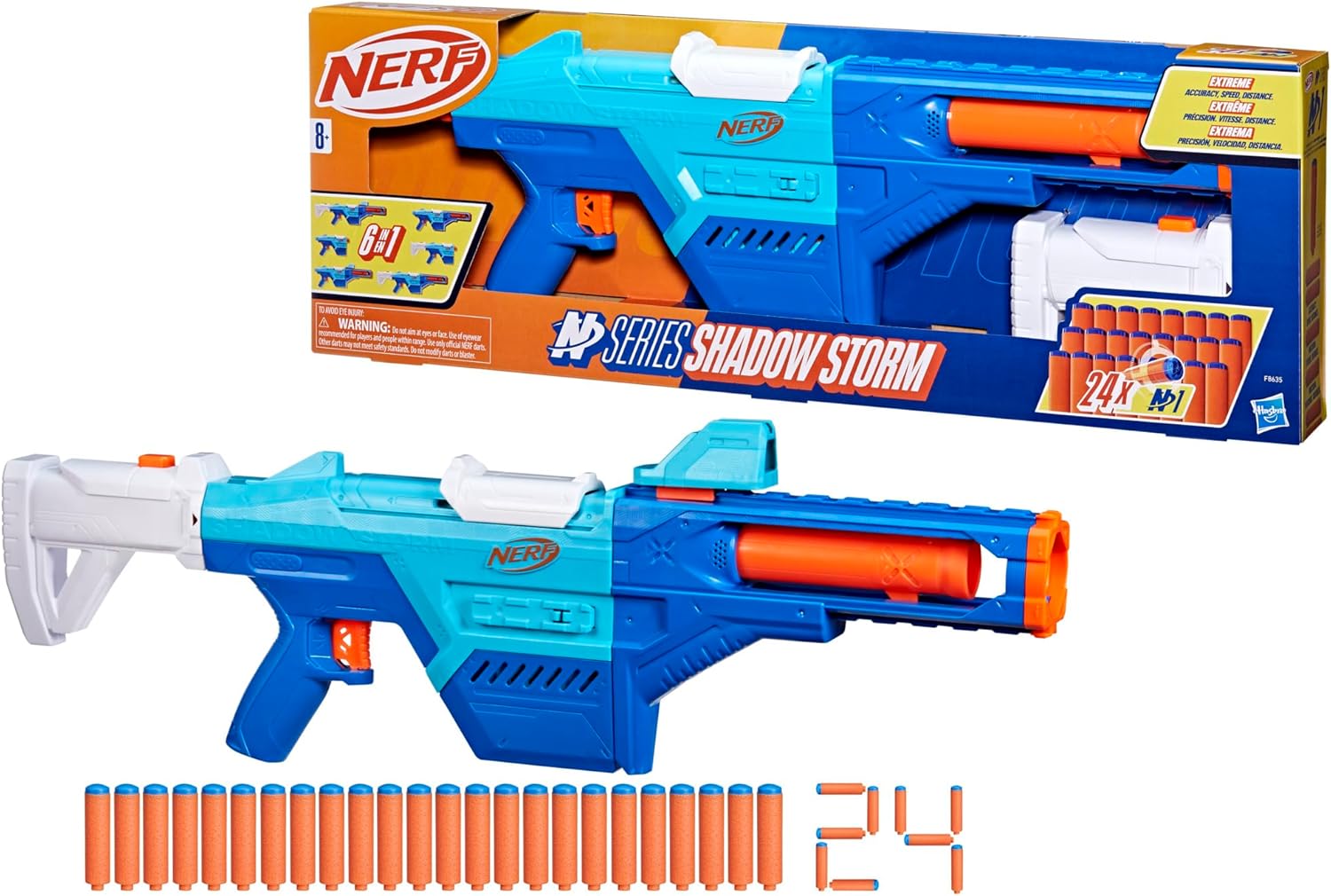
Image: All components included in the Nerf N Series Shadow Storm Blaster package.
Persediaan dan Perhimpunan
The Nerf N Series Shadow Storm Blaster features modular components allowing for customization. Follow these steps to assemble your blaster.

Image: The blaster's main body with its detachable stock, barrel, and sight separated.
1. Attaching the Stock
Align the stock with the attachment point at the rear of the blaster's main body. Push firmly until it clicks into place.

Image: Step-by-step illustration of attaching the stock to the blaster.
2. Attaching the Barrel
Slide the barrel onto the front of the blaster's main body. Ensure it is securely fastened.
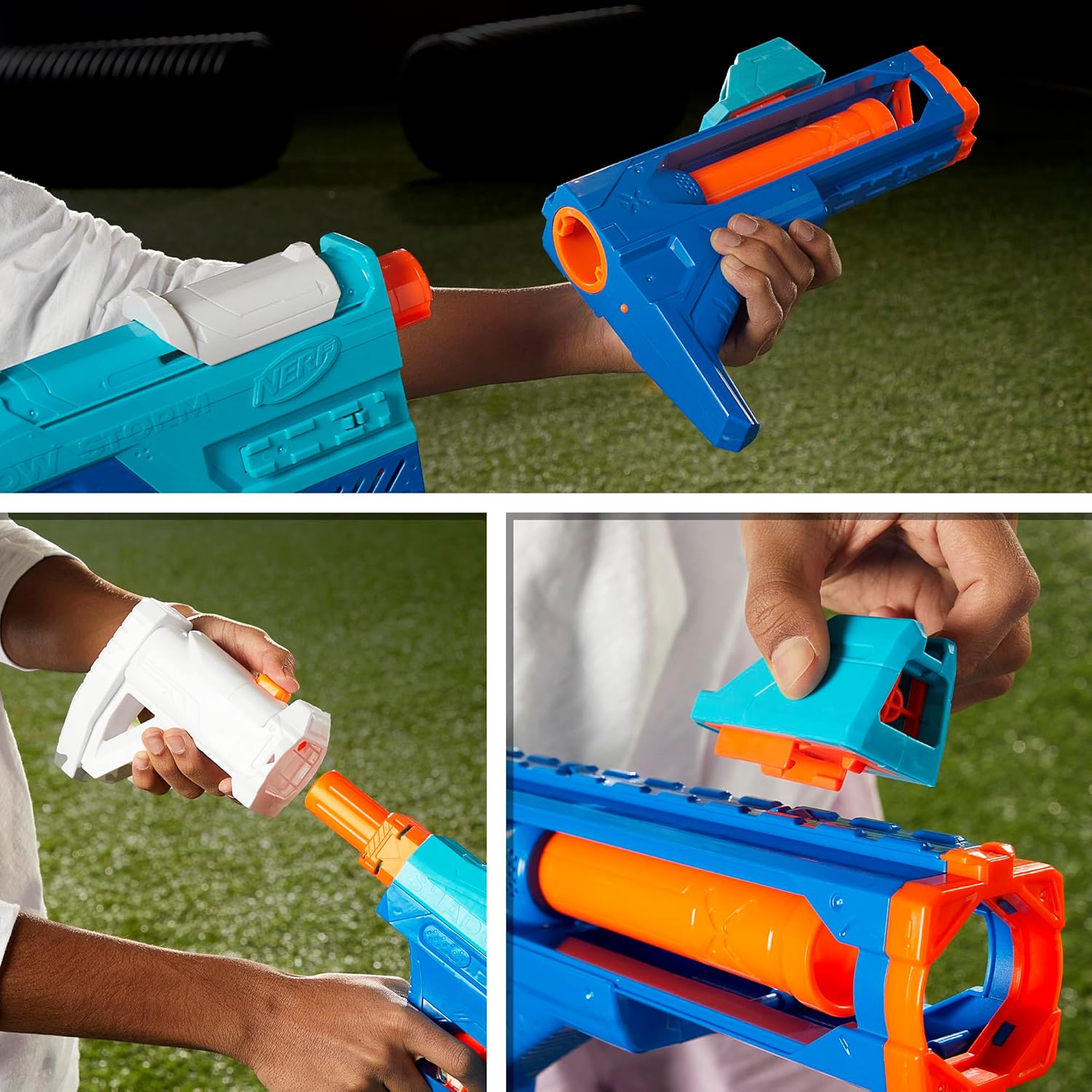
Image: Step-by-step illustration of attaching the barrel to the blaster.
3. Attaching the Sight
Locate the rail on top of the blaster. Slide the sight onto this rail until it is positioned as desired.

Image: Step-by-step illustration of attaching the sight to the blaster.
Pilihan Penyesuaian
The Shadow Storm blaster allows for 6 different configurations by combining or removing the stock, barrel, and sight. Experiment to find your preferred style.

Image: Visual guide to the six possible configurations of the blaster.

Image: The blaster fully assembled with all accessories.
Mengendalikan Blaster
Dart Compatibility
The Nerf N Series Shadow Storm Blaster is designed to be compatible sahaja with Nerf N Series N1 darts. Using other dart types may result in poor performance or damage to the blaster.

Image: Close-up of Nerf N1 darts, highlighting their specific design.
Memuatkan Dart
The blaster features an internal 8-dart clip. To load, insert the N1 darts one by one into the loading slot on top of the blaster until the clip is full.

Image: Demonstrating how to load darts into the internal clip.
Menembak Blaster
- Ensure the blaster is loaded with N1 darts.
- Pull the priming handle located on top of the blaster all the way back until it locks into place.
- Aim at your target.
- Press the trigger to fire a dart.
- To fire another dart, repeat steps 2-4.
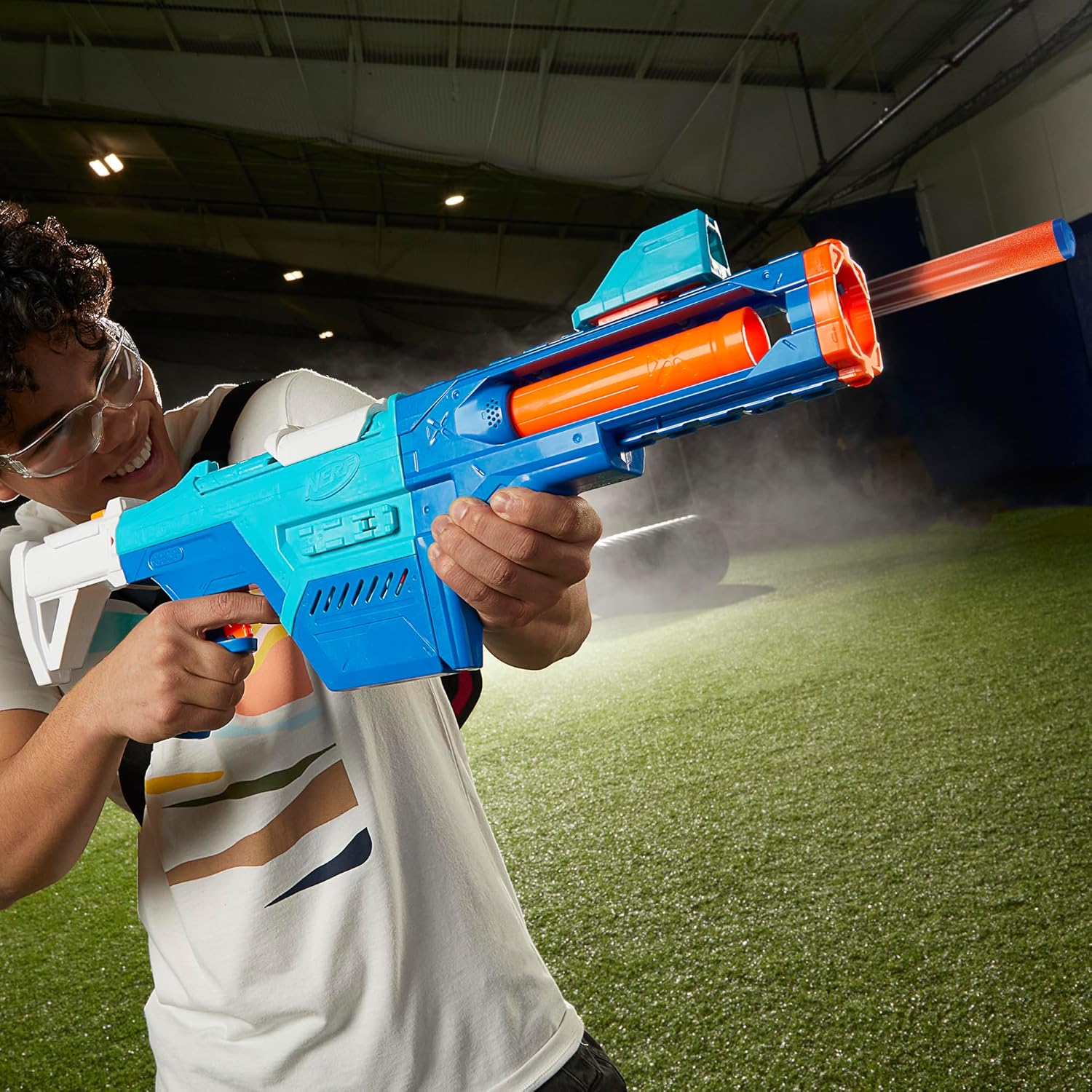
Image: A user demonstrating firing the blaster.
Penyelenggaraan
To ensure the longevity and proper function of your Nerf N Series Shadow Storm Blaster, follow these maintenance guidelines:
- Pembersihan: Wipe the blaster with a clean, damp cloth. Do not submerge the blaster in water or use harsh chemicals.
- Penjagaan Dart: Keep darts clean and dry. Darts that are bent, torn, or wet may affect performance and could cause jamming. Replace worn-out darts with official Nerf N Series N1 darts.
- Storan: Simpan blaster dan dart di tempat yang sejuk dan kering, jauh daripada cahaya matahari langsung dan suhu yang melampau.
Menyelesaikan masalah
If you encounter issues with your blaster, refer to the following common problems and solutions:
- Dart Jamming:
- Ensure you are using only official Nerf N Series N1 darts.
- Check darts for damage or deformation; replace if necessary.
- Ensure the priming handle is pulled back completely and released fully.
- Inspect the dart path for any obstructions.
- Darts Not Firing or Weak Shot:
- Verify darts are loaded correctly and fully seated in the internal clip.
- Confirm the blaster is fully primed.
- Pastikan dart tidak rosak atau haus.
Maklumat Keselamatan
Please observe the following safety warnings to prevent injury:
- AMARAN: BAHAYA TERSEKIK – Bahagian kecil mungkin terhasil. Bukan untuk kanak-kanak di bawah 3 tahun.
- EYEWEAR RECOMMENDED (NOT INCLUDED). Always wear protective eyewear when using this blaster.
- Do not aim or shoot at eyes or face.
- Use only official NERF N Series N1 darts. Do not modify darts or blaster.
- Keep away from pets and small children to avoid accidental ingestion of small parts.

Image: Product packaging displaying important safety warnings and information.
Spesifikasi
| Ciri | Perincian |
|---|---|
| Nombor Model | F8635 |
| Dimensi Produk | 2.63 x 26 x 9 inci |
| Berat Barang | 2.35 paun |
| Umur Disyorkan | 8 tahun dan ke atas |
| Kapasiti Dart | 8 darts (internal clip) |
| Jenis Dart | Nerf N Series N1 Darts (24 included) |
| Pengeluar | Hasbro |
Waranti dan Sokongan
For information regarding warranty coverage or product support, please refer to the manufacturer's official website or contact their customer service directly. Specific warranty details are typically provided with the product packaging or on the manufacturer's webtapak.