
Prexiso 11.5-inch Digital Level, 10-inch Torpedo Level
Manual Arahan Aras Digital Prexiso WORKPRO 11.5 inci dan Aras Torpedo 10 inci
Model: 11.5-inch Digital Level, 10-inch Torpedo Level
pengenalan
Thank you for choosing the Prexiso WORKPRO 11.5-inch Digital Level and 10-inch Torpedo Level. This manual provides essential information for the safe and effective operation, maintenance, and care of your new measuring tools. Please read this manual thoroughly before use and retain it for future reference.
Maklumat Keselamatan
- Always handle tools with care to prevent damage or injury.
- Keep the tools clean and dry to ensure accurate readings and prolong lifespan.
- Do not expose the digital level to extreme temperatures or moisture.
- Store tools in a safe place, out of reach of children.
Kandungan Pakej
Pakej anda harus mengandungi item berikut:
- 1 x Prexiso 11.5-inch Digital Level
- 1 x WORKPRO 10-inch Torpedo Level
- Manual Arahan (dokumen ini)
Produk Selesaiview dan Ciri
1. Prexiso 11.5-inch Digital Level
This digital level provides precise angle measurements with a clear LCD display.
- Paparan LCD terang: Large, bright green LCD for enhanced visibility in various lighting conditions.
- Automatic Display Reversal: The display value automatically inverts when the level is used upside down.
- Unit Pengukuran Berbilang: Switch between degrees (°), percentage (%), and inches per foot (in/ft).
- Relative Measurement (REF): Allows setting a new zero reference point for comparative measurements.
- Absolute Angle (HOLD): Membekukan ukuran arus pada paparan.
- Penunjuk Boleh Didengar: Provides an audible signal at 0° and 90° for convenience when the display is not visible.

Figure 1: Prexiso 11.5-inch Digital Level (top) and WORKPRO 10-inch Torpedo Level (bottom).

Figure 2: Bright LCD display of the digital level, showing measurement units.

Figure 3: Digital level with 'REF' for relative measurement and 'HOLD' for absolute angle function.
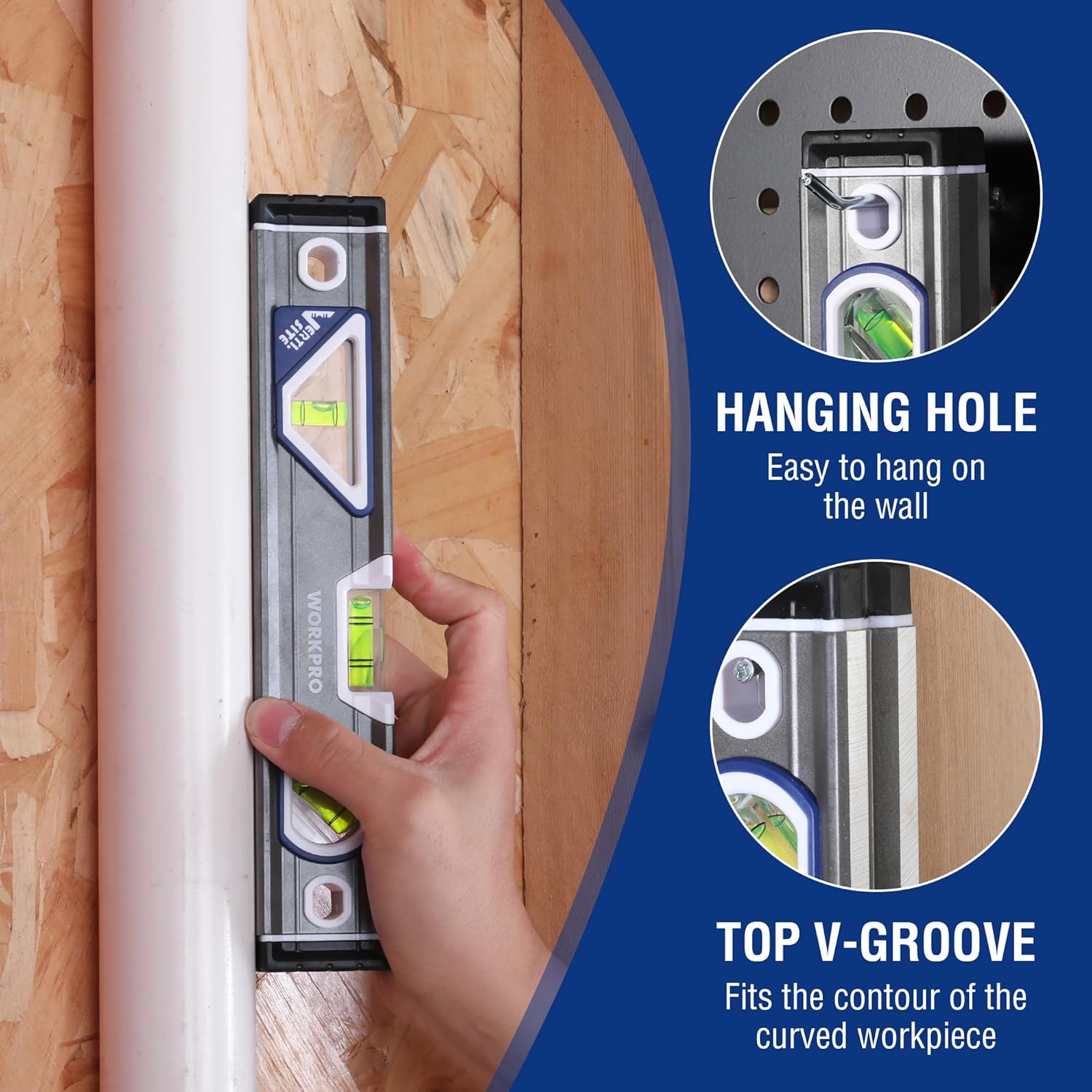
Figure 4: The digital level features an audible indicator for 0° and 90° angles.
2. WORKPRO 10-inch Torpedo Level
This compact torpedo level is designed for quick and accurate leveling tasks.
- Three Vials: Equipped with horizontal, vertical, and 45-degree vials for versatile leveling.
- Atas View Vial Window: Allows observation of the horizontal vial in confined spaces.
- Lightweight Aluminum Body: Durable and easy to handle.
- Overmolded Rubber End Caps: Provide protection against impacts.
- Hanger Holes: Untuk penyimpanan yang mudah.
- Magnified Center Block Vial: Designed for maximum accuracy (0.5mm) with a convex design for clearer viewing.
- Verti-Site (Plumb View/Double View): Patent-pending design with mirrors for reading the vertical bubble from the front or side.
- Top V-Groove: Fits the contour of curved workpieces for stable placement.

Figure 5: Key features of the WORKPRO 10-inch Torpedo Level.

Figure 6: The Verti-Site feature allows for plumb view dan berganda view bacaan.
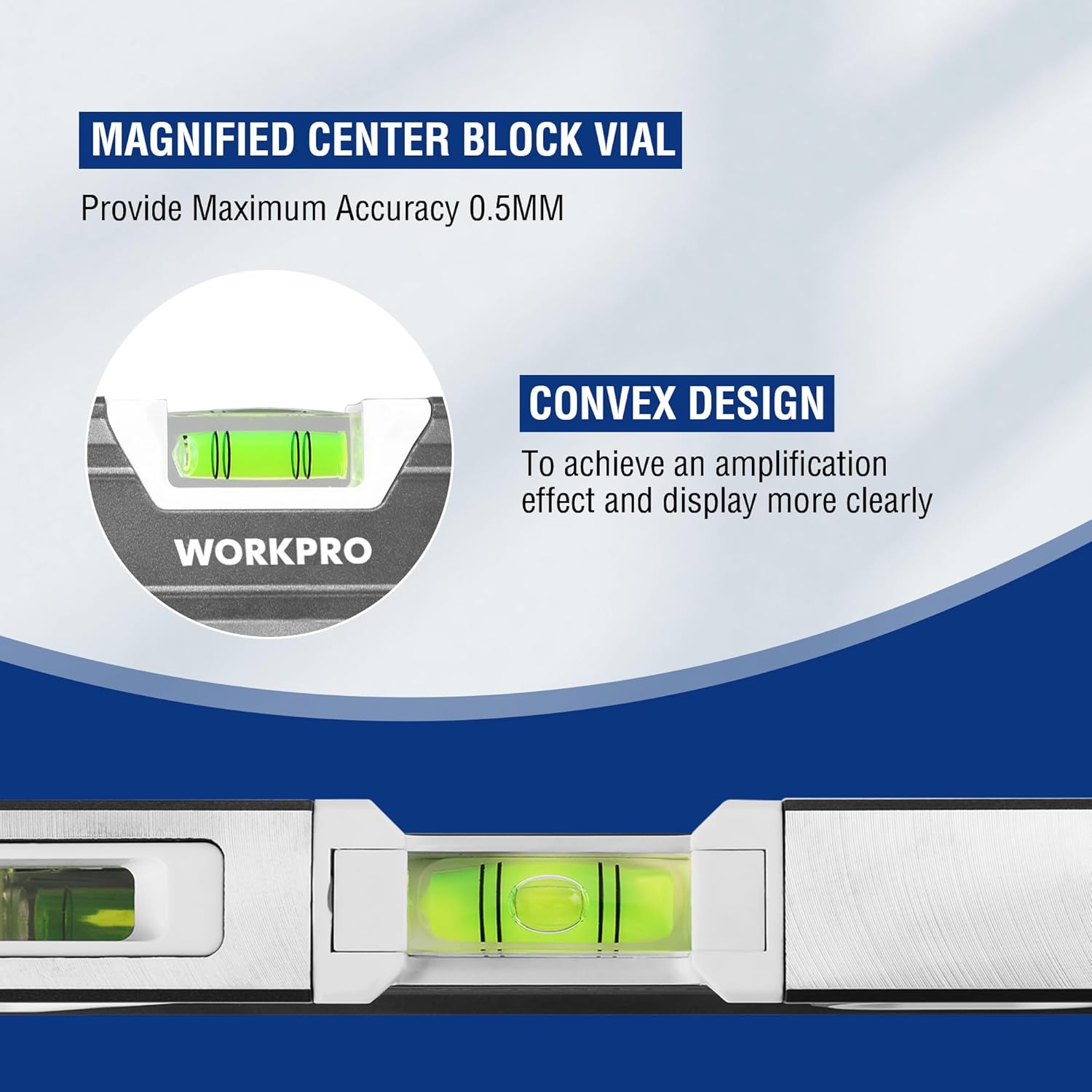
Figure 7: Magnified center block vial with convex design for enhanced accuracy and clarity.
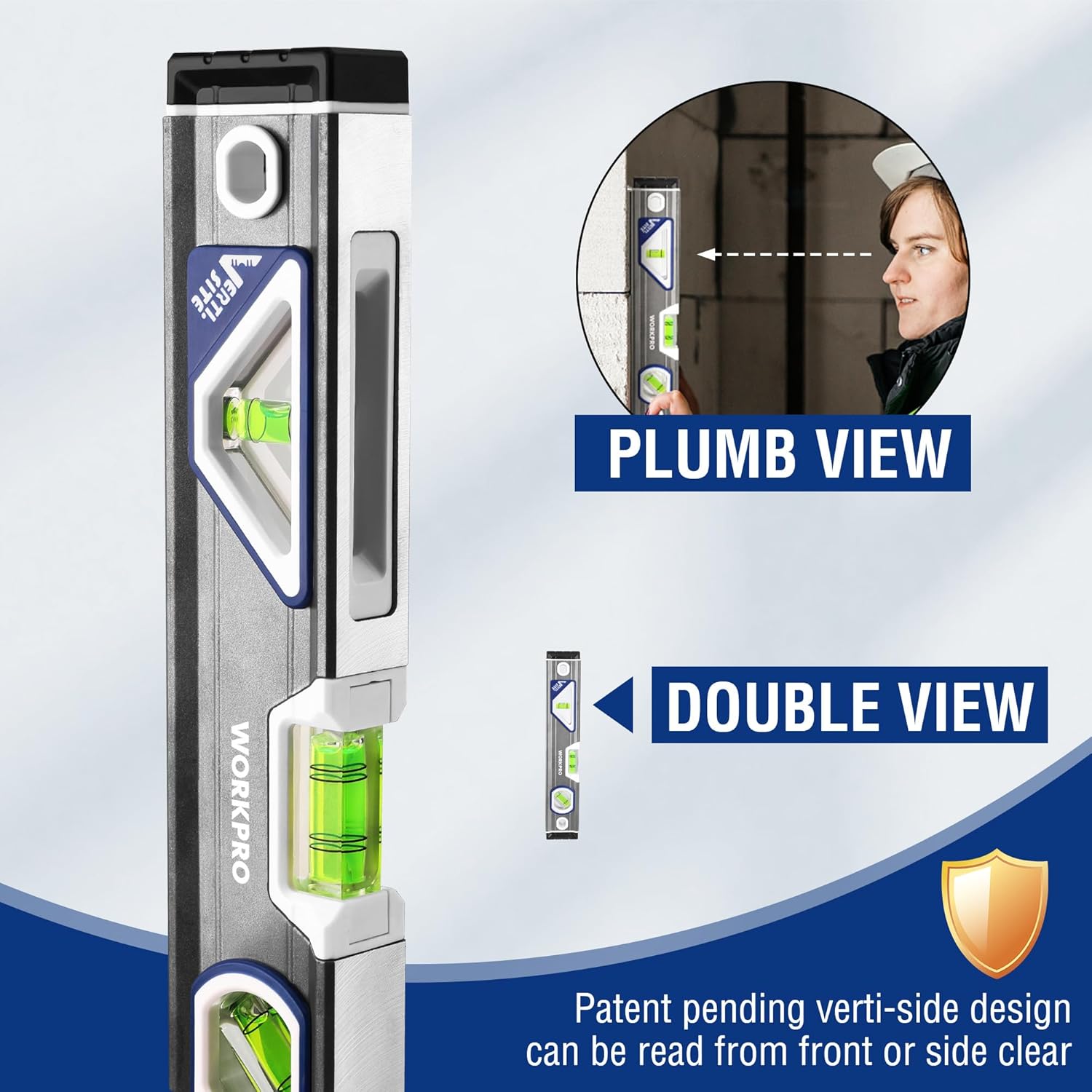
Figure 8: The torpedo level includes a hanging hole for storage and a V-groove for curved surfaces.
Persediaan
1. Digital Level Battery Installation
- Locate the battery compartment cover on the digital level.
- Open the cover and insert the required batteries. Ensure correct polarity (+/-).
- Tutup penutup petak bateri dengan selamat.
Nota: Batteries are usually not included and must be purchased separately. Refer to the battery compartment for specific battery type requirements.
2. Initial Check (Both Levels)
Before first use, place each level on a known flat, level surface to verify basic functionality. The bubbles in the vials should center, and the digital display should read close to 0.0°.
Arahan Operasi
1. Using the Prexiso 11.5-inch Digital Level
- Hidupkan/Mati Kuasa: Tekan ke HIDUP/MATI button to turn the level on or off.
- Menukar Unit: Tekan ke UNIT button to cycle through measurement units: degrees (°), percentage (%), and inches per foot (in/ft).
- Absolute vs. Relative Measurement:
- Absolute Measurement: This is the default mode, measuring the angle relative to true horizontal.
- Relative Measurement (REF): Tekan ke RUJ button to set the current position as a new 0° reference. This is useful for measuring the difference in angle between two surfaces. Press RUJ again to return to absolute measurement.
- Fungsi Tahan: Tekan ke TAHAN button to freeze the current reading on the display. Press TAHAN sekali lagi untuk dilepaskan.
- Penunjuk Boleh Didengar: The level will emit an audible tone when it is close to 0° or 90°, helping you achieve level or plumb without constantly viewpada paparan.

Figure 9: Using the digital level with its audible indicator for precise alignment.
2. Using the WORKPRO 10-inch Torpedo Level
- Penarafan Mendatar: Place the level on the surface to be checked. The bubble in the horizontal vial should be centered between the two lines for a level surface.
- Vertical Leveling (Plumb): Hold the level vertically against the surface. The bubble in the vertical vial should be centered for a plumb surface. Utilize the Verti-Site feature for easier viewing from the front or side.
- 45-Degree Angle: Position the level to align with a 45-degree angle. The bubble in the 45-degree vial should be centered.
- Permukaan Melengkung: The integrated V-groove on the top edge allows the level to sit securely on pipes or other rounded objects for accurate measurements.
Figure 10: Checking vertical alignment using the torpedo level's Verti-Site feature.
Penyelenggaraan
- Pembersihan: Wipe the levels with a soft, damp cloth. Do not use abrasive cleaners or solvents, as they may damage the finish or the display.
- Storan: Store the levels in a dry place, away from direct sunlight and extreme temperatures. Remove batteries from the digital level if it will not be used for an extended period to prevent leakage.
- Pemeriksaan: Periodically check the levels for any signs of damage or wear. Ensure the vials are clear and the digital display functions correctly.
Menyelesaikan masalah
| Masalah | Kemungkinan Punca | Penyelesaian |
|---|---|---|
| Digital level does not power on. | Bateri mati atau tidak dipasang dengan betul. | Gantikan bateri dengan yang baharu, memastikan kekutuban yang betul. |
| Inaccurate readings on digital level. | Level not calibrated or placed on an unstable surface. | Ensure the level is on a stable surface. If issues persist, consult manufacturer for calibration instructions (if applicable). |
| Bubble in vial is difficult to read. | Dirt or debris on the vial, or poor lighting. | Clean the vial surface. Ensure adequate lighting. |
Spesifikasi
| Ciri | Perincian |
|---|---|
| Jenama | Prexiso / WORKPRO |
| Digital Level Length | 11.5 inci |
| Torpedo Level Length | 10 inci |
| bahan | Acrylic, Plastic (Vials), Aluminum (Torpedo Level Body) |
| Mod Operasi | Automatic (Digital Level) |
| Paparan Digital | Bright Green LCD |
| Torpedo Level Vials | Horizontal, Vertical, 45-degree |
| Torpedo Level Accuracy | 0.5mm (Magnified Center Block Vial) |
Waranti dan Sokongan
For warranty information or technical support, please refer to the documentation included with your purchase or visit the official Prexiso webtapak. Simpan bukti pembelian anda untuk sebarang tuntutan waranti.
Prexiso Store: https://www.amazon.com/stores/PREXISO
Ask a question about this manual
Ask about setup, troubleshooting, compatibility, parts, safety, or missing instructions. Manuals+ will review the question and use this page’s manual context to help answer it.