
1. Pengenalan
This manual provides detailed instructions for the OLV Stylus Pen ID715. Please read this manual carefully before using the product to ensure proper operation and to maximize its features, including ultra-precision, palm rejection, tilt sensitivity, magnetic adsorption, and power display. This stylus is designed for use with iPad models released in 2018 and later.
2. Kandungan Pakej
Setelah membuka bungkusan, sila sahkan bahawa semua barang ada:
- OLV Stylus Pen ID715 x 1
- Replacement Tips x 3
- Kabel Pengecas USB-C x 1
- Manual Pengguna x 1

Image: The OLV Stylus Pen ID715, a USB-C charging cable, and three replacement tips are shown on a white background.
3. Persediaan dan Penggunaan Awal
3.1 Mengecas Stilus
Before first use, fully charge the stylus pen. The stylus features a USB-C charging port.
- Connect the provided USB-C charging cable to the stylus charging port.
- Sambungkan hujung kabel yang satu lagi ke sumber kuasa USB yang serasi (cth., komputer, penyesuai dinding).
- The LED power display will indicate charging status.
Nota: A 5-minute charge provides approximately 2 hours of use. A full 25-minute charge offers over 10 hours of continuous use. Avoid using the pen while your iPad is charging, as this may cause connectivity issues.

Image: The OLV Stylus Pen is shown connected to a USB-C charging cable, illustrating the charging process and battery indicator lights.
3.2 Menghidupkan/Mematikan
The stylus pen is designed with an accidental on/off prevention feature.
- Untuk berpaling ON: Double-tap the top of the stylus pen.
- Untuk berpaling DIMATIKAN: Double-tap the top of the stylus pen again.
The stylus will automatically enter sleep mode after 5 minutes of inactivity to conserve battery life.

Image: A hand double-tapping the top of the stylus pen, indicating the power on/off function.
3.3 Keserasian
The OLV Stylus Pen ID715 is compatible with iPad models released in 2018 and later. Ensure your iPad's iOS system is updated to iOS 12.2 or above for optimal performance.
Model iPad yang Serasi:
- iPad 10th generation (2022): A2696, A2757, A2777
- iPad 9th generation (2021): A2602, A2604, A2603, A2605
- iPad 8th generation (2020): A2270, A2428, A2429, A2430
- iPad 7th generation (2019): A2197, A2198, A2200
- iPad 6th generation (2018): A1893, A1954
- iPad Air 3rd Generation: A2152, A2153, A2154, A2123
- iPad Air 4th Generation: A2324, A2325, A2072, A2316
- iPad Air 5th Generation: A2588, A2589, A2591
- iPad Mini 5th Generation: A2124, A2125, A2126, A2133
- iPad Mini 6th Generation: A2567, A2568, A2569
- iPad Pro 11’ (2018-2022): A1980, A2013, A1934, A1979, A2228, A2068, A2230, A2231, A2377, A2459, A2301, A2460, A2759, A2435, A2761, A2762
- iPad Pro 12.9‘ (2018-2022): A1876, A2014, A1895, A1983, A2229, A2069, A2232, A2233, A2378, A2461, A2379, A2462, A2436, A2764, A2437, A2766

Image: A detailed chart listing compatible iPad Pro, iPad Mini, iPad Air, and standard iPad models with their corresponding model numbers.
4. Operating the Stylus Pen
4.1 Penolakan Tapak Tangan
The stylus features advanced palm rejection technology, allowing you to rest your hand comfortably on the iPad screen while writing or drawing without unintended marks.
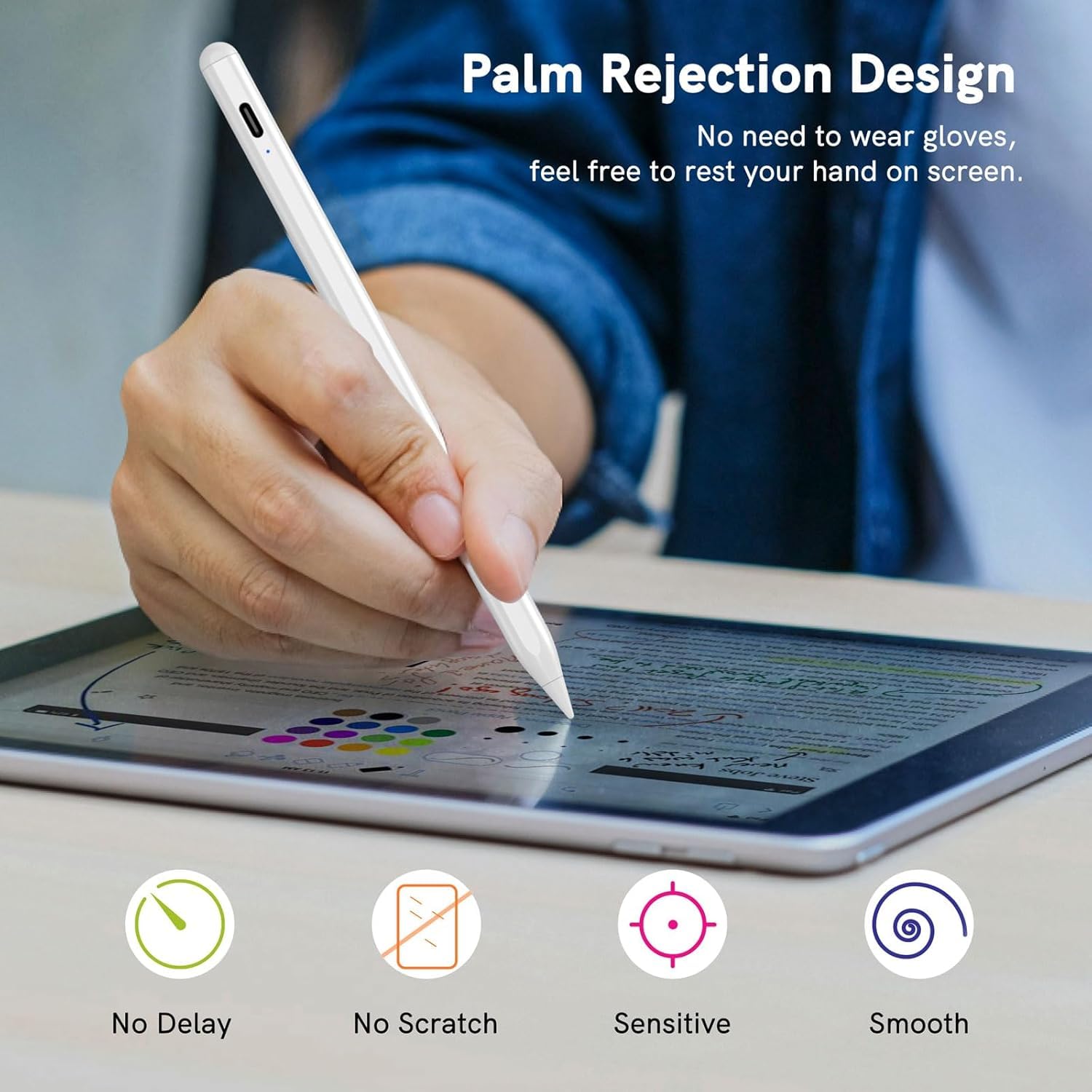
Image: A user's hand is shown resting on an iPad screen while drawing with the stylus, illustrating the palm rejection feature.
4.2 Tilt Sensitivity
The stylus supports tilt sensitivity, enabling you to vary line thickness and shading by tilting the pen, similar to a traditional pencil. This feature enhances the realism of drawing and sketching.

Image: Diagrams showing how different tilt angles (30, 45, and 60 degrees) of the stylus pen can create varying line effects on the screen.
4.3 Penjerapan Magnetik
The stylus can magnetically attach to the side of compatible iPad models (e.g., iPad Pro 3rd Gen and later), preventing it from rolling away or getting lost.

Image: The stylus pen is shown magnetically adhering to the side of an iPad, demonstrating its magnetic adsorption feature.
4.4 Fungsi Pintasan
The stylus supports quick shortcut gestures for enhanced productivity:
- Ketuk tunggal: Kembali ke skrin utama.
- Tekan dua kali: Access the app selection page (multitasking view).

Image: Three iPad screens demonstrating the stylus shortcut functions: a single tap to return to the main screen and a double tap to open the app selection page.
5. Penyelenggaraan
5.1 Replacing the Nib
The stylus pen comes with replaceable tips to ensure continuous precision and smooth writing. To replace a worn-out nib:
- Gently twist the old nib counter-clockwise to remove it.
- Align a new nib with the stylus tip and twist it clockwise until securely fastened.
Image: A diagram illustrating the process of twisting off an old stylus tip and twisting on a new replacement tip.
5.2 Pembersihan
Wipe the stylus body with a soft, dry cloth. Do not use harsh chemicals or abrasive materials.
6. Penyelesaian masalah
- Stylus not writing or responding:
- Ensure the stylus is powered on (double-tap the top).
- Periksa tahap bateri dan cas jika perlu.
- Verify iPad compatibility (models 2018+ and iOS 12.2+).
- Check iPad settings: Go to Settings > Apple Pencil and turn off "Apple Pencil" or "Only draw with Apple Pencil". For Notes app, turn off "Only draw with Apple Pencil".
- Mulakan semula iPad anda.
- Stylus disconnects frequently:
- Avoid using the stylus while the iPad is charging.
- Pastikan stilus dicas sepenuhnya.
- Inaccurate or delayed response:
- Ensure the nib is securely attached and not worn out. Replace if needed.
- Consider using a tempered glass screen protector for a better experience.
7. Spesifikasi
| Ciri | Perincian |
|---|---|
| Jenama | OLV |
| Nombor Model | ID715 |
| warna | putih |
| bahan | plastik |
| Berat Barang | 200 g |
| Dimensi Item (LxWxH) | 12 x 4 x 2 Sentimeter |
| Jenis Bateri | 1 AAAA battery (included) |
| Port Pengecasan | USB-C |
| Masa Mengecas | lebih kurang 25 minit untuk cas penuh |
| Masa Penggunaan | Up to 10 hours continuous use (after full charge) |
| Tidur Auto | Selepas 5 minit tidak aktif |
8. Waranti dan Sokongan
8.1 Maklumat Waranti
The OLV Stylus Pen ID715 comes with a Waranti 6 bulan dari tarikh pembelian. Waranti ini meliputi kecacatan pembuatan dan kerosakan dalam penggunaan biasa. Sila simpan bukti pembelian anda untuk tuntutan waranti.
Nota: Waranti tidak melindungi kerosakan yang disebabkan oleh penyalahgunaan, kemalangan, pengubahsuaian yang tidak dibenarkan atau haus dan lusuh biasa.
8.2 Sokongan Pelanggan
For any questions, technical assistance, or warranty claims, please contact OLV customer support through the retailer where the product was purchased or visit the official OLV brand store online.
Kedai atas talian: OLV Store on Amazon.in