
MaxiViz CQ1
MaxiViz Solar Security Camera CQ1 User Manual
Comprehensive guide for setup, operation, and maintenance of your MaxiViz CQ1 Solar Security Camera.
1. Produk Lebihview
The MaxiViz CQ1 Solar Security Camera is a wireless outdoor surveillance solution designed for continuous operation. Featuring 2K HD resolution, 360° pan-tilt-zoom capabilities, and AI motion detection, it provides comprehensive monitoring for your property. Its solar-powered design ensures year-round functionality without the need for constant battery changes or wired power.

Figure 1.1: MaxiViz CQ1 Solar Security Camera with its solar panel and a view of the live feed on a smartphone.
Ciri-ciri Utama:
- Resolusi HD 2K: Menyediakan foo video yang jelas dan terperincitage.
- Penglihatan Malam Warna Penuh: Dual LED floodlights enable color vision in low-light conditions up to 33 feet.
- 360° PTZ Coverage: 355° horizontal pan and 90° vertical tilt for wide area monitoring.
- Pengesanan Gerakan AI: Smart sensors distinguish between humans, animals, and other objects, reducing false alarms.
- Berkuasa Suria: High-efficiency solar panel ensures continuous operation, even in challenging weather.
- IP66 Kalis Cuaca: Designed to withstand extreme temperatures (-40°C to 60°C) and harsh weather conditions.
- Audio Dua hala: Mikrofon dan pembesar suara terbina dalam untuk komunikasi masa nyata.
- Storan Fleksibel: Supports up to 128GB SD card (not included) and offers 3-day free loop cloud storage.
- Smart Alarms: Activates spotlights and a 95dB siren upon detection to deter intruders.
- Kesambungan WiFi 2.4G: Stable wireless connection with better penetration through obstacles.
2. Kandungan Pakej
Sila pastikan semua barang ada dan dalam keadaan baik semasa membuka bungkusan.
- MaxiViz CQ1 Solar Security Camera (1 unit)
- Solar Panel (integrated or separate, based on image it's separate but connected)
- Pendakap Pemasangan
- Skru Pemasangan dan Palam Dinding
- Kabel Pengecas USB
- Manual Pengguna (dokumen ini)
3. Panduan Persediaan
3.1 Mengecas Kamera
Before initial use, fully charge the camera's internal battery using the provided USB cable. Connect the USB cable to the camera's charging port and a 5V/2A power adapter (not included). The charging indicator light will turn solid when fully charged.
3.2 Pemasangan Aplikasi dan Penciptaan Akaun
The MaxiViz CQ1 camera operates with the VicoHome app. Download the app from your smartphone's app store (iOS App Store or Google Play Store).
- Cari untuk "VicoHome" in your app store.
- Muat turun dan pasang apl.
- Open the app and register for a new account using your email address.
- Follow the on-screen prompts to complete the registration and login.
3.3 Camera Pairing with App
- Ensure your smartphone is connected to a 2.4GHz Wi-Fi network. The camera only supports 2.4GHz Wi-Fi for optimal range and penetration.
- In the VicoHome app, tap the "+" icon to add a new device.
- Select your camera model (CQ1) from the list.
- Power on the camera. The camera will enter pairing mode, indicated by a flashing LED light.
- Follow the app's instructions to scan the QR code displayed on your phone with the camera lens. Hold the phone approximately 15-20 cm (6-8 inches) from the camera.
- Once the camera successfully scans the QR code, it will emit a confirmation sound.
- The camera will then connect to your Wi-Fi network. Once connected, you can name your camera and begin live viewing.
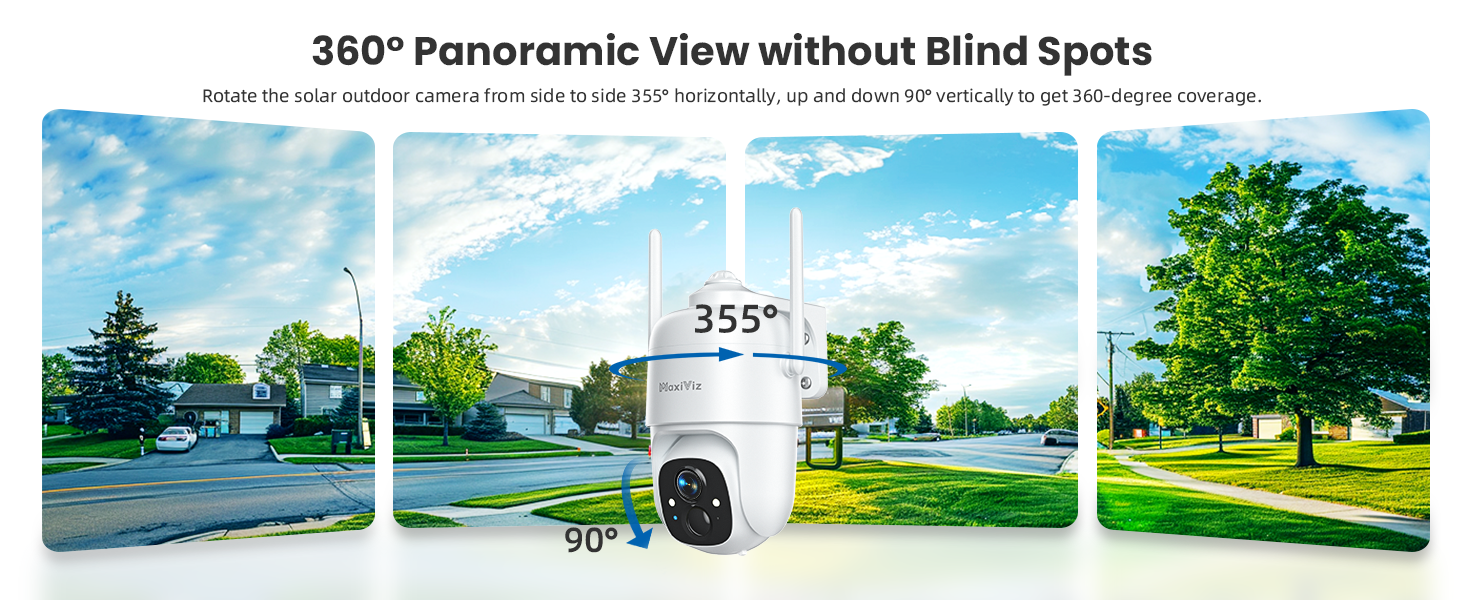
Figure 3.3.1: The camera offers 360° panoramic view with 355° pan and 90° tilt capabilities.
3.4 Memasang Kamera
Choose a mounting location that provides optimal sunlight exposure for the solar panel and a clear view of the area you wish to monitor. Ensure the camera is within range of your 2.4GHz Wi-Fi network.
- Tandakan titik penggerudian di dinding menggunakan pendakap pelekap sebagai templat.
- Gerudi lubang dan masukkan palam dinding.
- Kencangkan pendakap pelekap ke dinding dengan skru yang disediakan.
- Attach the camera to the mounting bracket and adjust its angle for the desired coverage.
- Ensure the solar panel is positioned to receive maximum direct sunlight throughout the day for optimal charging.

Figure 3.4.1: Proper mounting ensures continuous solar power and optimal camera performance.
4. Arahan Operasi
4.1 Langsung View dan Main semula
Open the VicoHome app and select your camera from the device list to access the live view. From here, you can:
- View Makanan hidup: See real-time video from your camera.
- Pan & Miring: Use the on-screen controls to remotely adjust the camera's viewsudut (355° mendatar, 90° menegak).
- Audio Dua hala: Tap the microphone icon to speak through the camera's speaker and hear audio from the camera's microphone.
- Record Manually: Tap the record button to start/stop manual video recording.
- Take Screenshots: Tangkap imej pegun daripada suapan langsung.
- Main balik: Akses foo yang dirakamtage from the SD card or cloud storage. Navigate through the timeline to review peristiwa lampau.

Figure 4.1.1: The VicoHome app allows for real-time two-way communication.
4.2 Pengesanan Gerakan dan Makluman
The camera's AI motion detection system is designed to accurately identify relevant events.
- AI Object Analysis: The camera can distinguish between humans, pets, vehicles, and packages, reducing false alarms caused by irrelevant movements.
- Pemberitahuan Segera: Terima pemberitahuan tolak pada telefon pintar anda apabila gerakan dikesan.
- Sorotan dan Siren: Upon detection, the camera can automatically activate its bright spotlights and a 95dB siren to deter intruders. These features can be configured in the app settings.
- Customized Activity Zones: Set up specific areas within the camera's view where motion detection should be active, ignoring activity outside these zones.

Figure 4.2.1: Smart motion detection with active deterrence features.
4.3 Mod Penglihatan Malam
The MaxiViz CQ1 offers two night vision modes:
- Penglihatan Malam Inframerah: Provides clear black and white video in complete darkness.
- Penglihatan Malam Warna Penuh: When the dual LED floodlights are activated (either manually or automatically upon motion detection), the camera captures full-color video even at night.

Figure 4.3.1: Choose between infrared or full-color night vision based on your needs.
4.4 Pilihan Storan
The camera supports both local and cloud storage:
- Kad SD mikro: Insert a Micro SD card (up to 128GB, not included) into the camera's SD card slot for local storage of recordings.
- Storan Awan: The VicoHome app offers a 3-day free loop cloud storage plan. Paid subscription plans are available for extended cloud storage.

Figure 4.4.1: Flexible storage options for your security footage.
5. Penyelenggaraan
- Bersihkan Lensa: Periodically wipe the camera lens with a soft, dry cloth to ensure clear image quality. Avoid abrasive cleaners.
- Panel Suria Bersih: Ensure the solar panel is free from dust, dirt, snow, or debris to maintain optimal charging efficiency.
- Semak Pemasangan: Regularly inspect the camera's mounting to ensure it remains securely fastened, especially after strong winds or storms.
- Kemas kini Firmware: Check the VicoHome app regularly for firmware updates. Keeping your camera's firmware updated ensures optimal performance and security.
- Kesihatan Bateri: While solar-powered, extreme prolonged periods without sunlight may require manual charging via USB. Monitor battery levels in the app.
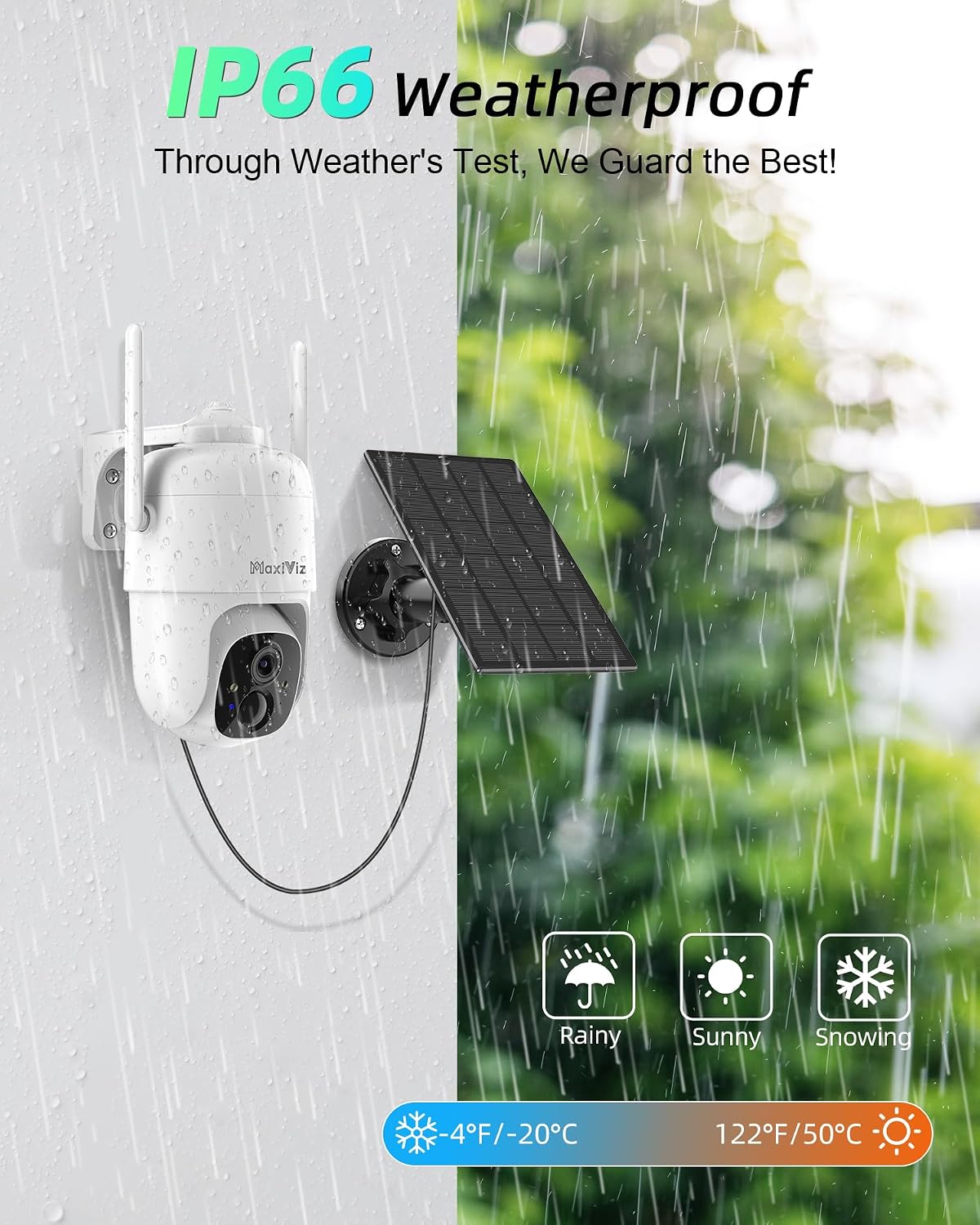
Figure 5.1: The IP66 weatherproof design ensures durability, but regular cleaning is recommended.
6. Penyelesaian masalah
| Masalah | Kemungkinan Punca | Penyelesaian |
|---|---|---|
| Kamera tidak dihidupkan. | Bateri lemah; Butang kuasa tidak ditekan dengan betul. | Fully charge the camera using the USB cable. Press and hold the power button for a few seconds. |
| Tidak dapat menyambung ke Wi-Fi. | Incorrect Wi-Fi password; Camera too far from router; Only 5GHz Wi-Fi used; Weak signal. | Ensure correct 2.4GHz Wi-Fi password. Move camera closer to router or use a Wi-Fi extender. Confirm your router is broadcasting 2.4GHz. |
| Amaran gerakan palsu yang kerap. | High sensitivity setting; Environmental factors (e.g., swaying branches, insects). | Adjust motion detection sensitivity in the VicoHome app. Set up customized activity zones to exclude irrelevant areas. |
| Kualiti penglihatan malam yang lemah. | Dirty lens; Obstruction in front of IR/LED lights; Insufficient ambient light for color night vision. | Clean the camera lens. Ensure no obstructions block the IR/LED lights. Activate spotlights for full-color night vision. |
| Solar panel not charging effectively. | Insufficient sunlight; Dirty solar panel; Obstruction. | Relocate the solar panel to an area with more direct sunlight. Clean the solar panel surface. Remove any obstructions. |
7. Spesifikasi
| Ciri | Perincian |
|---|---|
| Nombor Model | CQ1 |
| Resolusi Tangkapan Video | 2K (2304*1296) |
| Sudut Pan / Tilt | Pan 355 °, Condong 90 ° |
| Julat Penglihatan Malam | Sehingga 33 Kaki (10 meter) |
| Ketersambungan | Wi-Fi 2.4GHz |
| Pilihan Storan | Kad Mikro SD (sehingga 128GB), Storan Awan |
| Sumber Kuasa | Solar Powered, Built-in Lithium Polymer Battery |
| Rintangan Cuaca | Kalis Cuaca IP66 |
| Suhu Operasi | -40°C hingga 60°C (-40°F hingga 140°F) |
| Audio Dua Hala | ya |
| Pengesanan AI | Human, Pet, Vehicle, Package Recognition |
| Dimensi (L x W x H) | 20.32 x 15.75 x 13.46 cm |
| Berat badan | 1.05 kg |
| bahan | Akrilonitril Butadiena Stirena (ABS) |
| Komponen yang Disertakan | Kamera*1 |
8. Waranti dan Sokongan
8.1 Maklumat Waranti
The MaxiViz CQ1 Solar Security Camera comes with a Waranti 1 tahun dari tarikh pembelian. Waranti ini meliputi kecacatan pembuatan dan kerosakan dalam penggunaan biasa. Ia tidak melindungi kerosakan yang disebabkan oleh penyalahgunaan, kemalangan, pengubahsuaian yang tidak dibenarkan atau bencana alam.
Sila simpan bukti pembelian anda untuk tuntutan waranti.
8.2 Sokongan Pelanggan
For technical assistance, troubleshooting, or warranty inquiries, please contact MaxiViz customer support through the following channels:
- e-mel: Refer to the contact information provided in the VicoHome app or on the official MaxiViz webtapak.
- Sokongan dalam talian: Visit the MaxiViz official webtapak untuk Soalan Lazim, artikel sokongan dan borang hubungan.
When contacting support, please provide your product model number (CQ1) and a detailed description of the issue.
Ask a question about this manual
Ask about setup, troubleshooting, compatibility, parts, safety, or missing instructions. Manuals+ will review the question and use this page’s manual context to help answer it.