
1. Pengenalan
The Eaton Tripp Lite BC600R is a 600VA/300W/120V standby Uninterruptible Power Supply (UPS) designed to provide battery backup and AC power protection. It safeguards connected equipment from blackouts, brownouts, surges, overvoltages, and line noise. This UPS is suitable for home computers, office networks, and point-of-sale systems.
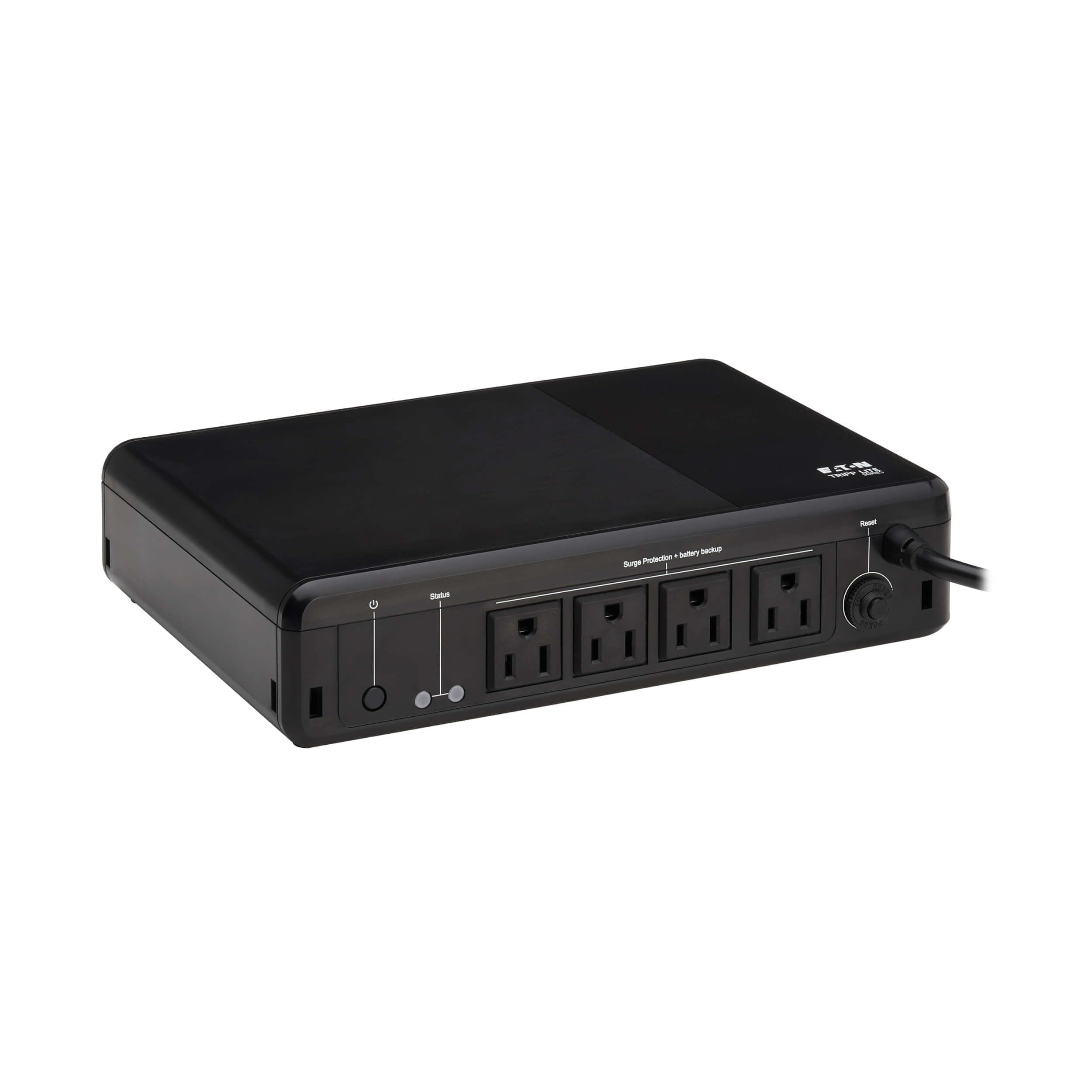
Image 1.1: The Eaton Tripp Lite BC600R UPS unit.
2. Kandungan Pakej
Sahkan bahawa pakej anda mengandungi item berikut:
- Eaton Tripp Lite BC600R UPS Unit
- Panduan Mula Pantas
- Skru Pemasangan (jika berkenaan)

Image 2.1: The UPS unit, quick start guide, and mounting screws included in the package.
3. Persediaan dan Pemasangan
Follow these steps to set up your UPS unit:
- penempatan: Position the UPS on a flat, stable surface, or mount it to a wall using the keyhole slots. Ensure adequate ventilation around the unit. The durable housing supports use in environments from 32° to 122°F (0° to 50°C).
- Sambung ke Kuasa: Plug the UPS's 5-ft power cord (NEMA 5-15P plug) into a standard, grounded AC wall outlet.
- Sambungkan Peranti: Plug your devices (e.g., computer, monitor, router) into the NEMA 5-15R outlets on the UPS. These outlets provide both battery backup and 190 joules of surge suppression.
- Hidupkan kuasa: Press the Power On/Off button located on the unit to turn on the UPS.

Imej 3.1: Selesaiview of the UPS unit with labeled components for easy identification during setup.

Imej 3.2: Cthample of the UPS connected to a typical desktop computer setup.

Image 3.3: The bottom of the UPS unit, highlighting the keyhole mounting slots for versatile installation.
4. Arahan Operasi
The BC600R UPS operates automatically to protect your connected equipment.
4.1 Hidupkan/Mati Kuasa
- To turn on the UPS, press the Power On/Off button.
- To turn off the UPS, press and hold the Power On/Off button until the unit powers down.
4.2 Penunjuk LED dan Penggera Boleh Didengar
The UPS features LED indicators and an audible alarm to communicate its status:
- LED hijau: Indicates power status and whether the unit is operating on line power or battery power.
- LED Merah: Alerts you to a low battery condition or a fault.
- Penggera yang boleh didengar: Sounds to indicate a low battery or fault condition.
4.3 Kuasa Outage Respons
Semasa kuasa outage atau volum ketaratage drop, the BC600R automatically switches to battery mode. This provides temporary power, allowing you to save your work and safely shut down connected devices. The unit will automatically restart when utility power is restored, even if the battery is low.
4.4 Surge Protection and Line Noise Filtering
The UPS provides 190 joules of surge suppression to protect connected devices from damaging power surges. It also filters out Electromagnetic Interference (EMI) and Radio Frequency Interference (RFI) that can corrupt data and cause system instability.
5. Penyelenggaraan
5.1 Penggantian Bateri
The VRLA battery inside the BC600R is user-replaceable. Refer to the Quick Start Guide for specific instructions on how to safely replace the battery. Use Eaton's AG-075D cartridge for replacement.
5.2 Pemutus Litar Boleh Diset semula
The UPS includes a resettable circuit breaker to protect against overloads. If an overload occurs, the circuit breaker may trip. Disconnect non-essential devices, then press the circuit breaker button to reset it.
5.3 Disabling Audible Beep (Advanced)
Some users may wish to disable the audible beep during power outages. On some Tripp Lite models, this can be done by pressing and holding the Power button for 10 seconds. Refer to the Quick Start Guide for your specific model to confirm this feature.
6. Penyelesaian masalah
Jika anda menghadapi masalah dengan UPS anda, rujuk masalah dan penyelesaian biasa berikut:
| Masalah | Kemungkinan Punca | Penyelesaian |
|---|---|---|
| UPS tidak dihidupkan. | Not plugged into a live outlet; battery not connected or discharged. | Ensure the UPS is plugged into a working wall outlet. Check the battery connection. Allow the unit to charge for 8 hours. |
| UPS berbunyi secara berterusan atau kerap. | Low battery; overload; internal fault. | Semasa outage, this indicates low battery – save work and shut down. If on line power, reduce connected load or check for internal fault. Refer to Section 5.3 for disabling the beep. |
| Peranti yang disambungkan kehilangan kuasa semasa gangguan bekalan elektriktage. | Overload; battery depleted; battery fault. | Pastikan jumlah wattage of connected devices does not exceed 300W. Allow battery to recharge. If problem persists, battery may need replacement. |
| UPS does not provide surge protection. | Unit is off or faulty. | Ensure the UPS is powered on. If the issue persists, contact support. |
7. Spesifikasi
Key technical specifications for the Eaton Tripp Lite BC600R UPS:
| Ciri | Perincian |
|---|---|
| Nombor Model | BC600R |
| Kapasiti (VA/Watts) | 600VA / 300W |
| Input Voltage | 120V AC |
| Keluaran Voltage | 120V AC |
| Bilangan Outlet | 4 x NEMA 5-15R |
| Perlindungan Lonjakan | 190 Joule |
| Jenis Bateri | Asid Plumbum Tertutup (VRLA) |
| Masa Pengecasan Bateri | 8 jam |
| Typical Runtime (Half Load) | 1.2 minutes (at 150W) |
| Dimensi (H x W x D) | 2.3 x 7.1 x 10 inci (58 x 180 x 255 mm) |
| Berat badan | 4.4 paun |
| Suhu Operasi | 32° hingga 122°F (0° hingga 50°C) |
| Pensijilan | UL 508, UL 497A |
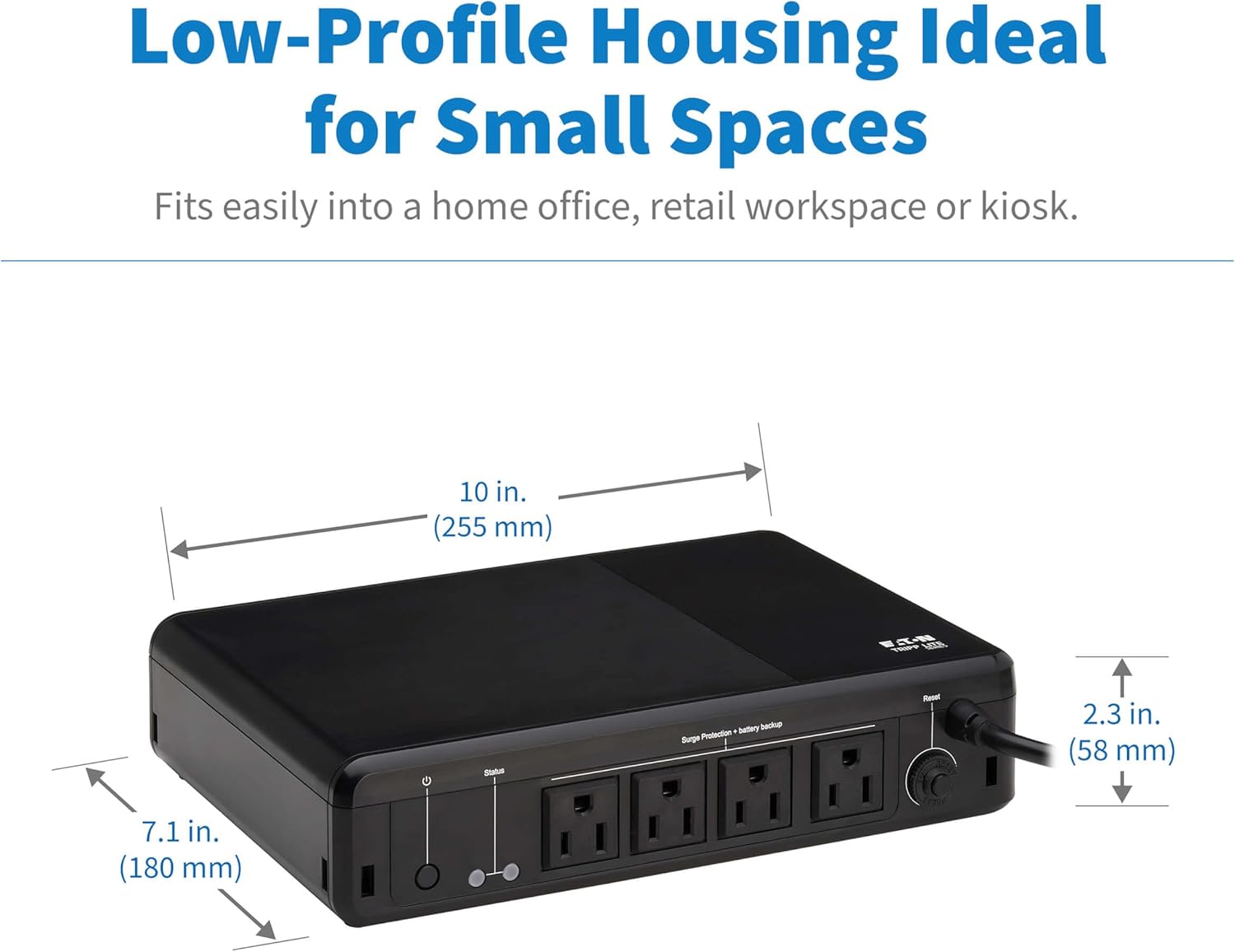
Image 7.1: Physical dimensions of the UPS unit.
8. Maklumat Waranti
The Eaton Tripp Lite BC600R UPS comes with a Waranti terhad 3 tahun. Please retain your proof of purchase for warranty claims. For detailed terms and conditions, refer to the official product documentation or the manufacturer's webtapak.
9. Sokongan dan Hubungan
For technical assistance, product inquiries, or further support, please visit the official TRIPP LITE webtapak atau hubungi bahagian perkhidmatan pelanggan mereka. Maklumat hubungan biasanya boleh didapati pada pengilang webtapak atau dalam Panduan Mula Pantas.
Sumber Dalam Talian: www.tripplite.com