
1. Pengenalan
This manual provides essential information for the proper use and optimal performance of OVERTURE Turbo PLA Filament. Designed for high-speed 3D printing, this filament offers rapid printing capabilities while maintaining print quality. Please read these instructions carefully before use.
2. Produk Lebihview
OVERTURE Turbo PLA is a 1.75mm diameter filament engineered for FDM 3D printers, specifically optimized for high-speed applications up to 600mm/s. It features a volumetric flow rate of 40mm³/s, ensuring consistent extrusion and minimizing common printing issues like clogging. The filament is supplied on a 1KG cardboard spool.
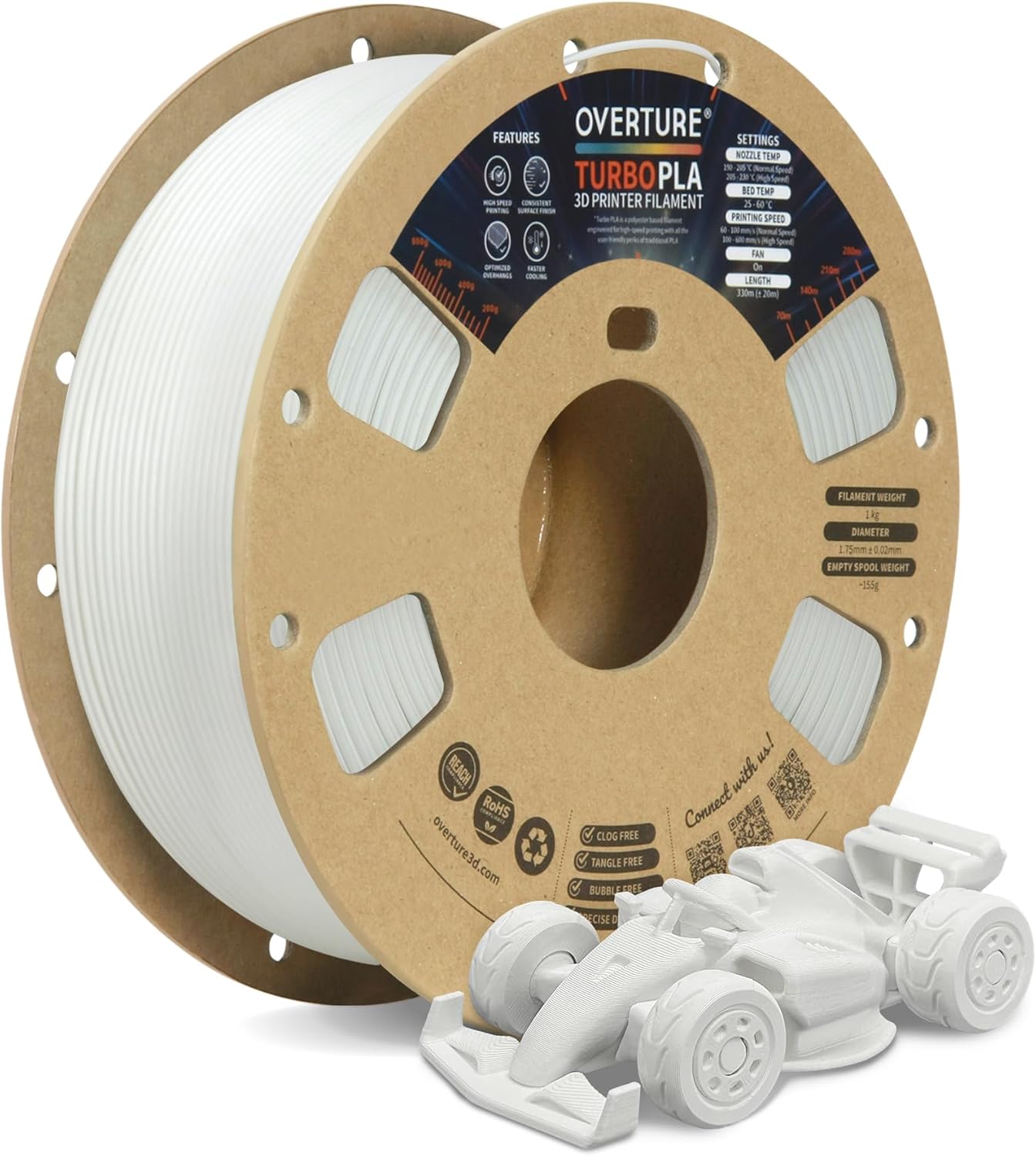
Image 1: OVERTURE Turbo PLA Filament spool with a sampcetakan 3D.
Ciri-ciri Utama:
- Pencetakan Berkelajuan Tinggi: Capable of speeds up to 600mm/s, reducing print times significantly.
- Consistent Finish: Maintains uniform print quality regardless of printing speed.
- Optimized Overhang Performance: Quick cooling properties reduce drooping and sagging.
- Dimensional Accuracy: 1.75mm diameter with a tolerance of +/- 0.02mm, ensured by CCD camera monitoring.
- Tangle-Free Winding: Meticulous winding and inspection minimize tangles for smooth feeding.
- Eco-Friendly Spool: Supplied on a cardboard spool.
3. Spesifikasi
| Harta benda | Nilai |
|---|---|
| Jenis Bahan | Asid Polilaktik (PLA) |
| Diameter Filamen | 1.75 mm |
| Ketepatan Dimensi | +/- 0.02 mm |
| Berat Bersih | 1 KG (2.2 paun) |
| Jenis Kili | kadbod |
| warna | Plaster White |
| Nombor Model | OVPLA175 |
| UPC | 840302807392 |
4. Persediaan
4.1 Membongkar dan Menyimpan
Upon receiving your OVERTURE Turbo PLA filament, ensure the vacuum-sealed packaging is intact. Store the filament in a cool, dry place, ideally with desiccant, to prevent moisture absorption, which can negatively impact print quality.
4.2 Memuatkan Filamen
- Tanggalkan gelendong filamen daripada pembungkusannya dengan berhati-hati.
- Place the spool onto your 3D printer's spool holder, ensuring it can rotate freely.
- Feed the filament into the extruder assembly according to your 3D printer's specific instructions.
- Preheat the nozzle to the recommended temperature (see Section 5.1) and extrude a small amount of filament to ensure a smooth flow and clear any residual material.
5. Arahan Operasi
Optimal printing parameters can vary depending on your specific 3D printer model and environmental conditions. The following are recommended starting points for OVERTURE Turbo PLA Filament:

Image 2: Recommended printing parameters for OVERTURE Turbo PLA.
5.1 Parameter Percetakan yang Disyorkan
- Extrusion/Nozzle Temperature: 205 - 230°C (220°C Recommended)
- Heated Bed Temperature: 25 - 60°C
- Kelajuan Cetak: 100 - 600 mm/s (Initial layer: 50 mm/s)
- Kipas: 100% (after the first layer)
5.2 Bed Adhesion
OVERTURE Turbo PLA exhibits strong adhesion to heated build plates, especially PEI sheets. For optimal adhesion, a heated glass or textured build plate at 35°C-60°C is recommended. If adhesion is too strong, consider lowering the bed temperature or applying a thin layer of glue stick to the build plate. A brim or raft may be suggested for large or solid parts to enhance first-layer adhesion.

Image 3: Smooth overhangs achieved with Turbo PLA compared to regular PLA.
5.3 Multi-Color Printing Considerations
Turbo PLA may not bond effectively with other standard PLA materials. For multi-color prints, it is recommended to use only Turbo PLA from the same brand and type to ensure proper layer adhesion and optimal print results. Mixing with other PLA brands or types is not advised.

Image 4: Consistent surface finish across different printing speeds with Turbo PLA.
6. Penyelenggaraan
6.1 Filament Storage
To maintain the quality and performance of your Turbo PLA filament, store it in a cool, dry environment, preferably in its original vacuum-sealed bag with desiccant. Exposure to humidity can lead to moisture absorption, which may cause printing issues such as bubbling, stringing, and reduced print strength.
6.2 Spool Handling
The filament is precision-wound to prevent tangles. Always secure the filament end in the designated holes on the spool when not in use to prevent unwinding and tangling.
7. Penyelesaian masalah
- Poor Bed Adhesion / Prints Not Sticking:
Ensure your print bed is clean and level. Increase bed temperature gradually within the recommended range (25-60°C). Consider using a brim or raft. For PEI sheets, ensure the bed temperature is not too low, or apply a thin layer of glue stick.
- Prints Sticking Too Strongly to Bed:
Turbo PLA can adhere very strongly to PEI sheets. Try lowering the heated bed temperature. Applying a thin layer of glue stick can also act as a release agent, making removal easier and protecting the build plate surface.
- Filament Tangles:
Ensure the filament end is always secured to the spool when not actively printing. If a tangle occurs during printing, pause the print, carefully untangle the filament, and resume. Poorly wound spools can lead to tangles; inspect the spool before starting long prints.
- Brittle Prints:
While Turbo PLA is designed for speed, some users report increased brittleness compared to standard PLA. This filament is generally recommended for decorative prints or parts where high impact resistance is not critical. Ensure proper storage to prevent moisture absorption, which can exacerbate brittleness.
- Clogging or Under-extrusion:
Verify that your nozzle temperature is within the recommended range (205-230°C). Check for any obstructions in the nozzle or hotend. Ensure the filament path is clear and the extruder gears are clean.
8. Waranti dan Sokongan
OVERTURE offers a lifetime satisfaction guarantee for its filament products. For any issues or technical assistance, please contact OVERTURE's technical support team. Additional support and community resources may be available through the OVERTURE Discord channel.
For further information or to contact support, please visit the official OVERTURE weblaman web atau rujuk butiran hubungan yang diberikan bersama pembelian anda.