pengenalan
Thank you for choosing the Fitop RGBCW Smart Corner Floor Lamp. This LED smart lamp offers a wide range of customizable lighting options, including 16 million colors, over 300 lighting modes, and features such as music synchronization, timer functions, and smart control via an app or voice assistants. This manual provides detailed instructions for assembly, operation, maintenance, and troubleshooting to ensure optimal performance and longevity of your product.
Sila baca manual ini dengan teliti sebelum menggunakan produk ini dan simpannya untuk rujukan pada masa hadapan.
Maklumat Keselamatan
- Pastikan bekalan kuasa voltage sepadan dengan keperluan produk (120V).
- Produk ini direka untuk kegunaan dalaman sahaja. Jangan dedahkan kepada air atau kelembapan yang tinggi.
- Jangan cuba membuka atau mengubah suai lamp. This may void the warranty and pose a safety risk.
- Simpan lamp jauh dari sumber haba dan cahaya matahari langsung.
- Bersihkan lamp dengan kain lembut dan kering. Jangan gunakan pembersih atau pelarut yang melelas.
- If any damage occurs, discontinue use immediately and contact customer support.
Kandungan Pakej
Pastikan semua komponen berada dalam keadaan baik dan lengkap:
- LED Light Bar Sections (3 pieces)
- Lamp Pangkalan
- Penyesuai Kuasa
- Alat Kawalan Jauh
- Manual Pengguna
Persediaan dan Perhimpunan
The Fitop Smart Corner Floor Lamp direka untuk pemasangan mudah. Ikut langkah-langkah ini:
- Buka Pembungkusan Komponen: Keluarkan semua bahagian dari bungkusan dengan berhati-hati.
- Assemble Light Bar: Connect the three LED light bar sections. Each section is designed to fit securely into the next. Ensure the connectors are properly aligned and pushed firmly together.
- Lampirkan ke Pangkalan: Insert the assembled light bar into the lamp base. Ensure it is seated firmly and securely.
- Sambungkan Kuasa: Palamkan penyesuai kuasa ke dalam lamp and then into a standard electrical outlet.
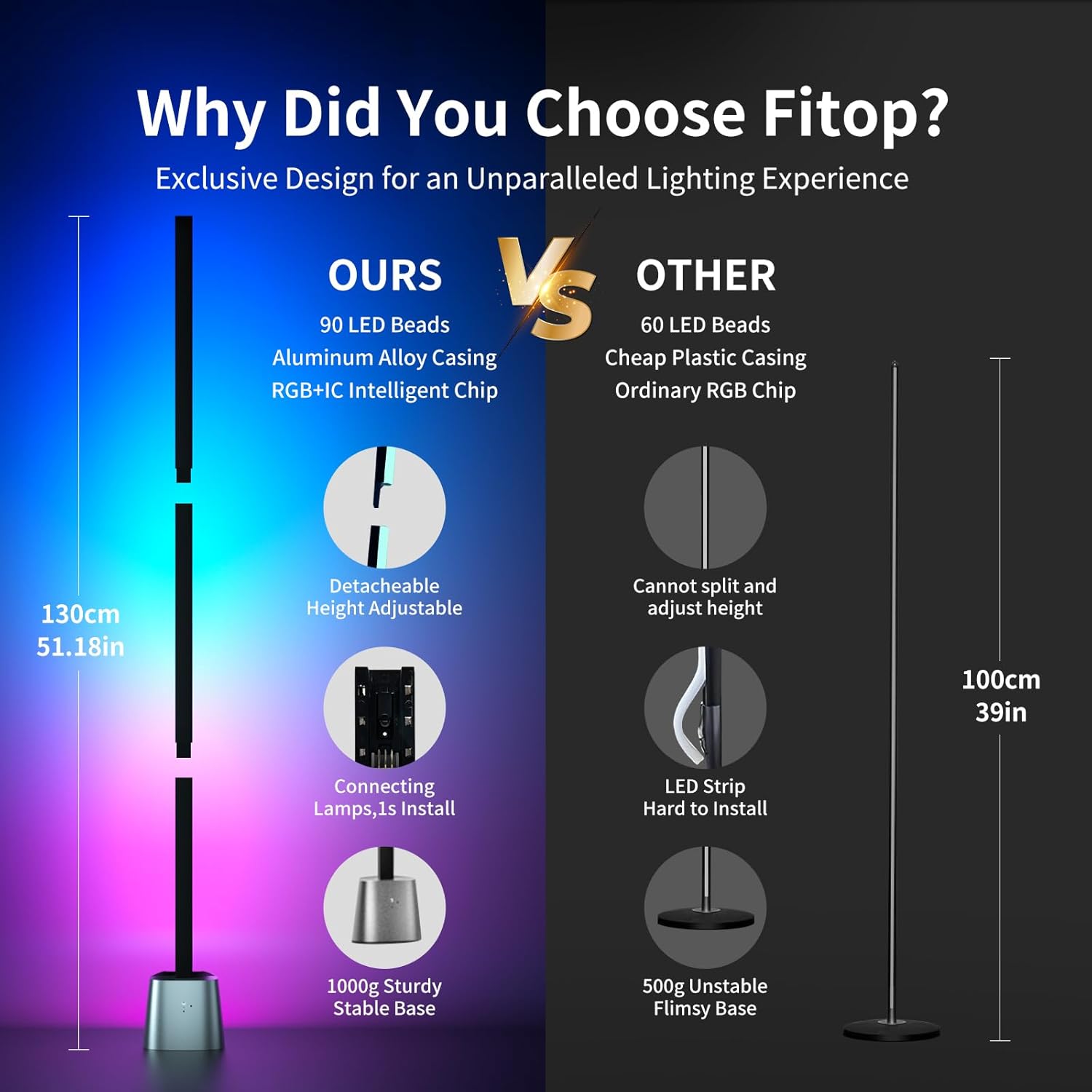
Figure 1: Detachable design for easy assembly and height adjustment.

Figure 2: Fully assembled lamp dengan antara muka aplikasi.
Arahan Operasi
Basic Operation (Physical Buttons)
Lamp base features physical buttons for basic control:
- Butang Kuasa: Tekan untuk memutar lamp hidup atau mati.
- Butang Mod: Press to cycle through various preset lighting modes and colors.
Operasi Kawalan Jauh
Use the included remote control to adjust settings from a distance. Refer to the remote control's specific button functions for detailed usage.
Kawalan Apl Pintar
For full functionality and customization, download the dedicated Fitop smart app (available on App Store and Google Play).
- Muat turun Aplikasi: Cari untuk "Fitop" in your smartphone's app store and install it.
- Sambung ke Wi-Fi: Follow the in-app instructions to connect your lamp to your 2.4GHz Wi-Fi network.
- Ciri Terokai: Once connected, you can access various modes:
- Mod DIY: Customize colors and lighting effects from 16 million options.
- Mod Pemandangan: Choose from over 300 preset lighting scenes for different moods or occasions.
- Mod Muzik: Lamp's built-in sensitive microphone allows it to react to sound and synchronize lighting changes with music, films, or games.
- Mod Masa: Tetapkan jadual untuk lamp to automatically turn on or off, promoting energy efficiency and convenience.
- Kawalan Kumpulan: Control multiple Fitop smart lamps simultaneously through the app.

Gambar 3: Lebihview of Smart App Control features.

Figure 4: Music synchronization feature in action.
Kawalan Suara
The Fitop Smart Corner Floor Lamp is compatible with popular voice assistants:
- Integrasi: Link your Fitop account with Google Assistant, Amazon Alexa, or Apple Siri through their respective apps.
- Perintah: Use voice commands to control the lamp, such as turning it on/off, changing colors, adjusting brightness, or activating scenes.

Figure 5: Hands-free voice control with smart assistants.
Video Produk
The following videos demonstrate key features and functionality of the Fitop Smart Corner Floor Lamp:
Video 1: Demonstrates various ambient lighting effects and color changes of the floor lamp.
Video 2: Shows the Fitop Corner Floor Lamp in different settings, highlighting its versatility and smart features.
Video 3: Illustrates the smart floor lamp's ability to synchronize with music, creating dynamic lighting effects.
Penyelenggaraan
- Pembersihan: Kerap mengelap lamp with a soft, dry cloth to remove dust. Do not use liquid cleaners or sprays directly on the lamp.
- Storan: Jika menyimpan lamp for an extended period, disassemble it and store it in its original packaging in a dry, cool place.
- Sumber Cahaya: Sumber cahaya LED disepadukan dan tidak boleh diganti oleh pengguna.
Menyelesaikan masalah
| Masalah | Kemungkinan Punca | Penyelesaian |
|---|---|---|
| Lamp tidak menyala. | Tiada kuasa, sambungan longgar atau penyesuai rosak. | Check power outlet. Ensure power adapter is securely connected to both the lamp and the outlet. Verify all light bar sections are properly connected. |
| App cannot connect to the lamp. | Incorrect Wi-Fi network (not 2.4GHz), incorrect password, or lamp is too far from router. | Ensure your phone and lamp are on a 2.4GHz Wi-Fi network. Re-enter Wi-Fi password carefully. Move the lamp closer to the Wi-Fi router. Restart the lamp and try connecting again. |
| Kawalan suara tidak berfungsi. | Incorrect setup with voice assistant, or poor internet connection. | Verify the Fitop app is correctly linked to your voice assistant (Alexa, Google Assistant, Siri). Check your internet connection. Ensure the voice assistant device is within range and responsive. |
| Music sync is not responsive. | Microphone obstruction or low volume of music. | Pastikan lamp's microphone is not obstructed. Increase the volume of the music source. |
Spesifikasi
| Ciri | Perincian |
|---|---|
| Jenama | Fitop |
| Nama Model | LF1500-24W |
| Lamp taip | Tingkat Lamp |
| Jenis Sumber Cahaya | LED |
| Wattage | 24 Watt |
| Kecerahan | 1500 Lumen |
| Pilihan Warna | RGBCW (16 Million Colors) |
| Kaedah Kawalan | App, Voice (Alexa, Google Assistant, Siri), Remote Control, Physical Buttons |
| Ketersambungan | WiFi 2.4GHz |
| bahan | Aluminum Alloy, Metal |
| Dimensi Produk | 5.51"D x 4.72"W x 51.18"H |
| Berat Barang | 4.69 paun |
| Penggunaan Dalaman/Luar | Dalaman Sahaja |
| Perhimpunan Diperlukan | ya |
Waranti dan Sokongan
This Fitop product comes with a Waranti 1 tahun dari tarikh pembelian. Waranti ini meliputi kecacatan pembuatan dan kerosakan dalam penggunaan biasa. Ia tidak melindungi kerosakan yang disebabkan oleh penyalahgunaan, kemalangan, pengubahsuaian yang tidak dibenarkan, atau pemasangan yang tidak betul.
For warranty claims, technical support, or any questions regarding your Fitop Smart Corner Floor Lamp, please contact Fitop customer service through the retailer where the product was purchased or visit the official Fitop webtapak untuk maklumat hubungan.