
pengenalan
This manual provides essential information for setting up, operating, and maintaining your Amazon Basics 24-inch FHD 1080p monitor. Please read these instructions carefully before use and retain them for future reference.

The Amazon Basics 24-inch FHD 1080p monitor, featuring a sleek design and integrated speakers.
Persediaan
1. Menyahkotak dan Semakan Komponen
Keluarkan semua komponen dari pembungkusan dengan berhati-hati. Pastikan semua item yang disenaraikan di bawah ada:
- Paparan Monitor
- Pangkalan Stand Monitor
- Monitor Stand Leher
- Penyesuai Kuasa
- Kabel HDMI
- Manual Pengguna (dokumen ini)

Included accessories: stand base, stand neck, power adapter, and HDMI cable.
2. Perhimpunan Berdiri
- Attach the stand neck to the stand base. Secure it with the screw provided, usually located on the underside of the base.
- Carefully attach the assembled stand to the back of the monitor panel. Ensure it clicks securely into place or is fastened with screws if applicable.
IMPORTANT: Remove the protective film (with the date code) from the panel surface before use. This film protects against scratches during shipping.
3. Menyambung ke Peranti
The monitor supports HDMI and DisplayPort (DP) connections. It also features integrated speakers and VESA compatibility for wall mounting.
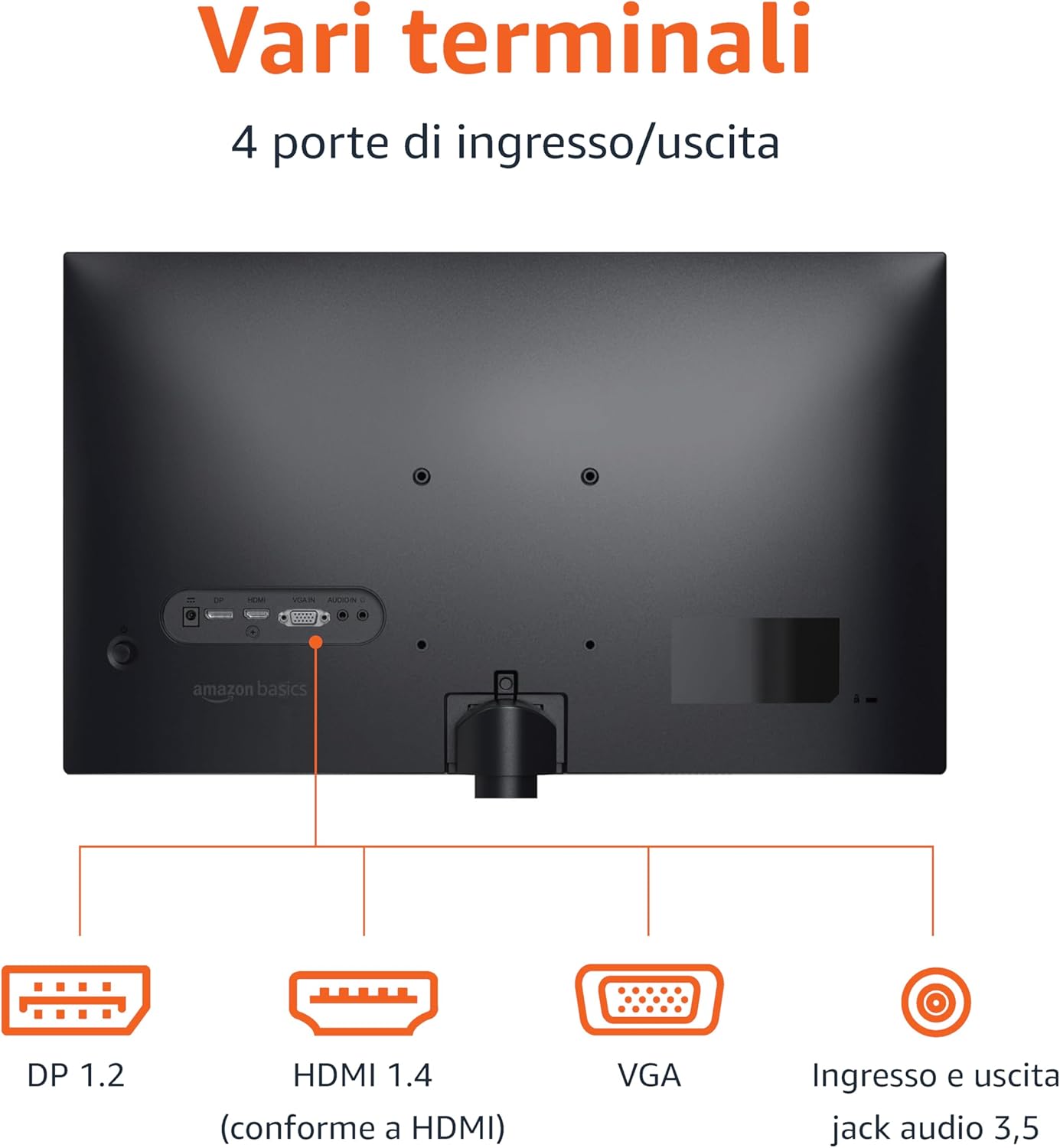
Rear panel connections: DP 1.2, HDMI 1.4, VGA, and 3.5mm audio input/output ports.
- Sambungan HDMI: Connect one end of the HDMI cable to the HDMI port on your computer or device and the other end to the HDMI 1.4 port on the monitor.
- Sambungan DisplayPort (DP): Connect one end of the DP cable (not included) to the DP port on your computer or device and the other end to the DP 1.2 port on the monitor.
- Sambungan VGA: Connect one end of the VGA cable (not included) to the VGA port on your computer or device and the other end to the VGA port on the monitor.
- Sambungan Audio: If using a VGA connection or an external audio source, connect a 3.5mm audio cable from your device's audio output to the monitor's audio input.
- Sambungan Kuasa: Sambungkan penyesuai kuasa ke input kuasa monitor, kemudian pasangkan penyesuai ke soket kuasa.
4. Pemasangan VESA (Pilihan)
This monitor is VESA compatible, allowing it to be mounted on a wall or an adjustable arm. Refer to your VESA mount's instructions for installation. Ensure the mount supports the monitor's weight and VESA pattern.

The monitor stand allows for tilt adjustment from -5° to 20°.
Arahan Operasi
1. Hidupkan/Mati Kuasa
Press the power button, usually located on the bottom right or rear of the monitor, to turn it on or off. The power indicator light will illuminate when the monitor is on.
2. Menu Paparan Pada Skrin (OSD).
Use the control buttons (typically located on the bottom right or rear) to navigate the OSD menu. The OSD allows you to adjust various settings:
- Kecerahan/Kontras: Adjust image luminance and contrast levels.
- Tetapan Warna: Ubah suai suhu warna, rona dan ketepuan.
- Pemilihan Input: Beralih secara manual antara input HDMI, DisplayPort dan VGA.
- Tetapan Audio: Control volume for the built-in speakers or connected headphones.
- Mod Gambar: Select preset display modes (e.g., Standard, Movie, Game).
- Kadar Segar Semula: Ensure your device is configured to output at 100Hz for the smoothest experience. This setting is usually adjusted in your computer's display settings.
3. Pembesar Suara Terbina dalam
The monitor includes integrated speakers for audio output. Adjust the volume through the OSD menu or your connected device's audio controls.
Penyelenggaraan
1. Membersihkan Skrin
- Always turn off the monitor and unplug the power cord before cleaning.
- Gunakan kain lembut dan tidak berbulu sedikit dampdiisi dengan air atau pembersih skrin khusus.
- Jangan sembur pembersih terus ke skrin.
- Elakkan daripada menggunakan pembersih yang melelas, lilin atau pelarut.
2. Penjagaan Am
- Jauhkan monitor daripada cahaya matahari langsung, sumber haba dan habuk yang berlebihan.
- Pastikan pengudaraan yang betul di sekeliling monitor.
- Jangan letakkan objek berat pada monitor atau kabelnya.
Menyelesaikan masalah
| Masalah | Penyelesaian yang Mungkin |
|---|---|
| Tiada Kuasa |
|
| Tiada Isyarat / Skrin Kosong |
|
| Flickering or Distorted Image |
|
| No Audio from Built-in Speakers |
|
Spesifikasi
| Ciri | Perincian |
|---|---|
| Jenama | Asas Amazon |
| Nombor Model | C24M2020DEU |
| Saiz Skrin | 24 Inci |
| Resolusi | FHD 1080p (1920 x 1080) |
| Kadar Segar Semula | Maks 100 Hz |
| Jenis Panel | IPS |
| Nisbah Aspek | 16:9 |
| Nisbah Kontras | 1500:1 |
| Permukaan Skrin | Berkilat |
| Ketersambungan | HDMI, DisplayPort (DP), VGA |
| Ciri Khas | Built-in Speakers, VESA Compatible |
| Berat badan | 3 Kilogram |
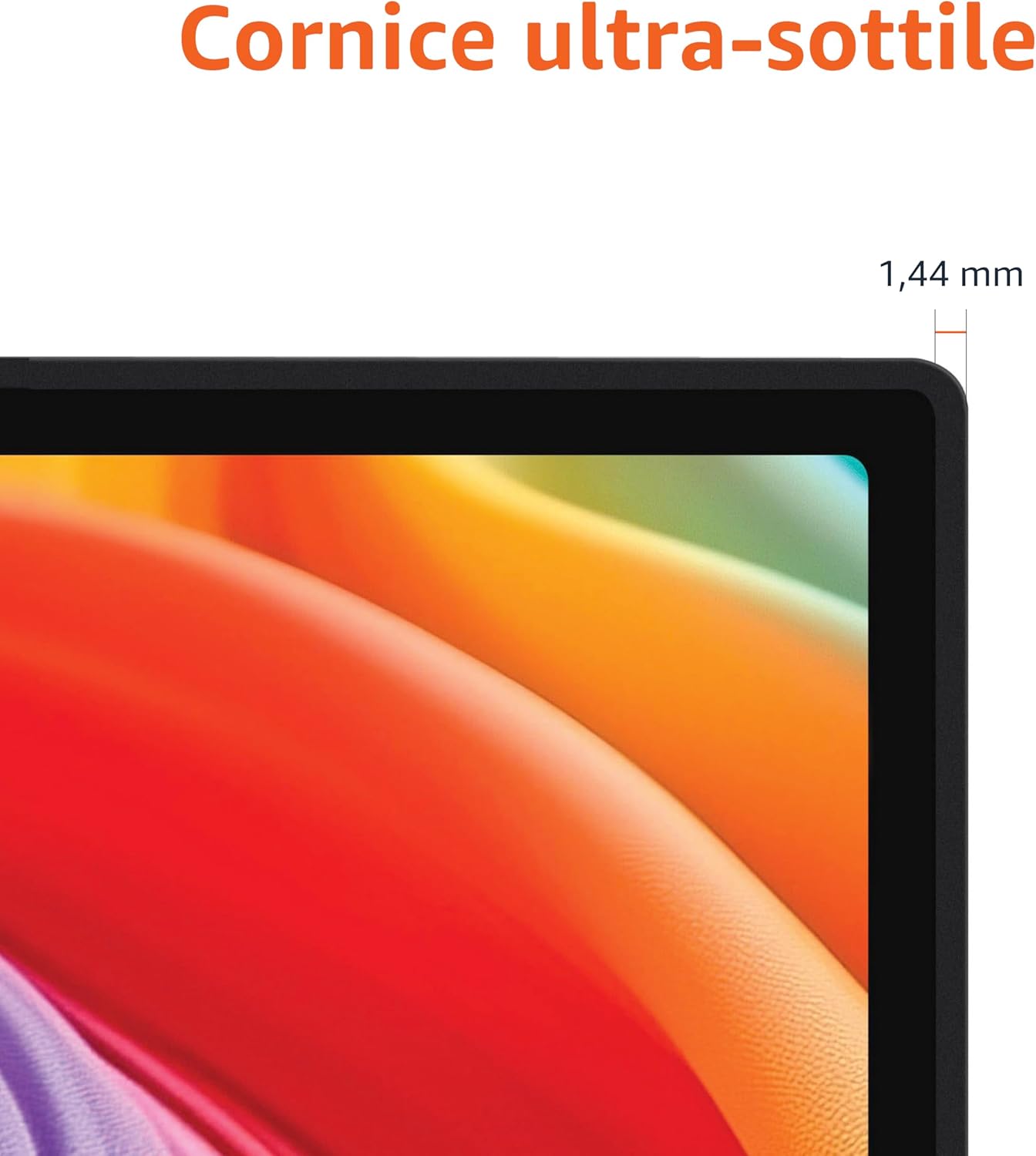
Approximate monitor dimensions (width x height x depth).
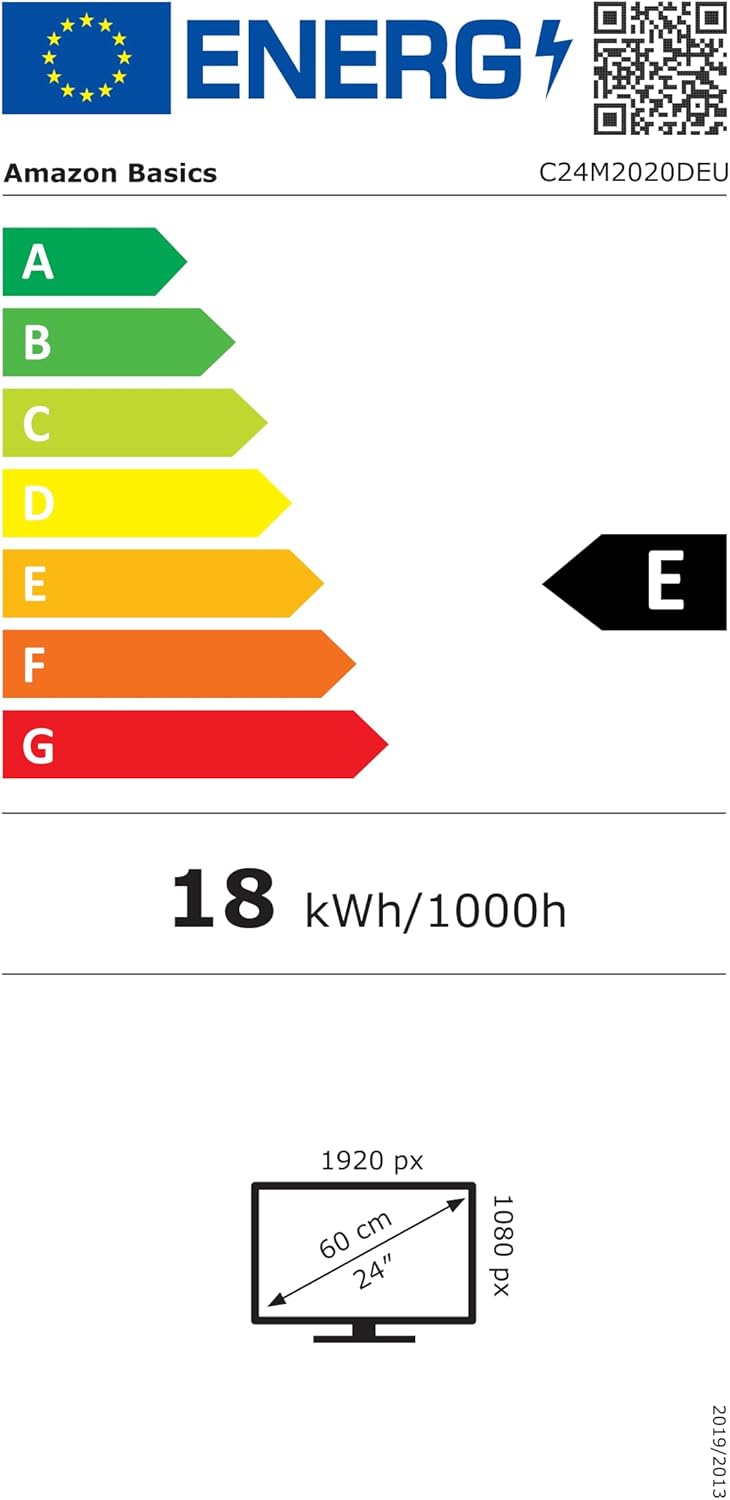
EU Energy Label for model C24M2020DEU. For more details, visit the Pangkalan data EPREL.
Maklumat Waranti
Produk ini disertakan dengan a Waranti terhad 1 tahun. For specific terms and conditions, please refer to the warranty documentation provided with your purchase or contact Amazon Basics customer support.
Sokongan
For technical assistance, troubleshooting, or warranty claims, please contact Amazon Basics customer support through the Amazon webtapak atau platform pembelian anda.
You can also refer to the official Amazon Basics store for additional product information and support resources: Kedai Asas Amazon