
1. Pengenalan
Thank you for choosing the pTron Bassbuds Eon True Wireless Stereo (TWS) Earbuds. This manual provides essential information for setting up, operating, maintaining, and troubleshooting your new earbuds. Please read it carefully before use to ensure optimal performance and longevity of your device.
2. Kandungan Pakej
- pTron Bassbuds Eon TWS Earbuds (Left & Right)
- Kes Pengecasan
- Kabel Pengecasan USB Jenis-C
- Telinga (pelbagai saiz)
- Manual Pengguna

Image: The pTron Bassbuds Eon earbuds resting in their open charging case, illustrating the complete package contents.
3. Produk Lebihview
Komponen Fon Telinga
- Kawasan Kawalan Sentuh: Untuk mengurus main balik muzik, panggilan dan pembantu suara.
- mikrofon: Built-in HD mic for calls, enhanced by AI-ENC technology.
- Penceramah: 13mm dynamic drivers for audio output.
- Mengecas Kenalan: Terletak di bahagian bawah setiap fon telinga.
Charging Case Components
- Port Pengecasan: USB Type-C port for charging the case.
- Penunjuk LED: Memaparkan status pengecasan dan tahap bateri.
- Slot Fon Telinga: Memegang dan mengecas fon telinga dengan selamat.

Image: The pTron Bassbuds Eon earbuds are shown outside their charging case, highlighting their design and individual components.
4. Persediaan
4.1 Mengecas Fon telinga dan Sarung
- Caj Permulaan: Sebelum penggunaan pertama, cas sepenuhnya fon telinga dan bekas pengecas.
- Mengecas Kes: Connect the provided USB Type-C cable to the charging port on the case and a power source (e.g., wall adapter, computer USB port). The LED indicator will show charging progress.
- Mengecas fon telinga: Place the earbuds into their respective slots in the charging case. Ensure the charging contacts align. The earbuds will automatically begin charging.
A full charge for the earbuds takes approximately 1 hour, and the case also takes about 1 hour. The case provides up to 30 hours of total playback time.

Image: The pTron Bassbuds Eon earbuds and charging case are depicted with icons indicating Type-C fast charging, 1-hour charge time, and DC5V-1A charge input.
4.2 Berpasangan dengan Peranti
- Hidupkan kuasa: Buka bekas pengecas. Fon telinga akan dihidupkan secara automatik dan memasuki mod berpasangan.
- Aktifkan Bluetooth: Pada telefon pintar atau peranti lain yang didayakan Bluetooth anda, pergi ke tetapan Bluetooth dan hidupkan Bluetooth.
- Pilih Peranti: Look for "pTron Bassbuds Eon" in the list of available devices and select it to connect.
- Pengesahan: Once connected, you will hear an audio prompt, and the earbuds' LED indicators will change (e.g., turn off or flash slowly).
The earbuds support Bluetooth v5.3 for a stable and fast connection with a wireless range of up to 10 meters. They also feature 1-step pairing for convenience.
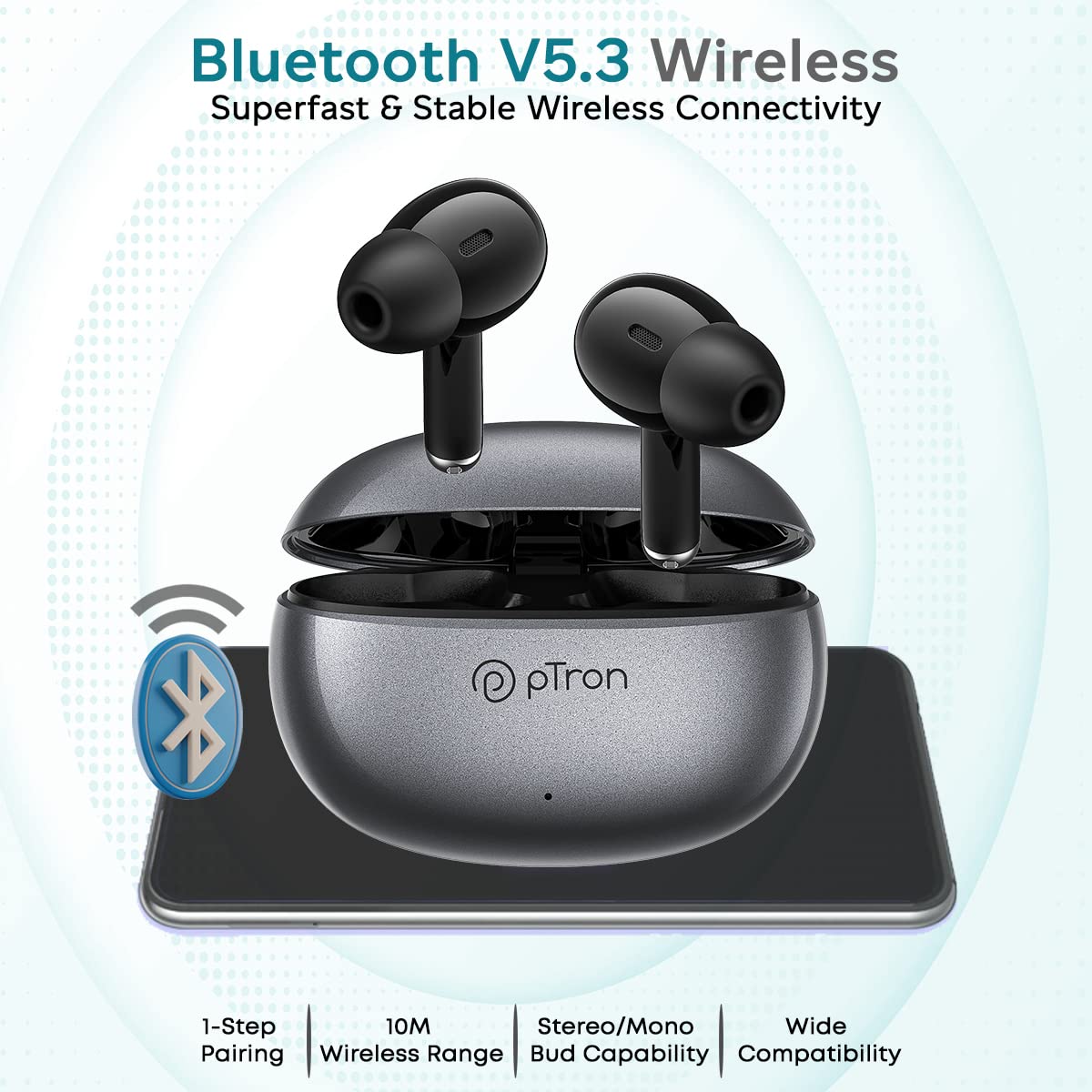
Image: The pTron Bassbuds Eon earbuds and charging case are shown with a Bluetooth icon, emphasizing Bluetooth V5.3 wireless connectivity, 1-step pairing, 10m wireless range, stereo/mono bud capability, and wide compatibility.
5. Arahan Operasi
5.1 Kawalan Sentuhan
The pTron Bassbuds Eon feature intuitive touch controls on each earbud. The functions are as follows:
| Tindakan | Fungsi |
|---|---|
| Ketik Tunggal (Kiri/Kanan) | Main/Jeda Muzik, Jawab/Tamatkan Panggilan |
| Ketik Dua Kali (Kanan) | Trek Seterusnya |
| Ketik Dua Kali (Kiri) | Trek Sebelumnya |
| Ketik Tiga Kali (Kanan) | Kelantangan Naik |
| Ketik Tiga Kali (Kiri) | Kelantangan Kurang |
| Tekan lama (2 saat) | Tolak Panggilan, Aktifkan Pembantu Suara |

Image: The pTron Bassbuds Eon earbuds are shown with various feature callouts, including 'Touch Control Buds', 'Voice Assist', 'Passive Noise Cancellation', 'IPX4 Water Resistant', 'Round Edges Case', and 'Stereo Calls'.
5.2 Membuat Panggilan
The earbuds feature built-in HD microphones and AI-ENC (Environmental Noise Cancellation) technology for clear call quality.
- Menjawab / Menamatkan Panggilan: Ketik sekali sama ada fon telinga.
- Menolak Panggilan: Tekan lama mana-mana fon telinga selama 2 saat.

Image: The pTron Bassbuds Eon earbuds are displayed with a graphic illustrating 'ENC Technology Enhances Your Voice on the Call' and 'TruTalk Technology', showing noise reduction and voice clarity.
5.3 Pembantu Suara
Long press either earbud for 2 seconds to activate your device's voice assistant (e.g., Google Assistant, Siri).
6. Penyelenggaraan
6.1 Pembersihan
- Bersihkan fon telinga dan bekas pengecas dengan kerap menggunakan kain yang lembut, kering dan tidak berbulu.
- Keluarkan telinga dan bersihkannya dengan sabun dan air lembut, kemudian keringkan dengan teliti sebelum disambungkan semula.
- Pastikan sesentuh pengecasan pada kedua-dua fon telinga dan bekas bersih dan bebas daripada serpihan untuk mengekalkan pengecasan yang betul.
6.2 Penyimpanan
Apabila tidak digunakan, simpan fon telinga dalam bekas pengecasnya untuk melindunginya dan memastikan ia dicas.
6.3 Tahan Air
The earbuds are IPX4 water-resistant, meaning they can withstand splashes of water and sweat. They are not designed for submersion in water. Avoid exposing them to heavy rain or showering.
7. Penyelesaian masalah
- Fon telinga tidak berpasangan: Ensure both earbuds are charged. Place them back in the case, close it, then open it again to re-enter pairing mode. Check your device's Bluetooth settings and try reconnecting.
- Hanya satu fon telinga berfungsi: Place both earbuds back in the charging case, close the lid, wait a few seconds, then open it again. This often re-syncs them. If the issue persists, try resetting the earbuds (refer to manufacturer's webtapak untuk arahan penetapan semula tertentu jika tiada dalam manual).
- Tiada bunyi: Periksa tahap kelantangan pada kedua-dua peranti dan fon telinga anda. Pastikan fon telinga disambungkan dengan betul ke peranti anda.
- Isu pengecasan: Pastikan kabel pengecas disambungkan dengan kukuh dan sumber kuasa aktif. Bersihkan kenalan pengecas pada kedua-dua fon telinga dan bekas.
- Kualiti panggilan yang lemah: Ensure the microphone is not obstructed. Move closer to your connected device to avoid signal interference.
8. Spesifikasi
| Ciri | Spesifikasi |
|---|---|
| Nama Model | Bassbuds Eon |
| Teknologi Ketersambungan | Tanpa Wayar (Bluetooth v5.3) |
| Julat Bluetooth | 10 Meter |
| Saiz Pemacu Audio | 13 Milimeter |
| Julat Kekerapan | 20Hz-20kHz |
| Impedans | 32 Ohm |
| Bateri Earbud | 30mAh |
| Bateri Kes | 300mAh |
| Hayat Bateri (Jumlah) | Up to 30 Hours with case |
| Charge Time (Earbuds/Case) | lebih kurang 1 Jam |
| Tahap Ketahanan Air | IPX4 |
| Jenis Kawalan | Sentuh |
| Berat Barang | 32 Gram |
| Dimensi Produk | 6 x 4.3 x 2.5 cm |
9. Waranti dan Sokongan
The pTron Bassbuds Eon comes with a Waranti pengilang 1 tahun dari tarikh pembelian.
For warranty claims, technical support, or any other inquiries, please contact our customer care team:
- telefon: 040-67138888
- e-mel: Support@ptron.in
Sila simpan bukti pembelian anda untuk pengesahan waranti.