
1. Produk Lebihview
The FOXWELL NT614 Elite is an advanced OBD2 scanner designed for comprehensive vehicle diagnostics across four main systems: Engine, Anti-lock Braking System (ABS), Supplemental Restraint System (SRS/Airbag), and Transmission. It also includes five commonly used reset functions: ABS Bleeding, Oil Reset, Steering Angle Sensor (SAS) Calibration, Electronic Parking Brake (EPB) Reset, and Throttle Reset. This device is paired with the FOXWELL BT100 Pro, a 12V automotive battery tester capable of analyzing battery health for various battery types, including regular flooded, AGM flat plate, AGM spiral, and GEL batteries, with a CCA range of 100-1100.
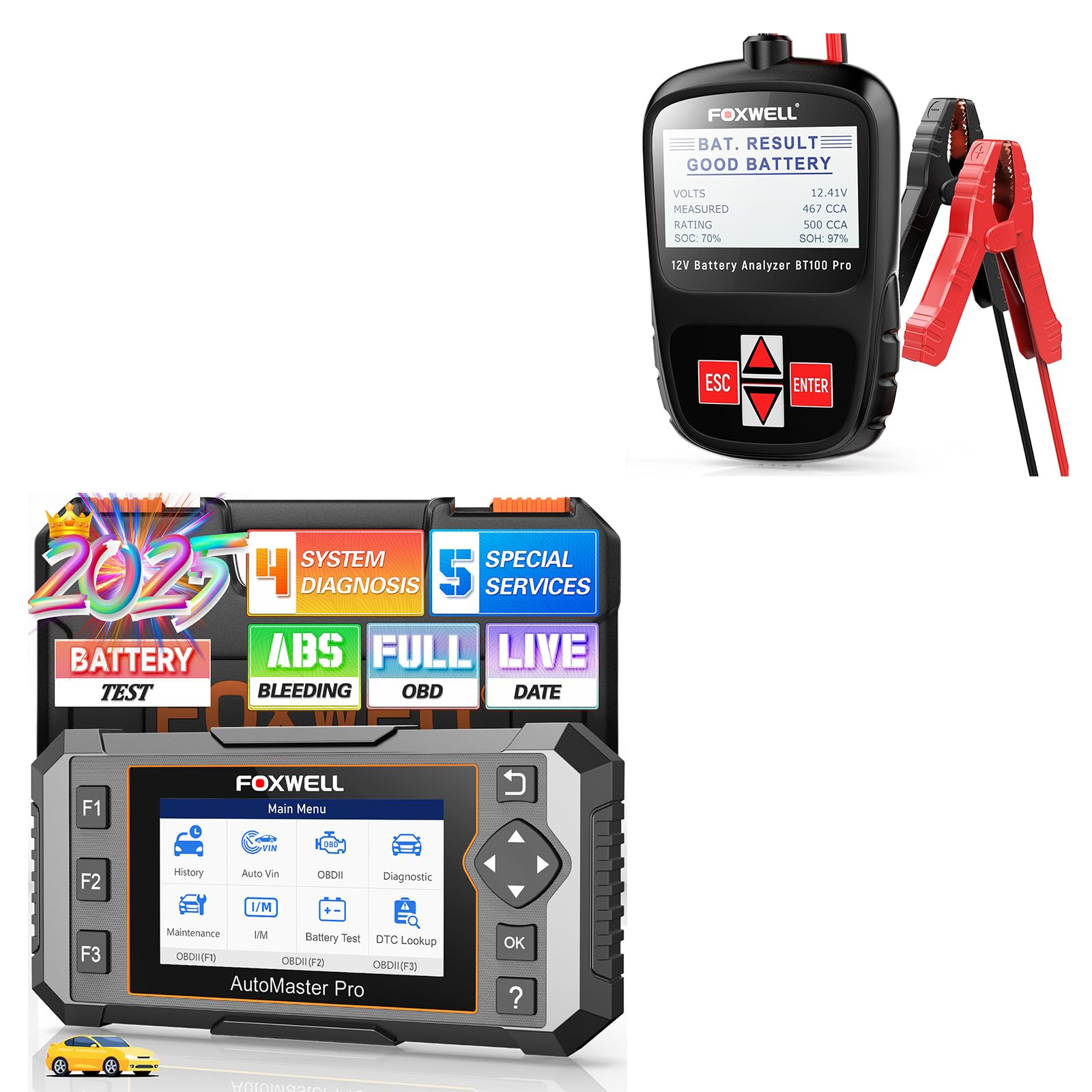
Image 1.1: FOXWELL NT614 Elite OBD2 Scanner and BT100 Pro Battery Tester. This image displays both devices, highlighting their compact design and user interface.
The NT614 Elite offers full OBDII functionality, allowing users to read and clear diagnostic trouble codes (DTCs), view live data, perform I/M readiness tests, and access other essential diagnostic information. The BT100 Pro provides quick and accurate battery analysis, including internal resistance, CCA and AH capacity, health status, voltage, and charge status, helping users monitor battery conditions effectively.
2. Persediaan dan Penggunaan Awal
2.1 NT614 Elite OBD2 Scanner Setup
- Hidupkan kuasa: Connect the NT614 Elite to your vehicle's 16-pin OBDII port. The device will power on automatically.
- Tetapan Bahasa dan Unit: Navigate to "Settings" on the main menu to select your preferred language and measurement units (e.g., Metric/Imperial).
- Kemas Kini Perisian: It is recommended to update the software to the latest version for optimal performance and access to all features. Connect the device to a computer with internet access and use the FOXWELL update tool.

Image 2.1: The main menu of the NT614 Elite, showing options like History, Auto VIN, OBDII, Diagnostic, Maintenance, Settings, Data Manager, and Update. This image also illustrates various OBDII functions such as Read Codes, Clear Codes, Freeze Frame, I/M Readiness, Live Data, On-Board Monitor Test, Component Test, Modules Present, and Retrieve Vehicle Info.
2.2 BT100 Pro Battery Tester Setup
- Sambungkan Clamps: Sambungkan cl merahamp ke terminal positif (+) bateri 12V dan lampu hitamamp ke terminal negatif (-). Pastikan sambungan yang selamat.
- Hidupkan kuasa: The BT100 Pro will power on automatically once connected to the battery.
- Pilih Jenis Bateri: Use the device's navigation buttons to select the correct battery type (e.g., Regular Flooded, AGM Flat Plate, AGM Spiral, GEL) and CCA rating for accurate testing.

Image 2.2: The BT100 Pro battery tester connected to a car battery, demonstrating both in-vehicle and out-of-vehicle testing scenarios. The image highlights the ease of connecting the clamps ke terminal bateri.
3. Arahan Operasi
3.1 NT614 Elite OBD2 Scanner Operation
After connecting the NT614 Elite to the vehicle's OBDII port, navigate through the main menu using the directional buttons and the OK button.
3.1.1 4-System Diagnostics (Engine, ABS, SRS, Transmission)
- From the main menu, select "Diagnostic".
- Choose the vehicle make and model.
- Select the system you wish to diagnose (e.g., Engine, ABS, SRS, Transmission).
- The scanner will read DTCs, display live data streams, and provide other diagnostic information specific to the selected system.
- To clear codes, follow the on-screen prompts after reviewing the diagnostic information.

Image 3.1: Visual representation of the NT614 Elite's capability to diagnose four key vehicle systems: Engine, SRS (Airbag), ABS, and Transmission. Each system is depicted with a relevant automotive component.
3.1.2 Fungsi OBDII Penuh
Access standard OBDII functions by selecting "OBDII" from the main menu. This allows you to:
- Baca Kod: Retrieve current, pending, and permanent Diagnostic Trouble Codes (DTCs).
- Kosongkan Kod: Erase DTCs from the vehicle's computer and turn off the Check Engine Light (MIL).
- Kesediaan Saya / M: Check the status of emission-related monitors to ensure the vehicle is ready for an emissions test.
- Data Langsung: View real-time operational parameters of the vehicle in text or graph format.
- Bingkai pegun: View a snapshot of vehicle operating conditions at the time an emission-related fault occurred.
- Ujian Monitor On-Board: Retrieve results for emission-related powertrain components and systems.
- Ujian Komponen: Allow bi-directional control of certain components for testing.
- Modul yang Ada: Identify communication modules in the vehicle.
- Retrieve Vehicle Info: Display vehicle identification number (VIN), calibration ID (CALID), and calibration verification number (CVN).
3.1.3 Special Reset Functions
From the main menu, select "Maintenance" to access the following reset functions:
- Pendarahan ABS: Perform various bi-directional tests to check the operating conditions of the Anti-lock Braking System.
- Set Semula Minyak: Reset the oil service light and calculate the optimal oil life change interval.
- Penentukuran SAS: Calibrate the Steering Angle Sensor after replacement or alignment.
- Tetapan Semula EPB: Reset the Electronic Parking Brake system after brake pad replacement.
- Tetapan Semula Pendikit: Relearn the throttle body position after cleaning or replacement.

Image 3.2: Illustration of the five maintenance services offered by the NT614 Elite: ABS Bleeding, SAS Calibration, Throttle Reset, Oil Reset, and EPB Reset. Each service is accompanied by a relevant automotive image.
3.2 BT100 Pro Battery Tester Operation
Once the BT100 Pro is connected to the 12V battery, the device will display the main testing options.
- Pilih Jenis Ujian: Choose between "In-Vehicle Test" or "Out-of-Vehicle Test" if prompted.
- Battery Type and Standard: Confirm the battery type (e.g., Regular Flooded, AGM, GEL) and input the Cold Cranking Amppenarafan s (CCA) seperti yang dinyatakan pada label bateri.
- Lakukan Ujian: The BT100 Pro will initiate the test and display results such as:
- Ujian Rintangan Dalaman
- CCA & AH Capacity Test
- Status of Health Display
- Voltage Ujian
- Status of Charge Display
- Mentafsir Keputusan: The device will indicate the battery's condition (e.g., Good Battery, Replace Battery, Charge & Retest).

Image 3.3: The BT100 Pro displaying various battery status indicators, including Internal Resistance Test, CCA & AH Capacity Test, Status of Health Display, Voltage Test, and Status of Charge Display. A user is shown operating the device.
The BT100 Pro incorporates safety features such as polarity wrongly-connected protection, over-voltage protection, and automatic temperature compensation to ensure reliable and safe operation.
4. Penyelenggaraan
- Kemas Kini Perisian: Regularly check for and install software updates for the NT614 Elite. Updates often include new vehicle models, bug fixes, and improved functionality. Visit the FOXWELL official website for the latest software.
- Pembersihan: Bersihkan peranti dengan lembut, damp cloth. Do not use abrasive cleaners or solvents. Ensure the devices are dry before storage.
- Storan: Store the NT614 Elite and BT100 Pro in a dry, cool environment, away from direct sunlight and extreme temperatures. Keep them in their original case or a protective pouch to prevent damage.
- Pemeriksaan Kabel: Periodically inspect the OBDII cable and battery clamps for any signs of wear, damage, or corrosion. Replace damaged cables immediately to ensure safe operation.
5. Penyelesaian masalah
| Masalah | Kemungkinan Punca | Penyelesaian |
|---|---|---|
| NT614 Elite does not power on. | Sambungan OBDII longgar; port OBDII kenderaan tidak membekalkan kuasa. | Ensure the OBDII cable is securely connected. Check the vehicle's fuse for the OBDII port. Try on another vehicle if possible. |
| BT100 Pro does not power on. | Loose battery clamp connection; battery voltage terlalu rendah. | Pastikan clamps are securely attached to the correct battery terminals. Check battery voltage with a multimeter; if too low, charge the battery. |
| Scanner fails to link with vehicle. | Incorrect vehicle protocol; faulty OBDII port; ignition not on. | Verify the ignition is in the ON position. Check for vehicle compatibility. Inspect the OBDII port for damage. |
| Inaccurate battery test results from BT100 Pro. | Incorrect battery type or CCA input; poor clamp sambungan. | Double-check the battery type and CCA rating entered. Ensure clampbersih dan mempunyai sentuhan yang baik dengan terminal bateri. |
| Peranti membeku atau bertindak balas dengan perlahan. | Software glitch; low internal battery (if applicable); excessive data processing. | Restart the device. Perform a software update. If the issue persists, contact FOXWELL support. |
6. Spesifikasi
6.1 NT614 Elite OBD2 Scanner
- Jenama: FOXWELL
- model: NT614 Elit
- Diagnostic Systems: Engine, ABS, SRS, Transmission
- Tetapkan Semula Fungsi: ABS Bleeding, Oil Reset, SAS Calibration, EPB Reset, Throttle Reset
- OBDII Functions: Read Codes, Clear Codes, I/M Readiness, Live Data, Freeze Frame, On-Board Monitor Test, Component Test, Modules Present, Retrieve Vehicle Info
- Sumber Kuasa: Vehicle OBDII port
- Sistem pengendalian: (Internal, not user-facing)
- Keserasian: Supports 90+ car brands and 10000+ models.

Image 6.1: The NT614 Elite displaying its broad compatibility with over 90 car brands and 10,000+ models, illustrated with various car models.
6.2 BT100 Pro Battery Tester
- Jenama: FOXWELL
- model: BT100 Pro
- Bateri Voltage: 12V
- Julat CCA: 100-1100 CCA
- Jenis Bateri yang Disokong: Banjir Biasa, Plat Rata AGM, Lingkaran AGM, GEL
- Fungsi Ujian: Internal Resistance, CCA & AH Capacity, Health Status, Voltage, Charge Status
- Ciri-ciri Keselamatan: Polarity wrongly-connected protection, over-voltage protection, automatic temperature compensation
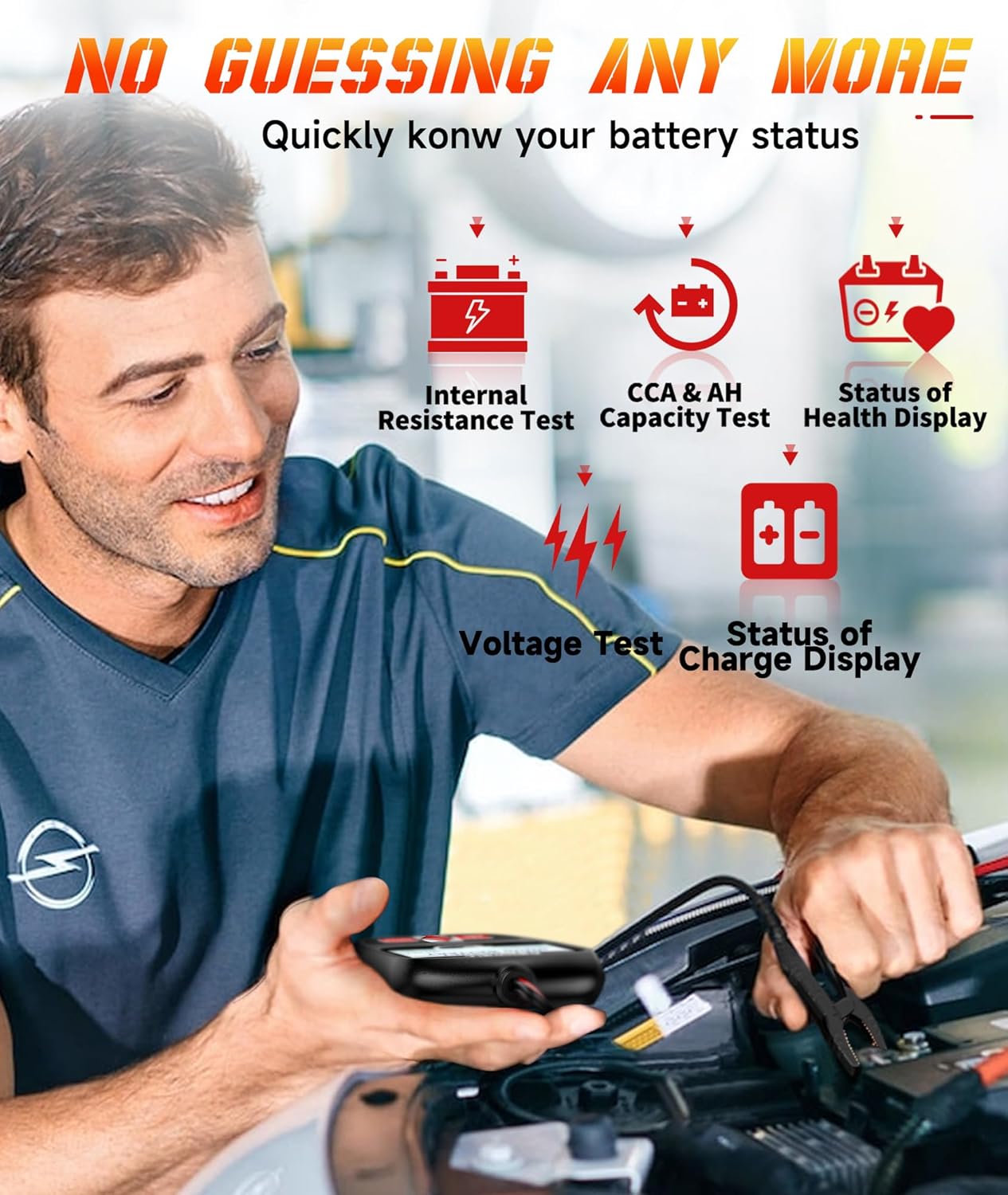
Image 6.2: The BT100 Pro battery tester, indicating its compatibility with 12V batteries ranging from 100-1100 CCA, and showing various supported battery types like Regular Flooded, AGM Flat Plate, AGM Spiral, and GEL.
7. Waranti dan Sokongan
For warranty information, technical support, or service inquiries, please refer to the warranty card included with your product or visit the official FOXWELL weblaman web. Anda biasanya boleh menemui Soalan Lazim, muat turun perisian dan maklumat hubungan untuk khidmat pelanggan di sana.
FOXWELL Rasmi Webtapak: www.foxwelltech.com