
FOREVER SW-320
Forever Smartwatch 3 SW-320 User Manual
Model: SW-320 | Brand: FOREVER
pengenalan
Thank you for choosing the Forever Smartwatch 3 SW-320. This device is designed to assist you in monitoring your daily activities, health metrics, and staying connected. This manual will guide you through the essential steps to get started and make the most of your smartwatch.

Image: The Forever Smartwatch 3 SW-320, displaying both digital and analog watch face options.
Persediaan
1. Mengecas Jam Pintar
Before initial use, fully charge your smartwatch. Connect the charging cable to the charging contacts on the back of the watch and to a USB power source. The watch display will indicate charging status.
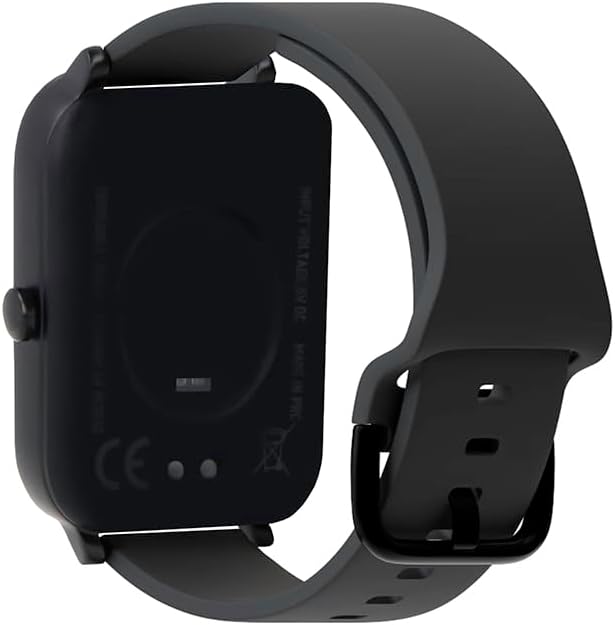
Imej: Belakang view of the smartwatch, highlighting the charging contacts and health sensors.
2. Menghidupkan/Mematikan
To power on, press and hold the side button until the screen lights up. To power off, navigate to the power off option in the settings menu or press and hold the side button and select "Power Off".
3. Berpasangan dengan Telefon Pintar Anda
- Download the official Forever Smartwatch application from your smartphone's app store (iOS or Android).
- Pastikan Bluetooth didayakan pada telefon pintar anda.
- Open the Forever Smartwatch app and follow the on-screen instructions to search for and pair with your SW-320 smartwatch.
- Sahkan permintaan berpasangan pada telefon pintar dan jam tangan pintar anda.
The smartwatch is compatible with smartphones and tablets via Bluetooth connectivity.
Arahan Operasi
Navigasi Asas
The Forever Smartwatch 3 SW-320 features a full touchscreen interface. Swipe left, right, up, or down to navigate through menus and features. Tap to select an option or open an application.
Ciri-ciri Utama
- Penjejakan Aktiviti: Monitor steps, distance, calories burned, and active minutes.
- Pemantauan Denyut Jantung: Pantau kadar denyutan jantung anda secara berterusan sepanjang hari.
- Pedometer: Counts your steps automatically.
- Analisis Tidur: Tracks your sleep patterns, including deep and light sleep stages.
- Pemberitahuan: Terima makluman untuk panggilan, mesej dan pemberitahuan aplikasi terus pada pergelangan tangan anda.
- Muka Jam Boleh Disesuaikan: Personalize your smartwatch with various pre-installed watch faces or upload your own images.
- Mod Sukan: Access various sports modes for accurate tracking during different physical activities.
- Peringatan Penghidratan: Set reminders to drink water throughout the day.
- Termometer: Measures body temperature.
- Oximeter (SpO2): Monitors blood oxygen levels.
- Penjejakan Kitaran Haid: Membantu mengesan dan meramalkan kitaran haid.

Image: Smartwatch screen showing real-time activity data during a workout, including heart rate and calories burned.

Image: Visual representation of key features: sports modes, thermometer, oximeter, IP68 water resistance, sleep analysis, dual strap options, and 1.7-inch display.

Image: The smartwatch showing sleep duration and quality metrics, with a person sleeping peacefully.
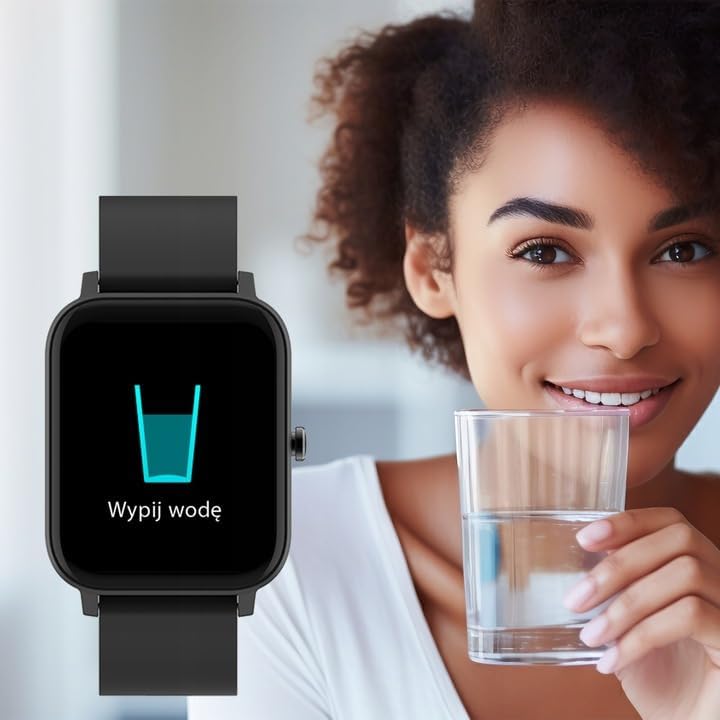
Image: Smartwatch displaying a "Drink Water" reminder, encouraging hydration.
Penyelenggaraan
Membersihkan Jam Pintar Anda
Bersihkan jam tangan pintar dan tali anda secara berkala untuk mengelakkan kerengsaan kulit dan mengekalkan fungsi peranti. Gunakan kain lembut danamp cloth to wipe the screen and casing. For the strap, follow the manufacturer's recommendations based on the material. Avoid harsh chemicals or abrasive materials.
Tahan Air
The Forever Smartwatch 3 SW-320 features IP68 water resistance. This means it is protected against dust and can withstand immersion in water up to 1.5 meters for up to 30 minutes. It is suitable for daily use and light water activities, but not recommended for diving, hot showers, or high-pressure water exposure.
Penjagaan Bateri
To prolong battery life, avoid exposing the smartwatch to extreme temperatures. Charge the device fully before its first use and when the battery is low. Do not leave the battery completely drained for extended periods.
Menyelesaikan masalah
Smartwatch Not Turning On
Ensure the smartwatch is fully charged. Connect it to the charger for at least 30 minutes before attempting to power it on again.
Tidak Boleh Dipasangkan dengan Telefon Pintar
- Make sure Bluetooth is enabled on your smartphone and the smartwatch.
- Ensure the smartwatch is within the Bluetooth range of your phone (typically 10 meters).
- Restart both your smartphone and smartwatch.
- Check if the Forever Smartwatch app is updated to the latest version.
- If previously paired, try unpairing and re-pairing the device through your phone's Bluetooth settings and the app.
Bacaan Kesihatan Tidak Tepat
For accurate heart rate and activity tracking, ensure the smartwatch is worn snugly on your wrist, about one finger's width above your wrist bone. Avoid excessive movement during measurements. Environmental factors and skin conditions can affect sensor accuracy.
Pemberitahuan Tidak Muncul
Verify that notification permissions are granted for the Forever Smartwatch app in your smartphone's settings. Also, check the app's settings to ensure notifications are enabled for the desired applications.
Spesifikasi
| Jenama | SELAMANYA |
| Nama Model | 3 SW-320 |
| Nombor Model | GSM169759 |
| Saiz Paparan | 1.7 Inci |
| Resolusi Paparan | 240 x 280 |
| Ketersambungan | Bluetooth |
| Peranti Serasi | Telefon Pintar, Tablet |
| Ciri Khas | Heart Rate Monitor, Pedometer, Thermometer, Oximeter |
| Jenis Bateri | 1 Litium Ion |
| Purata Hayat Bateri | Up to 1 Day (usage dependent) |
| Berat badan | 180 g |
| Dimensi | 11.5 x 9 x 7 cm |
| Tahan Air | IP68 |
| Input Antara Muka Manusia | Skrin sentuh |
Note: Battery life and charging times can vary based on usage and environmental conditions. The "1 Day" for charging time in the original data is likely an error and typically refers to battery life.
Waranti dan Sokongan
For warranty information and technical support, please refer to the documentation included with your product or visit the official FOREVER webtapak. Simpan bukti pembelian anda untuk tuntutan waranti.
If you encounter issues not covered in this manual, please contact FOREVER customer service for assistance.
Ask a question about this manual
Ask about setup, troubleshooting, compatibility, parts, safety, or missing instructions. Manuals+ will review the question and use this page’s manual context to help answer it.