
pengenalan
This manual provides essential information for the proper use and maintenance of your Infinix Smart 8 X6525 mobile phone. Please read it carefully to ensure optimal performance and longevity of your device.
The Infinix Smart 8 features a 6.6-inch HD+ display, 13MP AI dual rear camera, 8MP front camera, 5000 mAh battery, and runs on Android 13. It supports dual nano SIM cards and Type-C charging.
Persediaan
1. Pemasangan Kad SIM dan Kad Memori
Untuk memasang kad SIM anda dan kad microSD pilihan:
- Cari dulang SIM di sisi peranti.
- Masukkan alat ejektor SIM ke dalam lubang kecil di sebelah dulang dan tolak perlahan-lahan sehingga dulang terkeluar.
- Place your Nano-SIM card(s) and/or microSD card into the tray with the gold contacts facing down, ensuring they are correctly oriented as indicated on the tray.
- Tolak dulang kembali ke dalam slot dengan berhati-hati sehingga ia sama dengan badan telefon.
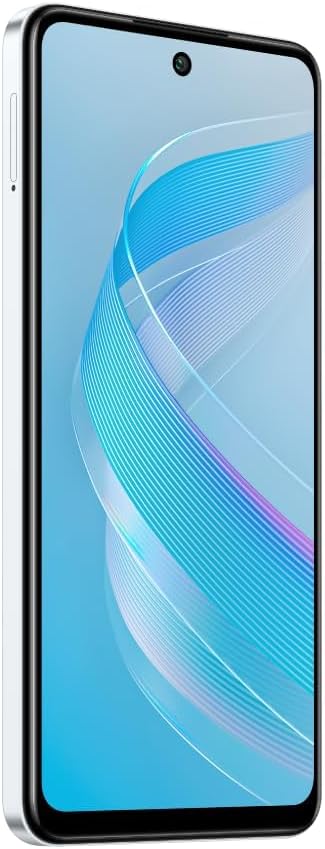
Imej: Sisi view of the Infinix Smart 8 X6525, illustrating the location of the SIM card tray.
2. Kuasa Awal Hidup
Press and hold the Power button (located on the right side of the device) until the Infinix logo appears. Follow the on-screen instructions to complete the initial setup, including language selection, Wi-Fi connection, and Google account setup.
3. Mengecas Peranti
Connect the USB Type-C cable to the phone's charging port and the other end to the power adapter. Plug the power adapter into a wall outlet. The battery indicator on the screen will show the charging status. For optimal battery life, use the provided charger and cable.
Mengendalikan Peranti Anda
1. Navigasi Asas
Your Infinix Smart 8 X6525 uses a touchscreen for navigation. Swipe up, down, left, or right to move between screens and menus. Tap icons to open applications. Use gestures or the navigation bar at the bottom of the screen for Home, Back, and Recent Apps functions.

Imej: Depan view of the Infinix Smart 8 X6525, showing the display and front camera.
2. Penggunaan Kamera
To open the camera, tap the Camera icon on your home screen or lock screen. The device features a 13MP AI dual rear camera and an 8MP front camera. Switch between modes like Photo, Video, Portrait, and Panorama. Tap the shutter button to capture images or start/stop video recording. The AI features automatically optimize settings for various scenes.
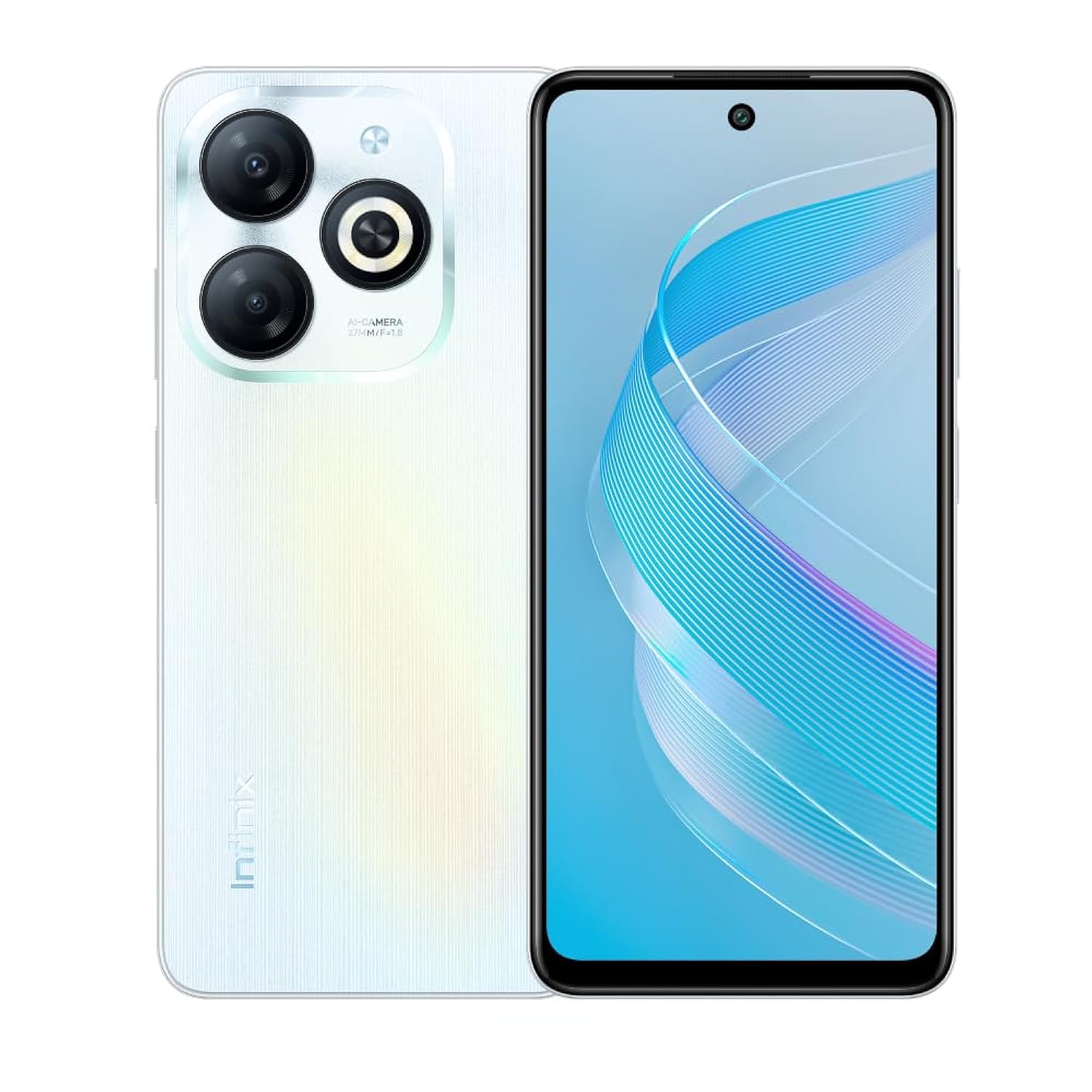
Imej: Belakang view of the Infinix Smart 8 X6525, highlighting the dual camera module and ring flashlight.
3. Ketersambungan
- Wi-Fi: Pergi ke Tetapan > Rangkaian & internet > Wi-Fi untuk bersambung ke rangkaian wayarles yang tersedia.
- Bluetooth: Pergi ke Tetapan > Peranti yang disambungkan > Pilihan sambungan > Bluetooth untuk berpasangan dengan peranti Bluetooth.
- Data mudah alih: Ensure your SIM card is active and go to Settings > Network & internet > Mobile network to enable or disable mobile data.
4. Ciri-ciri Keselamatan
The device supports a side-mounted fingerprint sensor and face unlock for enhanced security. To set them up, go to Settings > Security > Fingerprint Unlock or Face Unlock and follow the on-screen instructions.
Penyelenggaraan
1. Penjagaan Bateri
- Elakkan daripada mendedahkan peranti kepada suhu yang melampau.
- Jangan nyahcas sepenuhnya bateri dengan kerap.
- Gunakan hanya pengecas dan kabel yang asli atau diperakui.
- If the device will not be used for an extended period, charge it to about 50% before storing.
2. Kemas Kini Perisian
Regularly check for and install software updates to ensure your device has the latest features, security patches, and performance improvements. Go to Settings > System > System update to check for updates.
3. Membersihkan Peranti Anda
Gunakan kain lembut dan tidak berbulu untuk membersihkan skrin dan badan telefon. Elakkan menggunakan bahan kimia yang keras atau bahan yang melelas. Untuk calitan degil, sedikit dampen kain dengan air atau pembersih skrin yang direka untuk elektronik.
Menyelesaikan masalah
Isu dan Penyelesaian Biasa
- Peranti tidak dihidupkan: Pastikan bateri dicas. Sambungkan pengecas dan tunggu beberapa minit sebelum cuba menghidupkan semula.
- Apl ranap atau beku: Close and restart the app. If the issue persists, clear the app's cache (Settings > Apps > [App Name] > Storage & cache > Clear cache).
- Hayat bateri yang lemah: Reduce screen brightness, close unused apps, disable unnecessary connectivity features (Wi-Fi, Bluetooth, GPS) when not in use.
- Isu sambungan rangkaian: Check if your SIM card is properly inserted. Try restarting the device. Ensure mobile data or Wi-Fi is enabled.
- Peranti tidak bertindak balas: Tekan dan tahan butang Kuasa selama kira-kira 10-15 saat untuk memaksa mulakan semula.
Spesifikasi
| Ciri | Perincian |
|---|---|
| Nama Jenama | Infinix |
| Nama Model | Pintar 8 |
| Sistem Operasi | Android 13.0 |
| RAM yang dipasang | 4 GB |
| Kapasiti Penyimpanan Memori | 128 GB |
| Saiz Skrin | 6.6 inci |
| Resolusi | 720 x 1612 piksel |
| Kadar Segar Semula | 90 Hz |
| warna | putih |
| Kiraan Slot Kad SIM | Dual SIM |
| Jenis Penyambung | Port USB Jenis-C |
| Biometric Security Feature | Pengecaman Cap Jari |
| Front Photo Sensor Resolution | 8 Megapiksel |
| Rear Camera Photo Sensor Resolution | 13 Megapiksel |
| Penerangan Kamera | 13MP rear camera, AI dual camera with ring flashlight |
| Resolusi Tangkapan Video | 1080p |
| Jenis Paparan | LCD |
| Teknologi Selular | 4G |
| Teknologi Ketersambungan | Bluetooth, WiFi |
| Kapasiti Bateri | 5000 mAh |
| Berat Barang | 184 gram |
| Dimensi Item | 16.4 x 0.8 x 7.6 cm |
| Komponen yang Disertakan | Headset, Phone Cover, USB Cable, Power Adapter, Screen Protector |
Maklumat Keselamatan
- Jangan buka atau cuba membaiki peranti itu sendiri.
- Jauhkan peranti daripada air dan kelembapan.
- Elakkan daripada mendedahkan peranti kepada cahaya matahari langsung atau suhu tinggi.
- Use only accessories approved by Infinix.
- Buang peranti dan baterinya secara bertanggungjawab mengikut peraturan tempatan.
Waranti dan Sokongan
Your Infinix Smart 8 X6525 comes with a standard manufacturer's warranty. Please refer to the warranty card included in the product packaging for specific terms and conditions, including warranty period and coverage details.
For technical support, service, or further inquiries, please visit the official Infinix webtapak atau hubungi perkhidmatan pelanggan mereka. Simpan bukti pembelian anda untuk tuntutan waranti.