
Znoogrn BN59
Universal Replacement Remote Control User Manual
Model: BN59 | Brand: Znoogrn
pengenalan
This manual provides comprehensive instructions for the Znoogrn Universal Replacement Remote Control for Samsung Smart TVs. This remote is designed to be compatible with a wide range of Samsung LCD, LED, UHD, and QLED TVs, offering a seamless replacement experience.
For optimal performance, please read this manual thoroughly before use.
Ciri-ciri Utama
- Keserasian Luas: Suitable for Samsung BN59 series smart TV models, compatible with Samsung smart-TV LCD, LED, UHD, QLED 4K HDR TVs.
- Enhanced Transmission: Offers a greater transmitting distance (up to 30 FT) and more stable performance.
- Tidak Perlu Berpasangan: Ready to use immediately after battery installation, no programming needed.
- Butang Pintasan: Features dedicated shortcut buttons for popular streaming services like Netflix, Prime Video, and Rakuten TV.
- Reka bentuk tahan lasak: Equipped with a protective case for added durability.
Panduan Persediaan
The Znoogrn Universal Replacement Remote Control is designed for immediate use without complex programming. Simply install the batteries to begin.
Pemasangan Bateri
The remote requires two (2) AAA 1.5V batteries (not included).
- Cari penutup petak bateri di belakang alat kawalan jauh.
- Luncurkan penutup ke bawah untuk membuka petak.
- Masukkan dua bateri AAA, pastikan terminal positif (+) dan negatif (-) sejajar dengan tanda di dalam petak.
- Luncurkan penutup petak bateri kembali ke tempatnya sehingga ia berbunyi dengan selamat.

Figure 1: Battery compartment and correct battery orientation.

Figure 2: Step-by-step battery installation process.
Once batteries are installed, the remote control is ready for use with your compatible Samsung Smart TV.
Arahan Operasi
The Znoogrn Universal Remote Control provides intuitive control over your Samsung Smart TV. Below are the primary functions:
Fungsi Asas
- Butang kuasa (⏻): Menghidupkan atau mematikan TV.
- Kawalan Kelantangan (VOL): Press up to increase volume, down to decrease.
- Channel Control (CH): Press up to go to the next channel, down to go to the previous channel.
- Pad Arah (Gelang Navigasi): Use to navigate menus and select options.
- Enter/OK Button (Center of Nav Pad): Mengesahkan pilihan.
- Butang Belakang (↩): Kembali ke skrin atau menu sebelumnya.
- Butang rumah (⌂): Accesses the Smart Hub or main menu of your TV, where you can find all installed applications.
- Butang Main/Jeda (⏯): Mengawal main balik media.
- Settings Button (☰): Membuka menu tetapan TV.
- Number Pad Button (123): Displays a virtual number pad on screen for direct channel input.
Butang Pintasan
The remote features dedicated shortcut buttons for Netflix, Prime Video, and Rakuten TV. While these buttons are present, their direct functionality may vary depending on your specific Samsung TV model and its firmware. If direct access does not occur, you can still access these applications via the TV's Smart Hub by pressing the Butang Rumah and navigating to the desired app.

Figure 3: Dedicated shortcut buttons for streaming services.

Gambar 4: Lebihview susun atur alat kawalan jauh.
Video 1: Demonstration of the Znoogrn Universal Replacement Remote Control for Samsung Smart TV, showcasing its design and basic functionality.
Penyelenggaraan dan Penjagaan
Untuk memastikan jangka hayat dan prestasi optimum alat kawalan jauh anda, ikut garis panduan penyelenggaraan mudah ini:
- Pembersihan: Lap alat kawalan jauh dengan kerap menggunakan kain lembut dan kering. Untuk kotoran degil, lap sedikitampen kain dengan air atau pembersih yang lembut dan tidak melelas. Elakkan menggunakan bahan kimia yang keras atau bahan yang melelas.
- Penggantian Bateri: Replace batteries when the remote's response becomes sluggish or it stops functioning. Always replace both batteries at the same time with new ones of the same type (AAA 1.5V).
- Storan: Simpan alat kawalan jauh di tempat yang sejuk dan kering jauh dari cahaya matahari langsung, suhu yang melampau dan kelembapan yang tinggi.
- Sarung pelindung: The remote comes with a protective silicone case. Keep the remote in this case to protect it from accidental drops, scratches, and spills.

Figure 5: Remote control with its included protective case.
Menyelesaikan masalah
If you encounter issues with your Znoogrn Universal Replacement Remote Control, please refer to the following common solutions:
| Masalah | Kemungkinan Punca | Penyelesaian |
|---|---|---|
| Jauh tidak bertindak balas. | Bateri mati atau dimasukkan dengan salah. Halangan antara alat kawalan jauh dan TV. Alat kawalan jauh di luar julat. | Replace batteries with new AAA 1.5V batteries, ensuring correct polarity. Remove any objects blocking the line of sight to the TV's IR receiver. Move closer to the TV (within 30 feet). |
| Shortcut buttons (Netflix, Prime Video, Rakuten TV) do not work. | Compatibility variations with specific TV models or firmware. | While the remote is universal, direct shortcut functionality can vary. Access these applications by pressing the Butang Rumah on the remote and navigating to the desired app within your TV's Smart Hub. |
| Respons tertangguh dari alat kawalan jauh. | Low battery power. Interference. | Replace batteries. Ensure no strong light sources or other electronic devices are causing interference. |
Spesifikasi
| Atribut | Perincian |
|---|---|
| Jenama | Znoogrn |
| Nombor Model | BN59 |
| Peranti Serasi | Samsung Televisions (LCD, LED, UHD, QLED, 4K HDR TVs) |
| Bilangan Maks Peranti yang Disokong | 1 |
| warna | Hitam |
| Ciri Khas | Ergonomic, Lightweight |
| Berat Barang | 2.39 auns |
| Dimensi Pakej | 7.87 x 3.31 x 1.46 inci |
| Negara Asal | China |

Figure 6: The remote features a built-in upgraded chip for enhanced signal transmission up to 30 feet.
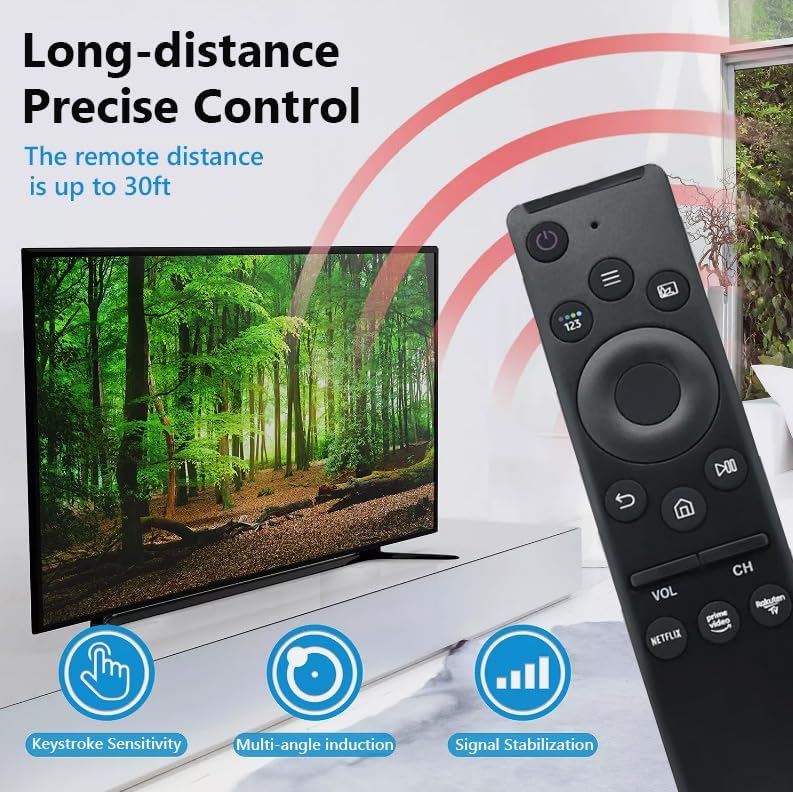
Figure 7: Long-distance precise control features of the remote.

Figure 8: Broad compatibility with Samsung Smart TV models.
Waranti dan Sokongan
Znoogrn offers a return and refund service within 30 days of purchase for this remote control. If you have any questions, concerns, or require assistance with your product, please do not hesitate to contact Znoogrn customer support. Refer to your purchase documentation for specific contact details.
Ask a question about this manual
Ask about setup, troubleshooting, compatibility, parts, safety, or missing instructions. Manuals+ will review the question and use this page’s manual context to help answer it.