
FREEWOLF RK-K8
FREEWOLF RK-K8 Wireless Mechanical Gaming Keyboard User Manual
Model: RK-K8
1. Pengenalan
This manual provides detailed instructions for the FREEWOLF RK-K8 Wireless Mechanical Gaming Keyboard. Please read this manual thoroughly before using the product to ensure proper operation and to maximize your user experience.
Ciri-ciri Utama:
- Triple-Mode Connectivity: Supports Type-C wired, 2.4GHz wireless, and Bluetooth 5.0 connections.
- Hot-Swappable Switches: Compatible with most 3-pin mechanical switches for customization.
- Gasket Mounted Structure: Enhances typing feel and reduces hollow sound.
- Customizable Rainbow Backlight: Features 18 backlight effects.
- Long-Lasting Battery: Equipped with a 4000mAh battery.
- 96% Layout: 100-key design that saves space while retaining essential keys.
- Wide Compatibility: Supports Windows and Mac operating systems.
2. Kandungan Pakej
Sila sahkan bahawa semua item terdapat dalam pakej anda:
- 1 x FREEWOLF RK-K8 Mechanical Keyboard
- 1 x USB Receiver (2.4Ghz)
- 1 x Type-C to USB-A Braided Coiled Cable
- 1 x Penarik Papan Kekunci
- 1 x Penarik Suis
- 2 x Original Switches (spare)
- 1 x Manual Pengguna (dokumen ini)

Image 2.1: Contents of the FREEWOLF RK-K8 package, showing the keyboard, coiled USB-C cable, USB 2.4G receiver, keycap puller, switch puller, and two spare switches.
3. Persediaan dan Sambungan
3.1 Mengecas Papan Kekunci
Before first use, it is recommended to fully charge the keyboard. Connect the provided Type-C cable to the keyboard's Type-C port and the USB-A end to a power source (e.g., computer USB port, USB wall adapter). The keyboard features a 4000mAh battery.
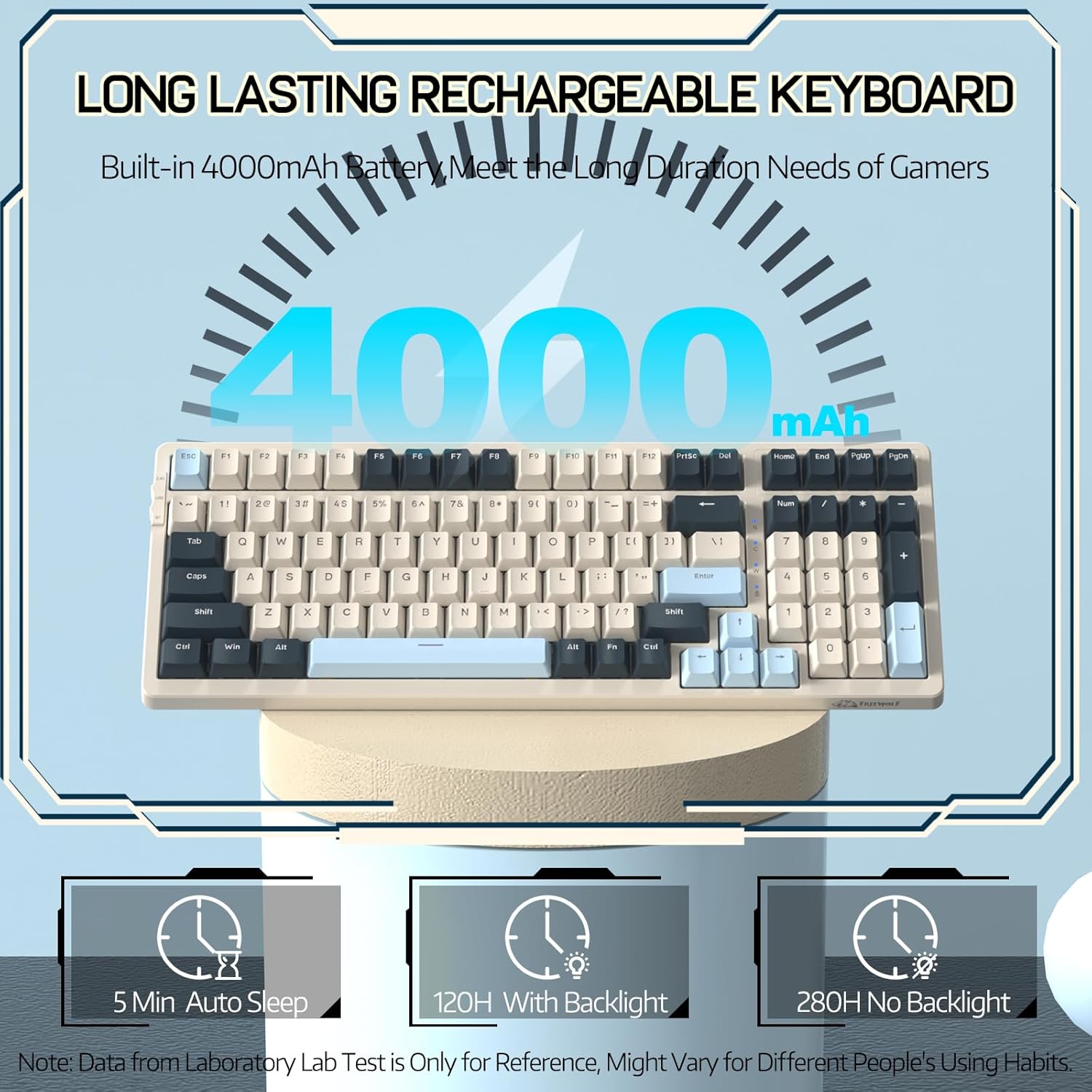
Image 3.1: The keyboard's 4000mAh battery capacity, indicating extended usage time.
3.2 Mod Sambungan
The RK-K8 keyboard supports three connection modes: Wired, 2.4GHz Wireless, and Bluetooth 5.0.

Image 3.2: Visual guide for switching between 2.4G wireless, wired, and Bluetooth connection modes.
3.2.1 Mod Berwayar
- Connect the provided Type-C coiled cable to the keyboard's Type-C port.
- Connect the USB-A end of the cable to your computer's USB port.
- Ensure the mode switch on the keyboard is set to "USB" (or wired mode indicator).
- Papan kekunci akan dikenali secara automatik oleh sistem anda.

Image 3.3: The Type-C to USB-A braided coiled cable, featuring a metal aviation connector for wired connection.
3.2.2 Mod Wayarles 2.4GHz
- Locate the 2.4GHz USB receiver, typically stored in a slot on the keyboard.
- Palamkan penerima USB ke dalam port USB yang tersedia pada komputer anda.
- Toggle the mode switch on the keyboard to "2.4G".
- Papan kekunci sepatutnya bersambung secara automatik.
3.2.3 Mod Bluetooth 5.0
The keyboard supports connecting to up to three Bluetooth devices.
- Toggle the mode switch on the keyboard to "BT".
- Untuk memasuki mod berpasangan, tekan dan tahan FN+Q, FN + W, atau FN + E for 3-5 seconds. The corresponding key's backlight will flash rapidly, indicating it's ready to pair.
- On your device (PC, Mac, tablet, phone), open Bluetooth settings and search for "RK-K8" or a similar device name.
- Select the keyboard to pair. Once connected, the backlight on the chosen key (Q, W, or E) will stop flashing and remain steadily lit.
- Untuk bertukar antara peranti Bluetooth yang dipasangkan, hanya tekan FN+Q, FN + W, atau FN + E.
3.3 Keserasian Sistem
The RK-K8 keyboard is compatible with both Windows and Mac operating systems. Use the appropriate FN key combinations for specific functions on each system.
Video 3.1: Tamatview of the FREEWOLF K8 mechanical keyboard, showcasing its features including customizable keycaps, lighting effects, hot-swappable design, compact layout, and multi-device compatibility across Windows, Mac, and mobile devices.
4. Operasi
4.1 Kawalan Lampu Latar
The RK-K8 features 18 customizable rainbow backlight effects.
- FN + |: Switch between 18 backlight effects.
- FN + ↑ / ↓: Laraskan kecerahan lampu latar.
- FN + ← / →: Adjust the flowing speed of dynamic backlight effects.
- FN + X: Turn on/off backlight.
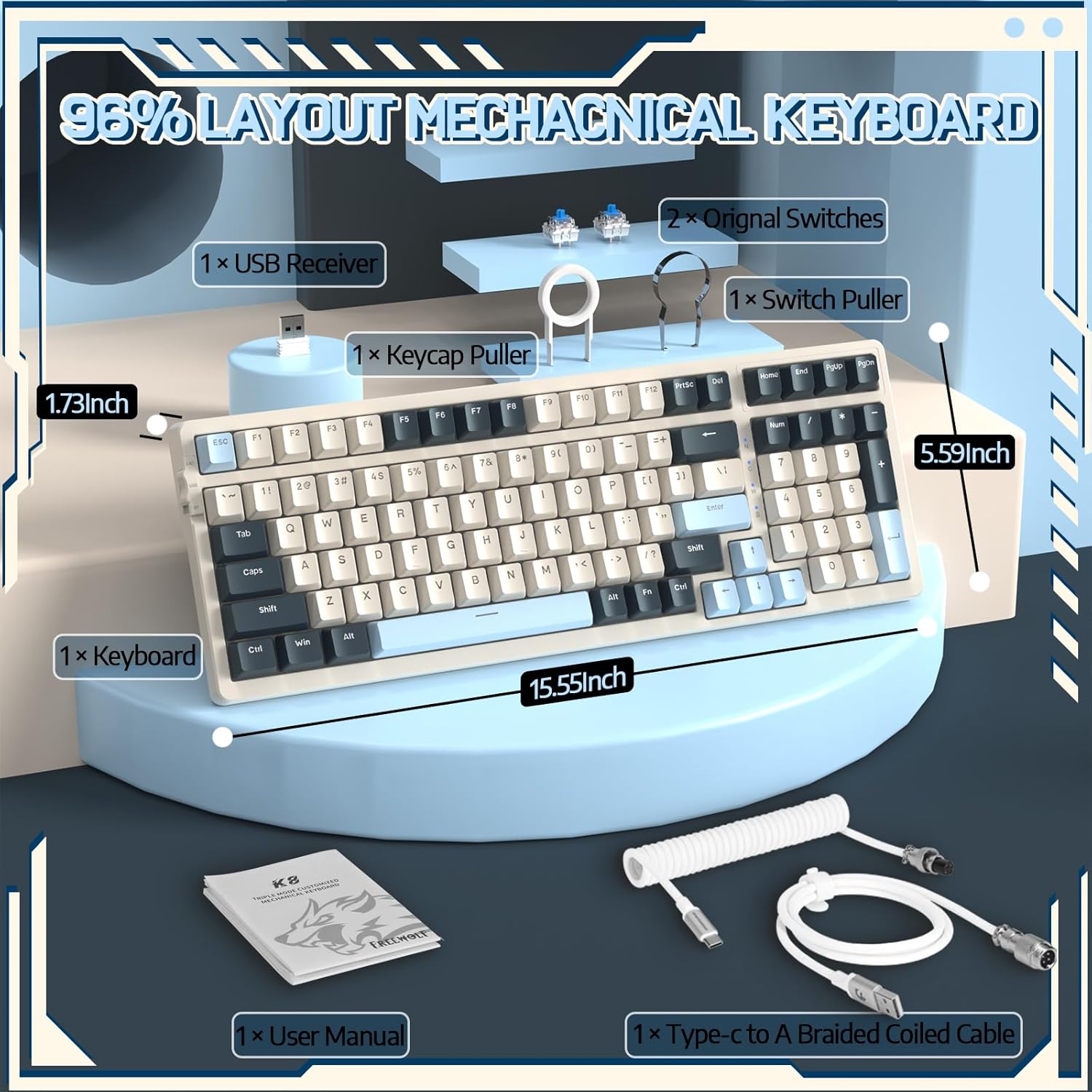
Image 4.1: The RK-K8 keyboard displaying various customizable rainbow backlight patterns.
4.2 Suis Boleh Tukar Panas
The keyboard is equipped with a hot-swappable PCB, allowing you to change switches without soldering. It is compatible with most 3-pin mechanical switches (e.g., Cherry MX, Gateron, Kailh Box, AKKO, Epomaker, Glorious switches).
- Use the provided switch puller to carefully remove the existing switch. Grip the switch firmly and pull straight up.
- Sejajarkan pin suis 3-pin baharu dengan lubang pada PCB.
- Gently press the new switch into place until it clicks. Ensure the switch is seated properly and the pins are not bent.
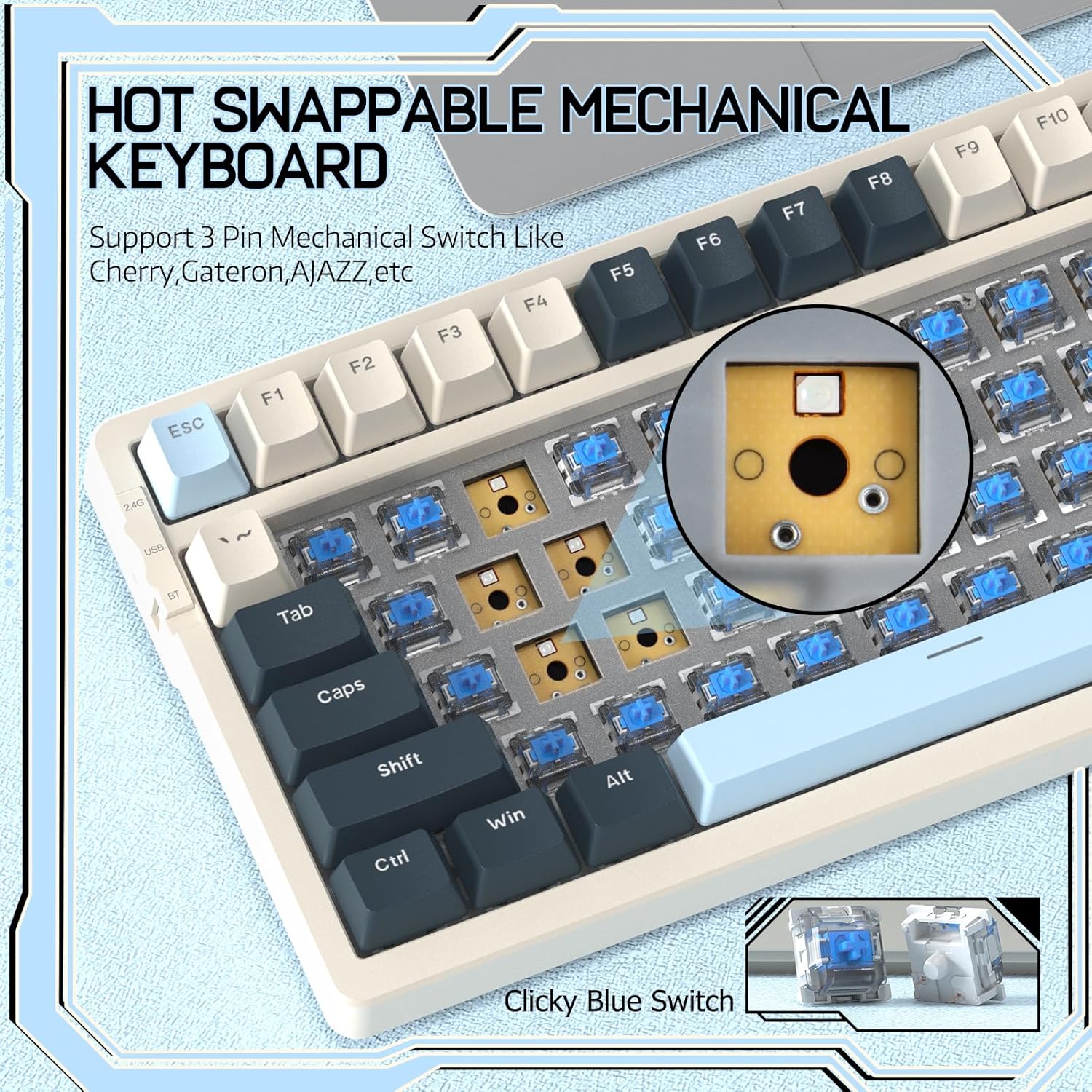
Image 4.2: Demonstrating the hot-swappable feature, showing a switch being removed from the keyboard.
4.3 Gasket Mounted Structure
The keyboard features a gasket-mounted design with sound-dampening materials between the plate and the housing. This construction reduces hollow sounds and provides a more consistent and comfortable typing experience.

Image 4.3: Diagram illustrating the internal layers of the gasket-mounted keyboard structure, designed for improved acoustics and feel.
4.4 Fungsi Utama dan Susun Atur
The RK-K8 utilizes a 96% layout with 100 keys, retaining essential modifiers, arrow keys, a separate numpad, and function row while maintaining a compact form factor.
Refer to the keyboard layout for specific key placements. Many keys have secondary functions accessible via the FN kunci.
- FN + F1-F12: Multimedia and system control functions (e.g., volume, play/pause).
- FN + Menang: Lock/unlock Windows key.
- FN + A: Switch to Windows layout.
- FN + S: Switch to Mac layout.
5. Penyelenggaraan
5.1 Pembersihan
Untuk mengekalkan rupa dan fungsi papan kekunci:
- Putuskan sambungan papan kekunci daripada komputer anda sebelum membersihkan.
- Gunakan kain lembut dan tidak berbulu sedikit dampdisapu dengan air atau larutan pembersih lembut untuk mengelap penutup kekunci dan casis.
- For dust and debris between keycaps, use compressed air or the provided keycap puller to remove keycaps and clean underneath.
- Elakkan menggunakan bahan kimia yang keras, bahan pelelas atau pelarut.
5.2 Penggantian Kekunci dan Suis
The provided keycap and switch pullers facilitate easy replacement of keycaps and switches. Refer to section 4.2 for switch replacement instructions.
6. Penyelesaian masalah
If you encounter issues with your FREEWOLF RK-K8 keyboard, please refer to the following common solutions:
- Papan kekunci tidak bertindak balas:
- Pastikan papan kekunci dicas.
- Check the connection mode switch (Wired, 2.4G, BT) matches your intended connection.
- For wired mode, ensure the cable is securely connected to both the keyboard and the computer.
- For 2.4G wireless, ensure the USB receiver is plugged in and the keyboard is in 2.4G mode.
- For Bluetooth, re-pair the device if necessary (see section 3.2.3).
- Keys repeating or not registering:
- This can sometimes occur with wireless connections. Try switching to wired mode to see if the issue persists.
- Ensure the switches are properly seated. If a switch is loose, carefully remove and re-insert it.
- Clean any debris around the affected key.
- Lampu latar tidak berfungsi atau tersekat:
- Pastikan lampu latar tidak dimatikan (tekan FN + X).
- Laraskan kecerahan menggunakan FN + ↑ / ↓.
- Try cycling through backlight effects with FN + |.
- Isu sambungan Bluetooth:
- Ensure the keyboard is in Bluetooth mode and sufficient battery.
- Forget the device on your computer/phone and re-pair it.
- Ensure your device's Bluetooth is enabled and working correctly.
7. Spesifikasi
| Ciri | Perincian |
|---|---|
| Jenama | FREEWOLF |
| Model | RK-K8 |
| Teknologi Ketersambungan | Bluetooth 5.0 / 2.4GHz Wireless / Wired (Type-C) |
| Penerangan Papan Kekunci | mekanikal |
| Jenis Suis | Tactile Blue Switch (Hot-Swappable 3-pin) |
| Kapasiti Bateri | 4000mAh |
| Lampu latar | Rainbow Backlit (18 effects) |
| Susun atur | 96% (100 kunci) |
| Peranti Serasi | PC, Mac, PS4 (via USB) |
| bahan | Akrilonitril Butadiena Stirena (ABS) |
| Berat Barang | 2.25 paun (lebih kurang 1.02 kg) |
| Dimensi Pakej | 16.14 x 6.69 x 2.01 inci |
8. Waranti dan Sokongan
For warranty information or technical support, please refer to the contact details provided with your purchase or visit the official FREEWOLF webtapak. Simpan resit pembelian anda untuk tuntutan waranti.
Ask a question about this manual
Ask about setup, troubleshooting, compatibility, parts, safety, or missing instructions. Manuals+ will review the question and use this page’s manual context to help answer it.