

pengenalan
Thank you for choosing the Defy 1750W Steam Iron SI8059. This manual provides important information for the safe and efficient use of your appliance. Please read these instructions carefully before first use and keep them for future reference.
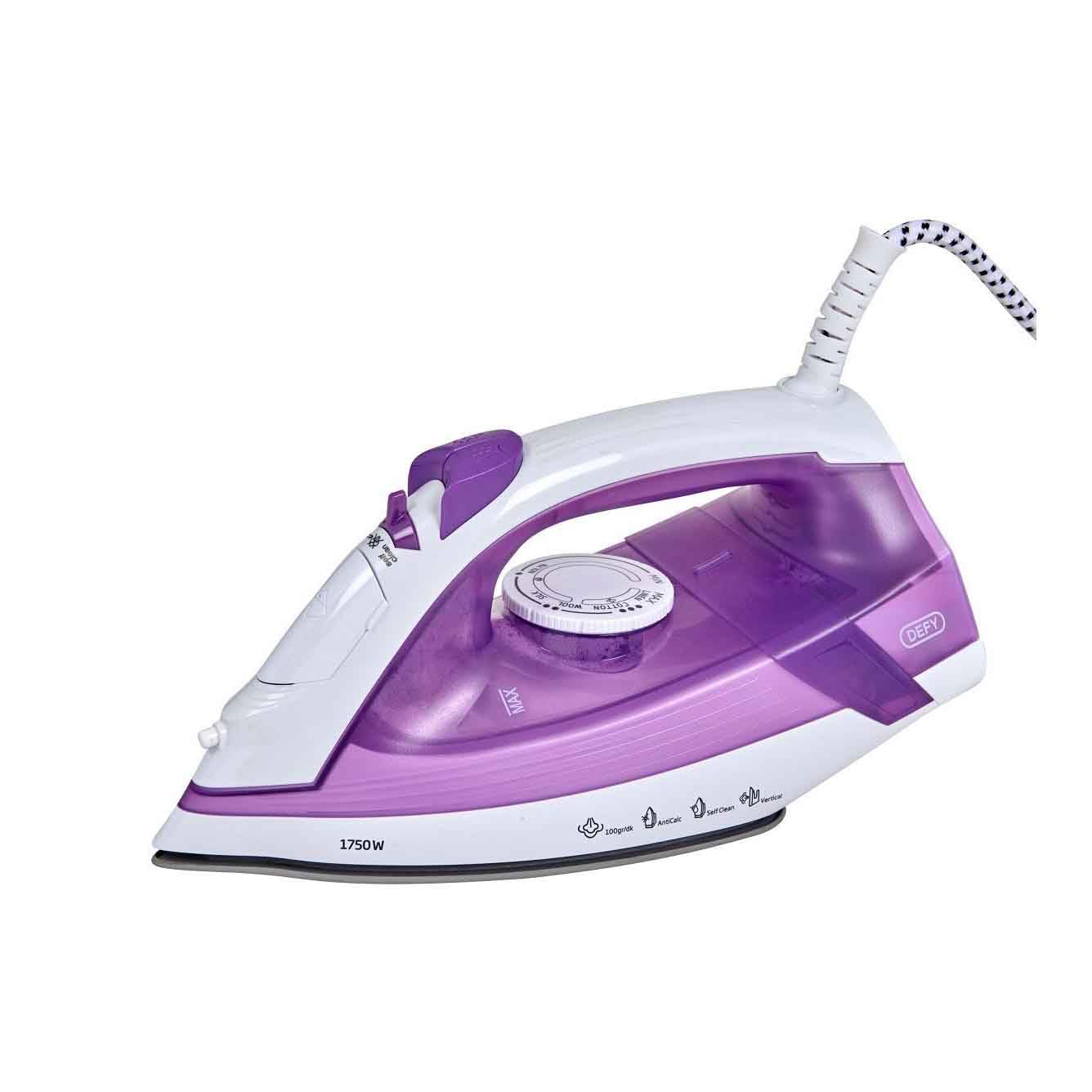
Image: The Defy 1750W Steam Iron SI8059, featuring a purple and white design with a ceramic soleplate.
Arahan Keselamatan Penting
Apabila menggunakan peralatan elektrik, langkah berjaga-jaga keselamatan asas hendaklah sentiasa diikuti untuk mengurangkan risiko kebakaran, kejutan elektrik dan kecederaan kepada orang.
- Baca semua arahan sebelum menggunakan seterika.
- Do not leave the iron unattended while it is connected to the power supply or on an ironing board.
- Untuk melindungi daripada risiko renjatan elektrik, jangan rendam seterika dalam air atau cecair lain.
- The iron must always be turned to the "OFF" position before plugging or unplugging from the outlet.
- Jangan kendalikan sebarang perkakas dengan kord atau palam yang rosak, atau selepas perkakas tidak berfungsi atau terjatuh atau rosak dalam apa jua cara.
- Sentiasa letakkan seterika pada permukaan yang stabil dan tahan panas semasa berehat.
- Jauhkan seterika dan kordnya daripada kanak-kanak.
- Jangan gunakan seterika untuk tujuan selain daripada penggunaan yang dimaksudkan.
Ciri-ciri Produk
- Tapak seramik: Memastikan luncuran lancar dan pengagihan haba yang sekata.
- Kuasa 1750W: For rapid heating and efficient wrinkle removal.
- Sistem Anti-Calc: Helps prevent mineral build-up for prolonged performance.
- Fungsi Membersihkan Diri: For easy maintenance and extended iron life.
- Sistem Anti Titisan: Prevents water spots on garments, even at low temperatures.
- Mengukus Menegak: Allows for steaming hanging garments and drapes.
- Lampu Penunjuk: Provide clear status updates during operation.
Persediaan
- Membongkar: Keluarkan seterika dari bungkusannya dengan berhati-hati. Simpan bungkusan untuk penyimpanan atau pengangkutan masa hadapan.
- Penggunaan Pertama: Before first use, iron an old piece of fabric to ensure any manufacturing residues are removed.
- Mengisi Tangki Air:
- Pastikan seterika dicabut dari salur keluar kuasa.
- Buka penutup pengisi air.
- Fill the water tank with clean tap water up to the MAX mark. Do not overfill.
- Tutup penutup pengisi air dengan kemas.
- Sambungan Kuasa: Pasangkan seterika ke soket kuasa AC 220V yang sesuai.
Arahan Operasi
Tetapan Suhu
- Check the garment's care label for recommended ironing temperature.
- Turn the temperature dial to the desired setting (e.g., synthetic, silk, wool, cotton, linen).
- Lampu penunjuk akan menyala, menandakan seterika sedang dipanaskan. Ia akan dimatikan apabila suhu yang ditetapkan dicapai.
Menyeterika Wap
Steam ironing is suitable for most fabrics except those marked "do not steam".
- Pastikan tangki air diisi.
- Set the temperature dial to a steam-appropriate setting (usually cotton or linen). Steam function will not activate at low temperatures.
- Once the indicator light turns off, indicating the iron is hot enough, adjust the steam selector to the desired steam level.
- Mulakan menyeterika.
Mengukus Menegak
This feature is ideal for removing creases from hanging clothes, curtains, or drapes.
- Ensure the water tank is filled and the iron is heated to its maximum temperature setting.
- Pegang seterika secara menegak, beberapa sentimeter dari kain.
- Press the steam burst button repeatedly to release bursts of steam.
Menyeterika Kering
For dry ironing, ensure the water tank is empty or the steam selector is set to the "no steam" position.
- Tetapkan dail suhu mengikut jenis fabrik.
- Tunggu sehingga lampu penunjuk padam.
- Begin ironing without steam.
Penyelenggaraan
Membersihkan Tapak Kaki
- Pastikan seterika dicabut dan sejuk sepenuhnya.
- Lap plat tapak dengan iklanamp kain dan pembersih tidak kasar jika perlu.
- Do not use abrasive scourers or chemical cleaners as they can damage the soleplate.
Fungsi Membersih Diri
Use the self-clean function regularly (e.g., once a month) to remove mineral deposits and impurities from the steam vents.
- Isi tangki air ke paras MAX.
- Pasangkan seterika dan tetapkan suhu maksimum.
- Setelah lampu penunjuk padam, cabut plag seterika.
- Pegang seterika secara mendatar di atas singki.
- Press and hold the self-clean button. Hot water and steam will be expelled from the soleplate, carrying impurities.
- Goncangkan seterika perlahan-lahan ke hadapan dan ke belakang sehingga tangki air kosong.
- Plug the iron back in and heat it to dry the soleplate.
Penyimpanan
- Pastikan seterika dicabut dan sejuk sepenuhnya.
- Kosongkan baki air dari tangki.
- Simpan seterika tegak pada tumitnya di tempat yang selamat dan kering.
Menyelesaikan masalah
| Masalah | Kemungkinan Punca | Penyelesaian |
|---|---|---|
| Besi tidak panas. | Not plugged in; power outlet faulty; temperature dial set to OFF. | Check power connection; try another outlet; turn temperature dial to a setting. |
| Tiada wap atau wap yang tidak mencukupi. | Water tank empty; temperature too low; steam vents blocked; steam selector set to OFF. | Fill water tank; set temperature to steam-appropriate level; perform self-clean; adjust steam selector. |
| Air bocor dari tapak tapak. | Temperature too low for steam; water tank overfilled; anti-drip system malfunction. | Increase temperature; do not overfill; if problem persists, contact customer service. |
| Serpihan putih pada pakaian. | Mineral deposits in water tank/steam vents. | Perform self-clean function. Use distilled water if tap water is very hard. |
Spesifikasi
| Nombor Model | SI 8059 A1 |
| kuasa | 1750 Watt |
| Voltage | 220 Volt |
| Bahan Tapak Tapak | Seramik |
| Dimensi (L x W) | 12.6 cm x 28.4 cm |
| Berat badan | 1.3 Kilogram |
| Ciri Khas | Vertical Steaming, Anti-Calc, Self-Clean, Anti-Drip System |
Waranti dan Sokongan
For detailed warranty information, please refer to the warranty card included with your product or visit the official Defy website. If you encounter any issues not covered in the troubleshooting section, or require further assistance, please contact Defy customer support.
Defy Official Webtapak: www.defy.co.za