
pengenalan
This manual provides essential instructions for setting up, operating, maintaining, and troubleshooting your Apple iPhone 15. This device is a renewed product, meaning it has been professionally inspected, tested, and cleaned to be fully functional. Please read this guide thoroughly to ensure proper use and to maximize your device's capabilities.

Imej: Depan dan belakang view of the Apple iPhone 15 in blue.
Apa yang Termasuk
Upon unboxing your Apple iPhone 15 (Renewed), verify that the following items are present:
- Apple iPhone 15 (256GB, Blue)
- Kabel USB (USB-C ke USB-C)
Note: As a renewed product, accessories may be generic or original.
Persediaan
1. Kuasa Awal Hidup
- Tekan dan tahan butang sisi sehingga logo Apple muncul.
- Ikut arahan pada skrin untuk memilih bahasa, rantau dan sambungkan ke rangkaian Wi-Fi anda.
2. Pemasangan Kad SIM
The iPhone 15 supports eSIM. If you are transferring from a physical SIM, contact your carrier for eSIM activation. For physical SIM card installation (if applicable for your region/model):
- Cari dulang SIM di sisi peranti.
- Insert a SIM eject tool (or a small paper clip) into the small hole on the SIM tray.
- Pull out the SIM tray and place your nano-SIM card into the tray with the gold contacts facing down.
- Carefully reinsert the tray into the iPhone.
3. Pemindahan Data
You can transfer data from an old iPhone or Android device during the initial setup process using Quick Start or by restoring from an iCloud or computer backup.
4. Face ID Setup
During setup, you will be prompted to configure Face ID for secure unlocking and purchases. Follow the on-screen instructions to scan your face.
Operating Your iPhone
1. Basic Navigation and Dynamic Island
The iPhone 15 features a 6.1-inch Super Retina XDR display and utilizes gesture-based navigation. Swipe up from the bottom to go home, swipe up and hold to view recent apps. The Dynamic Island at the top of the screen adapts to show alerts, activities, and live notifications.

Image: The Dynamic Island feature on the iPhone 15 displaying various alerts and background activities.
2. Ciri-ciri Kamera
Your iPhone 15 is equipped with an advanced dual-camera system, including a 48MP Main camera and an Ultra Wide lens. Key features include:
- Kamera Utama 48MP: Capture super-high-resolution photos (24MP and 48MP).
- Next-generation portraits: With Focus and Depth Control.
- 4X optical zoom range: For versatile photography.

Image: The camera application interface on the iPhone 15, showing options for photo, video, and portrait modes.
3. Ketersambungan
The iPhone 15 supports various connectivity options:
- Wi-Fi: Sambung ke rangkaian wayarles untuk akses internet.
- Bluetooth: Padankan dengan aksesori tanpa wayar seperti fon kepala dan pembesar suara.
- USB-C: For charging and data transfer. Supports USB 2 speeds.
- NFC: For Apple Pay and other contactless functions.
4. Ciri-ciri Kecemasan
Your iPhone 15 includes critical safety features:
- Emergency SOS via satellite: Allows you to text emergency services when outside of cellular and Wi-Fi coverage.
- Pengesanan Ranap: Automatically calls emergency services after a severe car crash.
- Roadside Assistance via satellite: Connects you to roadside assistance providers in remote areas.
5. Pengurusan Bateri
The iPhone 15 offers up to 26 hours of video playback. To optimize battery life:
- Keep your software updated.
- Laraskan kecerahan skrin.
- Enable Low Power Mode when needed.
- Monitor battery health in Settings > Battery > Battery Health & Charging.
Penyelenggaraan
1. Cleaning Your iPhone
To clean your iPhone, use a soft, lint-free cloth. Avoid abrasive materials, aerosols, solvents, or ammonia-based cleaners. For stubborn marks, lightly dampen the cloth with water. Do not submerge the device.
2. Kemas Kini Perisian
Kemas kini sistem pengendalian iPhone (iOS) anda secara berkala untuk memastikan prestasi, keselamatan dan akses kepada ciri terkini yang optimum. Pergi ke Tetapan > Umum > Kemas Kini Perisian.
3. Kesihatan Bateri
As a renewed product, your iPhone 15 is guaranteed to have at least 80% of its original battery life. You can check your battery's maximum capacity in Settings > Battery > Battery Health & Charging. Over time, all rechargeable batteries degrade.
Menyelesaikan masalah
If you encounter issues with your iPhone 15, try the following steps:
- Peranti Tidak Membalas: Force restart your iPhone. Press and quickly release the Volume Up button, then the Volume Down button, then press and hold the Side button until the Apple logo appears.
- Isu Ketersambungan: Togol Wi-Fi atau Bluetooth sehingga mati dan hidup. Mulakan semula penghala anda untuk masalah Wi-Fi.
- Masalah Apl: Close and reopen the app. If the issue persists, delete and reinstall the app.
- Gangguan Perisian: Pastikan iOS anda dikemas kini.
- Tetapan semula kilang: As a last resort, you can erase all content and settings. Go to Settings > General > Transfer or Reset iPhone > Erase All Content and Settings. Warning: This will delete all data on your device. Back up your iPhone before proceeding.
Spesifikasi
| Ciri | Spesifikasi |
|---|---|
| Nombor Model | MTM73LL/A |
| Paparan | 6.1-inch Super Retina XDR (2556 x 1179 resolution, 60 Hz refresh rate) |
| Pemproses | Apple A16 Bionic chip (3.46 GHz CPU Speed) |
| Sistem Operasi | iOS 17 |
| Storan Dalaman | 256 GB |
| RAM | 6 GB (System reports 8 GB installed) |
| Kamera Utama | 48MP Main, Ultra Wide |
| Kapasiti Bateri | 3349 Miliamp Hours (Up to 26 hours video playback, 20 hours talk time) |
| Ketersambungan | Cellular, Bluetooth, NFC, USB-C (USB 2), Wi-Fi, GPS |
| Dimensi | 5.81 x 2.82 x 0.31 inci |
| Berat badan | 7.2 auns (0.45 paun) |
| Ciri Khas | Always On Display, Built-In GPS, Dual SIM, Stereo Speakers, Wireless Charging, Dynamic Island, Emergency SOS via satellite, Crash Detection, Roadside Assistance via satellite |
Waranti dan Sokongan
This Apple iPhone 15 is a renewed product. Renewed products are inspected and tested to work and look like new. Your purchase is eligible for Amazon Renewed coverage, which typically includes a satisfaction guarantee and a return/replacement policy within a specified period (e.g., 30 days as per the product listing). For specific warranty details and support, please refer to the Amazon Renewed program terms and conditions or contact the seller directly.
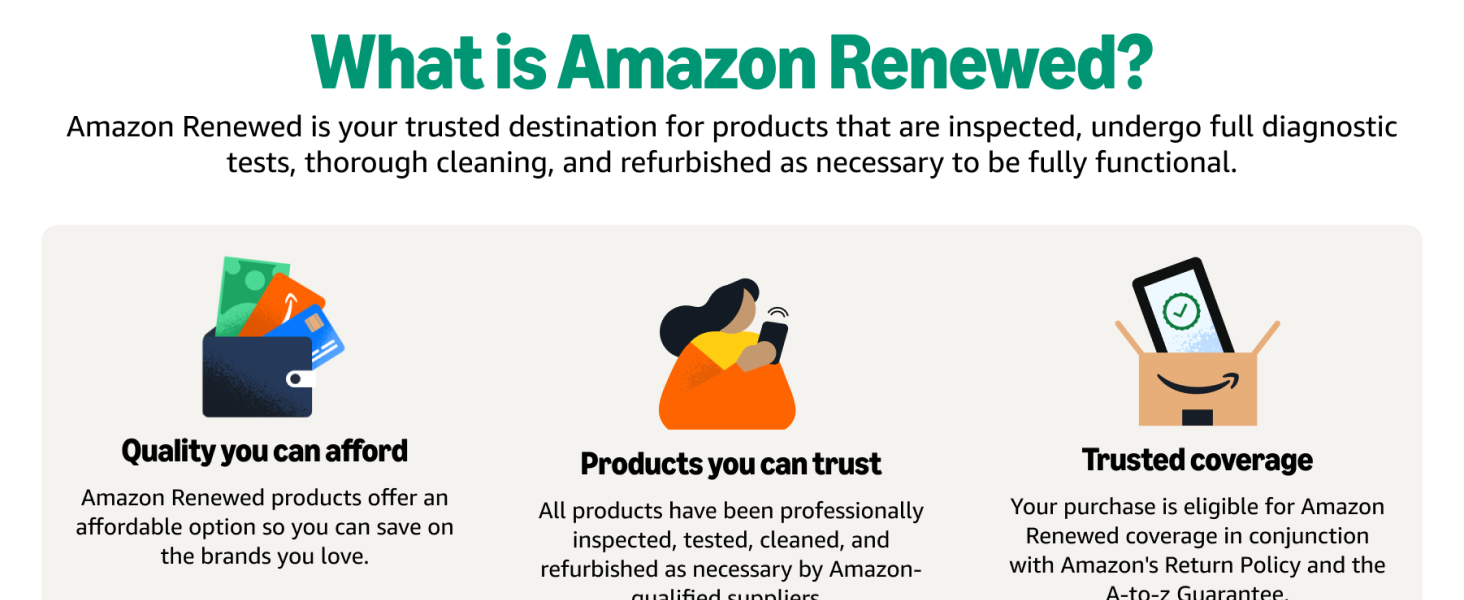
Image: Explanation of Amazon Renewed products and their quality assurance.
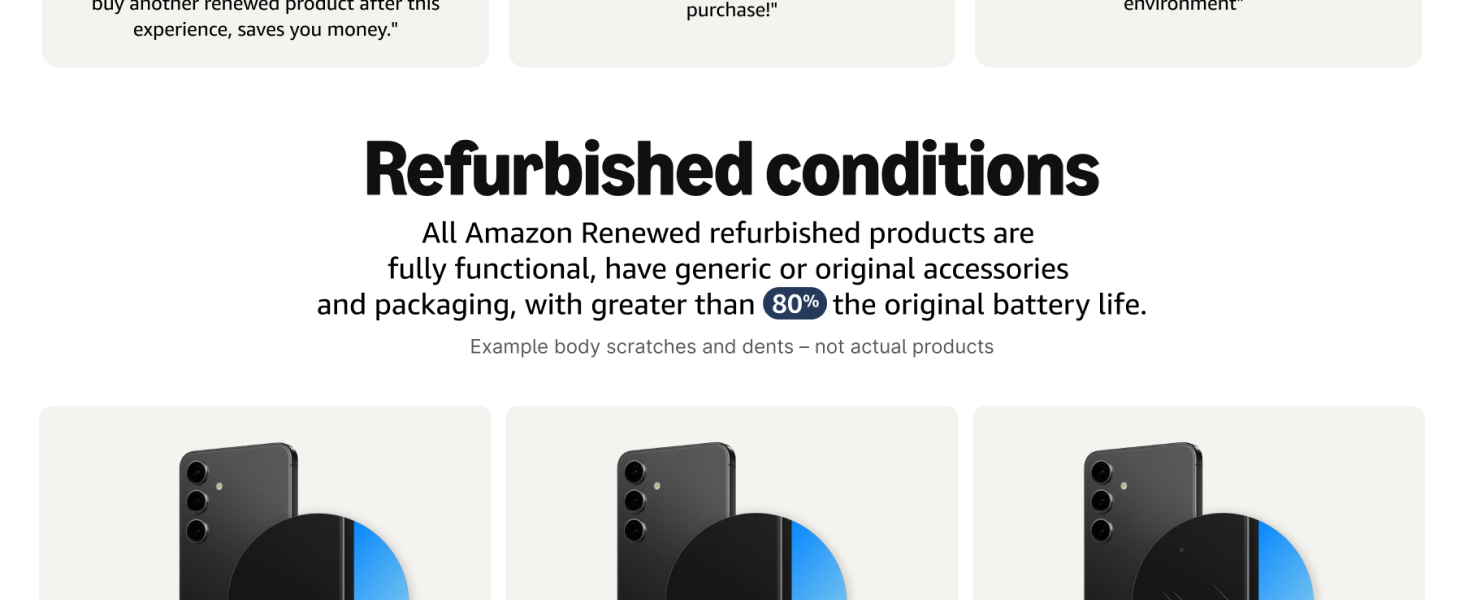
Image: Details on refurbished product conditions, including battery life guarantee.
Maklumat Keselamatan Penting
Sila semulaview the following safety guidelines to prevent injury or damage to your device:
- Do not attempt to disassemble or repair the iPhone yourself. This can cause damage and void any applicable warranty.
- Avoid exposing the iPhone to extreme temperatures, direct sunlight, or liquids.
- Gunakan hanya aksesori pengecasan yang diluluskan oleh Apple.
- Be aware of your surroundings when using your iPhone, especially while driving or walking.