
1. Pengenalan
Thank you for choosing the Moman S8 Lapel Microphone. This omnidirectional condenser lavalier microphone is designed to provide clear and high-quality audio recording for various applications, including interviews, streaming, vlogging, and online teaching. Its 8-meter cable offers flexibility, and its automatic pairing technology ensures broad compatibility with a range of devices.
2. Apa yang ada di dalam Kotak
- 1 x Moman S8 Lavalier Microphone
- 1 x Cotton Windscreen
- 1 x Membawa Beg
3. Ciri-ciri Utama
- 8-Meter Anti-Interference Cable: Provides flexible recording options for optimal distance filming, remote recording, and narrative videos.
- 360° Omnidirectional Sound Pickup: Captures sound equally from all directions with rich detail, delivering transparent and soft audio. Ideal for interviews, speeches, YouTube streaming, and online teaching.
- Keserasian Luas: Compatible with iOS/Android phones, cameras, laptops, and PCs.
- Automatic Pairing Technology: Automatically detects and adapts to devices with 3.5mm TRRS and 3.5mm TRS inputs.
- Windscreen Included & Portable Design: A special cotton windscreen reduces background noise. Made from high-quality, lightweight plastic, the S8 comes with a carrying bag for easy transport.
4. Panduan Persediaan
4.1 Pemasangan Bateri
The Moman S8 microphone is battery-powered. Ensure a fresh battery is installed with the positive (+) terminal facing upwards as indicated in the battery compartment.
4.2 Menyambung ke Peranti Anda
- Locate the 3.5mm audio jack on your recording device (camera, smartphone, laptop, PC, audio recorder, mixer).
- Insert the 3.5mm connector of the Moman S8 microphone into the device's audio input jack.
- The microphone features automatic detection and will adapt to either TRRS (for smartphones/laptops) or TRS (for cameras/audio recorders) inputs.
- For iOS devices without a 3.5mm jack, a Lightning to 3.5mm adapter (not included) is required.

Rajah 1: Automatic Pairing Technology and Device Compatibility. The microphone's 3.5mm jack automatically recognizes and connects to various devices, including smartphones, cameras, and computers. Note that a Lightning adapter is needed for some Apple devices.
4.3 Memasang Mikrofon
- Use the integrated clip to attach the microphone to your clothing, approximately 15-20 cm (6-8 inches) from your mouth for optimal sound capture.
- Ensure the microphone is positioned to capture your voice clearly and is not obstructed by clothing or other objects.
5. Arahan Operasi
5.1 Merakam Audio
- Once connected, open your preferred audio or video recording application on your device.
- Ensure the external microphone is selected as the audio input source in your device's settings or the recording application, if applicable.
- Begin your recording. The microphone's indicator light may briefly illuminate green upon connection and then turn off, or it may light up when recording starts, depending on the device.
- The 8-meter cable allows for flexible placement of your recording device while maintaining optimal microphone positioning.

Rajah 2: Flexible Recording with the 8-meter Cable. The long cable allows users to record from a distance while maintaining clear audio pickup.
5.2 Omnidirectional Pickup
The S8 microphone features an omnidirectional polar pattern, meaning it picks up sound equally from all directions. This is beneficial for capturing ambient sound or when the sound source might move around the microphone, making it suitable for group discussions or dynamic interviews.
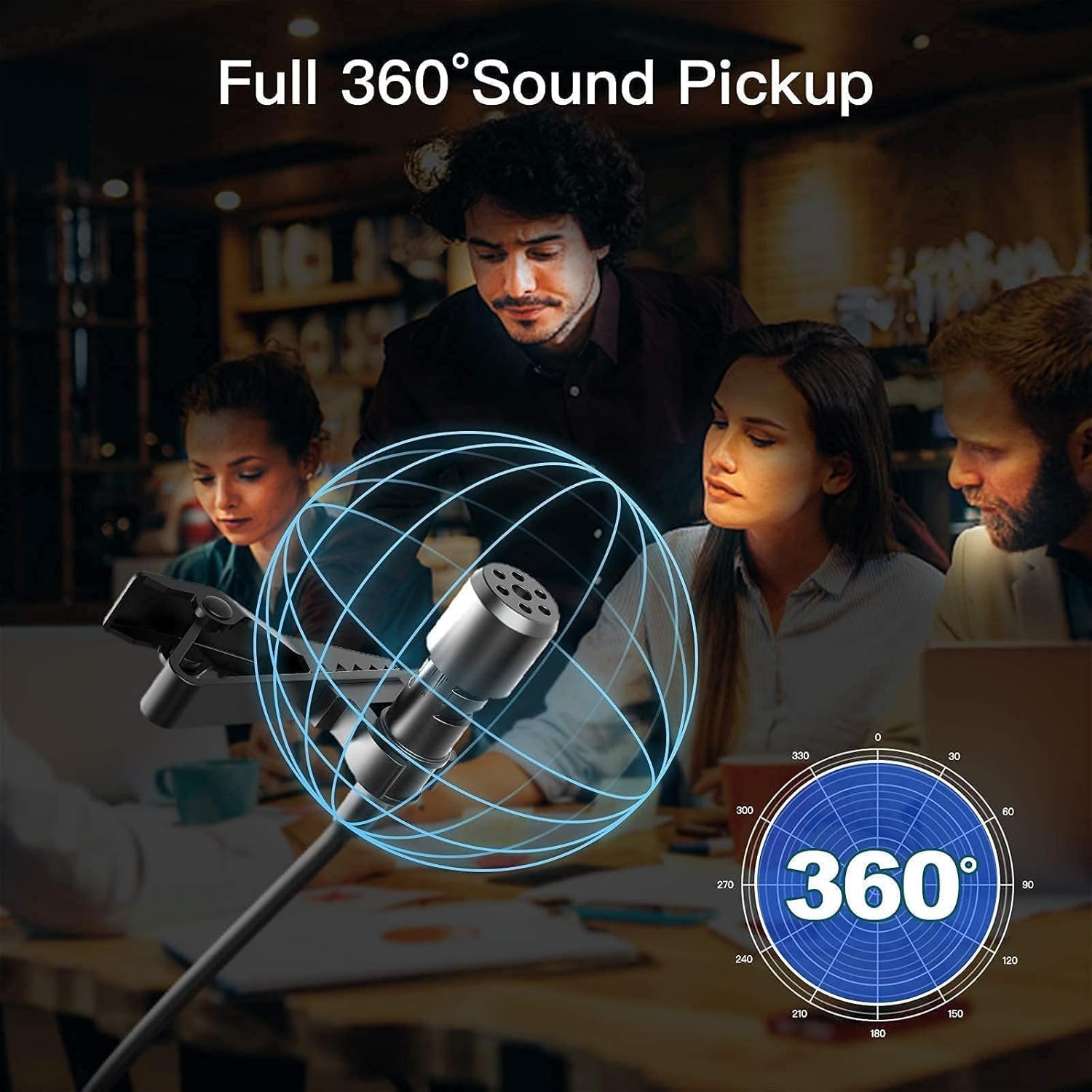
Rajah 3: Full 360° Sound Pickup. The microphone captures audio uniformly from all directions, making it versatile for various recording scenarios.
6. Penyelenggaraan
6.1 Pembersihan
- Lap badan mikrofon dengan kain lembut dan kering.
- Do not use liquid cleaners or solvents, as they may damage the microphone.
- The cotton windscreen can be gently cleaned or replaced if it becomes dirty or worn.
6.2 Penyimpanan
- When not in use, store the microphone in its provided carrying bag to protect it from dust and physical damage.
- Avoid storing the microphone in extreme temperatures or high humidity.
- Remove the battery if the microphone will not be used for an extended period to prevent leakage.

Rajah 4: Windscreen Included and Portable Design. The microphone is easy to carry and includes a windscreen for outdoor use.
7. Penyelesaian masalah
- Tiada Bunyi/Kelantangan Rendah:
- Check if the microphone is securely plugged into the device's audio jack.
- Ensure the battery is correctly installed and has sufficient power. Replace if necessary.
- Verify that the external microphone is selected as the input source in your device's audio settings or recording application.
- Adjust the input volume/gain settings on your recording device.
- Poor Sound Quality/Noise:
- Ensure the cotton windscreen is properly installed to reduce wind noise and plosives.
- Periksa sebarang sambungan yang longgar.
- Keep the microphone away from strong electromagnetic interference sources.
- Ensure the microphone is positioned correctly, not rubbing against clothing.
- Mikrofon Tidak Dikenali oleh Peranti:
- Confirm your device supports external 3.5mm microphones.
- For iOS devices, ensure you are using a compatible Lightning to 3.5mm adapter.
- Cuba sambungkan ke peranti lain untuk menolak isu khusus peranti.

Rajah 5: Improved Noise Processing. Internal components like the high-density windscreen and low-noise RF processing chip contribute to clearer audio by reducing background noise.
8. Spesifikasi
| Ciri | Spesifikasi |
|---|---|
| Jenama | Moman |
| Nama Model | SY-S8-BK |
| Teknologi Ketersambungan | AUX (3.5mm Jack) |
| Ciri Khas | Klip |
| Peranti Serasi | Cameras, Mobile Phones, Laptops, PCs |
| warna | Hitam |
| Komponen yang Disertakan | S8 Lavalier Microphone |
| Corak Kutub | Omnidirectional |
| Kepekaan Audio | 30 desibel |
| Impedans | 1000 Ohm |
| Faktor Bentuk Mikrofon | Lavalier |
| Sumber Kuasa | Dikuasakan Bateri |
| Nisbah Isyarat-ke-Bunyi | 250 dB |
| Tahap Kebisingan | 25 desibel |
| Bahan Perumahan | plastik |
| Negara Asal | China |
9. Maklumat Waranti
The Moman S8 Lapel Microphone comes with a Waranti produk 1 tahun from the date of purchase. This warranty covers manufacturing defects and malfunctions under normal use. Please retain your proof of purchase for warranty claims. For specific terms and conditions, refer to the warranty card included with your product or visit the official Moman webtapak.
10. Sokongan
For further assistance, technical support, or inquiries regarding your Moman S8 Lapel Microphone, please visit the official Moman website or contact their customer service through the channels provided on their website. You can often find FAQs, driver downloads, and contact forms there.