
AUSEK 5k Camera for Vlogging
AUSEK 5K Ultra HD Sports Action Camera User Manual
Model: 5K EVOK
1. Pengenalan
This user manual provides detailed instructions for the AUSEK 5K Ultra HD Sports Action Camera. Please read this manual thoroughly before using the camera to ensure proper operation and to maximize its capabilities. This camera is designed for capturing high-quality videos and photos in various environments, including underwater, thanks to its robust features and included accessories.
Ciri-ciri Utama:
- Resolusi Video 5K: Records stunning 5K video at 30 frames per second.
- Resolusi Foto 48MP: Menangkap imej pegun beresolusi tinggi.
- Dual Touch Screens: Features a 2.0-inch rear touch screen and a 1.4-inch front screen for easy framing and control.
- Kanta Sudut Lebar 170°: Provides an expansive field of view for capturing more of the scene.
- EIS Stabilization: Electronic Image Stabilization ensures smooth and steady footage.
- 30M kalis air: Submersible up to 30 meters with the included waterproof case.
- Kesambungan Wi-Fi: Connects to a mobile app for remote control and file pemindahan.
- Kawalan Jauh: Includes a 2.4G wireless remote for convenient operation.
- 2 x 1350mAh Batteries: Provides extended recording time.
2. Apa yang ada di dalam Kotak
Sila semak kandungan pakej anda untuk memastikan semua item ada:
- AUSEK 5K Action Camera
- Sarung Kalis Air
- Alat Kawalan Jauh
- Manual Pengguna (dokumen ini)
- Pelbagai Aksesori Pemasangan
- 2 x Bateri Boleh Dicas Semula 1350mAh
- Kabel Pengecas USB
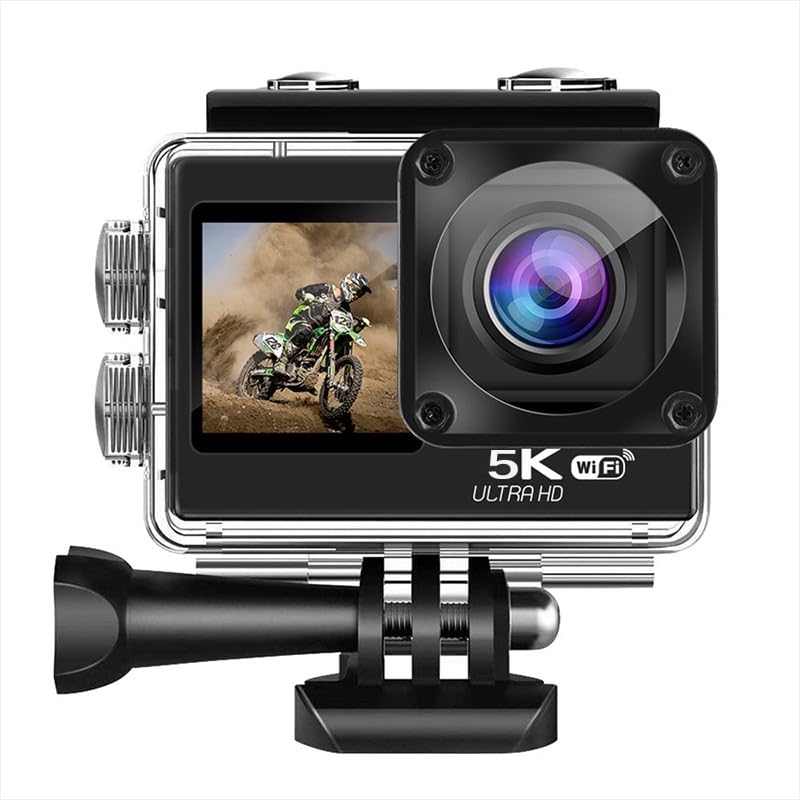
Image: The AUSEK 5K Action Camera with its waterproof case, remote control, and various mounting accessories.
3. Komponen Kamera
Biasakan diri anda dengan bahagian dan kawalan utama kamera:
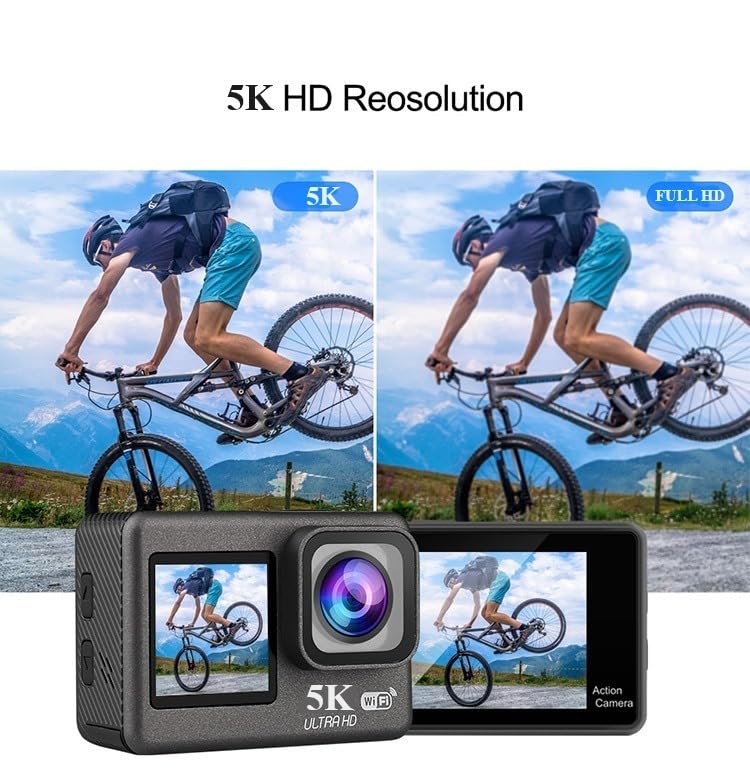
Imej: Depan view showing the lens and front screen, and rear view showing the main touch screen.
- Front Screen (1.4-inch): For selfie framing and quick status checks.
- Rear Touch Screen (2.0-inch): Main display for viewing, settings, and playback.
- Kanta: 170° wide-angle lens for capturing expansive scenes.
- Butang Kuasa / Mod: Used to power the camera on/off and switch between modes.
- Butang Pengatup/OK: Used to start/stop recording, take photos, or confirm selections.
- Butang Naik / Turun: For navigation in menus and digital zoom.
- Petak Bateri: Located at the bottom, holds the rechargeable battery.
- Slot Kad MicroSD: Untuk memasukkan kad memori.
- Port USB: Untuk pengecasan dan pemindahan data.
- Port HDMI: Untuk menyambung ke paparan luaran.
- mikrofon: Built-in for audio recording.
4. Persediaan
4.1. Pemasangan Bateri
- Buka penutup petak bateri yang terletak di bahagian bawah kamera.
- Insert one of the provided 1350mAh batteries, ensuring the correct orientation according to the diagram inside the compartment.
- Tutup penutup petak bateri dengan selamat.
- Untuk mengecas, sambungkan kamera ke sumber kuasa USB menggunakan kabel USB yang disediakan. Penunjuk pengecasan akan menyala.
4.2. Pemasangan Kad MicroSD
A high-speed (Class 10 or higher, U3 recommended) MicroSD card up to 256GB is required (not included).
- Cari slot kad MicroSD di sisi kamera.
- Masukkan kad MicroSD dengan kenalan emas menghadap bahagian belakang kamera sehingga ia klik pada tempatnya.
- Untuk mengeluarkannya, tolak kad perlahan-lahan ke dalam sehingga ia berbunyi klik, kemudian lepaskan untuk mengeluarkannya.
4.3. Menggunakan Sarung Kalis Air
The included waterproof case allows the camera to be used underwater up to 30 meters (98 feet).
- Pastikan kamera bersih dan kering sebelum meletakkannya di dalam bekas kalis air.
- Open the latch on the top of the waterproof case and gently insert the camera.
- Tutup selak dengan kuat untuk memastikan pengedap kedap air.
- Before first use, it is recommended to test the waterproof case without the camera inside to ensure no leaks.

Image: An illustration demonstrating the camera's waterproof capability up to 30 meters when enclosed in its protective case.
5. Mengendalikan Kamera
5.1. Hidupkan/Mati Kuasa
- Hidupkan kuasa: Tekan dan tahan butang Kuasa/Mod selama beberapa saat sehingga skrin menyala.
- Matikan: Press and hold the Power/Mode button for a few seconds until the screen turns off.
5.2. Penukaran Mod
Press the Power/Mode button repeatedly to cycle through the different modes: Video Recording, Photo, and Playback.
5.3. Rakaman Video
- Ensure the camera is in Video Recording mode.
- Tekan butang Pengatup/OK untuk mula merakam. Lampu penunjuk merah akan berkelip dan ikon rakaman akan muncul pada skrin.
- Tekan butang Pengatup/OK sekali lagi untuk menghentikan rakaman. Lampu penunjuk akan berhenti berkelip.
5.4. Mengambil Foto
- Pastikan kamera berada dalam mod Foto.
- Bingkaikan tangkapan anda menggunakan skrin.
- Tekan butang Pengatup/OK untuk mengambil foto.
5.5. Dual Touch Screens
The camera features a 2.0-inch rear touch screen for primary control and a 1.4-inch front screen for convenient selfie framing and quick status checks.
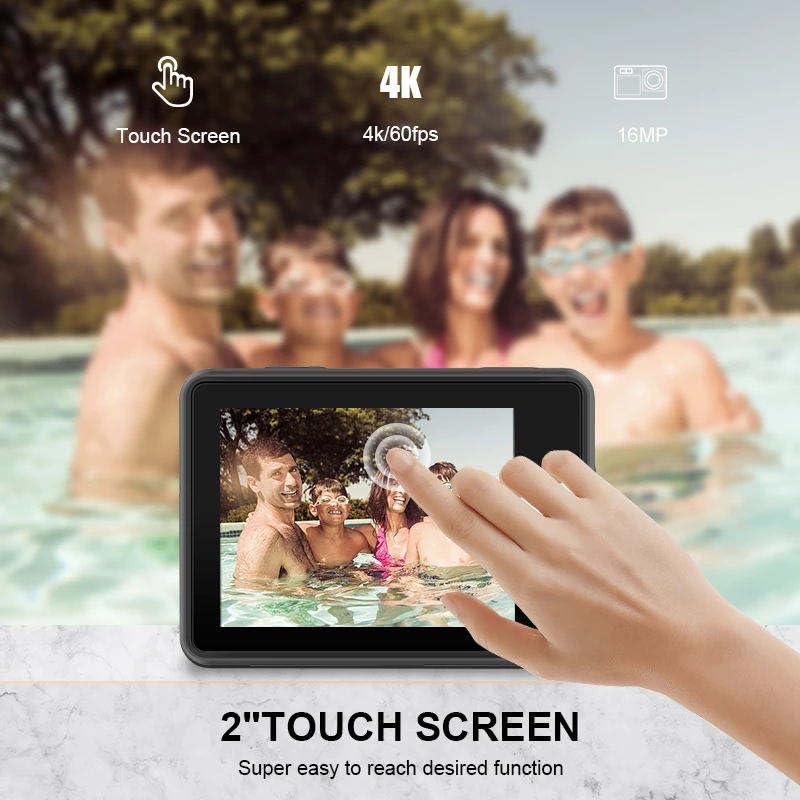
Image: A hand touching the camera's rear screen, demonstrating its touch functionality for easy navigation.
5.6. EIS Stabilization
Electronic Image Stabilization (EIS) helps to reduce blur and shake, resulting in smoother video footage, especially during active movements.

Image: A side-by-side comparison showing the difference between video captured without EIS (blurry) and with EIS (stable and clear).
5.7. Wi-Fi Connectivity & Mobile App Control
Connect your camera to a smartphone or tablet via Wi-Fi for remote control, live preview, and easy file pemindahan.
- Download the recommended mobile application (refer to the camera's on-screen instructions or user manual for app name) from your device's app store.
- On the camera, enable Wi-Fi from the settings menu. The camera's Wi-Fi name and password will be displayed.
- On your smartphone, go to Wi-Fi settings and connect to the camera's Wi-Fi network.
- Open the mobile app to control the camera remotely, view hidup footage, and download content.
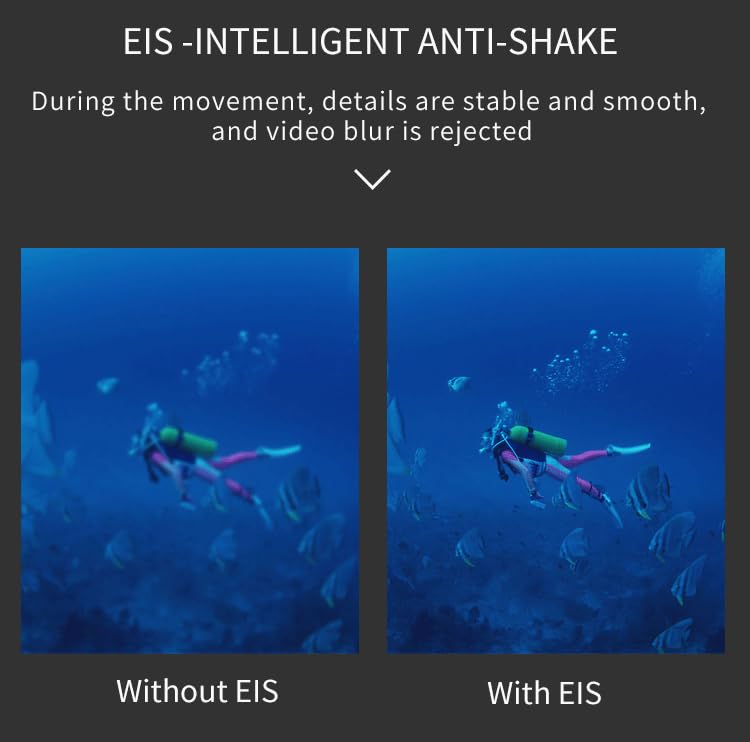
Image: A smartphone displaying a live feed from the action camera, illustrating the Wi-Fi connectivity and app control feature.
5.8. Alat Kawalan Jauh
The included 2.4G wireless remote control allows for convenient operation from a distance of up to 10 meters.
- Butang Video: Tekan untuk memulakan/menghentikan rakaman video.
- Butang Foto: Press to take a still photo.

Image: The compact 2.4G wireless remote control, designed for easy operation of the action camera from a distance.
5.9. Kanta Sudut Lebar
The 170-degree wide-angle lens captures a broader perspective, ideal for landscapes, group shots, and immersive action footage.
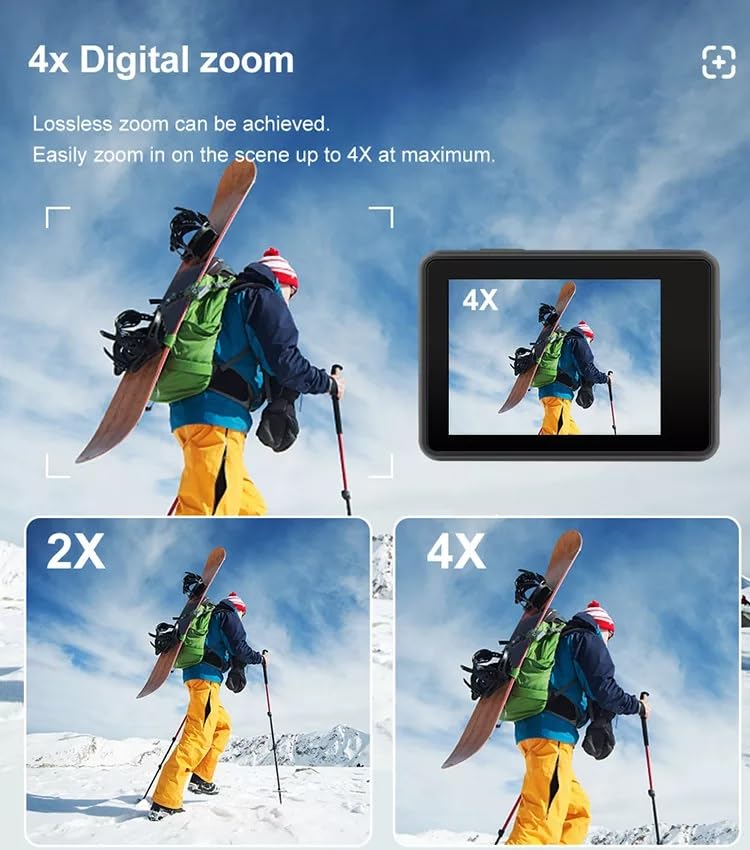
Image: A visual comparison demonstrating the expansive 170-degree field of view provided by the camera's wide-angle lens, showing significantly more of the scene than narrower lenses.
5.10. Zum Digital
The camera supports up to 4x digital zoom, allowing you to magnify your subject. Note that digital zoom may reduce image quality compared to optical zoom.
Image: Multiple frames illustrating the effect of 2x and 4x digital zoom on a scene, showing how the subject is magnified on the camera screen.
6. Penyelenggaraan
6.1. Membersihkan Kamera
- Use a soft, lint-free cloth to clean the camera lens and screens.
- Untuk calitan degil, ringan dampen the cloth with water or a lens cleaning solution.
- Jangan gunakan bahan kimia yang keras atau bahan yang melelas.
6.2. Penjagaan Bateri
- Simpan bateri di tempat yang sejuk dan kering apabila tidak digunakan.
- Avoid fully discharging batteries before recharging to prolong their lifespan.
- Jika menyimpan untuk tempoh yang lama, cas bateri kepada kapasiti kira-kira 50%.
6.3. Penyimpanan
- Simpan kamera dalam persekitaran yang kering dan bebas habuk.
- Tanggalkan bateri jika kamera tidak akan digunakan untuk tempoh yang lama.
7. Penyelesaian masalah
| Masalah | Kemungkinan Punca | Penyelesaian |
|---|---|---|
| Kamera tidak dihidupkan. | Low or dead battery; Battery inserted incorrectly. | Charge the battery; Reinsert battery correctly. |
| Tidak boleh merakam video atau mengambil gambar. | No MicroSD card; MicroSD card full or corrupted; Card speed too slow. | Insert a MicroSD card; Delete files or use a new card; Use a Class 10 or U3 rated card. |
| Kualiti video/foto yang lemah. | Lens is dirty; Insufficient lighting; EIS not enabled. | Clean the lens; Ensure adequate lighting; Enable EIS in settings. |
| Isu sambungan Wi-Fi. | Incorrect password; Too far from camera; App not updated. | Verify password; Move closer to camera; Update mobile app. |
| Alat kawalan jauh tidak berfungsi. | Remote battery low; Out of range; Not paired. | Replace remote battery; Operate within 10m; Refer to remote pairing instructions. |
8. Spesifikasi
| Ciri | Perincian |
|---|---|
| Jenama | AUSEK |
| Nama Model | 5k Bike Camera |
| Resolusi Video | 5K @ 30fps |
| Resolusi Foto | 48MP |
| Skrin Berganda | 2.0-inch Rear Touch Screen, 1.4-inch Front Screen |
| Kanta Sudut Lebar | 170° |
| Penstabilan Imej | Penstabilan Imej Elektronik (EIS) |
| Kedalaman Kalis Air | Sehingga 30 meter (dengan sarung kalis air) |
| Penyimpanan | Micro SD card, up to 256GB (not included) |
| Kapasiti Bateri | 2 x 1350mAh |
| Ketersambungan | Wi-Fi, HDMI, USB |
| Format Audio yang Disokong | AAC, MP3 |
| Format Tangkapan Video | MP4, AVI |
| Zum Digital | 4x |
9. Waranti dan Sokongan
9.1. Maklumat Waranti
The AUSEK 5K Ultra HD Sports Action Camera comes with a Waranti 1 Tahun dari tarikh pembelian. Waranti ini meliputi kecacatan pembuatan dan mutu kerja di bawah penggunaan biasa. Ia tidak meliputi kerosakan yang disebabkan oleh salah guna, kemalangan, pengubahsuaian tanpa kebenaran atau bencana alam.
9.2. Sokongan Pelanggan
For any technical assistance, warranty claims, or product inquiries, please contact AUSEK customer support:
- Telefon Sokongan Pelanggan: 08048977694
Sila sediakan model produk dan tarikh pembelian anda semasa menghubungi sokongan.
10. Video Produk Rasmi
No official seller videos were found for this product in the provided data.
Ask a question about this manual
Ask about setup, troubleshooting, compatibility, parts, safety, or missing instructions. Manuals+ will review the question and use this page’s manual context to help answer it.