
1. Pengenalan
Thank you for choosing the MOJOGEAR Wireless Powerbank 10,000 mAh. This portable power bank is designed to provide convenient and efficient charging for your mobile devices, featuring both wireless magnetic charging capabilities and traditional wired charging ports. It includes an integrated stand for enhanced usability.
Sila baca manual ini dengan teliti sebelum menggunakan produk ini untuk memastikan operasi yang betul dan memaksimumkan jangka hayatnya.
2. Kandungan Pakej
- MOJOGEAR Wireless Powerbank 10,000 mAh
- MagSafe Compatible Magnetic Ring
- USB-A to USB-C Cable (25 cm)
3. Produk Lebihview
The MOJOGEAR Wireless Powerbank offers a versatile charging experience. Key features include:
- Kapasiti 10,000 mAh: Provides 1.5 to 4 full charges for most smartphones, depending on the model.
- Pengecasan Wayarles Magnetik: Compatible with MagSafe devices (iPhone 12 series and newer) for secure and cable-free charging up to 15W (7.5W for iPhone).
- Pengecasan Berwayar: Equipped with a USB-C port (20W output, 18W input) and a USB-A port (22.5W output) for fast charging multiple devices simultaneously.
- Integrated Foldable Stand: Allows the power bank to function as a desktop stand, enabling hands-free viewing semasa mengecas.
- Reka bentuk padat: Dimensions of 10.6 x 7 x 1.6 cm and a weight of 202 grams make it highly portable.
- Pengecasan Laluan: Charge your device while the power bank itself is being recharged.

Image: The MOJOGEAR Wireless Powerbank demonstrating wireless charging with a phone on its integrated stand.
4. Persediaan
4.1 Initial Charging of the Powerbank
- Sebelum penggunaan pertama, cas penuh bank kuasa.
- Connect the supplied USB-A to USB-C cable to the power bank's USB-C port.
- Sambungkan hujung kabel yang satu lagi kepada penyesuai dinding USB yang serasi (tidak disertakan).
- The LED indicators on the bottom of the power bank will illuminate to show the charging status. All four LEDs will be solid when fully charged.
5. Arahan Operasi
5.1 Pengecasan Tanpa Wayar (Serasi dengan MagSafe)
- Ensure your device is compatible with MagSafe or wireless charging.
- Align your MagSafe-compatible smartphone (e.g., iPhone 12, 13, 14, 15 series) with the magnetic charging pad on the power bank. The magnets will automatically snap the phone into place.
- Charging will begin automatically. The power bank delivers up to 15W wireless charging (7.5W for iPhones).
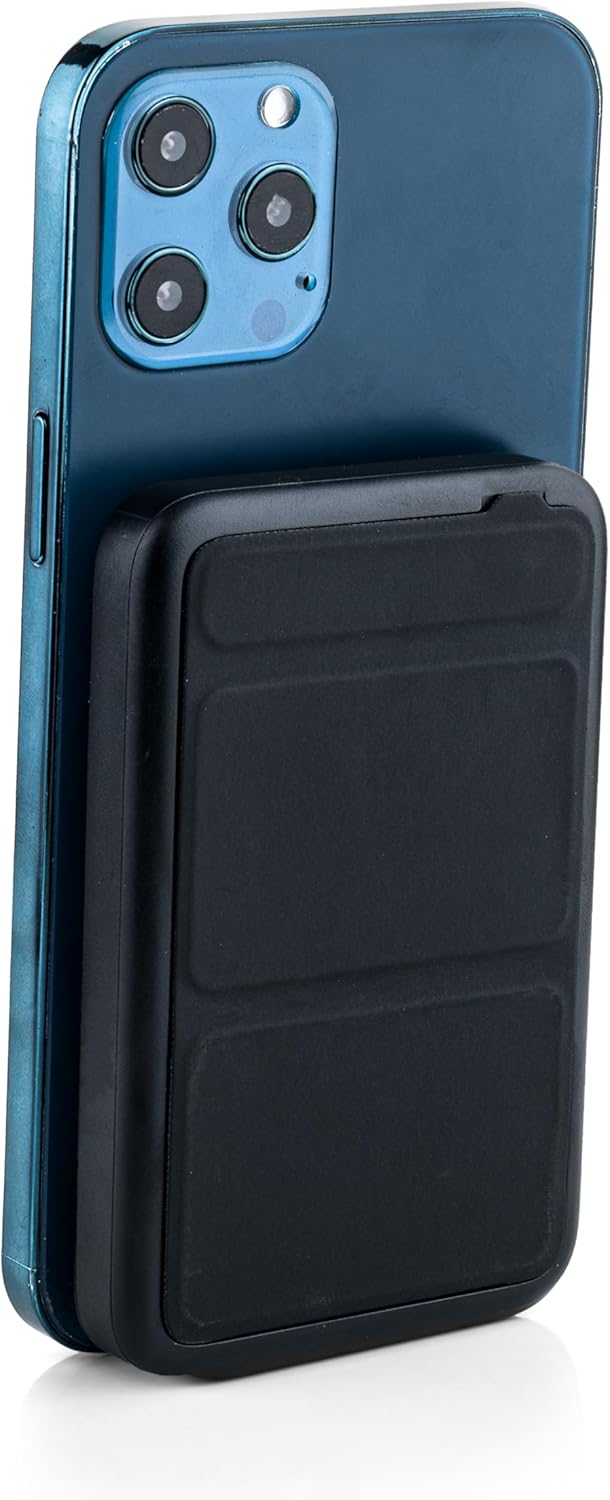
Image: The power bank magnetically attached to the back of a smartphone for wireless charging.
5.2 Wired Charging (USB-C and USB-A)
- Connect your device's charging cable to either the USB-C port (output up to 20W) or the USB-A port (output up to 22.5W) on the power bank.
- Connect the other end of the cable to your smartphone, tablet, e-reader, action camera, or wireless headphones.
- The power bank can charge up to three devices simultaneously (one wirelessly, two wired).
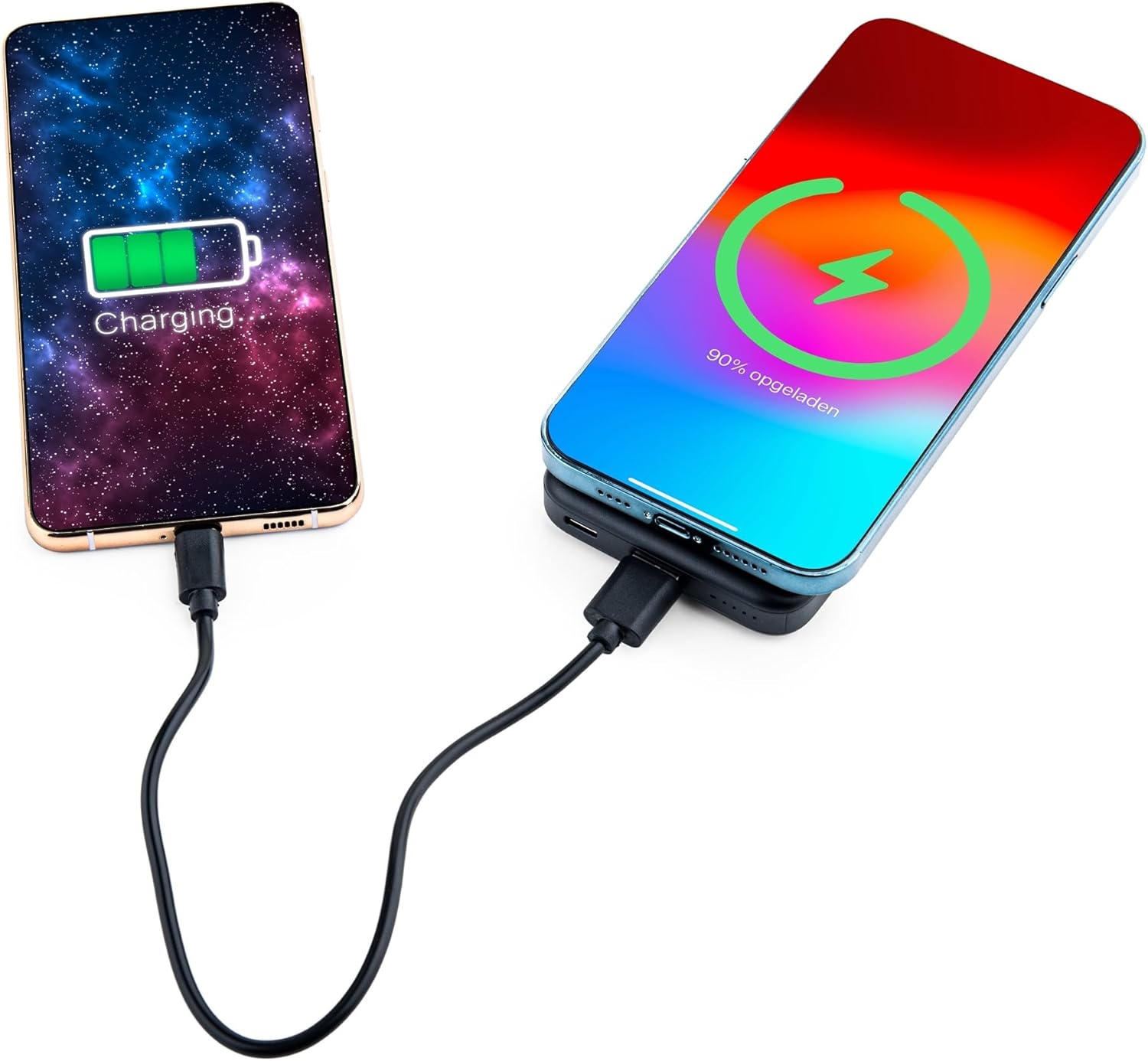
Image: Demonstrating simultaneous charging of two devices, one wirelessly and one via cable.
5.3 Menggunakan Penyangga Bersepadu
- Locate the foldable stand on the back of the power bank.
- Gently pull out the stand to deploy it. It can be adjusted to two different viewsudut-sudut.
- Attach your MagSafe-compatible phone to the power bank's magnetic surface. The stand allows you to prop up your phone for hands-free viewsemasa ia dicas.

Image: A smartphone positioned on the power bank's stand for convenient viewing during wireless charging.
5.4 Status Penunjuk LED
The power bank features four LED status lights on the bottom to indicate the remaining battery level and charging status:
- 4 LEDs Solid: Dikenakan caj 75-100%
- 3 LEDs Solid: Dikenakan caj 50-75%
- 2 LEDs Solid: Dikenakan caj 25-50%
- 1 LED Solid: Dikenakan caj 0-25%
- LED berkelip: Indicates the power bank is currently charging.
6. MagSafe Compatibility for Non-MagSafe Devices
If your smartphone does not have built-in MagSafe compatibility, you can still utilize the magnetic attachment feature using the included magnetic ring:
- Bersihkan permukaan belakang telefon atau sarung telefon anda dengan teliti.
- Kupas pelekat belakang daripada cincin magnet dengan berhati-hati.
- Center the magnetic ring on the back of your phone or phone case. Ensure it does not obstruct any cameras or sensors.
- Press firmly to secure the ring.
- Once the ring is attached, your phone can magnetically connect to the power bank for wireless charging.
7. Maklumat Keselamatan
Untuk memastikan operasi yang selamat dan mencegah kerosakan, sila patuhi perkara berikut:
- Jangan dedahkan bank kuasa kepada suhu yang melampau, cahaya matahari langsung atau api.
- Elakkan menjatuhkan, membuka atau mengubah suai peranti.
- Jauhkan daripada air dan kelembapan yang tinggi.
- Jangan gunakan jika bank kuasa rosak atau bengkak.
- Jauhkan daripada kanak-kanak.
- This power bank is tested and protected against overcharge, over-discharge, overcurrent, and short circuits.
- The power bank is suitable for air travel.
8. Penyelenggaraan
To maintain the performance and longevity of your power bank:
- Bersihkan bank kuasa dengan kain lembut dan kering. Jangan gunakan bahan kimia yang keras atau bahan yang melelas.
- Simpan di tempat yang sejuk dan kering apabila tidak digunakan.
- Recharge the power bank at least once every three months if unused for extended periods to preserve battery health.
9. Penyelesaian masalah
- Peranti tidak mengecas secara wayarles:
- Ensure your device supports wireless charging and is correctly aligned with the power bank's charging pad.
- Keluarkan sebarang sarung telefon tebal yang mungkin mengganggu pengecasan wayarles.
- Periksa sama ada bank kuasa mempunyai cas yang mencukupi.
- Device not charging via cable:
- Verify that the cable is securely connected to both the power bank and your device.
- Try a different cable or port to rule out a faulty cable or port.
- Periksa sama ada bank kuasa mempunyai cas yang mencukupi.
- Bank kuasa tidak dicas:
- Ensure the charging cable is properly connected to the power bank's USB-C input and a working power source.
- Try a different wall adapter or cable.
10. Spesifikasi
| Nombor Model | MG-PB-8-BLACK |
| Kapasiti Bateri | 10,000 mAh |
| Input USB-C | Maksimum 18W |
| Output USB-C | Maksimum 20W |
| Keluaran USB-A | Maksimum 22.5W |
| Output Tanpa Wayar | Max 15W (iPhone Max 7.5W) |
| Dimensi | 10.6 x 7 x 1.6 cm |
| Berat badan | 202 gram |
| bahan | Plastik, Logam |
| warna | Hitam |
| Ciri Khas | MagSafe Compatible, Integrated Stand, Wireless Charging, Pass-Through Charging, Air Travel Approved |
11. Waranti dan Sokongan
The MOJOGEAR Wireless Powerbank 10,000 mAh comes with a Waranti 2 tahun dari tarikh pembelian. Waranti ini meliputi kecacatan pembuatan dan memastikan produk berfungsi seperti yang dimaksudkan di bawah penggunaan biasa.
For technical support, warranty claims, or any questions regarding your product, please contact MOJOGEAR customer service through the retailer where you purchased the product or visit the official MOJOGEAR webtapak untuk maklumat hubungan.