
1. Pengenalan
This manual provides detailed instructions for the setup, operation, and maintenance of your edaiser Swivel Keyboard Case. Please read this manual thoroughly before using the product to ensure proper function and longevity. This keyboard case is designed to enhance your iPad mini experience by providing a physical keyboard and trackpad, along with robust protection and versatile viewsudut-sudut.
2. Kandungan Pakej
- edaiser Swivel Keyboard Case
- Kabel Pengecas USB-C
- Manual Pengguna
3. Keserasian
This keyboard case is specifically designed for the following iPad models:
- 2021 iPad mini 6th Generation (8.3-inch): Model Numbers A2567, A2568, A2569
- 2024 iPad mini 7th Generation (8.3-inch): Model Numbers A2993, A2995, A2996
To verify your iPad model number, check the back of your iPad or go to Settings > General > About > Model Number.

Image: Compatible iPad models and their model numbers.
4. Ciri-ciri Produk
4.1 Pusing dan Putaran
The keyboard case features a 360-degree rotatable hinge and 180-degree fold, allowing for multiple viewing and typing modes:
- Mod Laptop: Standard laptop-like setup for typing.
- Mod Berdiri: Ideal for watching videos or presentations.
- Mod Khemah: Suitable for touch-based interactions or drawing.
- Mod Tablet: Fold the keyboard back for a traditional tablet experience.

Image: iPad mini in laptop mode, demonstrating swivel and rotation.

Image: Different usage modes of the keyboard case.
4.2 RGB Backlit Keyboard and Trackpad
The integrated keyboard features RGB backlighting for comfortable typing in low-light conditions. The precision trackpad supports multi-touch gestures for enhanced navigation within iPadOS.
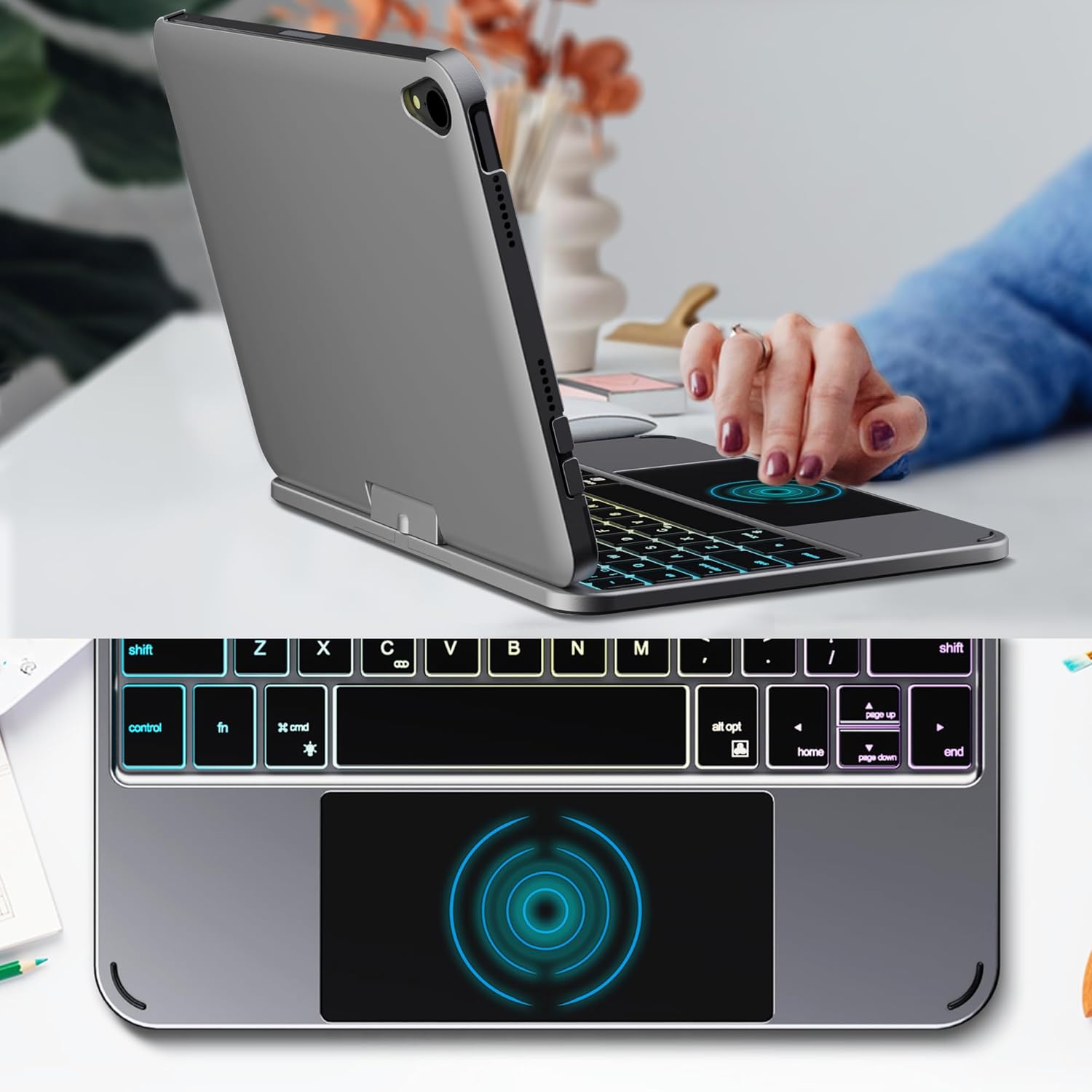
Image: Backlit keyboard and trackpad in use.

Image: Keycap and touchpad dimensions, and available colors.
4.3 Protection and Design
The case provides comprehensive protection for your iPad mini, safeguarding it from scratches and minor impacts. It features precise cutouts for the camera, charging port, and speakers.

Image: Case features and drop protection illustration.
5. Arahan Persediaan
5.1 Installing Your iPad mini
- Gently align your iPad mini with the case.
- Press the iPad firmly into the case until it is securely seated. Ensure all edges are properly covered and ports/buttons are accessible.
Video: Demonstrates the installation of the iPad mini into the keyboard case, followed by usage in laptop mode, trackpad interaction, and backlight activation.
5.2 Berpasangan Bluetooth
- Hidupkan papan kekunci: Locate the power button on the keyboard and press it to turn on the device.
- Activate Bluetooth on the keyboard: Press the "Fn" key and the "C" key simultaneously to activate Bluetooth pairing mode. The Bluetooth indicator light will flash.
- Open iPad Settings: Pada iPad anda, pergi ke tetapan > Bluetooth.
- Sambung: In the Bluetooth device list, find "iPad keyboard" and tap to connect. A pairing request may appear; confirm it.
- The Bluetooth indicator light on the keyboard will stop flashing once successfully paired.
Video: Demonstrates the rotation of the iPad within the case, various usage modes, and the Bluetooth pairing process for the keyboard.
6. Arahan Operasi
6.1 Fungsi Papan Kekunci
The keyboard includes standard keys and function keys specific to iPadOS:
- Fn + C: Activates Bluetooth pairing mode.
- Ikon Fn + Mentol Lampu: Toggles keyboard backlight on/off and cycles through brightness levels.
- Fn + RGB icon: Changes backlight color (if multiple colors are supported).
- Kunci rumah: Returns to the iPad home screen.
- Kunci carian: Activates iPad search.
- Kekunci kelantangan: Adjusts iPad volume.
- Kekunci kawalan media: Play/Pause, Previous Track, Next Track.
6.2 Trackpad Gestures
The trackpad supports various multi-touch gestures for efficient navigation:
- Ketik satu jari: Left-click.
- Ketuk dua jari: Right-click (context menu).
- Tatal dua jari: Scroll up/down or left/right.
- Leret tiga jari ke atas: Go to the home screen.
- Three-finger swipe up and hold: Open the App Switcher.
- Three-finger swipe left/right: Switch between open apps.
- Cubit untuk mengezum: Zoom in/out on content.
7. Mengecas dan Bateri
The keyboard case is powered by a built-in rechargeable battery. Use the provided USB-C cable to charge the keyboard.
- Kapasiti Bateri: 500mAh
- Masa Tunggu Sedia: Sehingga 90 hari
- Masa Bekerja: Up to 180 hours (without backlight)
- Penunjuk Pengecasan: The LED indicator will show charging status.
Connect the USB-C cable to the charging port on the keyboard and the other end to a USB power adapter (not included).

Image: Battery specifications and charging port location.
8. Penyelenggaraan
- Keep the keyboard case away from liquids and extreme temperatures.
- Clean the case and keyboard with a soft, damp kain. Elakkan bahan kimia yang keras.
- Jangan cuba membuka produk.
9. Penyelesaian masalah
9.1 Papan Kekunci Tidak Bersambung melalui Bluetooth
- Pastikan papan kekunci dihidupkan dan dicas sepenuhnya.
- Pastikan Bluetooth diaktifkan pada iPad anda.
- Press "Fn" + "C" on the keyboard to enter pairing mode.
- Lupakan peranti dalam tetapan Bluetooth iPad anda dan cuba pasangkan semula.
- Mulakan semula iPad dan papan kekunci anda.
9.2 Kunci Tidak Bertindak Balas
- Check the battery level of the keyboard.
- Pastikan papan kekunci disambungkan dengan betul melalui Bluetooth.
- Bersihkan sekeliling kunci untuk mengeluarkan sebarang serpihan.
9.3 Trackpad Not Working
- Pastikan papan kekunci disambungkan melalui Bluetooth.
- Semak tetapan iPad: tetapan > Umum > Trackpad & Mouse to ensure it's enabled and sensitivity is adjusted.
- Mulakan semula iPad dan papan kekunci anda.
10. Spesifikasi
| Ciri | Spesifikasi |
|---|---|
| Jenama | edaiser |
| Nombor Model | edaiser Swivel 83ATS |
| Model yang Serasi | Apple iPad mini 6th Gen (8.3-inch), iPad mini 7th Gen (A17 Pro) |
| Ketersambungan | Bluetooth |
| Jenis Papan Kekunci | Compact with RGB Backlight |
| Pad jejak | Integrated, Multi-touch |
| Sumber Kuasa | Dikuasakan Bateri |
| Kapasiti Bateri | 500mAh |
| Masa Tunggu Sedia | Sehingga 90 hari |
| Masa Bekerja | Sehingga 180 jam (tanpa lampu latar) |
| Port Pengecasan | USB-C |
| Bilangan Kunci | 64 |
| Keycap Size | 11.5mm x 12.9mm |
| Touchpad Size | 98.4mm x 49.7mm |
11. Waranti dan Sokongan
For warranty information and customer support, please refer to the official edaiser webtapak atau hubungi perkhidmatan pelanggan mereka secara langsung. Simpan resit pembelian anda untuk tuntutan waranti.