
1. Pengenalan
This manual provides instructions for the LYOTECH LFI One Phone Case, designed specifically for the LUNA V6 smartphone. This product offers comprehensive protection and enhanced functionality for your device, including a durable case and a 9H tempered glass screen protector.
2. Kandungan Pakej
Sila sahkan bahawa semua item terdapat dalam pakej anda:
- 1 x LYOTECH LFI One Phone Case (for LUNA V6)
- 1 x 9H Tempered Glass Screen Protector
3. Persediaan dan Pemasangan
3.1 Memasang Sarung Telefon
- Ensure your LUNA V6 smartphone is clean and free of dust or debris.
- Align the phone with the case, starting with the top or bottom edge.
- Gently press the phone into the case, ensuring all corners and edges are securely fitted. The soft silicone frame and thickened corners provide a snug fit and enhanced shock protection.
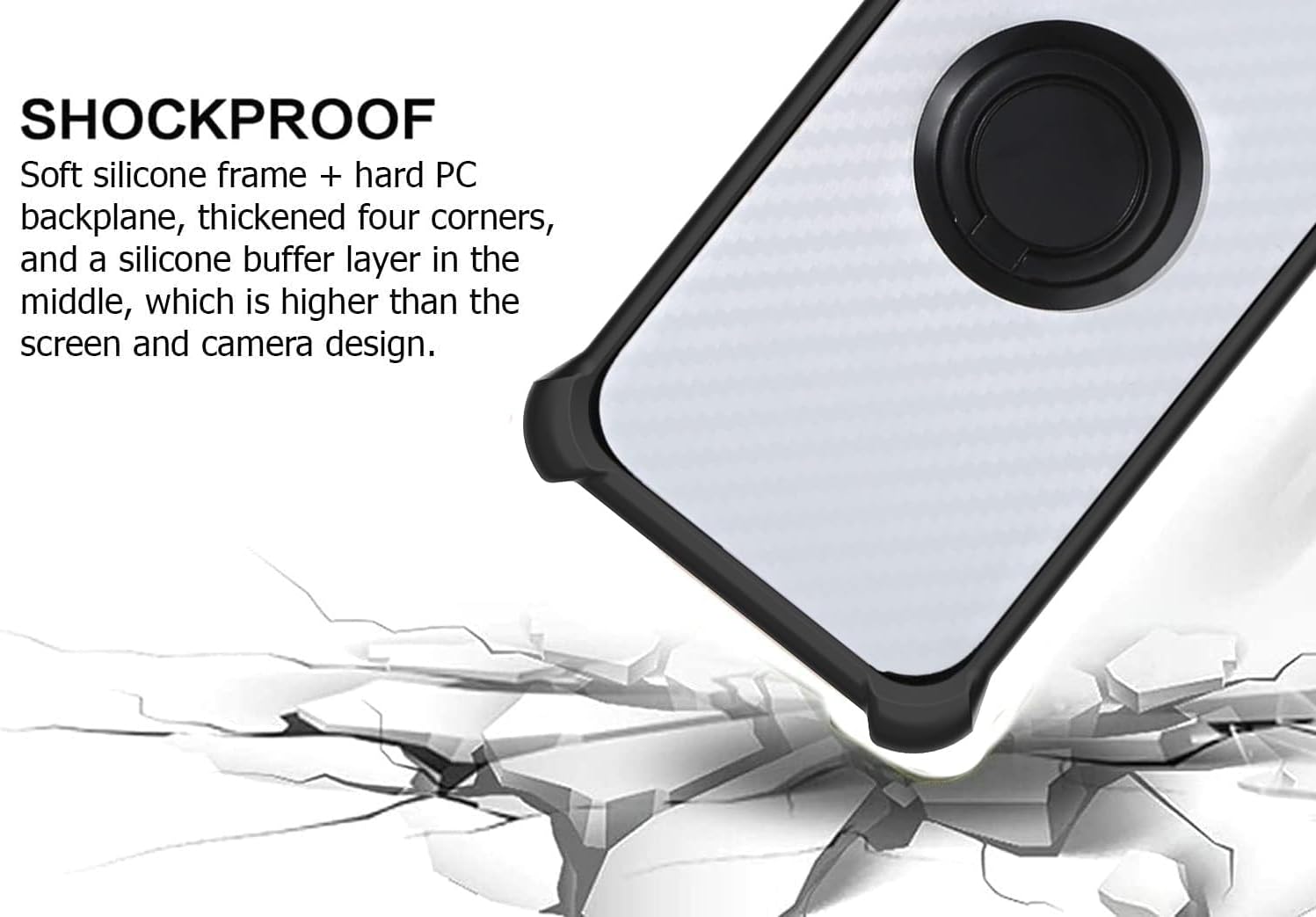
Figure 1: The case features a soft silicone frame, hard PC backplane, and thickened four corners for shock absorption. A silicone buffer layer is integrated, positioned higher than the screen and camera for added protection.
3.2 Installing the 9H Tempered Glass Screen Protector
- Bersihkan Skrin: Use the provided cleaning wipes (if included) to thoroughly clean your phone's screen. Ensure there are no dust particles, smudges, or fingerprints.
- Keringkan Skrin: Use a dry cloth to remove any moisture from the screen.
- Keluarkan Filem Pelindung: Carefully peel off the protective film from the adhesive side of the tempered glass. Avoid touching the adhesive surface.
- Selaraskan Pelindung: Align the screen protector precisely with your phone's screen, paying attention to cutouts for the speaker and camera.
- memohon: Once aligned, gently lower the screen protector onto the screen. It will adhere automatically.
- Keluarkan Gelembung: If any bubbles appear, gently push them towards the edges of the screen using a soft cloth or squeegee.

Figure 2: The 9H tempered glass screen protector offers high hardness, perfect adhesion, shatterproof design, case-friendly fit, 99.9% super transparency, and anti-fingerprint properties.

Figure 3: The screen protector is designed to be scratch-proof, effectively preventing damage from sharp objects or abrasion.
4. Operasi dan Ciri-ciri
4.1 Integrated Kickstand Function
The case features a built-in 360-degree rotating ring that doubles as a kickstand. To use:
- Pull out the ring from the back of the case.
- Rotate the ring to your desired angle to prop up your phone horizontally for comfortable viewing of videos or making video calls.

Figure 4: The integrated ring can rotate 360 degrees and fold 180 degrees, allowing for versatile kickstand positions for media viewing.
4.2 Magnetic Car Mount Compatibility
The case includes a metal plate integrated into the ring stand, making it compatible with magnetic car mounts. To use:
- Attach your phone (with the case installed) directly to a magnetic car mount. The metal plate will securely hold your device.
- Nota: A magnetic car mount is not included with this product. Wireless charging may not be supported when using the magnetic plate or if the phone is attached to a magnetic mount.
Figure 5: The case supports magnetic car mounts via its integrated metal plate. Magnetic car mount is sold separately.
4.3 Enhanced One-Hand Operation
The 360-degree rotating ring also assists with one-hand operation of your smartphone. To use:
- Insert your finger through the ring on the back of the case.
- This provides a secure grip, allowing you to reach more areas of your screen comfortably with one hand.

Figure 6: The ring stand provides a secure grip, enabling easier one-hand operation and access to more screen areas.
4.4 Card Slots
The case features integrated card slots, allowing you to conveniently store essential cards or cash with your phone.
- Locate the card slots on the interior of the case.
- Insert your cards or folded cash into the designated slots.
5. Penyelenggaraan dan Penjagaan
- Membersihkan Kes: Lap bekas dengan kerap dengan lembut, damp cloth to remove dust and smudges. For stubborn dirt, a mild soap solution can be used, followed by wiping with a clean, damp cloth and air drying. Avoid harsh chemicals or abrasive cleaners.
- Cleaning the Screen Protector: Use a microfiber cloth to gently wipe the screen protector. For smudges, a screen cleaner spray designed for electronics can be used.
- Elakkan Keadaan Melampau: Do not expose the case or screen protector to extreme temperatures, direct sunlight for prolonged periods, or corrosive liquids.
6. Penyelesaian masalah
This section addresses common inquiries regarding the phone case and screen protector.
- Kes tidak muat: Ensure you have the correct model (LUNA V6). The case is designed specifically for this model.
- Screen protector bubbles: Small bubbles can often be pushed out to the edges with a soft cloth. If large bubbles persist, re-installation might be necessary after thoroughly cleaning the screen.
- Dudukan magnet tidak memegang: Ensure your magnetic car mount is strong enough and properly installed. The case's integrated metal plate is designed for compatibility, but mount strength varies.
- Wireless charging issues: The integrated metal plate for magnetic car mounts may interfere with wireless charging. It is recommended to remove the case for optimal wireless charging performance.
7. Spesifikasi
| Ciri | Perincian |
|---|---|
| Keserasian Model | LUNA V6 |
| bahan | Polyurethane (PU Leather), Silicone, PC (Polycarbonate) |
| warna | CSKB-HEI (Black/Grey pattern) |
| Ciri Khas | 360 Rotating Ring Stand, Magnetic Car Fixing Plate, Card Slots, Shockproof Design, Water Repellent |
| Screen Protector Hardness | Kaca Terbaja 9H |
| Tahap Ketahanan Air | Penghalau Air |
| Item Dimensions (Approx.) | 10 x 10 x 10 millimeters (L x W x H) - Note: These are likely package dimensions. |
8. Waranti dan Sokongan
For any questions, concerns, or support regarding your LYOTECH LFI One Phone Case, please contact the seller or refer to the product listing on the platform where it was purchased. Specific warranty information may vary by retailer.
Manufacturer: Generic