
1. Pengenalan
Thank you for choosing the Zenwire External CD/DVD Drive. This device is a versatile and portable solution for both reading and writing optical discs, designed for use with laptops and desktop computers. It features modern USB 3.0 and USB-C 3.1 interfaces, ensuring rapid data transfer speeds up to 5 Gb/s. Its durable aluminum casing provides efficient heat dissipation and a sleek design. This drive is compatible with various operating systems, including Windows, Mac OS, and Linux, offering broad utility for a wide range of users.
Ciri-ciri utama termasuk:
- USB 3.0 and USB-C 3.1 Support: Offers very high data transfer speeds up to 5 Gb/s, enhancing efficiency for large files and multimedia.
- Aluminium Casing: Durable and elegant, effectively dissipates heat for long-lasting and safe use.
- Keserasian Sistem Pengendalian: Seamless operation across multiple platforms, including Windows, Mac OS, and Linux.
- mudah alih: Slim design and low weight allow for easy transport, ideal for users on the go.
- Pasang dan Main: Simple installation without the need for additional drivers, enabling quick use immediately after connection.
2. Maklumat Keselamatan
Please read and follow these safety guidelines to ensure proper operation and prevent damage to the device or injury:
- Jangan dedahkan peranti kepada air, lembapan atau suhu yang melampau.
- Elakkan daripada menjatuhkan atau meletakkan peranti kepada kesan yang kuat.
- Jangan cuba membuka atau membaiki peranti sendiri. Rujuk kepada kakitangan perkhidmatan yang berkelayakan.
- Use only compatible discs and cables.
- Jauhkan peranti daripada medan magnet yang kuat.
3. Kandungan Pakej
Sahkan bahawa semua item terdapat dalam pakej anda:
- Zenwire External CD/DVD Drive
- Integrated USB 3.0 / USB-C 3.1 Cable
- Manual Pengguna (dokumen ini)
4. Produk Lebihview
Familiarize yourself with the components and dimensions of your Zenwire External CD/DVD Drive.

Imej: jarak dekat views of the Zenwire External CD/DVD Drive, highlighting the integrated USB cable, the disc eject button, and the anti-slip feet on the bottom. These details illustrate the device's connectivity and stable design.

Imej: The Zenwire External CD/DVD Drive displayed with its approximate dimensions: 5.9 inches (148mm) in length, 5.9 inches (149mm) in width, and 0.6 inches in thickness. This illustrates the compact and slim profile daripada peranti itu.
5. Persediaan
The Zenwire External CD/DVD Drive is designed for simple plug-and-play operation. No additional drivers are typically required for most operating systems.
- Locate an available USB 3.0 or USB-C port on your computer (laptop or desktop).
- Connect the integrated USB cable from the Zenwire drive directly into the chosen port on your computer.
- Sistem pengendalian sepatutnya mengesan dan memasang pemacu yang diperlukan secara automatik. Proses ini mungkin mengambil masa beberapa saat.
- Once installed, the drive will appear as a removable storage device in your computer's file explorer atau desktop.
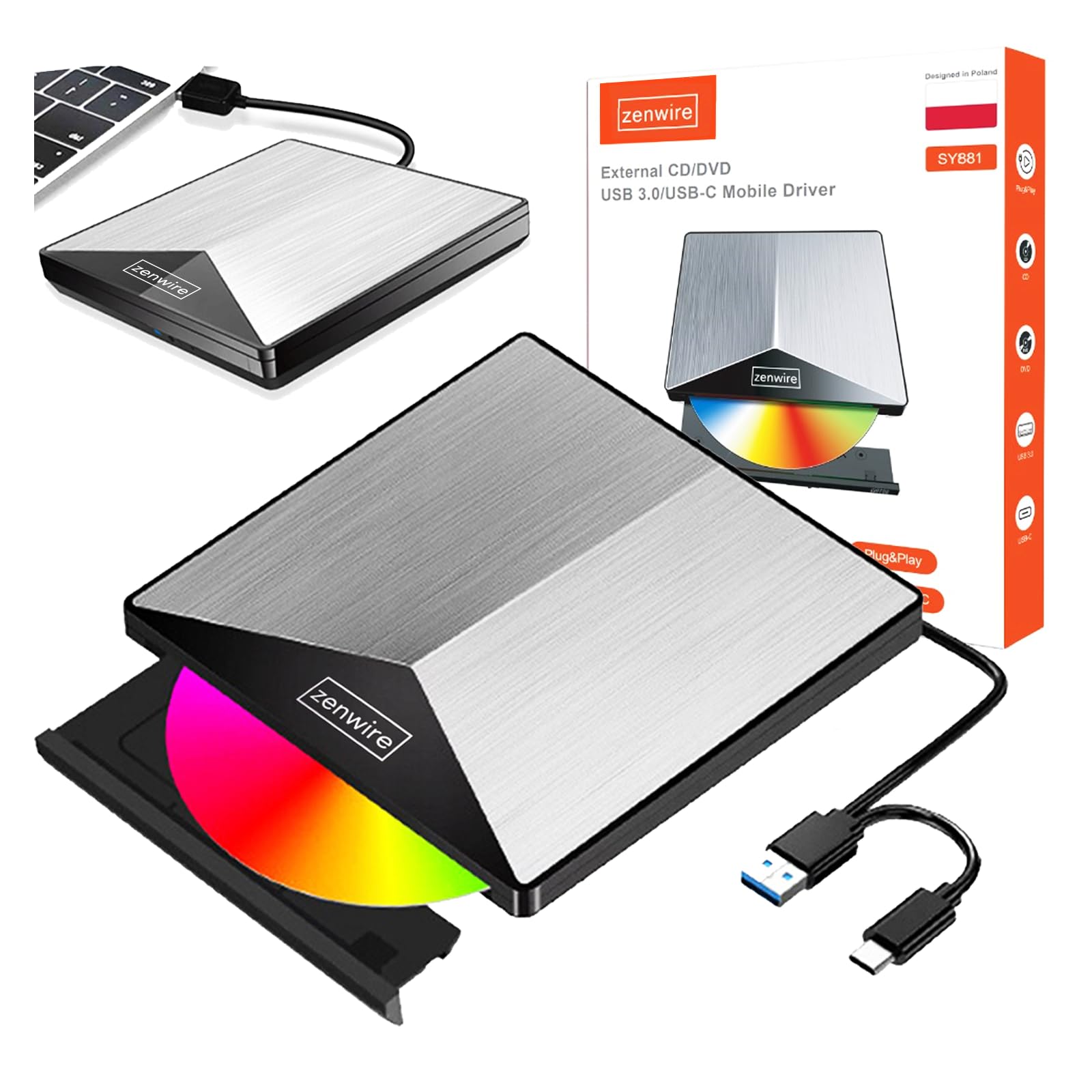
Imej: The Zenwire External CD/DVD Drive shown connected to a laptop via its integrated USB cable. This illustrates the simple plug-and-play connection process.
6. Arahan Operasi
6.1 Memasukkan Cakera
- Press the eject button located on the front of the drive. The disc tray will slide out.
- Carefully place the disc onto the tray with the label side facing up. Ensure the disc is seated correctly in the center.
- Gently push the tray back into the drive until it clicks into place. Do not force the tray.

Imej: A hand carefully inserting a CD into the open disc tray of the Zenwire External CD/DVD Drive. This demonstrates the correct method for disc placement.
6.2 Reading and Writing Discs
Once a disc is inserted and recognized by your computer, you can perform various operations:
- bacaan: For data discs, open 'This PC' or 'My Computer' (Windows) or 'Finder' (Mac) and click on the drive icon to access its contents. For movie DVDs or audio CDs, your operating system may prompt you to open a media player.
- Writing (Burning): To burn data to a blank CD or DVD, insert a blank disc. Your operating system or third-party burning software will guide you through the process of selecting files and initiating the burn.
6.3 Format Cakera yang Disokong
The drive supports a variety of optical disc formats:
- CD-ROM, CD-R, CD-RW
- DVD-ROM, DVD-R, DVD+R, DVD-RW, DVD+RW
- VCD

Imej: The Zenwire External CD/DVD Drive displayed alongside icons representing VCD, CD, and DVD, clearly indicating the range of optical disc formats supported by the device.
6.4 Keserasian Sistem Pengendalian
The drive is compatible with the following operating systems:
- Windows (XP, Vista, 7, 8, 10, 11)
- Mac OS
- Linux

Imej: The Zenwire External CD/DVD Drive depicted in a setup demonstrating its compatibility with multiple operating systems, including various versions of Windows, Mac OS, and Linux. This highlights its universal usability.
7. Penyelenggaraan
Proper maintenance ensures the longevity and optimal performance of your drive.
- Membersihkan Drive: Use a soft, dry, lint-free cloth to wipe the exterior of the drive. Do not use liquid cleaners or abrasive materials. For the optical lens, use a specialized CD/DVD lens cleaning kit if necessary, following its instructions carefully.
- Pembersihan Cakera: Always handle discs by their edges. If a disc is dirty, gently wipe it from the center outwards with a soft, lint-free cloth.
- Storan: Store the drive in a cool, dry place away from direct sunlight and extreme temperatures when not in use. Keep discs in their cases to prevent scratches and dust accumulation.
- Filem Pelindung: Upon first use, you may need to remove any protective film from the device's surface.

Imej: A hand demonstrating the removal of a protective film from the surface of the Zenwire External CD/DVD Drive. This step is often performed during the initial setup or maintenance to ensure optimal appearance and function.
8. Penyelesaian masalah
If you encounter issues with your Zenwire External CD/DVD Drive, refer to the following common problems and solutions:
- Drive not recognized by the computer:
- Pastikan kabel USB disambungkan dengan selamat ke kedua-dua pemacu dan komputer.
- Cuba sambungkan pemacu ke port USB lain pada komputer anda.
- Uji pemacu pada komputer lain untuk menolak isu khusus komputer.
- Mulakan semula komputer anda.
- Disc not reading or writing:
- Check the disc for scratches, dirt, or damage. Try a different disc.
- Pastikan cakera dimasukkan dengan betul dengan bahagian label menghadap ke atas.
- For writing, ensure you are using a blank, compatible disc (CD-R/RW, DVD-R/RW, DVD+R/RW).
- Clean the drive's optical lens using a specialized cleaning disc.
- Kelajuan pemindahan data perlahan:
- Ensure the drive is connected to a USB 3.0 or USB-C 3.1 port on your computer for optimal speed. USB 2.0 ports will result in slower performance.
- Avoid using USB hubs if possible, or ensure the hub is powered and supports USB 3.0/USB-C speeds.
- Drive makes unusual noises:
- This can sometimes occur with unbalanced or damaged discs. Try a different disc.
- Ensure the drive is placed on a stable, flat surface.
9. Spesifikasi
| Ciri | Penerangan |
|---|---|
| Jenama | Zenwire |
| Nombor Model | 5904507529123 |
| Antara muka | USB 3.0, USB Jenis C |
| Kelajuan Pemindahan Data | Up to 5 Gb/s (via USB 3.0 / USB-C 3.1) |
| Optical Write Speed | 10x |
| Sistem Operasi yang Disokong | Windows, Mac OS, Linux |
| Ciri Khas | Pasang & Main |
| bahan | Aluminium Casing |
| Dimensi (lebih kurang) | 148mm (L) x 149mm (W) x 15mm (H) / 5.9in (L) x 5.9in (W) x 0.6in (H) |
10. Maklumat Waranti
Warranty terms and conditions are typically provided with your purchase documentation. Please refer to the specific warranty information included with your product or contact the retailer/manufacturer for details regarding warranty coverage and claims.
11. Sokongan
If you require further assistance or have questions not covered in this manual, please contact Zenwire customer support or your product retailer. Please have your model number (5904507529123) and purchase details ready when contacting support.