
Masterbina MB20041124
Masterbuilt AutoIgnite 545 Digital Charcoal Grill and Smoker Combo User Manual
Model: AutoIgnite 545 (MB20041124)
Jenama: Masterbuilt
Produk Selesaiview
The Masterbuilt AutoIgnite 545 Digital Charcoal Grill and Smoker offers the rich, smoky flavor of charcoal grilling with the convenience of automatic ignition. Designed for ease of use, this unit features a QuickStart™ auto-ignition system, a DigitalFan™ for precise temperature control, and a MiniHopper™ for extended cooking times. It also includes a QuickSear™ cast iron hopper sear plate for versatile cooking options, from low-and-slow smoking to high-heat searing.

Persediaan dan Perhimpunan
Before first use, ensure all components are present and assembled according to the included assembly guide. Proper assembly is crucial for safe and efficient operation.
Langkah Persediaan Awal:
- Buka bungkusan dan Periksa: Carefully remove all parts from the packaging. Verify that all components listed in the assembly manual are present and undamaged.
- Assemble the Grill: Follow the step-by-step instructions provided in the separate assembly manual. Ensure all screws and fasteners are securely tightened.
- penempatan: Position the grill on a stable, level, non-combustible surface outdoors, away from any flammable materials, structures, or overhead obstructions. Ensure adequate ventilation.
- Sambungan Kuasa: Connect the grill to a grounded electrical outlet.

Arahan Operasi
QuickStart™ Auto-Ignition:
The QuickStart™ system simplifies charcoal ignition, making it as easy as lighting a gas grill.
- Plug in and Power On: Plug the grill into a grounded outlet and press the power button on the digital control panel to turn on the controller.
- Preheat Ignitor: Press the QuickStart™ auto-ignition button to begin preheating the ignitor.
- Tetapkan Suhu: Use the digital control panel to set your desired cooking temperature. The DigitalFan™ will work to maintain this temperature.
- Muatkan Arang: Fill the MiniHopper™ with up to 5 lbs of lump charcoal or 7 lbs of briquettes. This provides up to 8 hours of cooking time.
- Insert Firestarter: Once the QuickStart™ button stops flashing, place a Masterbuilt firestarter into the side firestarter holder and slide it into position. The ignitor will light the firestarter.
- Pantau Memasak: Allow the grill and DigitalFan™ to reach and maintain your desired cooking temperature.


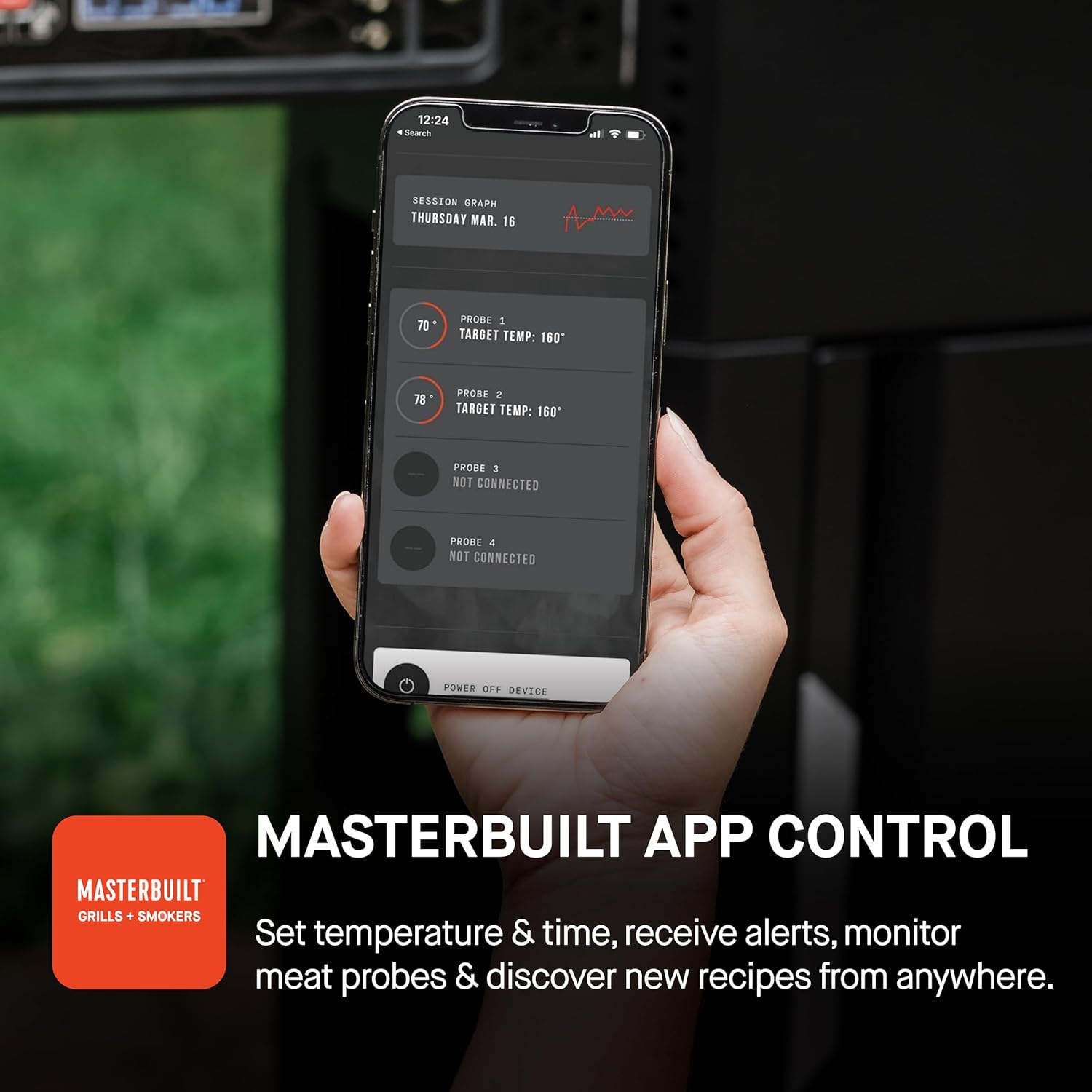
Masterbuilt App Control:
Enhance your grilling experience by connecting your grill to the Masterbuilt app.
- Muat turun Aplikasi: Muat turun aplikasi Masterbuilt daripada gedung aplikasi peranti anda.
- Tambah Peranti: Open the app and select "Add Device" from the home screen.
- Berpasangan: Hold the "Connect" button on your grill's control board to initiate pairing.
- Nama Peranti: Name your grill within the app for easy identification.
- Sambung ke Wi-Fi: Follow the in-app prompts to connect your grill to your home Wi-Fi network.
Once connected, you can set temperature and time, receive alerts, monitor meat probes, and discover new recipes directly from your smartphone.
Memasak serba boleh:
The AutoIgnite 545 is designed for both low-and-slow smoking and high-heat searing, with a temperature range of 250°F to 650°F.
- QuickSear™ Cast Iron Plate: Use the integrated cast iron plate for searing or sautéing foods, adding a delicious crust.
- Cast Iron Cooking Grates: The durable cast iron grates are ideal for searing in food flavors.
- Foldaway Warming Racks: Utilize the warming racks to keep food warm during cooking or fold them away when not in use.


Penyelenggaraan dan Penjagaan
Regular maintenance ensures the longevity and optimal performance of your Masterbuilt AutoIgnite 545.
- Pembersihan Jerat: After each use, allow the grates to cool slightly, then clean them with a grill brush. For stubborn residue, use warm soapy water.
- Penyingkiran Abu: Regularly empty the ash tray and MiniHopper™ to prevent buildup, which can affect airflow and performance. Ensure the grill is completely cool before handling ash.
- Pembersihan Luaran: Lap permukaan luar dengan damp kain dan detergen lembut. Elakkan pembersih yang kasar.
- Storan: When not in use, store the grill in a dry, protected area. Consider using a Masterbuilt grill cover to protect it from the elements.


Menyelesaikan masalah
| Masalah | Kemungkinan Punca | Penyelesaian |
|---|---|---|
| Grill not powering on. | Tidak dipasang, masalah soket kuasa atau butang kuasa tidak ditekan. | Ensure the grill is securely plugged into a working, grounded outlet. Press the power button firmly. |
| QuickStart™ ignitor not lighting. | Firestarter not positioned correctly, ignitor malfunction, or no power to ignitor. | Verify the firestarter is correctly placed in the holder. Check power connection. Contact customer support if issue persists. |
| Temperature not reaching desired level. | Insufficient charcoal, ash buildup, or lid not properly closed. | Add more charcoal to the MiniHopper™. Clean out any ash buildup. Ensure the grill lid is fully closed. |
| App not connecting to grill. | Wi-Fi connectivity issues, incorrect pairing, or app outdated. | Ensure your grill and smartphone are within Wi-Fi range. Re-attempt pairing process. Update the Masterbuilt app to the latest version. |
Spesifikasi
- Jenama: Dibina dengan mahir
- Nama Model: AutoIgnite 545
- Nombor Model: MB20041124
- Sumber Kuasa: arang
- warna: Hitam
- Bahan Luar: Keluli Tahan Karat
- Dimensi Produk: 24"D x 56.5"W x 43.8"H
- Bahan Dalaman: Keluli Tahan Karat
- Jenis bahan api: arang
- Berat Barang: 90.2 paun
- Negara Asal: China
- Julat Suhu: 250°F - 650°F
- Kawasan Memasak: 545 inci persegi
- Kapasiti Arang: Up to 5 lbs lump charcoal or 7 lbs briquettes
Waranti dan Sokongan
For warranty information, product registration, or technical support, please refer to the official Masterbuilt webtapak atau hubungi bahagian perkhidmatan pelanggan mereka. Simpan resit pembelian anda sebagai bukti pembelian untuk tuntutan waranti.
Sokongan Pelanggan: Untuk bantuan, sila layari Masterbuilt Store on Amazon atau rujuk maklumat hubungan yang diberikan dalam pembungkusan produk anda.
Ask a question about this manual
Ask about setup, troubleshooting, compatibility, parts, safety, or missing instructions. Manuals+ will review the question and use this page’s manual context to help answer it.