
pengenalan
This manual provides comprehensive instructions for the safe and efficient use of your DOOGEE N50PRO smartphone. Please read this manual thoroughly before operating your device and retain it for future reference. The DOOGEE N50PRO is an Android 13 smartphone equipped with an Octa-Core processor, a 6.52-inch HD+ display, a 50MP main camera, a 4200mAh battery, and supports 4G Dual SIM, Face ID, and Fingerprint ID.
Kandungan Pakej
Sahkan bahawa semua item berikut disertakan dalam pakej produk anda:
- DOOGEE N50PRO Smartphone
- Kotak Pembungkusan
- Pengecas (9V / 2A)
- Kabel Jenis-C USB
- Pin Kad SIM
- Pre-applied TP Protective Film
- Manual Pengguna (dokumen ini)
Persediaan
1. Pemasangan Kad SIM dan Kad TF
The DOOGEE N50PRO supports dual Nano SIM cards or one Nano SIM card and one TF (MicroSD) card for expandable storage up to 1TB. Ensure the device is powered off before inserting or removing cards.
- Cari dulang kad SIM di sisi telefon.
- Masukkan pin kad SIM ke dalam lubang kecil di sebelah dulang untuk mengeluarkannya.
- Tarik keluar dulang dengan berhati-hati.
- Letakkan kad SIM Nano dan/atau kad TF anda ke dalam slot yang ditetapkan pada dulang. Pastikan kenalan emas menghadap ke bawah.
- Tolak dulang perlahan-lahan ke dalam telefon sehingga ia berbunyi pada tempatnya.
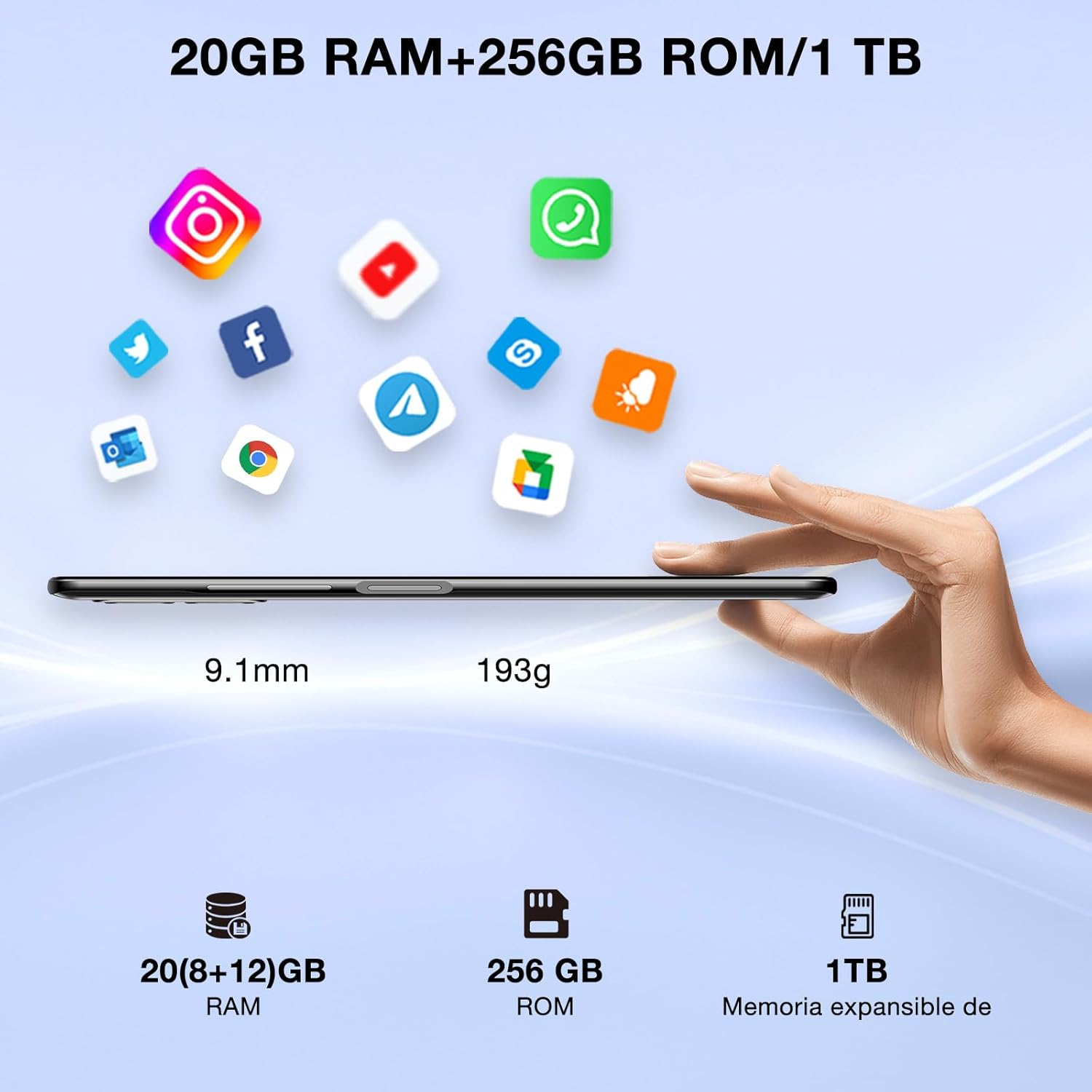
Image: DOOGEE N50PRO smartphone showing its slim profile (9.1mm), weight (193g), and memory configuration (20GB RAM, 256GB ROM, 1TB expandable memory).
2. Kuasa Awal Hidup
Press and hold the Power button located on the side of the device until the DOOGEE logo appears. Follow the on-screen prompts to complete the initial setup, including language selection, Wi-Fi connection, and Google account setup.
3. Mengecas Bateri
Before first use, it is recommended to fully charge the device. Connect the USB Type-C cable to the phone's charging port and the other end to the provided 9V/2A charger. Plug the charger into a power outlet. The charging indicator will appear on the screen.

Image: DOOGEE N50PRO connected to a charger, illustrating its 4200mAh battery capacity and 18W fast charging capability. The image also highlights OTG reverse charging.
Arahan Operasi
1. Basic Navigation and Android 13 Features
Your DOOGEE N50PRO runs on Android 13, offering an intuitive user experience. Swipe down from the top of the screen to access the notification panel and quick settings. Customize your control center and direct access operations for efficient use of various functions.

Image: Visual representation of the DOOGEE N50PRO's internal components, highlighting the Spreadtrum T606 Octa-Core processor with 1.6GHz high frequency and 12nm advanced technology, running on Android 13.
2. Security Features: Face ID and Fingerprint ID
Enhance your device's security and convenience with advanced biometric authentication:
- ID Wajah: Register your face to unlock the phone by simply looking at the front camera.
- ID Cap Jari: Register your fingerprint(s) to unlock the phone or authorize purchases with a touch. The fingerprint sensor is typically located on the side or back of the device.

Image: A user demonstrating Face ID unlock and a close-up of the Fingerprint ID sensor on the DOOGEE N50PRO, showcasing its multi-function security features.
3. Penggunaan Kamera
The DOOGEE N50PRO features a triple camera system:
- 50 MP Main Camera: Untuk foto beresolusi tinggi.
- 8 MP Front Camera: Untuk selfie dan panggilan video.
- Kamera Makro 2 MP: Untuk tangkapan jarak dekat yang terperinci.
Access the Camera app from your home screen or app drawer. Explore various modes such as Panorama, Portrait, and Night mode to capture different scenes effectively.

Image: Diagram illustrating the DOOGEE N50PRO's dual AI camera setup, featuring a 50MP main camera, an 8MP front camera, and a 2MP macro camera. Sample photos taken with the 50MP main and 8MP front cameras are also shown.
4. Ketersambungan
- Wi-Fi: Supports 2.4G/5G Wi-Fi for fast and stable internet connection. Go to Settings > Network & internet > Wi-Fi to connect to available networks.
- Bluetooth 5.0: For connecting wireless accessories like headphones or speakers. Go to Settings > Connected devices > Bluetooth.
- OTG (Semasa Bergerak): Allows the phone to act as a host to connect USB devices like flash drives or external keyboards. It also supports reverse charging for other devices.
- Navigasi: Integrated GPS, GLONASS, BeiDou, and Galileo for accurate location services.
- Radio FM: Use the built-in FM radio feature (requires headphones to act as an antenna).
- Bicu Fon Kepala 3.5mm: Untuk aksesori audio berwayar.
5. Kawalan Ibu Bapa
The device includes parental control features, allowing you to monitor and manage screen time and application usage for children. Access these settings through the device's system settings to balance usage effectively.
Penyelenggaraan
1. Penjagaan Bateri
- Elakkan daripada mendedahkan bateri kepada suhu yang melampau (panas atau sejuk).
- Jangan kerap nyahcas bateri sepenuhnya. Cas sebelum ia jatuh di bawah 20%.
- Use only the provided charger and cable to prevent damage.
2. Pembersihan
Gunakan kain lembut dan tidak berbulu untuk membersihkan skrin dan badan telefon. Elakkan menggunakan bahan kimia yang keras atau bahan yang melelas. Untuk calitan degil, sedikit dampen kain dengan air atau pembersih skrin yang direka untuk elektronik.
3. Kemas Kini Perisian
Semak dan pasang kemas kini perisian secara berkala untuk memastikan peranti anda mempunyai ciri terkini, tampalan keselamatan dan penambahbaikan prestasi. Pergi ke Tetapan > Sistem > Kemas kini sistem.
Menyelesaikan masalah
- Peranti tidak dihidupkan: Pastikan bateri dicas. Sambungkan pengecas dan tunggu beberapa minit sebelum cuba menghidupkan semula.
- Skrin tidak bertindak balas: Try restarting the device by holding the Power button for about 10-15 seconds.
- Isu rangkaian: Check if your SIM card is properly inserted. Try toggling Airplane Mode on and off. If issues persist, contact your mobile service provider.
- Apl ranap: Clear the cache of the problematic app (Settings > Apps > [App Name] > Storage & cache > Clear cache). If the issue continues, consider reinstalling the app.
- Prestasi perlahan: Tutup apl yang tidak digunakan, kosongkan cache atau pertimbangkan tetapan semula kilang sebagai pilihan terakhir (sandarkan data anda dahulu).
Spesifikasi
| Ciri | Spesifikasi |
|---|---|
| Nama Model | DOOGEE N50PRO |
| Sistem Operasi | Android 13.0 |
| Pemproses | Octa-Core (Spreadtrum T606) |
| RAM | 20 GB (Extended Memory) |
| Storan Dalaman (ROM) | 256 GB |
| Storan Boleh Dikembangkan | Sehingga 1 TB (Kad TF) |
| Saiz Paparan | 6.52 Inci |
| Resolusi Paparan | HD+ (720x1600) |
| Kamera Utama | 50 MP |
| Kamera Depan | 8 MP |
| Kamera Makro | 2 MP |
| Kapasiti Bateri | 4200 mAh |
| Mengecas | Pengecasan Pantas Jenis-C 18W |
| Teknologi Selular | 4G |
| Jenis Kad SIM | Nano SIM (Dual SIM support) |
| Ketersambungan | Wi-Fi (2.4G/5G), Bluetooth 5.0, OTG, FM Radio |
| Navigasi | GPS, GLONASS, BeiDou, Galileo |
| Ciri Keselamatan | Face ID, Fingerprint ID |
| Dimensi | 165.8 x 76.2 x 9.1 mm |
| Berat badan | 187 g |
| Bicu Fon Kepala | 3.5 mm |
| Masa Berbual | Sehingga 16 Jam |

Image: The DOOGEE N50PRO's 6.52-inch Waterdrop HD+ display, showing its 720x1600 resolution, 20:9 aspect ratio, and 86% screen-to-body ratio.
Waranti dan Sokongan
1. Maklumat Waranti
Your DOOGEE N50PRO smartphone comes with a two-year official warranty from the date of purchase. Please retain your proof of purchase for warranty claims. This warranty covers manufacturing defects and malfunctions under normal use conditions.
2. Sokongan Pelanggan
For technical assistance, warranty claims, or further inquiries, please contact DOOGEE customer support through their official website or the contact information provided with your purchase. Ensure you have your device model number and proof of purchase ready when contacting support.