
1. Pengenalan
This manual provides detailed instructions for the installation, operation, and maintenance of your Ernitec WOLF-PX-515IR Turret Camera. This camera is designed for surveillance applications, offering high-resolution video recording, motion detection, night vision, and remote viewing capabilities via a smartphone application.
Please read this manual thoroughly before operating the device to ensure proper use and to prevent damage.
1.1 Maklumat Keselamatan
- Bekalan Kuasa: Use only the specified power adapter. Incorrect voltage may damage the camera and void the warranty.
- Persekitaran Pemasangan: Avoid installing the camera in extreme temperatures, high humidity, or dusty environments. Ensure the mounting surface is strong enough to support the camera's weight.
- Pembersihan: Putuskan sambungan kuasa sebelum membersihkan. Gunakan kain lembut dan kering. Jangan gunakan detergen yang kuat atau pembersih yang kasar.
- Servis: Jangan cuba membuka atau membaiki kamera sendiri. Rujuk semua servis kepada kakitangan yang berkelayakan.
- Kabel: Ensure all cables are properly secured and protected from damage.
2. Kandungan Pakej
Verify that all items are present in the package. If any items are missing or damaged, contact your supplier.
- Ernitec WOLF-PX-515IR Turret Camera
- Templat Pemasangan
- Skru Pemasangan dan Palam Dinding
- Panduan Mula Pantas
- Waterproof Connector Kit (for outdoor installations)
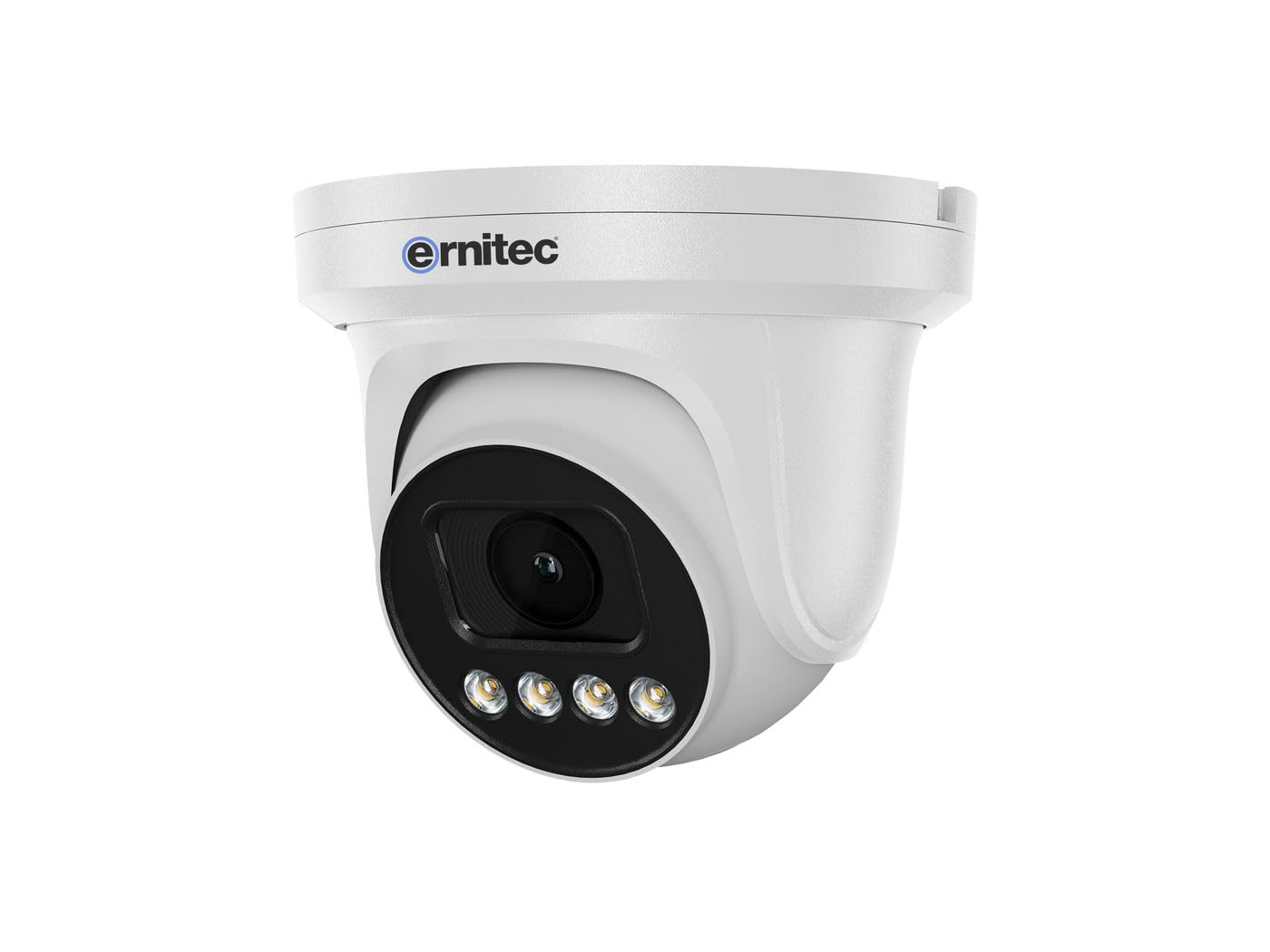
Image 2.1: Ernitec WOLF-PX-515IR Turret Camera with typical accessories.
3. Persediaan
3.1 Pemasangan Fizikal
- Pilih Lokasi: Choose a suitable location for the camera, ensuring it provides the desired field of view dan berada dalam jangkauan sambungan kuasa dan rangkaian.
- Pemasangan:
- Use the provided mounting template to mark drill holes on the wall or ceiling.
- Tebuk lubang dan masukkan palam dinding jika perlu.
- Pasangkan tapak kamera pada permukaan pelekap menggunakan skru yang disediakan.
- Laraskan Sudut: Loosen the adjustment screws on the camera body to set the desired viewing angle. Tighten the screws once the position is finalized.
3.2 Pendawaian
Connect the necessary cables to the camera's ports:
- Kabel kuasa: Connect the power adapter to the camera's power input port. Ensure the power source matches the camera's requirements (e.g., 12V DC).
- Network Cable (Ethernet): Connect an Ethernet cable from the camera's RJ45 port to your network router or PoE switch. If using Power over Ethernet (PoE), a separate power adapter is not required.
3.3 Konfigurasi Rangkaian
After physical installation and wiring, configure the camera for network access:
- Sambungan Awal: Sambungkan komputer anda ke rangkaian yang sama dengan kamera.
- Alamat IP: The camera typically obtains an IP address automatically via DHCP. Use the Ernitec IP Search Tool (available on the Ernitec webtapak) untuk menemui alamat IP kamera pada rangkaian anda.
- Akses Web Antara muka: Buka a web browser and enter the camera's IP address. Log in using the default username and password (refer to the Quick Start Guide for default credentials).
- Tukar Kata Laluan: For security, immediately change the default password upon first login.
- Tetapan Rangkaian: Configure network settings as needed, such as assigning a static IP address or adjusting port forwarding for remote access.
4. Mengendalikan Kamera
4.1 Fungsi Asas
- Langsung View: Akses kamera web interface or dedicated software to view suapan video langsung.
- Rakaman:
- Rakaman Berterusan: Configure the camera to record continuously to a Network Video Recorder (NVR) or local storage (if supported).
- Rakaman Pengesanan Gerak: Set up motion detection zones and sensitivity. The camera will record when motion is detected.
- Rakaman Berjadual: Tentukan tempoh masa tertentu untuk rakaman.
- Penglihatan Malam: The camera automatically switches to infrared (IR) night vision in low-light conditions. Ensure the IR illuminators are not obstructed.
4.2 Jauh Viewing via Smartphone Application
- Muat turun Aplikasi: Download the official Ernitec surveillance application from your smartphone's app store.
- Daftar Akaun: Buat akaun dan log masuk.
- Tambah Peranti: Follow the in-app instructions to add your WOLF-PX-515IR camera. This typically involves scanning a QR code on the camera or manually entering its serial number/IP address.
- Langsung View dan Main Semula: Setelah ditambah, anda boleh view hidup footage, access recorded videos, and receive motion detection alerts directly on your smartphone.
5. Penyelenggaraan
5.1 Pembersihan
- Bersihkan lensa dan perumah kamera secara kerap untuk memastikan kualiti imej yang jelas.
- Use a soft, lint-free cloth. For stubborn dirt, slightly dampen kain dengan air.
- Do not use harsh chemicals, solvents, or abrasive materials, as these can damage the lens coating or camera finish.
5.2 Kemas Kini Perisian Tegar
Periodically check the Ernitec official website for firmware updates. Firmware updates can improve performance, add new features, and enhance security. Follow the instructions provided with the firmware update package carefully.
6. Penyelesaian masalah
| Masalah | Kemungkinan Punca | Penyelesaian |
|---|---|---|
| Tiada kuasa | Power adapter disconnected or faulty; no PoE. | Check power connections. Ensure PoE switch is active if using PoE. Test power adapter. |
| Tiada suapan video | Network connection issue; incorrect IP address; camera offline. | Verify network cable connection. Check camera's IP address. Ensure camera is powered on and connected to the network. Restart camera and router. |
| Kualiti imej yang lemah | Dirty lens; low light; incorrect settings. | Clean the camera lens. Adjust camera settings (e.g., exposure, brightness). Ensure adequate lighting or proper night vision activation. |
| Tidak boleh mengakses dari jauh | Network configuration issues (e.g., port forwarding); app not configured correctly. | Check router settings for port forwarding. Ensure the camera is connected to the internet. Reconfigure the smartphone application. |
7. Spesifikasi
| Ciri | Perincian |
|---|---|
| Nombor Model | 0070-08113 |
| Jenama | Ernitec |
| Penggunaan Kuasa | 10 Watt |
| Saluran | 1 |
| Ciri-ciri Utama | High-resolution video, motion detection, night vision, remote viewmelalui aplikasi telefon pintar. |
| ASIN | B0CKJ4KDNX |
| Pengeluar | Ernitec |
8. Waranti dan Sokongan
For warranty information, please refer to the warranty card included with your product or visit the official Ernitec website. Technical support is available through the Ernitec customer service channels, which can typically be found on their webtapak.
Note: Information regarding spare parts availability and software updates is not available at the time of this manual's publication. Please check the manufacturer's weblaman web untuk maklumat terkini.