
pengenalan
Terima kasih kerana membeliasing the Emerson EPD-1001 Portable 10-inch DVD Player. This manual provides essential information for setting up, operating, and maintaining your device. Please read these instructions carefully before use to ensure proper functionality and to maximize your viewpengalaman dalam.
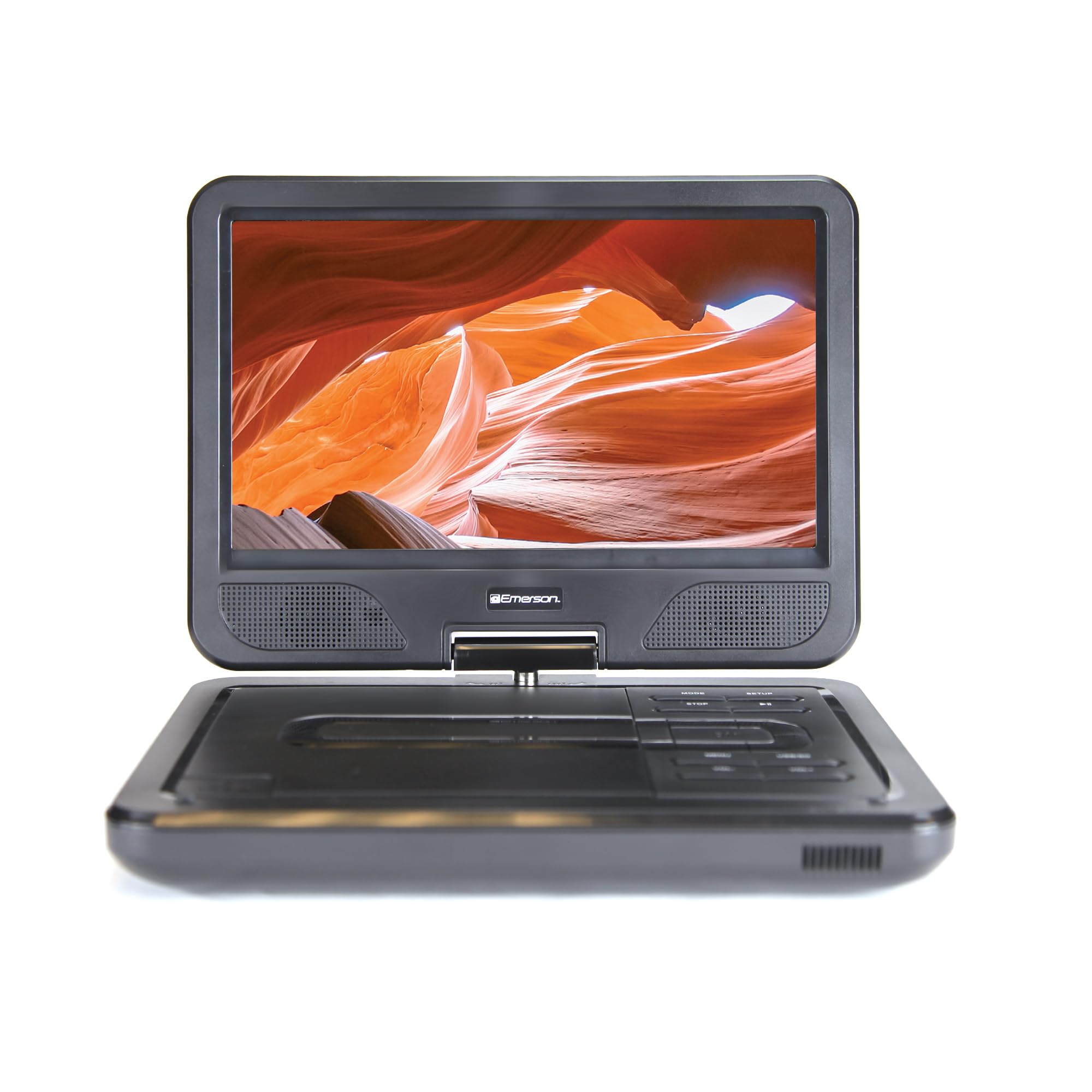
Image: The Emerson EPD-1001 Portable 10-inch DVD Player shown with its screen open, displaying a vibrant image.
Apa yang ada dalam Kotak
Sahkan bahawa semua item terdapat dalam pembungkusan:
- Emerson EPD-1001 Portable 10-inch DVD Player
- Alat Kawalan Jauh
- Penyesuai Kuasa AC
- Kord Kereta DC
- AV kabel
- Manual Pengguna (dokumen ini)
- Kad Waranti

Image: The Emerson EPD-1001 Portable 10-inch DVD Player displayed alongside its remote control.
Ciri-ciri Produk
- 10-inch Swivel Screen: The large 10-inch screen swivels 180 degrees, allowing for flexible viewsudut-sudut.
- Pembesar Suara Terbina dalam: Integrated speaker provides clear audio for an immersive experience.
- Bateri boleh dicas semula: Enjoy portable viewing with the built-in rechargeable battery, offering hours of playback.
- Kawalan Jauh: Navigate menus and control playback effortlessly with the included remote.
- Reka bentuk padat: Lightweight and compact for easy transport during travel.
- Multi-Format Compatibility: Supports a wide range of DVD formats, as well as media from USB flash drives and SD cards.
Video: Produk 360 darjahview of the Emerson EPD-1001 Portable DVD Player, showcasinreka bentuk dan ciri-cirinya dari pelbagai sudut.
Persediaan
- Membongkar: Keluarkan semua komponen dari pembungkusan dengan berhati-hati. Simpan pembungkusan untuk penyimpanan atau penghantaran masa hadapan.
- Mengecas Bateri: Before first use, fully charge the internal rechargeable battery. Connect the AC power adapter to the DC IN 9-12V port on the DVD player and plug it into a standard wall outlet. The charging indicator light will illuminate. A full charge typically takes several hours.
- Kuasa Kereta (Pilihan): For in-car use, connect the DC car cord to the DC IN 9-12V port and plug the other end into your vehicle's 12V accessory socket.
- External Display Connection (Optional): To connect to an external display (e.g., TV), use the provided AV cable. Connect the AV OUT port on the DVD player to the corresponding AV IN ports on your television.

Image: A hand plugging a 12V car adapter into a vehicle's power outlet, demonstrating how to power the DVD player on the go.
Arahan Operasi
Menghidupkan/Mematikan
- Untuk menghidupkan, tekan dan tahan KUASA butang sehingga skrin menyala.
- Untuk mematikan, tekan dan tahan KUASA butang sekali lagi sehingga skrin dimatikan.
Inserting and Playing a DVD
- Open the disc cover by gently lifting the TERBUKA selak.
- Place a DVD disc onto the spindle with the label side facing up. Gently press the center of the disc to secure it.
- Tutup penutup cakera.
- The player will automatically detect the disc and begin playback. If not, press the MAIN/JEDA butang.
Using the Swivel Screen
The screen can be rotated up to 180 degrees. Gently swivel the screen to your desired viewing angle. You can also fold the screen flat against the base for a tablet-like viewpengalaman dalam.

Image: A woman using the Emerson EPD-1001 Portable DVD Player, demonstrating the swivel screen feature for comfortable viewing.
Media Playback (USB/SD Card)
- Masukkan pemacu kilat USB ke dalam USB port atau kad SD ke dalam KAD SD slot.
- Gunakan MODE button on the player or remote to select the appropriate input (USB or SD).
- Navigasi melalui media anda files menggunakan butang anak panah dan tekan MASUK untuk bermain.

Image: A hand inserting a USB flash drive into the side port of the portable DVD player, illustrating media playback from external storage.
Menggunakan Alat Kawalan Jauh
Point the remote control directly at the infrared sensor on the DVD player. The remote allows access to functions such as Play, Pause, Stop, Fast Forward, Rewind, Chapter Skip, Volume Control, Menu Navigation, and Input Selection.
Output Audio
- Pembesar Suara Terbina dalam: Audio will play automatically through the integrated speakers. Adjust volume using the VOL+ dan vol- butang.
- Jack fon kepala: For private listening, plug standard 3.5mm headphones into the Fon kepala jack. This will mute the built-in speakers.
Penyelenggaraan
- Pembersihan: Use a soft, dry cloth to clean the exterior of the DVD player. For the screen, use a soft, lint-free cloth specifically designed for electronics screens. Do not use liquid cleaners or abrasive materials.
- Penjagaan Cakera: Handle discs by their edges. Keep discs clean and free of scratches. Use a soft, lint-free cloth to wipe discs from the center outwards if cleaning is necessary.
- Penjagaan Bateri: To prolong battery life, avoid fully discharging the battery frequently. If storing the device for an extended period, charge the battery to approximately 50% and store in a cool, dry place. Recharge every few months to prevent deep discharge.
- Storan: Store the DVD player in a cool, dry environment away from direct sunlight, extreme temperatures, and excessive dust.
Menyelesaikan masalah
| Masalah | Kemungkinan Punca | Penyelesaian |
|---|---|---|
| Pemain tidak boleh menghidupkan kuasa. | Battery is depleted or power adapter is not connected. | Connect the AC power adapter and allow the battery to charge. Ensure the power button is pressed and held. |
| Tiada gambar pada skrin. | Disc is dirty/scratched, incorrect input selected, or screen is folded incorrectly. | Clean the disc. Ensure the screen is properly opened and swiveled. If connected to an external display, verify AV cable connections and TV input selection. |
| Tiada bunyi. | Volume is too low, headphones are connected, or disc has no audio track. | Increase the volume. Disconnect headphones if using built-in speakers. Check disc for audio content. |
| Cakera tidak dimainkan atau dilangkau. | Cakera adalah format kotor, tercalar atau tidak serasi. | Clean the disc thoroughly. Try a different disc. Ensure the disc format is supported by the player. |
| Alat kawalan jauh tidak berfungsi. | Batteries are dead or remote is not pointed at sensor. | Replace remote control batteries. Ensure direct line of sight to the player's IR sensor. |
Spesifikasi
| Ciri | Perincian |
|---|---|
| Jenama | Emerson |
| Nombor Model | EPD-1001 |
| Saiz Skrin | 10 Inci |
| Jenis Paparan | LCD |
| Resolusi Asli | 1280x720 |
| Teknologi Ketersambungan | USB |
| Peranti Serasi | Mobile Phone, Television (via AV out) |
| Jenis Media | DVD, CD, MP3, USB, SD Card |
| Dimensi Item (L x W x H) | 10"L x 1.8"W x 7.35"H |
| Berat Barang | 2.2 paun |
| warna | Hitam |
| Pilihan Kuasa | Built-in rechargeable battery, AC adapter, 12V car adapter |

Image: A diagram illustrating the dimensions (length, width, height) and weight of the Emerson EPD-1001 Portable DVD Player.
Waranti dan Sokongan
The Emerson EPD-1001 Portable 10-inch DVD Player comes with a warranty covering 1 Year for Parts dan 90 Days for Labor dari tarikh pembelian.
For technical support, warranty claims, or service inquiries, please contact the manufacturer, Naxa Electronics, Inc. Refer to the warranty card included in your product packaging for specific contact details and procedures.
Sila simpan bukti pembelian anda untuk pengesahan waranti.