
1. Pengenalan
This manual provides detailed instructions for the operation and maintenance of your FANGOR F-CD-143 Portable CD Player and Bluetooth Speaker. This device offers a versatile audio experience, functioning as a standalone portable CD player or combining with its detachable Bluetooth speaker base for enhanced sound. Please read this manual thoroughly before using the product to ensure proper function and longevity.
2. Kandungan Pakej
Please check the package contents upon unboxing to ensure all items are present.
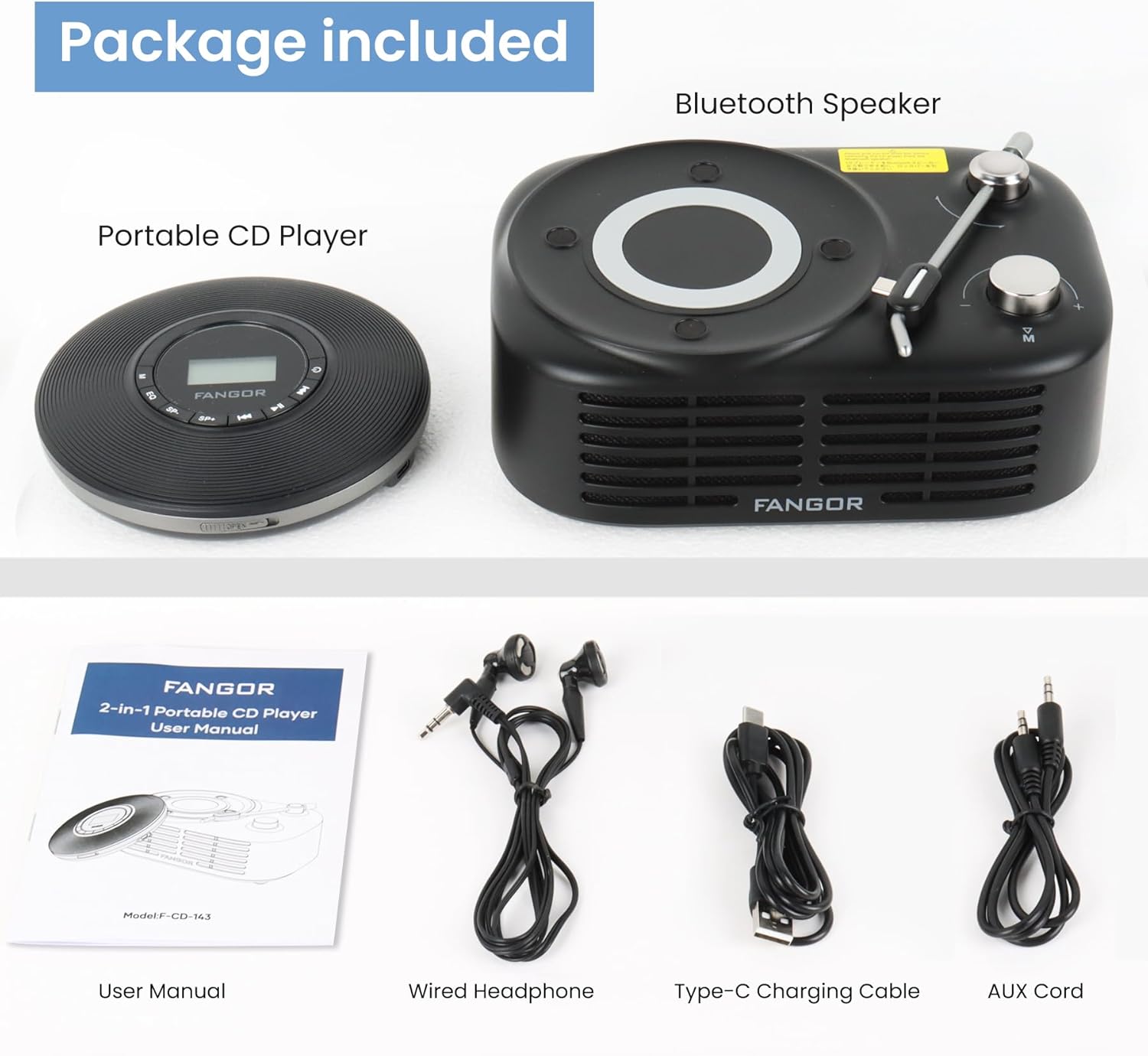
Figure 2.1: Package Contents. The image displays the portable CD player, the Bluetooth speaker base, a user manual, wired headphones, a Type-C charging cable, and an AUX cord.
- Pemain CD mudah alih
- Pangkalan Pembesar Suara Bluetooth
- Manual Pengguna (dokumen ini)
- Fon Kepala Berwayar
- Kabel Pengecasan Jenis-C
- Kord AUX
3. Produk Lebihview
The FANGOR F-CD-143 is a versatile audio device designed for both personal and shared listening experiences. It features a portable CD player that can be used independently with wired headphones or connected to the included Bluetooth speaker base.

Figure 3.1: 2-in-1 Portable CD Player & Bluetooth Speaker. The top half shows a person using the portable CD player with wired headphones. The bottom half shows the Bluetooth speaker base with 'Bluetooth 5.3' indicated.
3.1 Ciri-ciri Utama
- Reka bentuk boleh tanggal: Use the CD player independently or with the Bluetooth speaker base.
- Keserasian Format Luas: Supports CD, MP3, CD-R, CD-RW, CD-DA, WMA (WAV must be below 128 bitrate) formats.
- Main balik Kad TF: Supports TF cards up to 32GB for additional music options.
- Perlindungan Anti-Skip: 60-second Electronic Skip Protection (ESP) system prevents playback interruptions.
- Paparan LCD dengan lampu latar: Allows clear viewing of information in various lighting conditions.
- Berbilang Mod Main: Includes A-B repeat, repeat all, and repeat single track.
- Kesan Bunyi: Features 5 sound effects: BBS, POP, JAZZ, ROCK, Original Sound.
- Fungsi Memori Terakhir: Resumes playback from the last stopped position.
- Ketersambungan: 3.5mm AUX output for wired headphones or external speakers. Bluetooth 5.3 for wireless connection to the speaker base or other Bluetooth devices.
- Bateri Boleh Dicas Semula Terbina dalam: Provides long-lasting playtime for portable use.
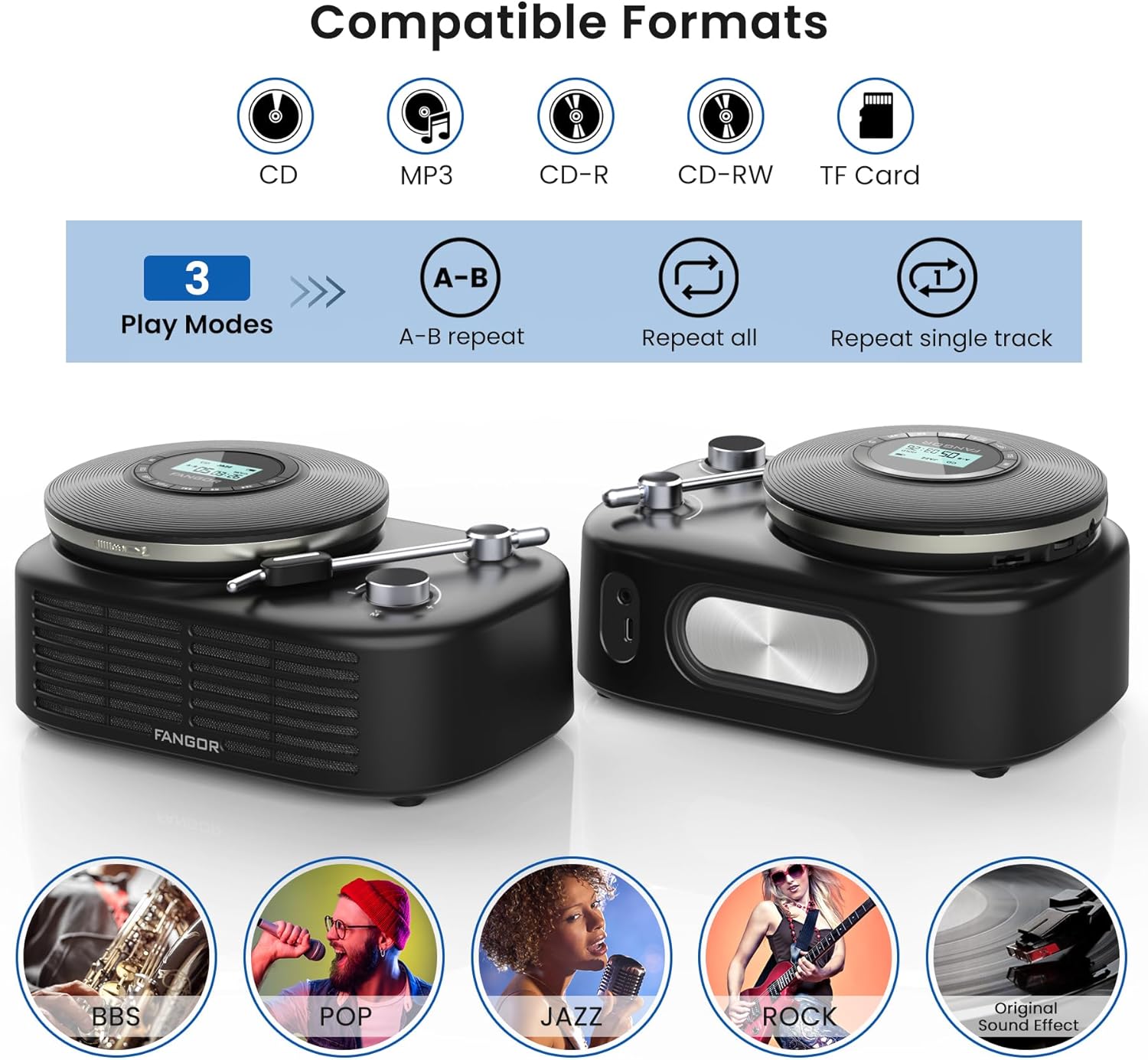
Figure 3.2: Compatible Formats, Play Modes, and Sound Effects. This image illustrates the various audio formats supported by the device, the available playback modes, and the different sound equalization options.

Figure 3.3: HIFI Stereo Sound and Connectivity. The image highlights the dual speakers of the Bluetooth base and its ability to connect via Bluetooth 5.3 or AUX to various devices like tablets, computers, and mobile phones.
4. Persediaan
4.1 Mengecas Peranti
The portable CD player has a built-in rechargeable battery. Before first use, fully charge the device.
- Connect the provided Type-C charging cable to the charging port on the portable CD player.
- Connect the other end of the cable to a compatible USB power source (e.g., wall charger, power bank, computer USB port, car charger).
- Lampu penunjuk pengecasan akan menyala semasa pengecasan dan padam apabila dicas sepenuhnya.

Figure 4.1: Built-in Rechargeable Battery and Charging Options. This image demonstrates the flexibility of charging the portable CD player using common USB power sources.
4.2 Assembling the CD Player with Bluetooth Speaker Base
To use the CD player with the Bluetooth speaker base, align the CD player with the designated slot on the speaker base and gently press until it clicks into place. Ensure a secure connection.
4.3 Memasukkan CD
- Open the CD compartment cover on the portable CD player.
- Carefully place the CD with the label side facing up onto the spindle.
- Gently press the center of the CD until it is securely seated on the spindle.
- Tutup penutup petak CD dengan kuat.
4.4 Menyambungkan Fon Kepala atau Pembesar Suara Luaran
- Fon Kepala Berwayar: Plug the wired headphones into the 3.5mm AUX output jack on the portable CD player.
- External Speakers (Wired): Use the provided AUX cord to connect the 3.5mm AUX output jack of the CD player to the AUX input of an external speaker system.
- External Speakers (Bluetooth): The Bluetooth speaker base can connect to other Bluetooth devices. Refer to section 5.3 for Bluetooth pairing instructions.
5. Arahan Operasi
5.1 Main Semula CD Asas
- Ensure a CD is properly inserted and the device is powered on.
- Tekan ke MAIN/JEDA button to start playback. The track number and elapsed time will be shown on the LCD display.
- Tekan MAIN/JEDA again to pause playback. Press it once more to resume.
- Tekan ke Langkau ke Hadapan butang untuk melangkau ke trek seterusnya.
- Tekan ke SKIP KE BELAKANG button to return to the beginning of the current track. Press it twice quickly to go to the previous track.
- Tekan ke BERHENTI butang untuk menghentikan main balik.
5.2 Kawalan Kelantangan
Laraskan kelantangan menggunakan VOL+ dan vol- buttons on the portable CD player. If using the Bluetooth speaker base, additional volume control may be available on the speaker itself or the connected Bluetooth device.
5.3 Bluetooth Pairing (Speaker Base)
The Bluetooth speaker base can be used independently as a Bluetooth speaker.
- Ensure the Bluetooth speaker base is powered on.
- Aktifkan Bluetooth pada peranti luaran anda (cth., telefon pintar, tablet).
- Cari untuk available Bluetooth devices. The speaker base will appear as "FANGOR Speaker" or similar.
- Select the speaker from the list to pair. Once paired, a confirmation sound may be heard.
5.4 Main Semula Kad TF
- Insert a TF card (up to 32GB) into the TF card slot on the portable CD player.
- The device should automatically switch to TF card mode. If not, press the MODE button to select TF card playback.
- Gunakan MAIN/JEDA dan SKIP butang untuk mengawal main balik.
5.5 Fungsi Ulangan AB
The A-B repeat function allows you to repeatedly play a specific segment of a track. This is particularly useful for language learning or musical practice.
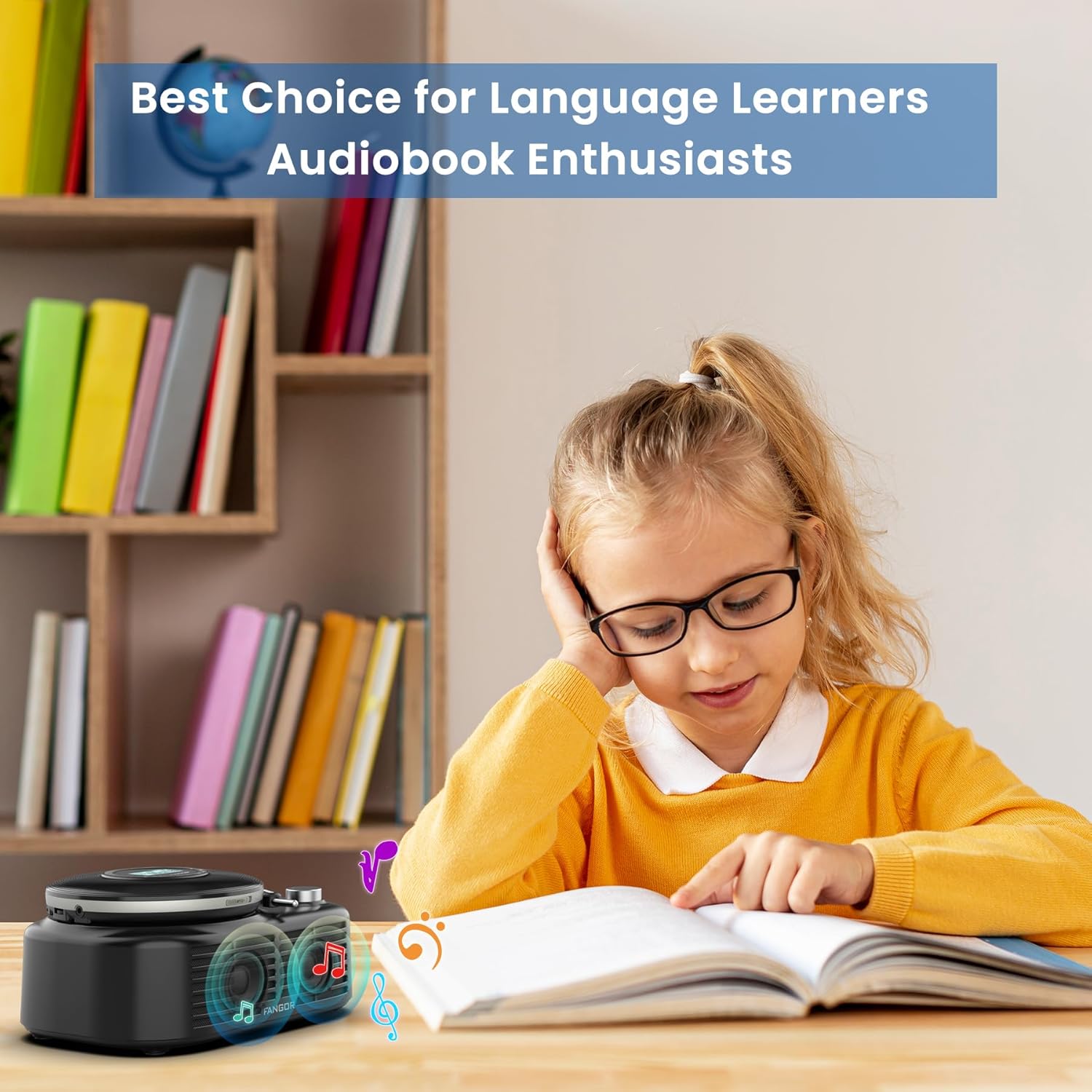
Figure 5.1: Ideal for Language Learners and Audiobook Enthusiasts. This image demonstrates a practical application of the device's features, such as A-B repeat, for educational purposes.
- Semasa main semula, tekan butang AB button once to set the starting point (A).
- Tekan ke AB button again to set the ending point (B). The segment between A and B will now repeat.
- Tekan ke AB button a third time to cancel the A-B repeat function.
5.6 Kesan Bunyi (EQ)
Tekan ke EQ button repeatedly to cycle through the available sound effects: BBS, POP, JAZZ, ROCK, Original Sound. Select the effect that best suits your listening preference.
5.7 Last Memory Function
The device automatically remembers the last playback position. When you power on the CD player again, it will resume from where it last stopped.
6. Penyelenggaraan
6.1 Membersihkan Peranti
- Always power off the device and disconnect it from any power source before cleaning.
- Gunakan kain lembut dan kering untuk mengelap permukaan luar. Jangan gunakan pembersih yang melelas, lilin atau pelarut.
- For the CD lens, use a specialized CD lens cleaning kit. Do not touch the lens directly.
6.2 Penjagaan Bateri
- Untuk memanjangkan hayat bateri, elakkan daripada menyahcas sepenuhnya bateri dengan kerap.
- If storing the device for an extended period, charge it to approximately 50% every few months.
- Avoid exposing the device to extreme temperatures, which can degrade battery performance.
6.3 Penyimpanan
Store the device in a cool, dry place away from direct sunlight, dust, and moisture when not in use.
7. Penyelesaian masalah
If you encounter issues with your FANGOR F-CD-143, please refer to the following common problems and solutions.
| Masalah | Kemungkinan Punca | Penyelesaian |
|---|---|---|
| CD does not play / No sound | CD inserted incorrectly; CD is dirty or scratched; Headphones/speakers not connected; Volume too low; Device not powered on. | Ensure CD is inserted correctly (label side up); Clean or replace CD; Check headphone/speaker connection; Increase volume; Power on the device. |
| Melangkau semasa main balik | CD is scratched or dirty; Device is subjected to strong vibrations; ESP system malfunction. | Clean or replace CD; Use the device on a stable surface; Ensure ESP is active (60 seconds anti-skip protection). |
| Pembesar suara Bluetooth tidak berpasangan | Speaker not in pairing mode; Bluetooth disabled on external device; Speaker too far from external device. | Ensure speaker is powered on and in pairing mode; Enable Bluetooth on your external device; Move speaker closer to the external device (within 10 meters). |
| Kad TF tidak dikenali | TF card inserted incorrectly; TF card corrupted; Unsupported file format on TF card. | Reinsert TF card correctly; Try a different TF card; Ensure music files are in supported formats (MP3, WMA). |
| Peranti tidak dihidupkan | Bateri habis; Butang kuasa tidak ditekan dengan betul. | Charge the device fully; Press and hold the power button for a few seconds. |
8. Spesifikasi
| Ciri | Spesifikasi |
|---|---|
| Jenama | FANGOR |
| Nombor Model | F-CD-143 |
| Teknologi Ketersambungan | Auxiliary, Bluetooth 5.3 |
| Ciri Khas | Portable, Detachable Bluetooth Speaker Base, Anti-Skip Protection, Backlit LCD Display, A-B Repeat, Last Memory |
| Format Audio yang Disokong | CD, MP3, CD-R, CD-RW, CD-DA, WMA (WAV below 128 bitrate) |
| Jenis Format Media | CD-R |
| Sokongan Kad TF | Maks 32GB |
| Jenis Penyambung | 3.5mm Jack (AUX output), Type-C (Charging) |
| Bilangan Cakera | 1 |
| Peranti Serasi | Headphone, Speaker, Phones, Tablets, Smart TVs (via Bluetooth speaker base) |
| Media Terbina Dalam | Pemain CD |
9. Waranti dan Sokongan
FANGOR is committed to providing high-quality products and services. Your FANGOR F-CD-143 Portable CD Player and Bluetooth Speaker comes with:
- 365-Day No-Reason Replacement: If you encounter any issues within 365 days of purchase, you are eligible for a replacement.
- Sokongan Teknikal Seumur Hidup: Our professional after-sales team is available to provide technical assistance for the lifetime of the product.
For any inquiries or support needs, please contact our customer service team. We aim to handle all issues properly within 24 hours.