
1. Pengenalan
Thank you for choosing the Bewinner Star Projector. This device is designed to project high-definition celestial scenes, creating an immersive starry sky experience. Please read this manual thoroughly before use to ensure proper operation and to maximize your enjoyment of the product.
2. Produk Lebihview
2.1. Komponen
- Star Projector Unit
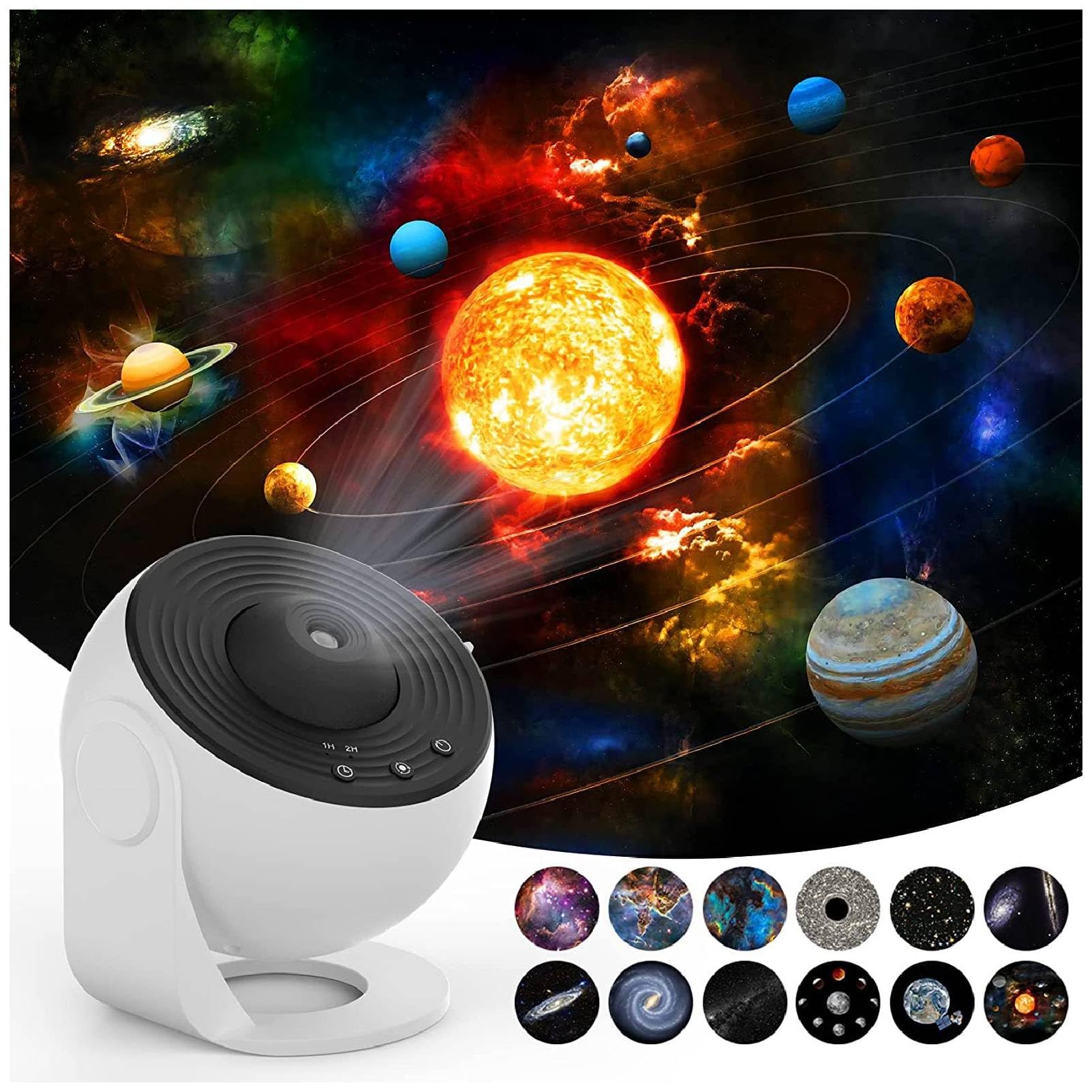
- 12 Film Discs (various celestial themes)
- Kabel Kuasa USB
- Manual Pengguna
2.2. Ciri-ciri Utama
- Unjuran Definisi Tinggi: Advanced lens for clear and detailed celestial images.
- Focusing Design: Manual focus adjustment for optimal clarity at various distances.
- Multiple Scenes: Includes 12 film discs featuring different astronomical views.
- Operasi senyap: Direka untuk bunyi bising yang minimum semasa penggunaan.
- Fungsi Pemasa: Built-in timer for automatic shutdown.
- Dikuasakan USB: Convenient power source.
2.3. Rajah Produk


3. Arahan Persediaan
- Bongkar: Keluarkan semua komponen dari pembungkusan dengan berhati-hati.
- Sambungan Kuasa: Connect the provided USB cable to the projector's DC 5V port and plug the other end into a compatible USB power adapter (not included) or a USB port.
- Sisipkan Cakera Filem:
- Gently open the film disc slot cover on the side of the projector.
- Select your desired film disc.
- Insert the film disc into the slot, ensuring it is properly seated.
- Tutup penutup slot dengan kemas.
- penempatan: Place the projector on a stable, flat surface. For optimal projection, ensure the room is dark.

4. Arahan Operasi
- Hidupkan/Mati Kuasa: Press the power button (usually indicated by a universal power symbol) on the top of the projector to turn it on or off.
- Laraskan Fokus: Rotate the focus ring around the projection lens to achieve a clear image on your desired surface.
- Change Film Disc: To change the projected scene, turn off the projector, open the film disc slot, replace the current disc with a new one, and close the slot.
- Kawalan Putaran: The projector features a silent rotation mechanism. Use the designated button (if available, refer to specific model controls) to activate or deactivate the rotation of the projected image.
- Tetapan Pemasa: Use the timer button (often labeled "1H" or "2H") to set an automatic shutdown time for 1 or 2 hours.


5. Penyelenggaraan
- Pembersihan: Use a soft, dry cloth to clean the exterior of the projector. Do not use abrasive cleaners or solvents.
- Penjagaan Lensa: For the projection lens, use a lens cleaning cloth to gently wipe away dust or smudges. Avoid touching the lens directly with your fingers.
- Film Discs: Handle film discs by their edges to avoid fingerprints. Store them in their protective cases when not in use.
- Storan: When not in use for extended periods, store the projector in a cool, dry place away from direct sunlight.
6. Penyelesaian masalah
| Masalah | Kemungkinan Punca | Penyelesaian |
|---|---|---|
| No projection/Power not turning on | Power cable not connected properly; No power from USB source. | Check USB cable connection. Ensure USB power source is active. |
| Imej kabur | Focus not adjusted; Projector too far/close to projection surface. | Rotate the focus ring until the image is clear. Adjust distance to projection surface. |
| Imej tidak berputar | Fungsi putaran dimatikan. | Press the rotation control button to activate rotation. |
| Unjuran malap | Room is not dark enough; Lens or film disc is dirty. | Ensure the room is sufficiently dark. Clean the lens and film disc. |
7. Spesifikasi
| Ciri | Perincian |
|---|---|
| Jenama | Bewinner |
| Nombor Model | Bewinnertfk9sm0inu |
| Sumber Kuasa | Elektrik Bertali |
| Voltage | 5 Volt |
| Jenis Sumber Cahaya | LED |
| bahan | Akrilonitril Butadiena Stirena |
| warna | putih |
| Komponen yang Disertakan | Projection Light, 12 x Film |
| Penggunaan Dalaman/Luar | Dalaman |
| Kaedah Kawalan | Remote Control (or direct buttons) |
| Teknologi Ketersambungan | USB |
| Protokol Ketersambungan | Bluetooth |
| Ciri-ciri Tambahan | Alat Kawalan Jauh |
| Tahap Ketahanan Air | Bukan Tahan Air |
8. Waranti dan Sokongan
For warranty information and customer support, please refer to the product packaging or contact Bewinner customer service directly. Keep your purchase receipt for any warranty claims.
For additional support or to explore other products, visit the official Bewinner Store: Bewinner Store on Amazon.