
1. Pengenalan
Terima kasih kerana membeliasing the AGPTEK G02PL 64GB Clip MP3 Player. This portable music player is designed for convenience and durability, especially for sports and outdoor activities. It features a clip-on design, FM radio, and a sweatproof silicone case. This manual provides detailed instructions on how to set up, operate, and maintain your device.
2. Produk Lebihview
2.1 Kandungan Pakej
- AGPTEK G02PL 64GB Clip MP3 Player
- Sweatproof Silicone Case
- Kabel Pengecas USB
- Manual Pengguna
- Note: Earphones are not included in the package.

Image: Contents of the AGPTEK G02PL package, including the MP3 player, silicone case, USB cable, and user manual.
2.2 Ciri-ciri Peranti
- Reka Bentuk Klip: Easily attachable for sports and outdoor activities.
- Sweatproof Silicone Case: Provides protection during workouts.
- Memori Dalaman 64GB: Ample storage for your music library.
- Radio FM: Listen to your favorite radio stations (requires wired earphones).
- Mod Kocok: Quick switch for randomized playback.
- Padat dan Ringan: Weighs only 0.49 oz (14g), dimensions: 1.97 x 1.43 x 0.61 inches.
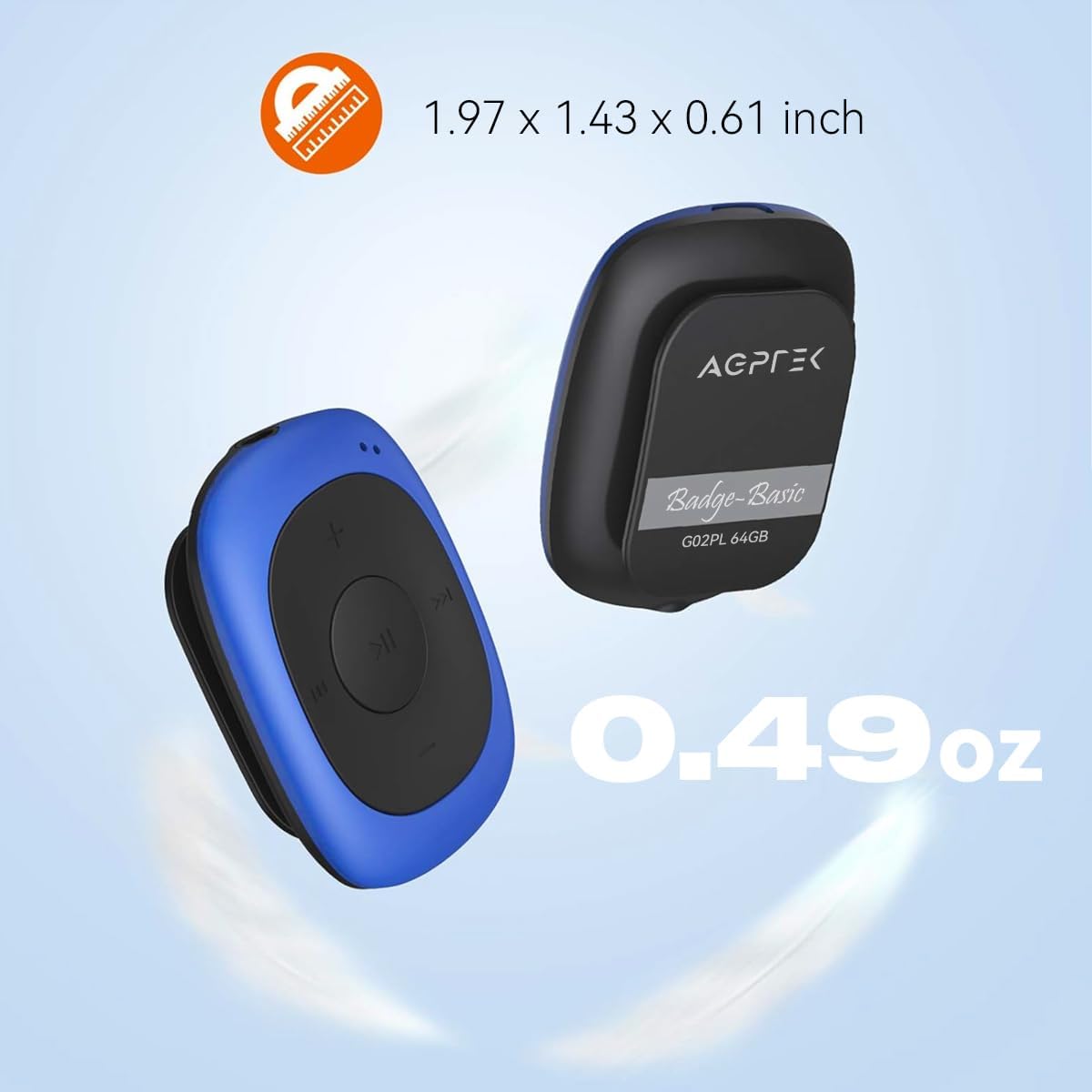
Image: Illustrates the compact size (1.97 x 1.43 x 0.61 inches) and light weight (0.49 oz) of the AGPTEK G02PL MP3 player.

Image: Shows the AGPTEK G02PL MP3 player inside its sweatproof silicone case, highlighting the portable clip feature.
3. Persediaan
3.1 Mengecas Peranti
Before first use, fully charge the MP3 player. Use the included USB cable to connect the device to a computer's USB port or a compatible USB wall charger (not included).
- Pengecasan penuh mengambil masa kira-kira 2.5 jam.
- The built-in 160mAh rechargeable battery provides up to 10 hours of audio playback at medium volume. Battery life may be shorter when using FM radio.

Image: Depicts the AGPTEK G02PL MP3 player connected to a USB cable for charging, illustrating the internal components.
3.2 Memindahkan Muzik Files
To transfer music to your AGPTEK G02PL MP3 player:
- Sambungkan pemain MP3 ke komputer anda menggunakan kabel USB yang disediakan.
- Peranti ini akan muncul sebagai pemacu cakera boleh tanggal pada komputer anda.
- Seret dan lepas muzik yang anda inginkan files (MP3, WMA, WAV formats supported) into the device's storage folder.
- Note: The player does not directly support iTunes music. Convert iTunes files to MP3 format before transferring.
- Keluarkan peranti dengan selamat dari komputer anda sebelum memutuskan sambungan kabel USB.

Image: Highlights the 64GB large memory capacity of the AGPTEK G02PL MP3 player.
4. Arahan Operasi
4.1 Main Semula Muzik Asas
- Hidupkan/Mati Kuasa: Locate the power switch (usually a slider or long press of the play button) and slide it to turn on the device.
- Main/Jeda: Press the central Play/Pause button.
- Trek Seterusnya / Sebelumnya: Use the forward (⏭) and backward (⏮) buttons to skip tracks.
- Pelarasan Kelantangan: Gunakan butang '+' dan '-' untuk meningkatkan atau mengurangkan kelantangan.
4.2 Fungsi Radio FM
Untuk menggunakan ciri radio FM:
- Connect Wired Earphones: Wired earphones must be connected to the MP3 player as they act as the antenna for the FM radio.
- Tukar kepada Mod FM: Use the dedicated FM / Music switch slider to select FM mode.
- Stesen-stesen Tala: The device supports FM Frequency Range: 88MHz-108MHz. Use the track skip buttons to search for stations or initiate a quick search function if available.

Image: Shows the AGPTEK G02PL MP3 player connected to wired earphones, emphasizing the requirement for FM radio functionality. Icons for News, Sports, Music, and Weather are displayed.
4.3 Shuffle and Repeat Modes
The player features a dedicated slider for repeat and shuffle modes. Slide it to activate or deactivate shuffle playback for your music.
5. Penyelenggaraan
- Keep the device dry. Avoid exposure to extreme temperatures.
- Bersihkan peranti dengan kain lembut dan kering. Jangan gunakan bahan kimia yang keras atau pembersih yang kasar.
- Ensure the silicone case is properly fitted to maintain its sweatproof properties.
- Simpan peranti di tempat yang selamat apabila tidak digunakan untuk mengelakkan kerosakan.
6. Penyelesaian masalah
6.1 Peranti Tidak Dihidupkan
- Ensure the battery is charged. Connect the device to a power source and charge for at least 30 minutes.
- Periksa kedudukan suis kuasa.
6.2 Tidak Boleh Memindahkan Files
- Verify the USB cable is securely connected to both the player and the computer.
- Cuba port USB lain pada komputer anda.
- Pastikan muzik files are in a supported format (MP3, WMA, WAV).
- Restart your computer and the MP3 player.
6.3 Tiada Bunyi
- Check if earphones are properly connected.
- Adjust the volume level using the '+' button.
- Pastikan muzik file is not corrupted. Try playing a different track.
6.4 FM Radio Not Working
- Confirm that wired earphones are plugged in, as they serve as the antenna.
- Ensure you are in an area with good FM signal reception.
- Switch to FM mode using the dedicated slider.
7. Spesifikasi
| Ciri | Perincian |
|---|---|
| Jenama | AGPTEK |
| Nama Model | AGPTEK 64GB Clip MP3 Player With FM Shuffle (G02PL) |
| Kapasiti Penyimpanan Memori | 64 GB |
| Teknologi Ketersambungan | USB |
| Ciri Khas | Radio FM |
| Format Muzik yang Disokong | MP3, WMA, WAV |
| Julat Frekuensi FM | 88MHz-108MHz |
| Hayat Bateri | Up to 10 hours (audio playback at medium volume) |
| Masa Mengecas | lebih kurang 2.5 jam |
| Dimensi | 1.97 x 1.43 x 0.61 inci |
| Berat badan | 0.49 oz |
| Peranti Serasi | Komputer riba, Komputer Peribadi |
8. Waranti dan Sokongan
For product support, warranty information, or further assistance, please refer to the contact details provided on the AGPTEK official website or the documentation included with your purchase. Keep your purchase receipt for warranty claims.